/ Modulator / Tube Modulator
Audiority

Tube Modulator

4.7 (1046 Reviews)
$35.00
Audiority Tube Modulator - UI
Audiority Tube Modulator: Guitar Quick Demo gallery thumbnail
Audiority Tube Modulator Video Manual gallery thumbnail
Buy Now
Product information

Tube Modulator is a collection of several tremolo, vibrato and spatial position effect circuits ranging from the late ‘50s tube bias tremolo to the late ‘60s psychedelic vibe pedals.
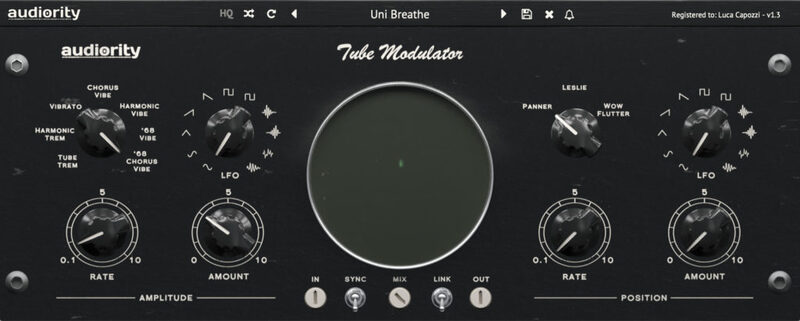
Tube Modulator spatial effects include a panner, a rotary speaker and a wide stereo “wow & flutter” simulators.

A wide XY scope will show you the current amplitude and spatial position modulation to get instant feedback from your settings.

Tube Modulator is Colored by Design, adding a great amount of warmth and colour to your signal.

Features

  • 7 Tremolo / Vibrato modes
  • 3 Spatial Position effects
  • 11 Waveforms LFO
  • XY Scope
  • Parameters Linking
  • Tempo Sync
  • Coloured by Design

System Requirements

Mac (Intel)

  • OSX 10.9 or later (64-bit only)
  • Intel i5 or higher
  • 2GB RAM
  • Screen resolution: 1024×768
  • VST2, VST3, AU 64-bit host

Mac (Apple Silicon)

  • macOS 11.0 or later (64-bit only)
  • Apple M1 or higher
  • 2GB RAM
  • Screen resolution: 1024×768
  • VST2, VST3, AU 64-bit host

Windows

  • Windows 7 (64-bit only)
  • Intel i5 or higher
  • 2GB RAM
  • Screen resolution: 1024×768
  • VST2, VST3 64-bit host

Please Note: Pro Tools 11 or higher is required in order to use the AAX 64-bit version.

Awards

Installation Instructions

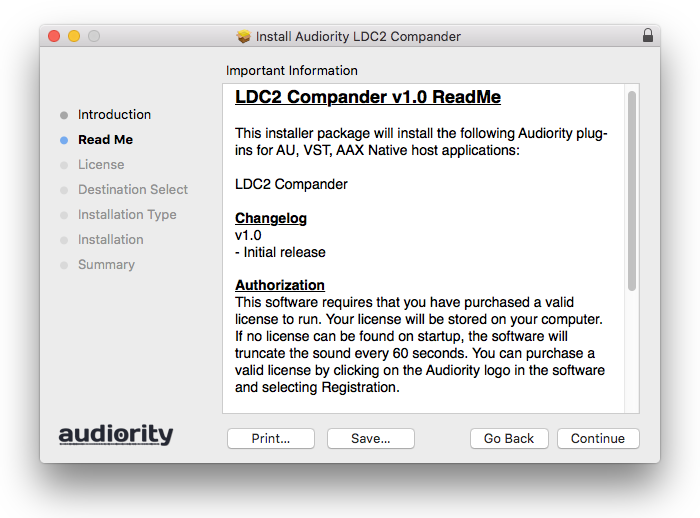
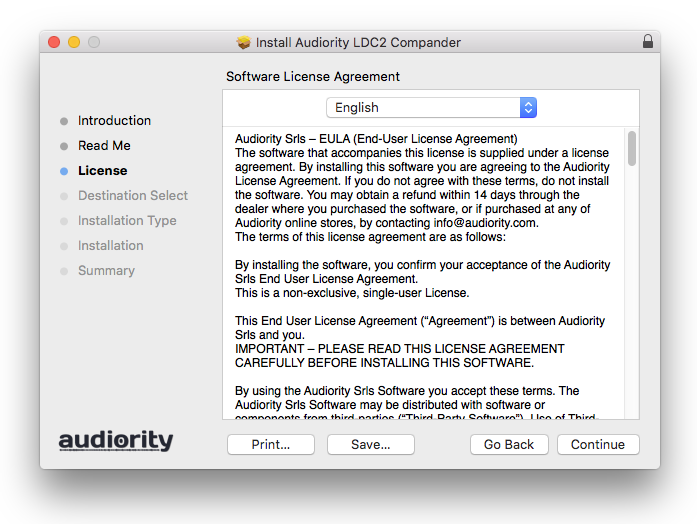
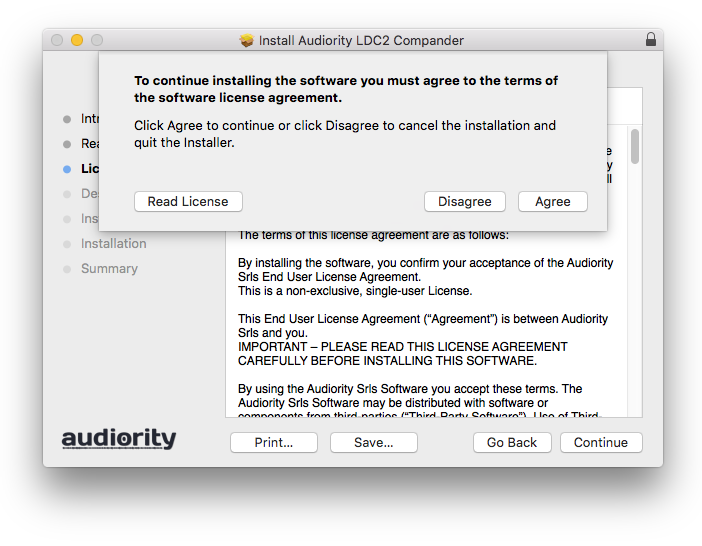
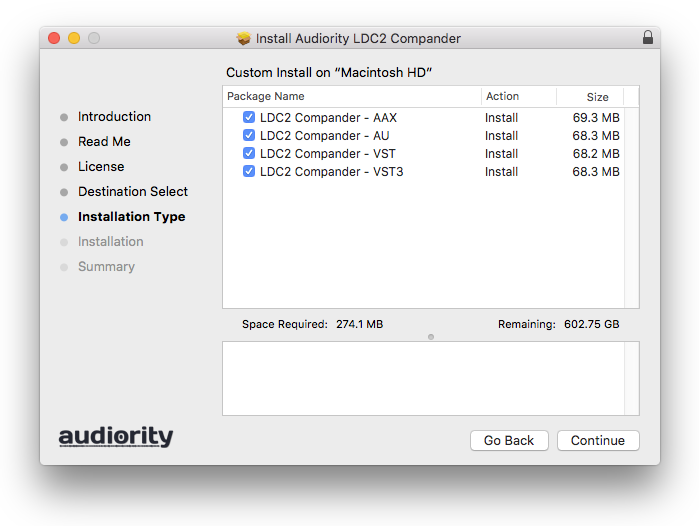
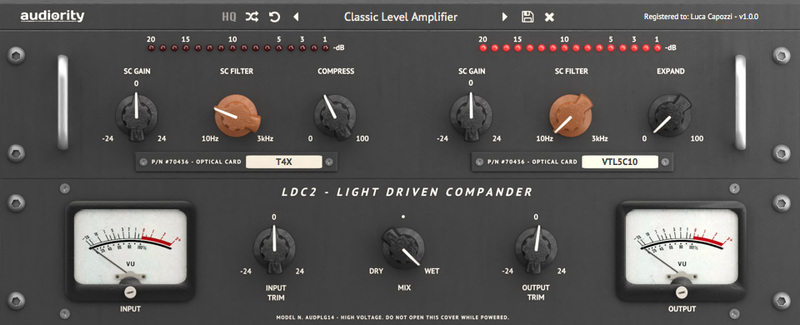
Note: LDC2 Compander is used as an example.

Mac

Registration

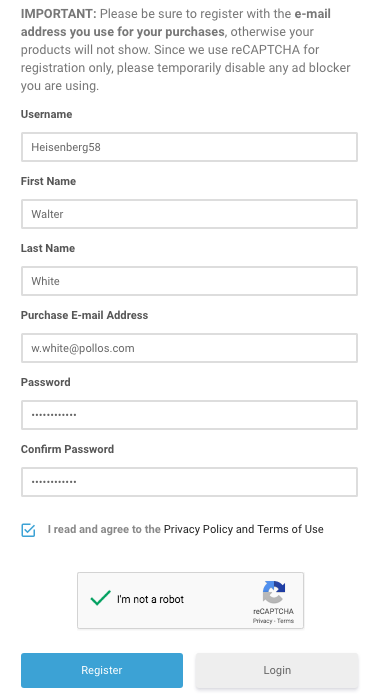
1. Visit https://www.audiority.com/register and enter your personal details > Click 'Register.'

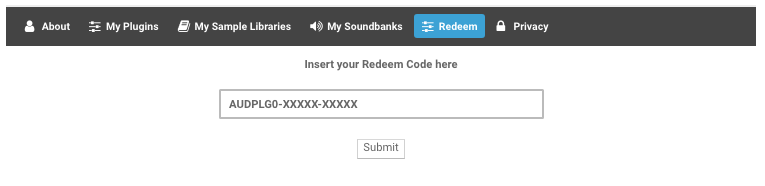
2. Once logged in, Click the 'Redeem' button at the top of the page and enter the redeem code, found in your Plugin Boutique User Account > Click 'Submit'.

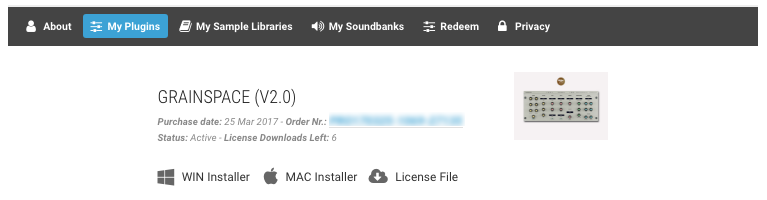
3. Click the 'My Plugins' button > Select the Mac Installer.

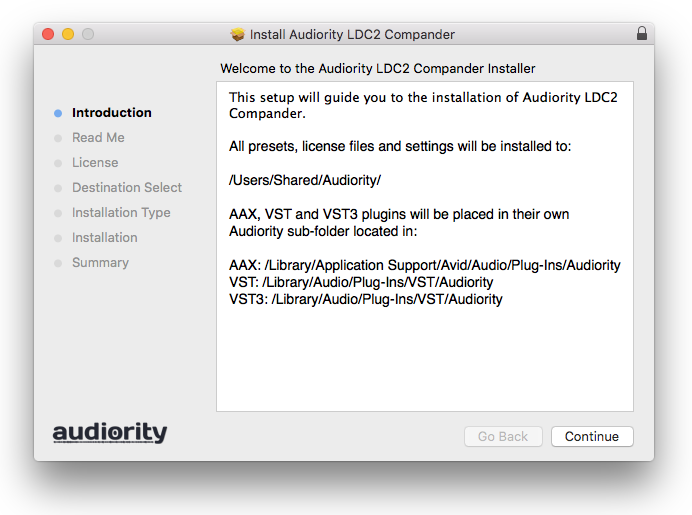
4. Locate the .dmg installer file from the 'Downloads' section of your computer, and double-click it to begin the installation process > click ‘Continue.’

Installation

1. Open the .dmg file > Open the .pkg file to begin the installation.

2. Click 'Continue'.

3. Click 'Continue'.

4. Click 'Continue'.

5. Click 'Agree'.

6. Click 'Continue'.

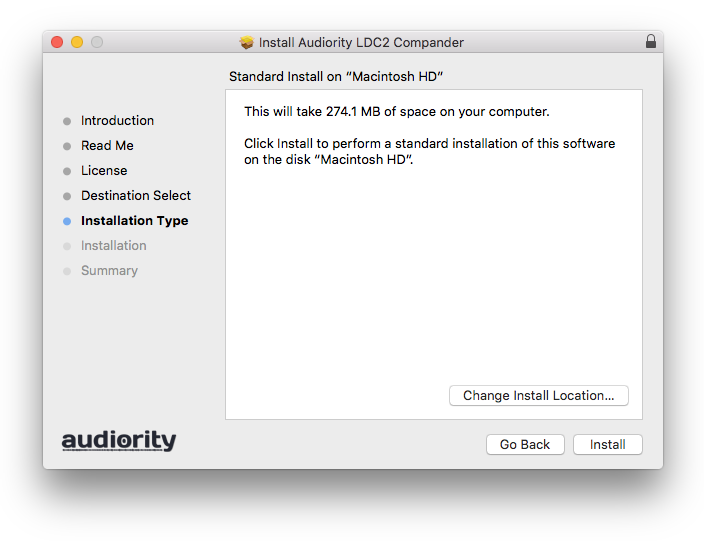
7. Click 'Install'.

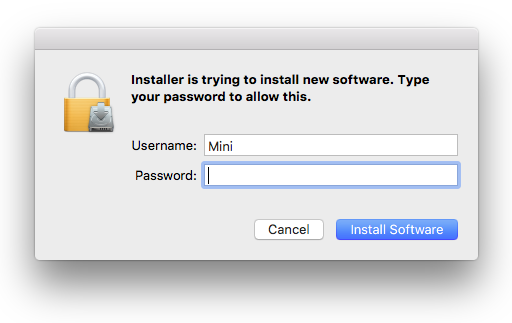
8. Enter your computer Username and Password > Click 'Install Software'.

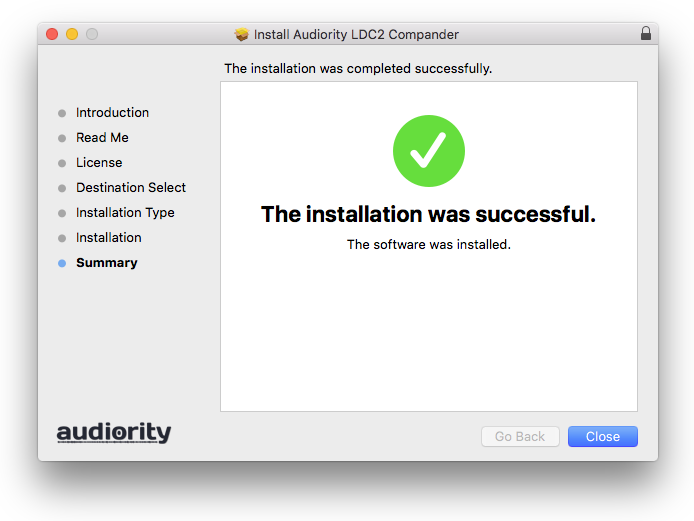
9. Click 'Close'.

Activation

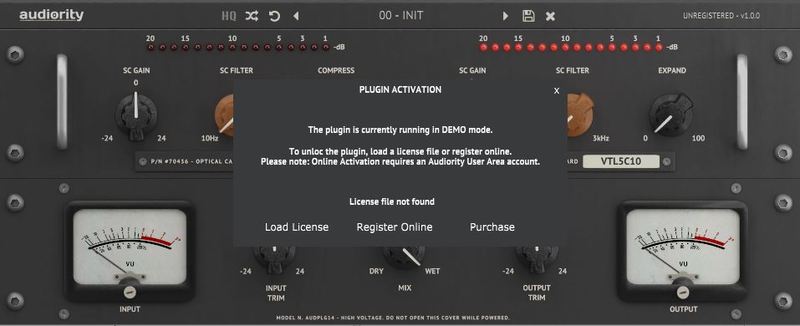
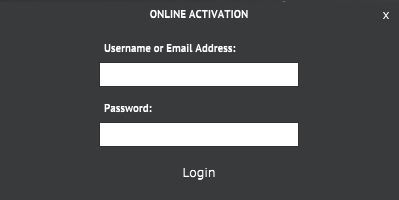
1. Open the newly installed plugin in your DAW > Click 'Register Online'.

2. Enter your username and email address that you registered at Audiority > Click 'Login'.

Your plugin is now activated and ready to use.

Windows

Registration

1. Visit https://www.audiority.com/register and enter your personal details > Click 'Register.'

2. Once logged in, Click the 'Redeem' button at the top of the page and enter the redeem code, found in your Plugin Boutique User Account > Click 'Submit'.

3. Click the 'My Plugins' button > Select the Windows Installer.

Installation

1. Double-click the installer to extract the contents > Double-click the .exe file to begin the installation.

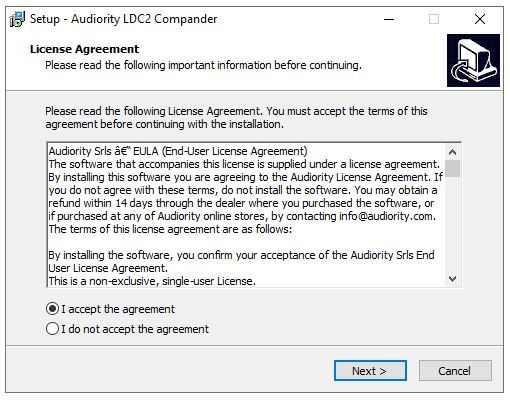
2. Select 'I Accept the Agreement' > Click 'Next'.

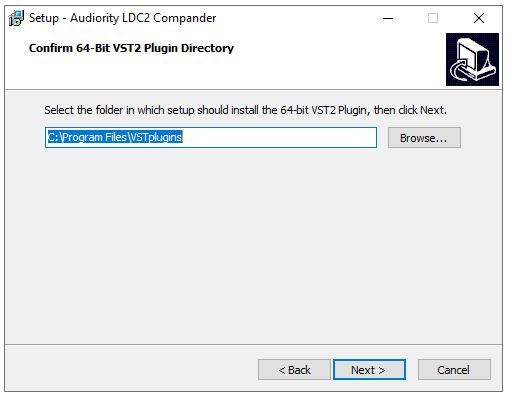
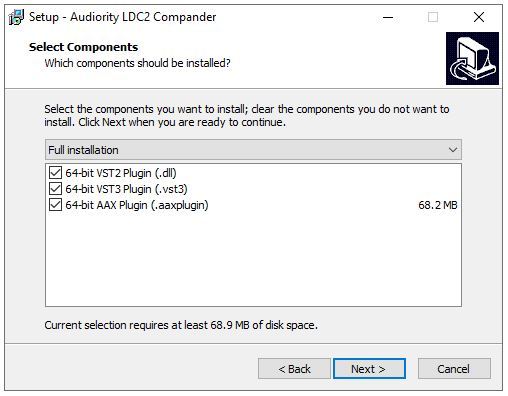
3. Click 'Next'.

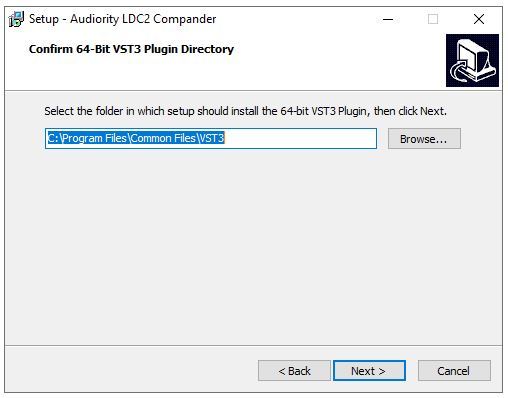
4. Click 'Next'.

5. Click 'Next'.

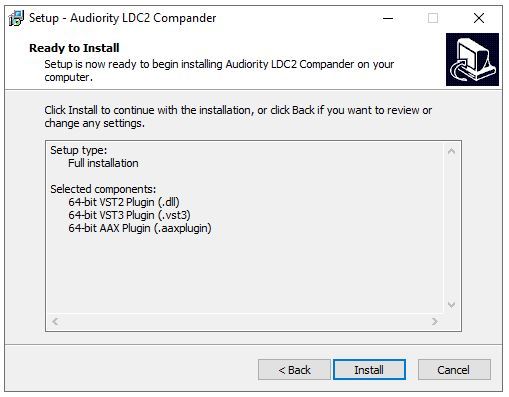
6. Click 'Install'.

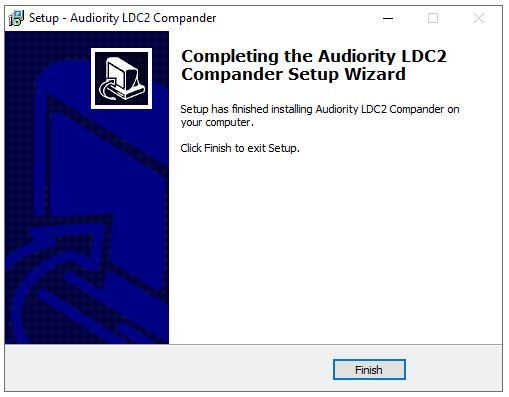
7. Click 'Finish'.

Activation

1. Open the newly installed plugin in your DAW > Click 'Register Online'.

2. Enter your username and email address that you registered at Audiority > Click 'Login'.

Your plugin is now activated and ready to use.

Plugin Boutique Rewards

Discover the most rewarding loyalty programme among all plugin retailers.

  • Free Loopmasters Samplepacks
  • Discounts on products and courses
  • Extra Virtual Cash claimed immediately at checkout
Find out more

Follow us:

X (Twitter) Facebook YouTube Instagram
Logo Logo

Plugin Boutique Limited, Part of the Beatport Group LLC.

Copyright © 2011-2025 Plugin Boutique. All rights reserved