


 Log In

Free gifts available with your purchase
Product information
SoundShifter
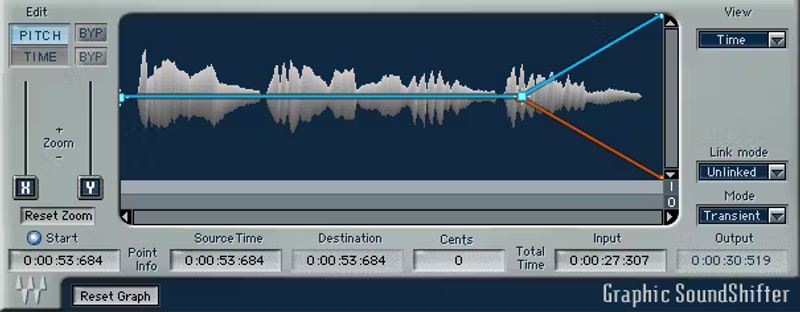
Stretch Time and Pitch with Outstanding Quality
Without a doubt, the most demanding digital audio processes are stretching time and transposing pitch. SoundShifter offers high-quality results for both processes, with three specialized components provide different, optimized functionalities.
With all DAWs, use SoundShifter as an insert effect. With Pro Tools, you can also shift a selection’s speed and pitch with a fixed ratio, and even change ratios in a selection by drawing an automation graph.
Features
- The sound quality far exceeds typical stock DAW functions
- Transpose instruments and vocals to different keys
- Tweak the time of commercials, so they fit into designated time slots
- Raise pitch/time with masters, as was done with variable-speed tape
- Transform audio, for sound design applications and FX
- Define time-stretch lengths by SMPTE, tempo, bars, or samples
- Transpose based on absolute frequencies or musical pitches
- Unlink pitch and time, or link one to the other
- Parametric/Graphic SoundShifters are AudioSuite-only components
- Graphic SoundShifter has separate curves for pitch and time
- Pitch shifter component works with all DAWs, not just Pro Tools
- Pitch shifter transposes audio independently of duration
System Requirements
Mac
- macOS Monterey 12, Ventura 13, Sonoma 14, Sequoia 15
- VST / AU / AAX
PC
- Windows 10+
- VST / AAX
Installation Instructions














