/ Pitch Shifter / ElastiquePitch V2.5
zplane

ElastiquePitch V2.5

4.6 (321 Reviews)
$96.25 $175.00

45% off until Dec 12

Main Image
Main Image
Introducing: ELASTIQUE PITCH Version 2.5 gallery thumbnail
ELASTIQUE PITCH Version 2.5: Plugin Overview and Tutorial gallery thumbnail
UI 2
UI 3
Ui 4
Ui 5
Buy Now
Product information

Ultra-transparent real-time pitch shifting for all platforms

ELASTIQUE PITCH Version 2.5 delivers stunningly clear, real-time pitch and formant shifting for any production need, from creative sonic experimentation to precise frame-rate conversion.

Powered by the latest ELASTIQUEPRO engine, the trusted zplane technology used in many world-class DAWs, ELASTIQUE PITCH combines pristine audio quality with effortless control.

Sculpt pitch and formants independently for creative sound design, subtle vocal enhancement, or bold transformations. Push your audio further with the built-in Pitch Delay and Grain Freeze features for evolving textures, shifting echoes, and wild effects - all in real time.

Instant Results
ELASTIQUE PITCH 2.5 features a completely redesigned interface - cleaner, clearer, and more intuitive than ever. Every element has been refined for speed and precision, putting all essential parameters right at your fingertips.

Get Creative
Beyond transparent pitch-shifting, ELASTIQUE PITCH is a powerful sound design tool. Freeze and shift audio with infiniStretch for experimental textures, or use the Delay to craft cascading echoes and shifting atmospheres - all in perfect sync with your DAW.

Explore & Play
Activate MIDI pitch control with a single button and perform expressive pitch bends, play pitch shifts from your keyboard, or automate shifts for evolving soundscapes - all in real-time and with full precision.

Features

  • Independent Pitch and Formant Shifting: Shift the pitch and formant of polyphonic or monophonic material by up to ±1 octave
  • Pitch Delay and Grain Freeze: Create pitch and formant-shifted repeats or infinite glitch effects
  • MIDI Control for Pitch Performance: Control transposition in real-time thanks to MIDI control with pitch bend
  • High-Quality Pitch Shifting: For single instruments, entires busses or even complex mixes
  • Phase-Coherence: Stereo and transient information are preserved thanks to complete phase stability
  • Multi-Channel Support: Process up to 16 channels simultaneously
  • VST3, AU and AAX Formats: Compatible with all major DAWs
System Requirements

Windows

  • Windows 10 - 11
  • VST2, VST3 and AAX formats
  • Minimum CPU - 2GHz
Mac

  • macOS 10.15 Catalina - macOS12 Monterey (Intel & M1 Apple Silicon supported)
  • VST2, VST3, AU and AAX formats
  • Minimum CPU - 2GHz
Installation Instructions

Please note: deCoda is used as an example.

Registration

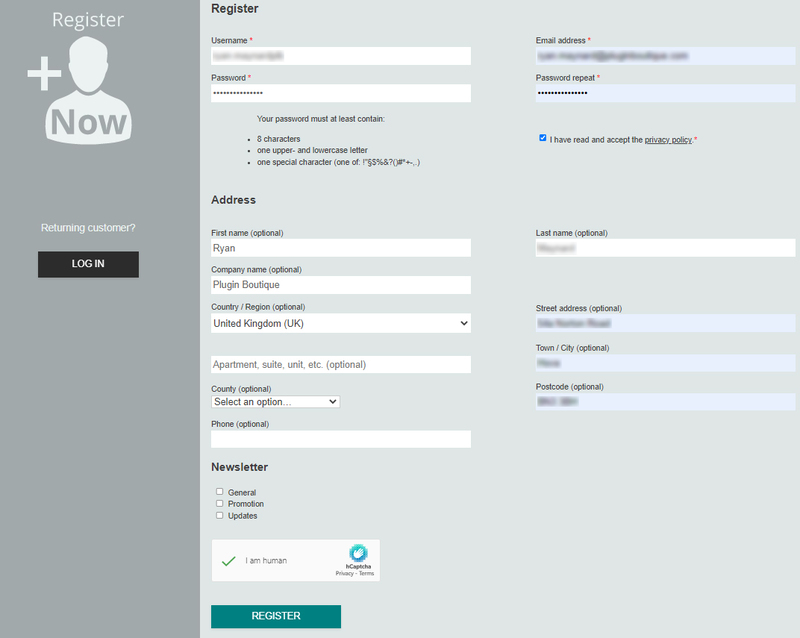
1. Go to the zplane registration page > Enter your details (make sure to select the privacy policy tick box and select 'I am human') > Click Register. If you already have an account, log in to your zplane account and skip to step 4. 

2. Click the link you were sent via email from zplane to confirm your account > Click LOG IN.

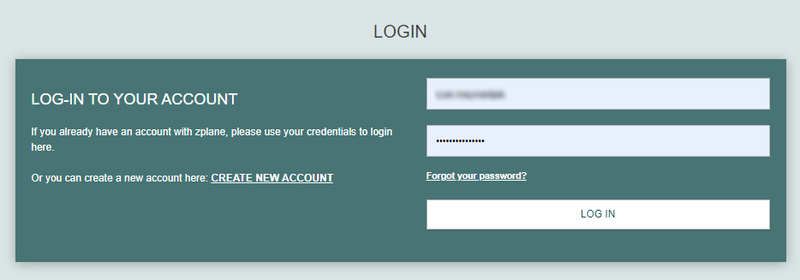
3. Enter your username and password > Click LOG IN.

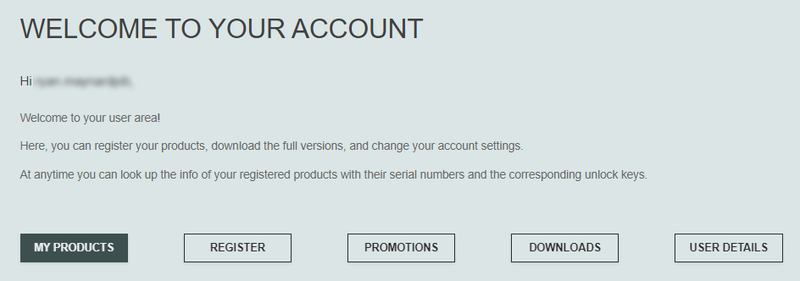
4. Click Register.

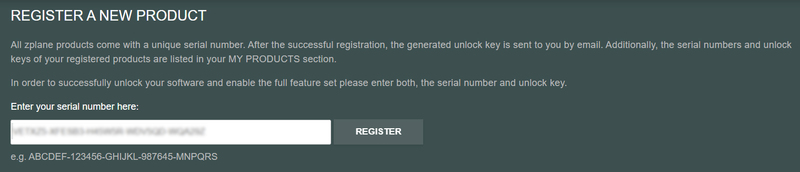
5. Copy the serial number from your Plugin Boutique account > Enter in the box on this page > Click REGISTER.

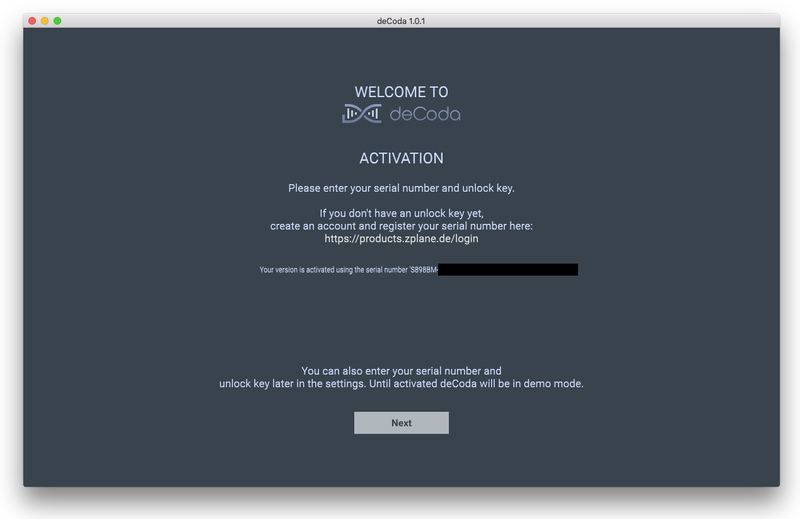
Your software is now registered.

Mac Installation

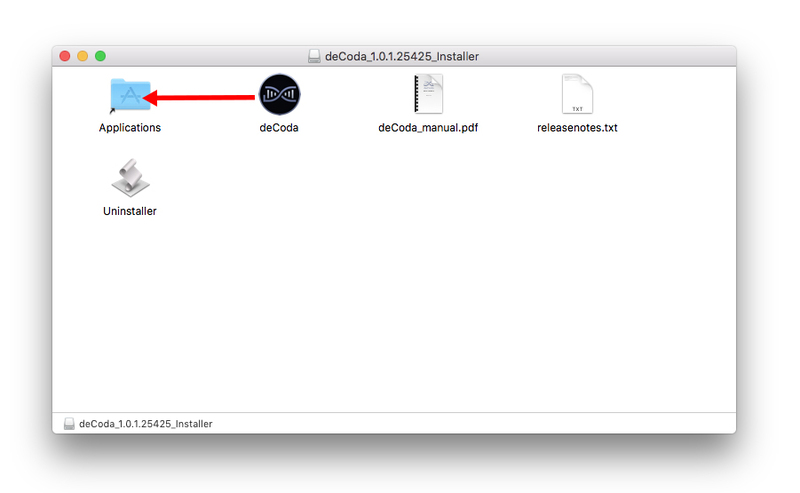
1. Download the .dmg installer file from your Plugin Boutique account > Double-click to open it.

2. Drag 'deCoda' into your Applications folder.

Activation

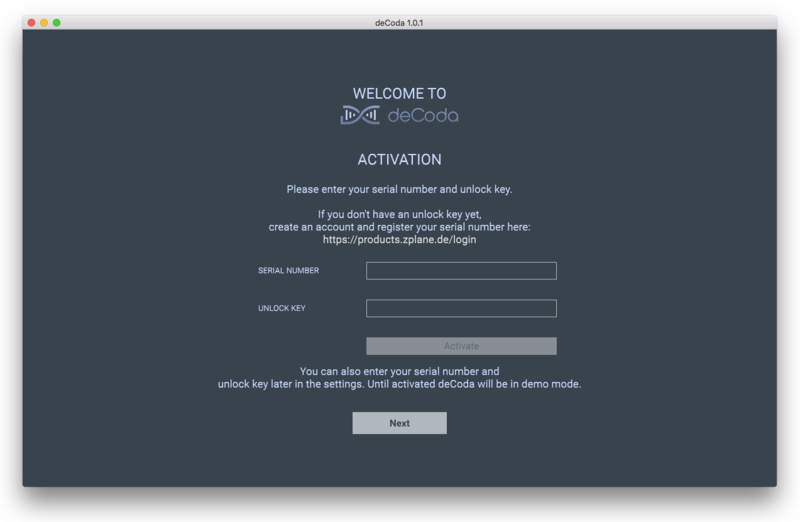
1. Open up the recently installed software from your Applications folder.

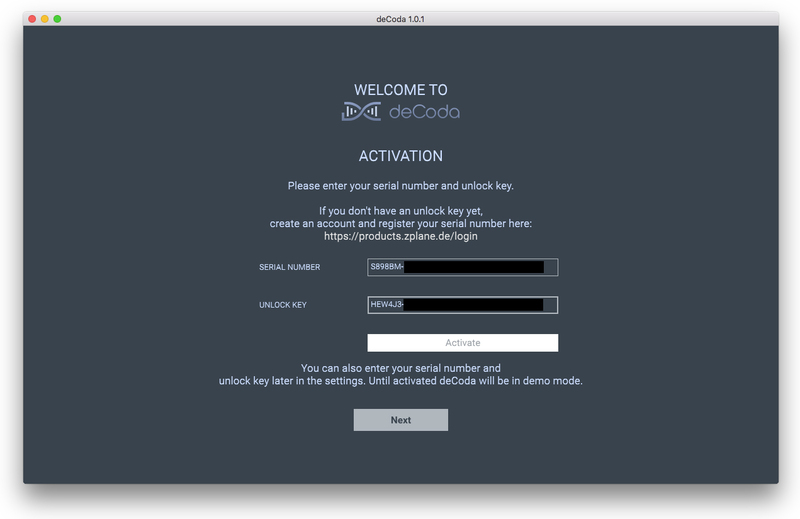
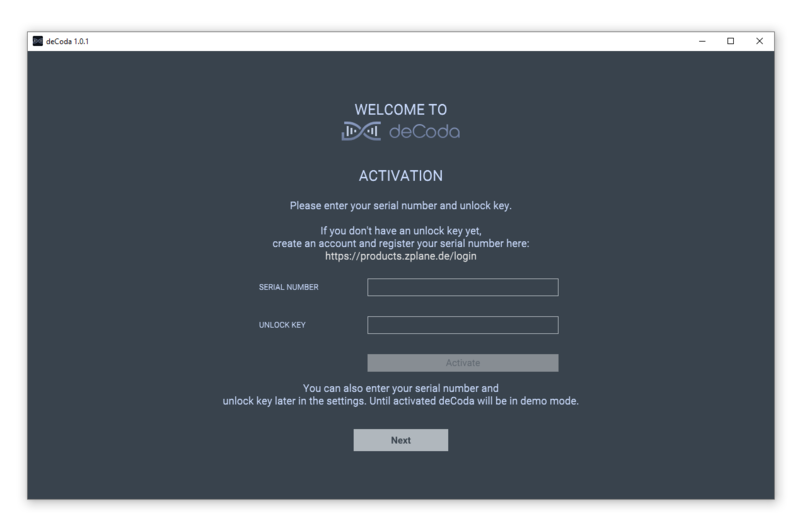
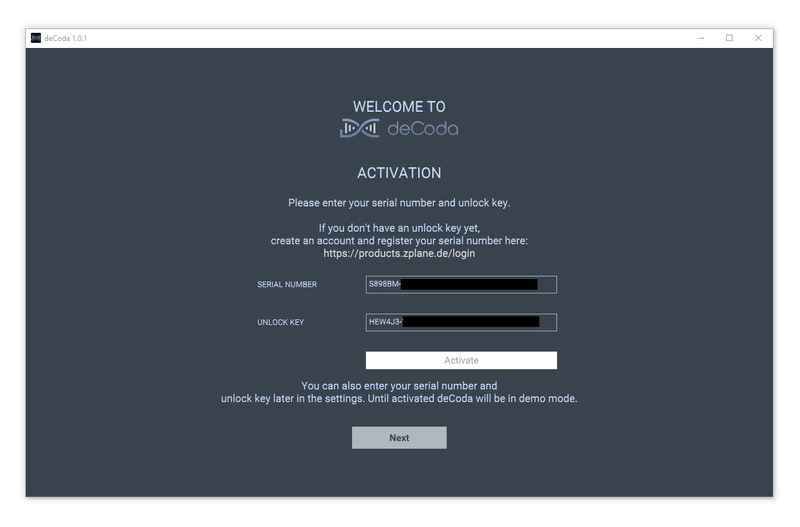
2. Enter your serial number found in your Plugin Boutique account and your Unlock Key sent to your Email > Click Activate.

3. Click Next.

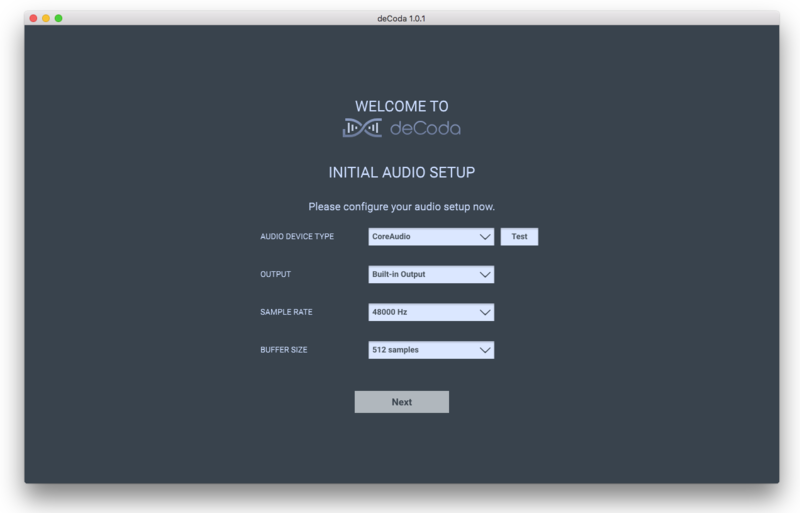
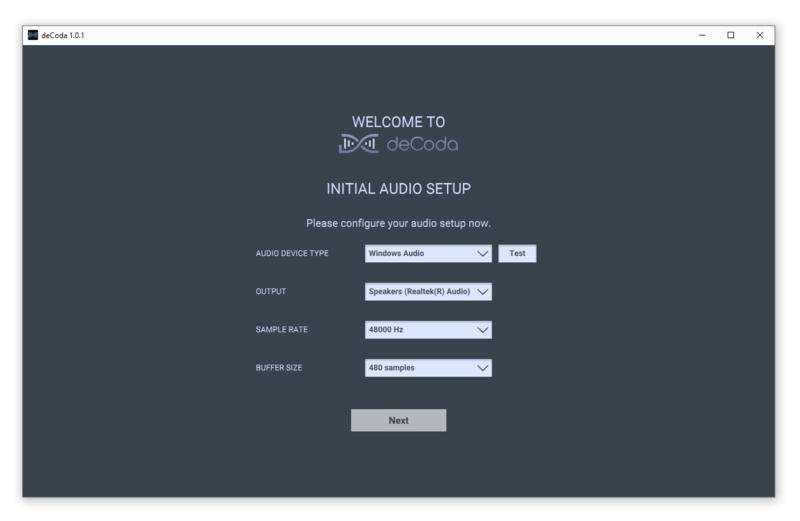
4. Confirm your audio setup is correct > Click Next.

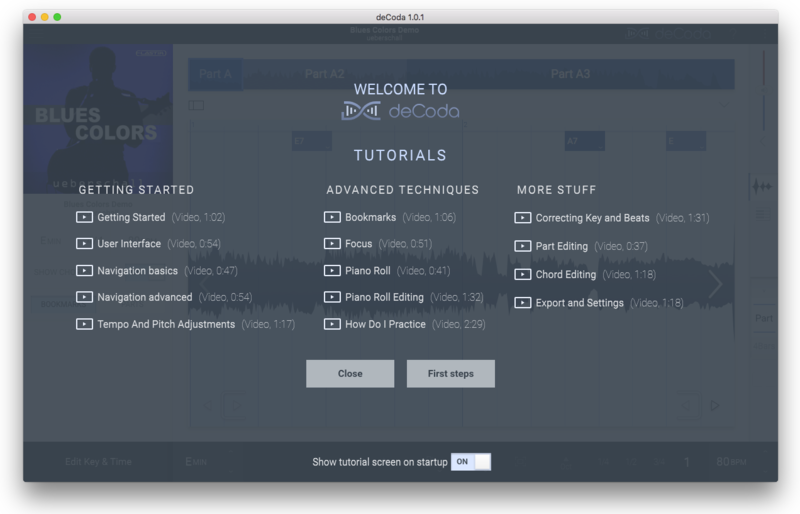
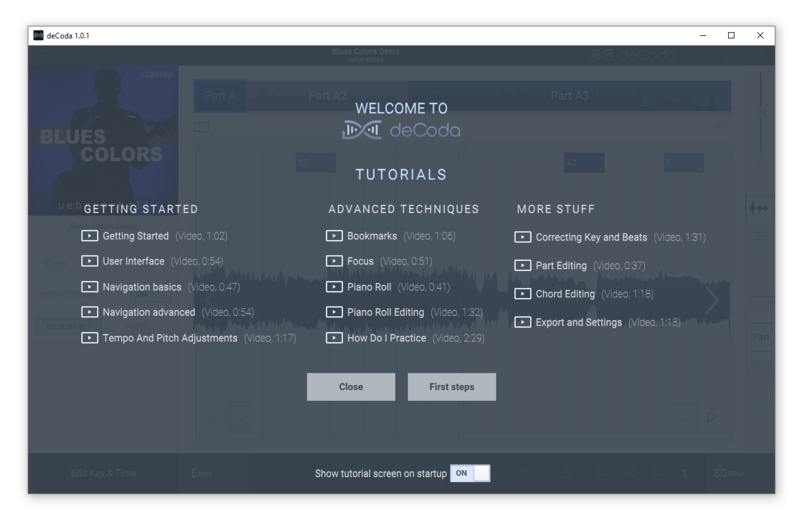
5. Start the interactive tutorial by clicking 'First steps', watch a tutorial video, or click Close.

Your software is now activated and ready to use!

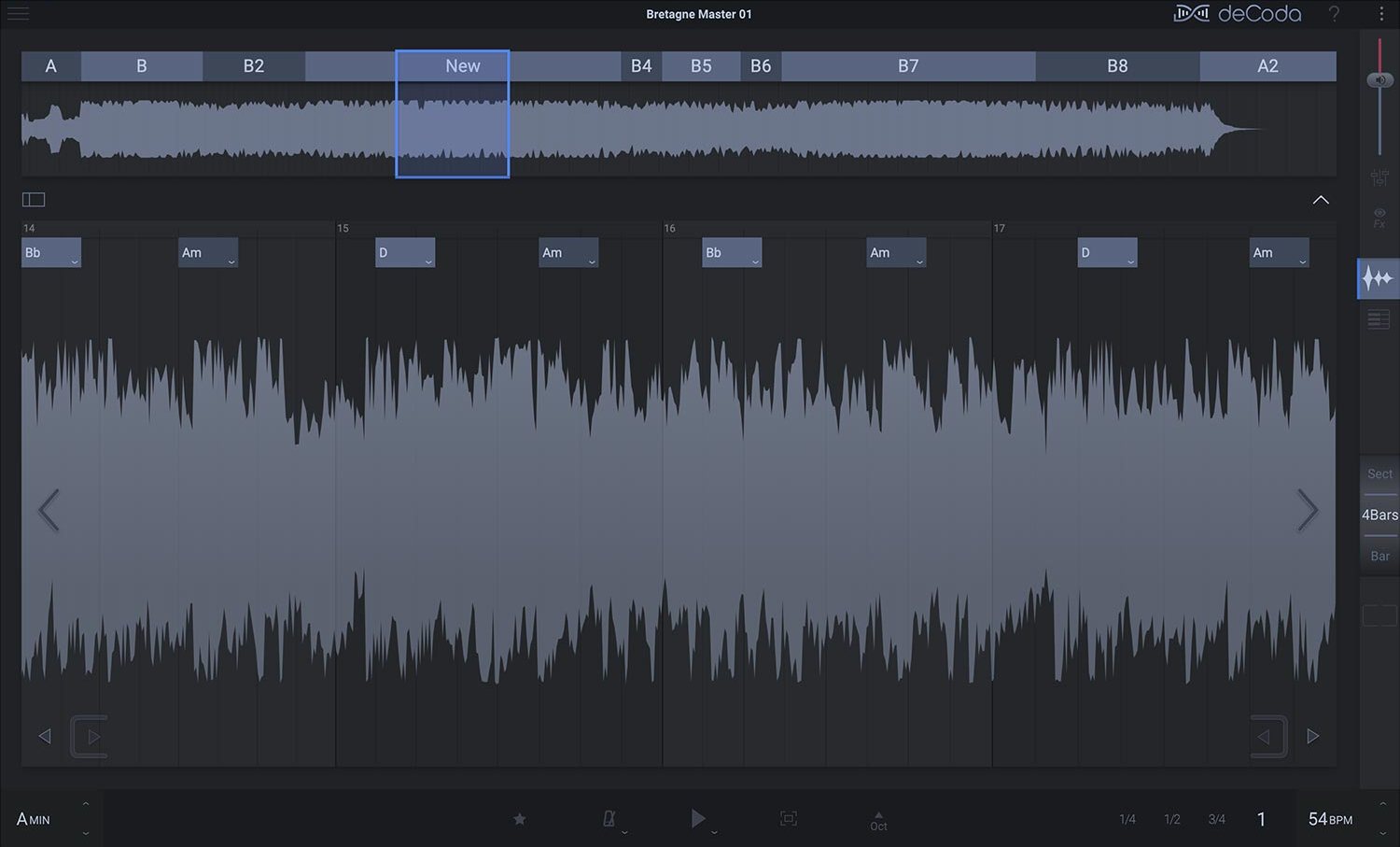
deCoda - Main UI (Dark Theme)

Windows Installation

1. Download the .zip file from your Plugin Boutique account > Double-click to extract its contents.

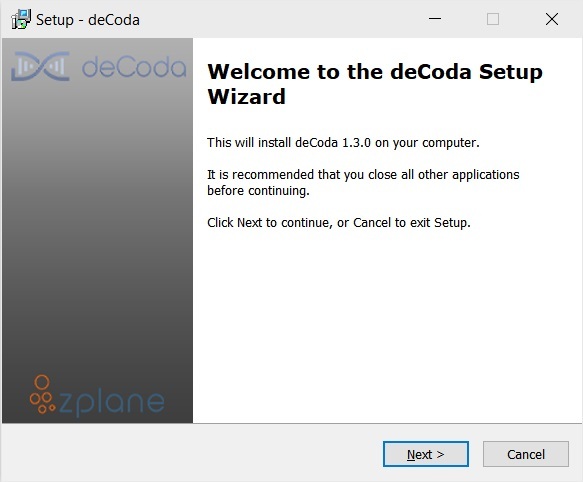
2. Double click the .exe file to run the installer > Click Next.

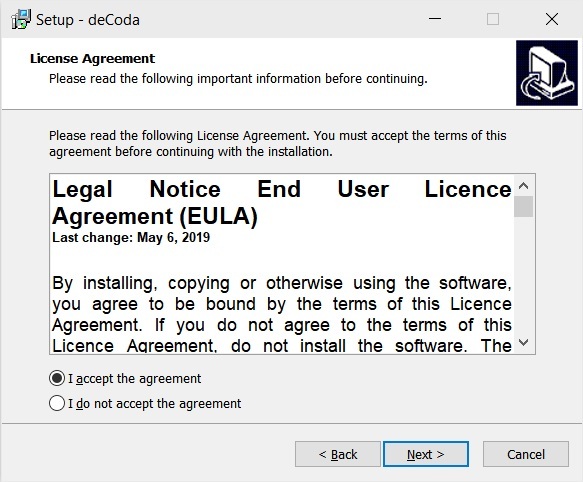
3. Read the License Agreement > Select 'I accept the agreement' > Click Next.

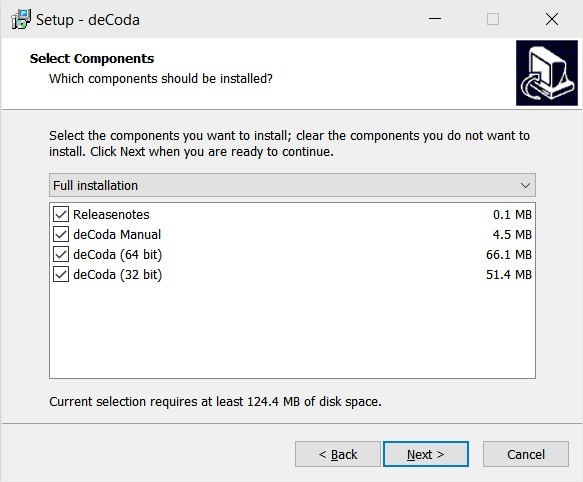
4. Select which components you would like to install > Click 'Next'.

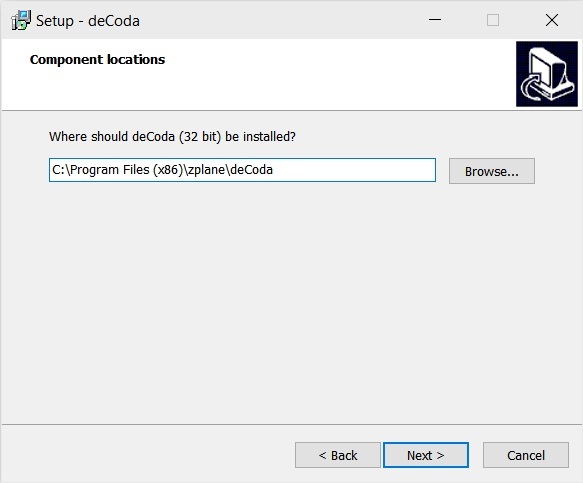
5. Select where deCoda should be installed > Click Next.

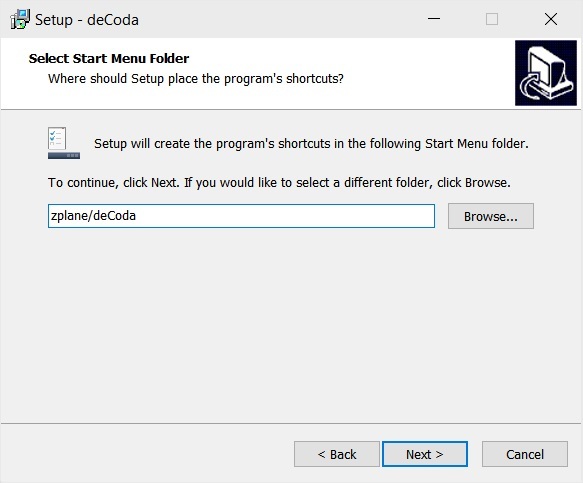
6. Select the start menu folder > Click Next.

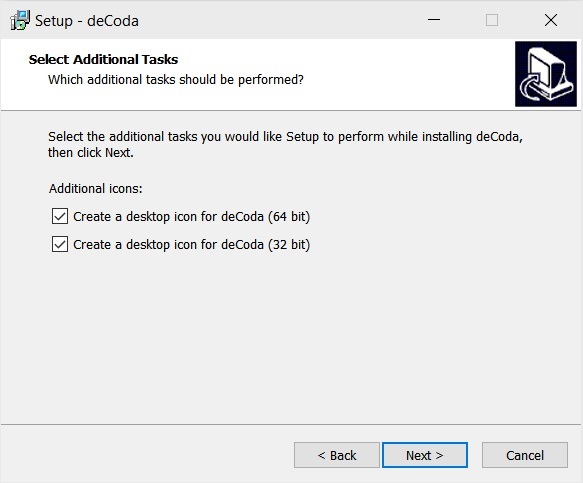
7. Select whether you would like a desktop shortcut to be created > Click Next.

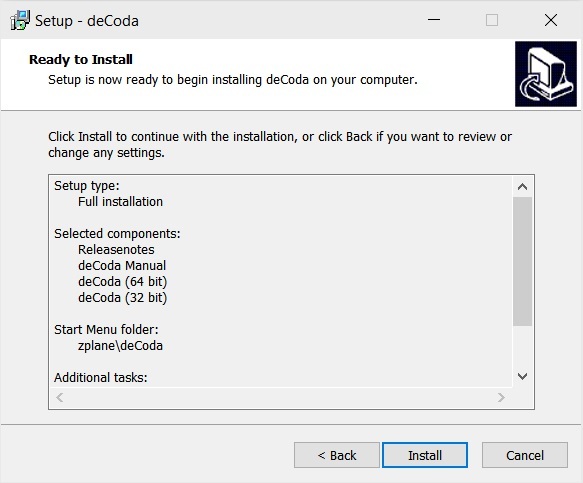
8. Check all details are correct > Click Install.

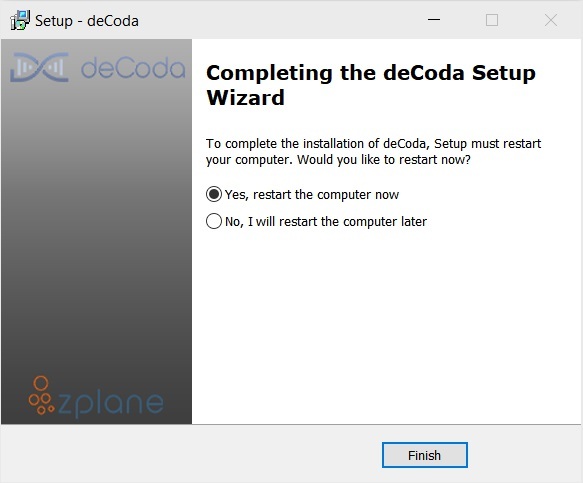
9. Your install is complete > Make sure you have saved any data > Select 'Yes, restart the computer now' > Click Finish.

Activation

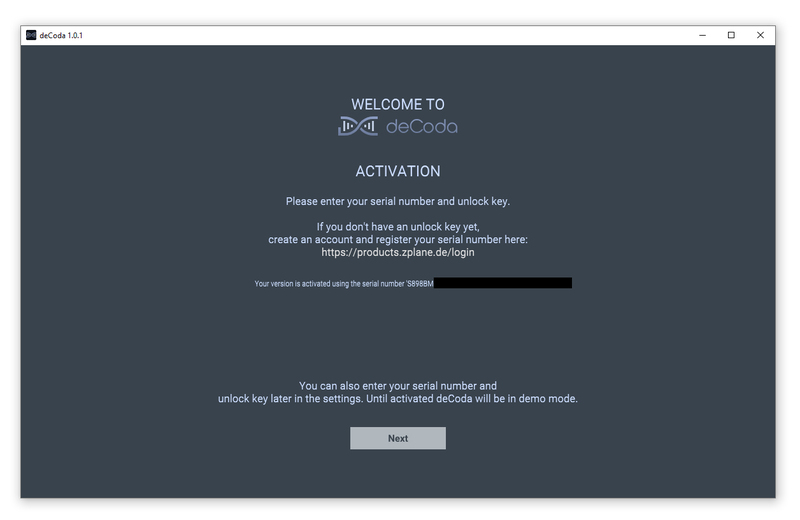
1. Open up the recently installed software from your Start Menu or desktop.

2. Enter your serial number found in your Plugin Boutique account and your Unlock Key sent to your Email > Click Activate.

3. Click Next.

4. Confirm your audio setup is correct > Click Next.

5. Start the interactive tutorial by clicking 'First steps', watch a tutorial video, or click Close.

Your software is now activated and ready to use!

deCoda - Main UI (Dark Theme)

Plugin Boutique Rewards

Discover the most rewarding loyalty programme among all plugin retailers.

  • Free Loopmasters Samplepacks
  • Discounts on products and courses
  • Extra Virtual Cash claimed immediately at checkout
Find out more

Follow us:

X (Twitter) Facebook YouTube Instagram
Logo Logo

Plugin Boutique Limited, Part of the Beatport Group LLC.

Copyright © 2011-2025 Plugin Boutique. All rights reserved