Log In
.jpg)
Free gifts available with your purchase

The Creative Pitchbend Plugin
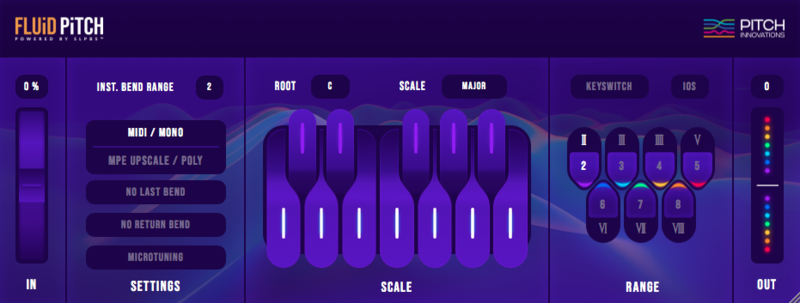
Fluid Pitch is an innovative next-generation MIDI Pitch bend system for all musicians using any standard MIDI keyboard. Give your MIDI keyboard a Smarter Pitch bend Wheel + the Micro Tuning Edge + MPE capabilities. Fluid Pitch introduces the World’s first Scale-Locked-Pitch-Bend system powered by a MIDI to MPE upscale engine. Now musicians no longer have to think about which scale or where they are using the pitch bend wheel, Fluid Pitch always takes you to the right note!
Play any style of music with unparalleled ease and boost your confidence on stage, without the need to buy any new keyboard or going through a new learning curve.
Now experience Fluid pitch bending, Polyphonic pitch bending, Access MPE synths, Micro-tune individual notes, and open new dimensions in Music productions.
Features
Scale Locked Pitch Bend System (SLPB)
Fluid Pitch introduces the world’s first scale locked pitch bend system which can lock your keyboard’s pitch bend to any scale you want, giving you access to fluid pitch bending.
Polyphonic Pitch Bending
Introduce chord bending into your music powered by MPE Upscale Technology and pitch bend whole chords!
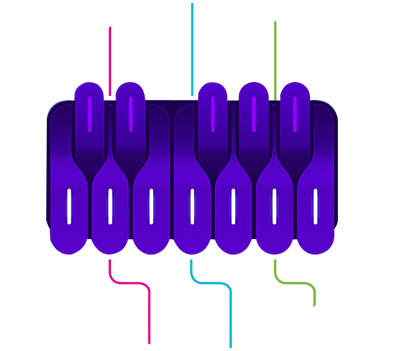
Micro-tuning
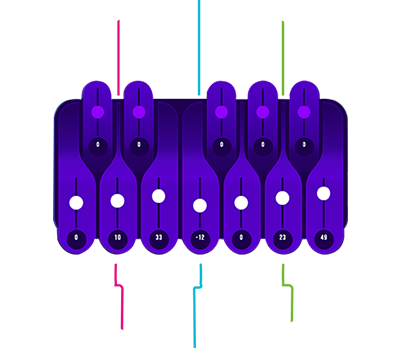
With Fluid Pitch, you can now tune any note in the scale up to 100 cents up or down giving you access to a whole new world of microtonal scales, melodies and harmonies. Access a new world of micro-tuned scales in Indian ragas and Middle Eastern maqams.
Realtime Access to Different Pitch Bend Ranges
You can choose any range for your pitch bend wheel and change it in real-time while performing.
MPE Upscale Technology
Upgrade your standard MIDI keyboard into an MPE (MIDI Polyphonic Expression) device and access MPE synths without MPE hardware.
System Requirements
Mac
- OS X 10.9 and above (64-bit only) (M1 Apple Silicon supported with Logic Pro version 10.6.2)
- AU / VST / VST3 / Standalone App
Windows
- Windows 10 (64-bit only)
- VST / VST3 / Standalone App
- Please Note: Fluid Pitch may run on Windows 7 but is not officially supported.
DAW Compatibility:
- Cubase - VST3, VST, Standalone APP
- FL Studio - VST
- Studio One - VST, Standalone APP
- Ableton Live - VST (Monophonic mode, Polyphonic mode using standalone app only)
- Logic Pro X - AU (Mac only),
- Reaper - VST
- MainStage - AU (Mac only)
- Bitwig Studio - VST, Standalone APP
- Gig Performer - VST, VST3
- Reason – Using Blue Cat's PatchWork
- Maschine – Using Blue Cat's PatchWork
- Digital Performer – Using Blue Cat's PatchWork
Awards
.jpg)


Daniel Rowland
Oscar-winning, Grammy-nominated Engineer & Producer.
"This is one of the coolest, most intelligently designed plugins I've seen in a long time. Deceptively simple, and a blast with MIDI guitar (and obviously keyboards as well)."
Jordan Rudess
American Keyboardist & Composer from Dream Theater.
"Having control of pitch is an essential part of making music and this software gives you the power to control it, intelligently and musically."
KSHMR
EDM Artist & DJ.
"Very impressive."