


 Log In

Free gifts available with your purchase
Product information
Smack Attack
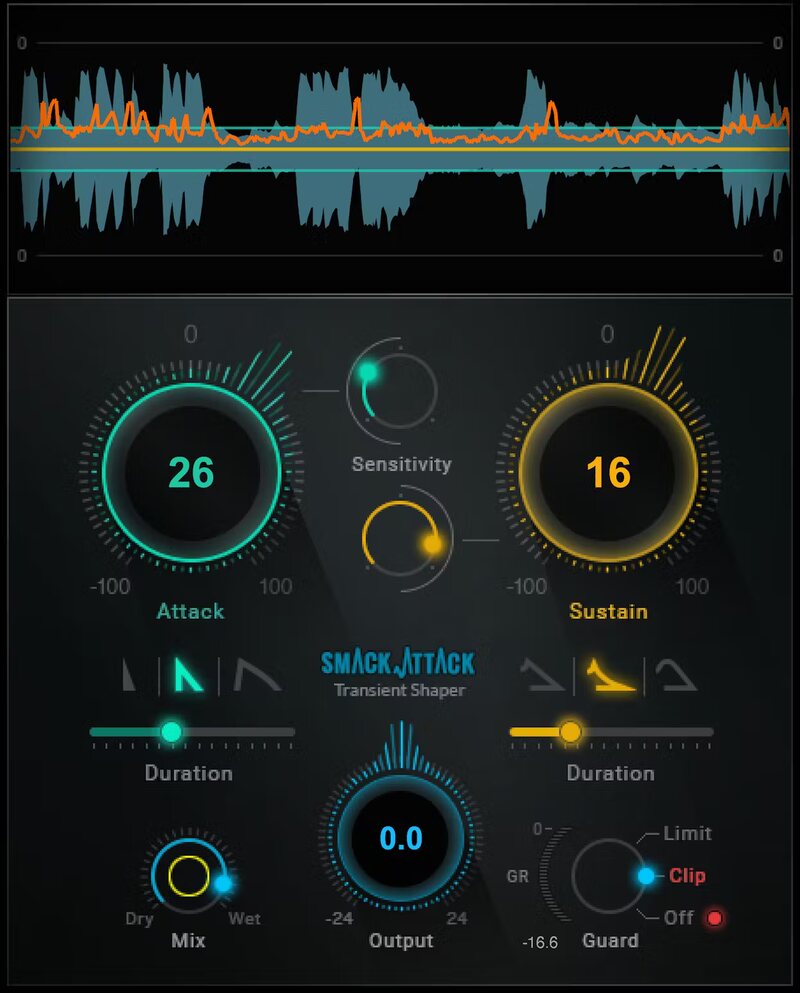
Shape Your Drums’ Punch with the Ultimate Transient Shaper
Make drums leap out of a mix. Help the snare crack instead of thud. Get strummed acoustic guitar to sound crisper. Enable percussive rap vocals to hit hard. Or, go in the other direction—tame hand percussion to sit better in the mix, or pull back a bass’s attack to emphasize sustain.
Compared to traditional transient shapers, Smack Attack’s powerful processing provides more detailed control over the initial attack. From tracks to masters, your sound comes alive.
Features
- Emphasizes percussive peaks for more punch and presence
- Controls attack characteristics more flexibly than ever before
- Customize attack levels, and how much of the attack to process
- Softens peaks to place instruments further back in the mix
- Selectively tighten or extend transients and sustain
- Sensitivity control for selective transient shaping
- Advanced features—parallel processing, MIDI control
- Limiter/clipper to drive your sound to the limit
- Real-time graphic display makes it easy to optimize settings quickly
- Zero latency for live sound mixing in real time
System Requirements
Mac
- macOS Monterey 12, Ventura 13, Sonoma 14, Sequoia 15
- VST / AU / AAX
PC
- Windows 10+
- VST / AAX
Installation Instructions














