Zynaptiq

PUNCH

4.8 (21 Reviews)
$79.00 $149.00

46% off until Dec 07

Zynaptiq PUNCH
Zynaptiq PUNCH
PUNCH
Buy Now
Product information

PUNCH

Intelligent Dynamics Contouring

Add organic, musical punch and contour to your sounds, tracks, stems or mixes with a mastering-grade, intelligent impact inductor PUNCH. Built on an expertise in source separation, signal statistics, frequency domain processing, and filter design, PUNCH adds anything from airy snap to beefy long attack compressor overshoot impact to smooth dynamics contouring to your audio easily, quickly, and with zynaptiq quality.

PUNCH works equally well for individual sounds and complex material like mixed music, even if excessive dynamics processing was applied that would leave traditional transient shapers nothing to go on, and applies its processing to all sound components separately, with up to more than a hundred bands of exquisitely engineered filtering. Throw in two alternative algorithms, a transparent sounding output clipper, support for up to 16 channels for immersive workflows, and our trademark workflow, and you're all set for punchy, present and transparent sound in seconds!

Features

  • Add punch to your audio, with adjustable release time ranging from very short snaptransients via medium length impact attacks right up to smooth dynamics expansion, for individual sounds or full mixes.
  • Add airy presence, mid-range twang, meaty ooomph, give your sounds more contour, or reduce over-compression effects on mixes...and anything in-between.
  • Intelligent, advanced statistics based CRYSTAL and SMOOTH processing algorithms with reconstruction based on 10 or 100+ super-clean minimum phase bands, respectively.
  • Easy frequency dependent processing using our BIAS functionality and visual hover menus.
  • Transparent sounding, oversampled or multi-band output clipper.
  • Zero latency processing.
  • Support for up to 16 channels for immersive workflows.
  • Optional 64-bit processing.
  • Fully vectorized GUI with zoom up to 200%.
System Requirements
  • Supports channel counts from mono to 16 for immersive workflows.
  • Compatible with all common sampling rates from 44.1kHz to 192kHz, depending on available CPU resources.
  • Runs as 64-bit AAX Native, AU, and VST 3.
  • Supports macOS 10.15.x or newer on Intel & Apple Silicon processors.
  • Supports Windows 10 or newer.
  • Uses PACE copy protection, requiring a free ilok.com account.
  • Can be activated on the computer's hard drive or an iLok 2 or newer USB dongle.
  • Single user/seat license.
  • Allows dual activations for convenience.

Copy Protection

This software uses the latest PACE copy protection, which allows you to place your activation on your machine or on an iLok 2* (or newer; not included). You will need a free iLok.com account to use our software, even for the the demos - but you do not necessarily need the iLok 2 dongle, if your machine has internet access (activation of a system without internet connectivity requires an iLok 2 device). All required software is installed along with our plugins, but we generally recommend downloading the latest versions directly from iLok.com.
Installation Instructions

Installation Instructions

Windows/ PC:

1. Log into your Plugin Boutique account (My Account > My Products), to obtain your serial code.

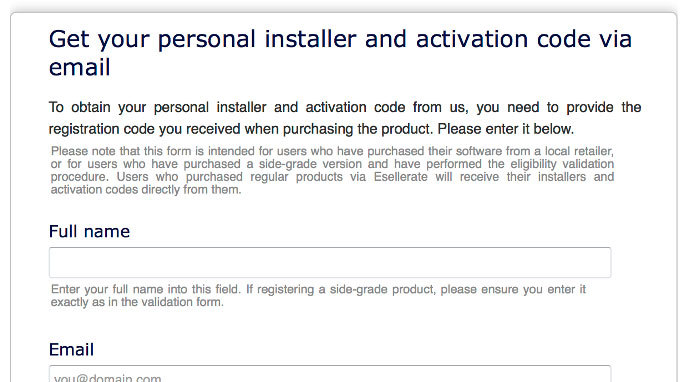
2. Click the link HERE, to register your personal details and serial (registration code). Click 'Submit.'

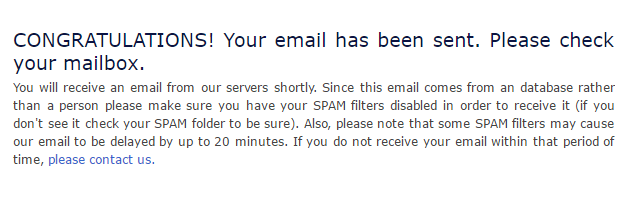
3. Your email has been sent to the email address you used to register with.

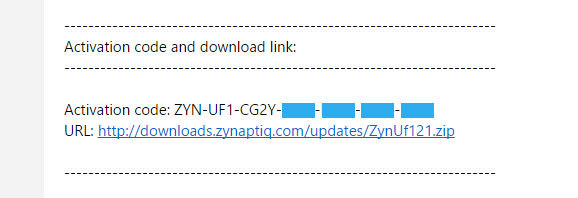
4. Log into your email account, where you can access your activation code and download link.

5. Click the URL hyperlink to begin downloading your installer zip folder.

6. On a Windows computer you will want to right-click on the downloaded file and select 'Extract Here.' Once extracted, the individual installer (format) files will be shown.

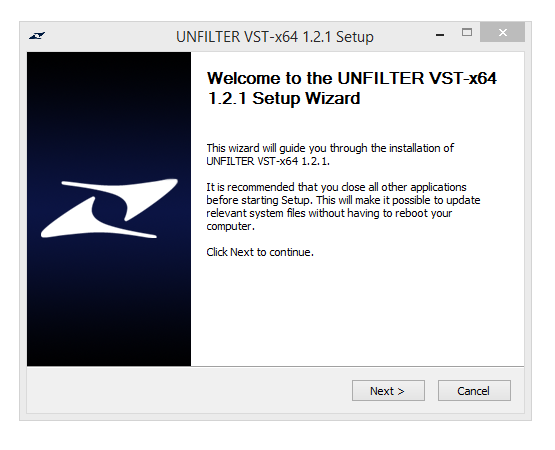
7. Select the relevant format installer setup file, 'UNFILTERVST-x64Setup' is used in this instance. Double click on the setup file.

8. Double click on the setup file. Click 'Next.'

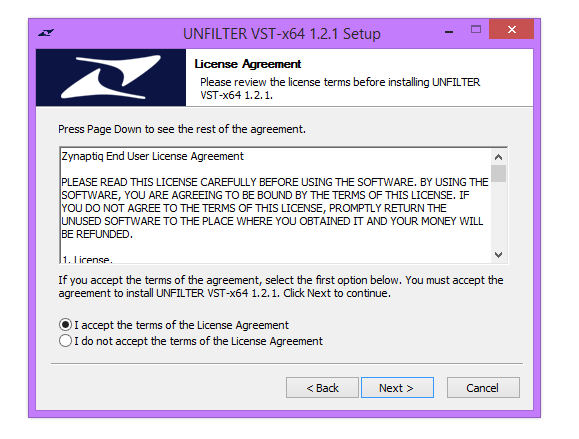
9. Accept the Agreement and click 'Next.'

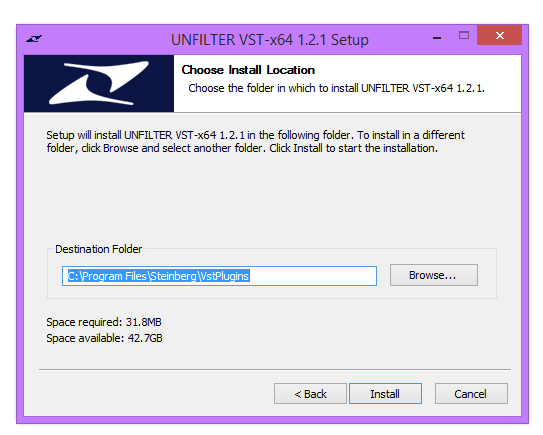
10. Select a folder in which you prefer you place / install UNFILTER in. Click 'Install.'

Authorization 

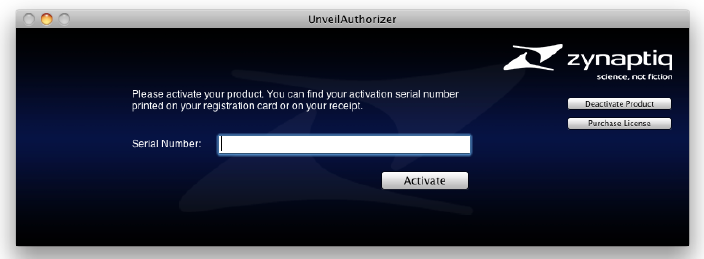
11. To be able to use your new software, it needs to be activated. During installation of UNFILTER, the UnfilterAuthorizer app, will automatically be launched. 

12. Enter your serial number received in your email inbox and click “Activate”. If your machine has access to the internet, you’ll be shown a confirmation of the successful authorization and you’re good to go. If the machine byou’re activating on has no internet connection, you will be guided through the process. 

13. Generally, our copy protection mechanism will allow you to have two machines authorized at the same time. It is essentially a challenge-response type system that takes specifics of your computer into account anonymously. However, unlike most other challenge-response systems, the Zynaptiq copy protection allows the user to de-activate a system at any time, and reactivate it later - without contacting us. So essentially, you can pretty much move your authorizations around as needed. The only limitation is that in order to de-activate a machine, it needs to be connected to the internet.

14. Your software is now ready for use in your DAW!

Apple Macintosh:

1. Log into your Plugin Boutique account (My Account > My Products), to obtain your serial code.

2. Click the link HERE, to register your personal details and serial (registration code). Click 'Submit.'

3. Your email has been sent to the email address you used to register with.

4. Log into your email account, where you can access your activation code and download link.

5. Click the URL hyperlink to begin downloading your installer zip folder.

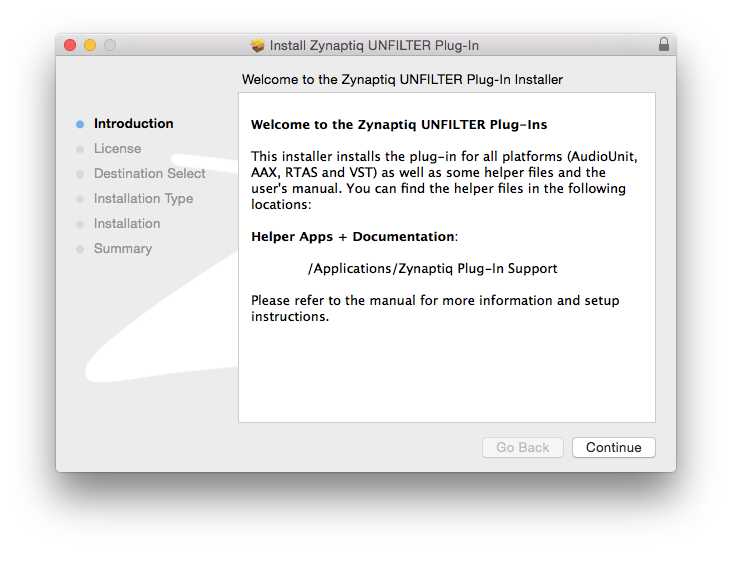
6. Select the installer setup file, 'Zynaptiq UNFILTER Plug-In.pkg.' Double click on the setup file.

7. Double click on the setup file. Click 'Continue.'

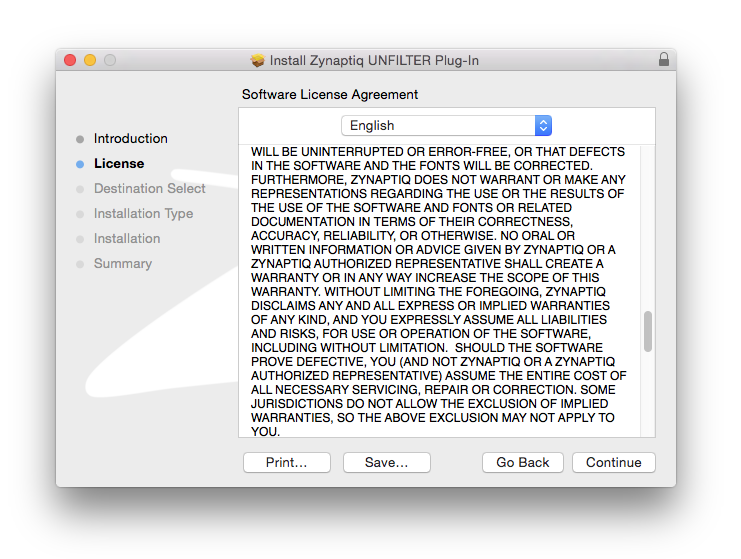
8. Read the Licence Software Agreement and click 'Continue.'

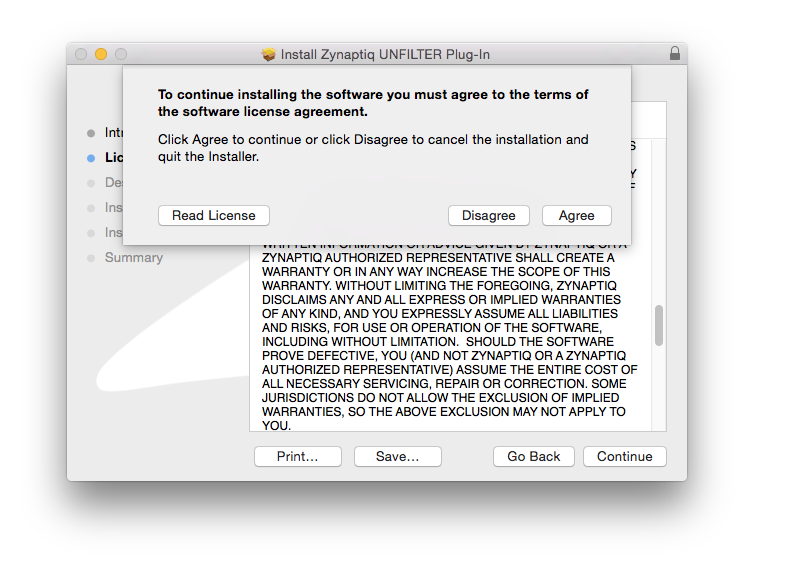
9. To continue installing the software. click 'Agree.'

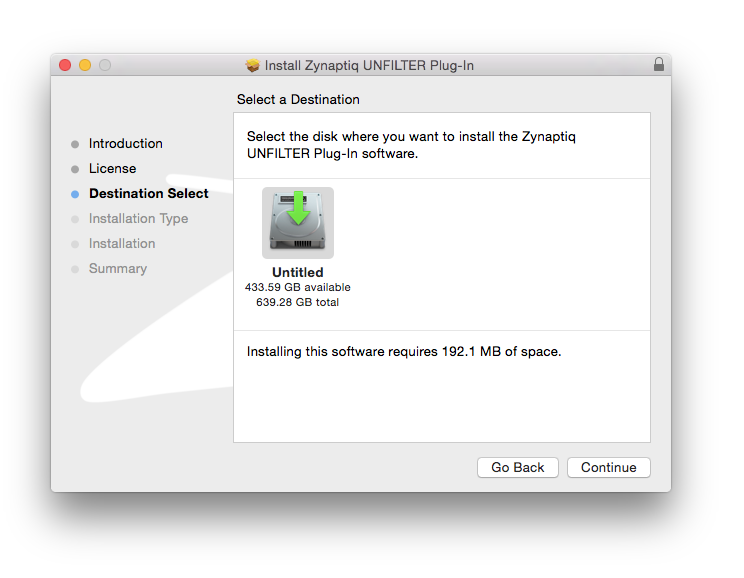
10. Select a desination in which to install UNFILTER. Click 'Continue.'

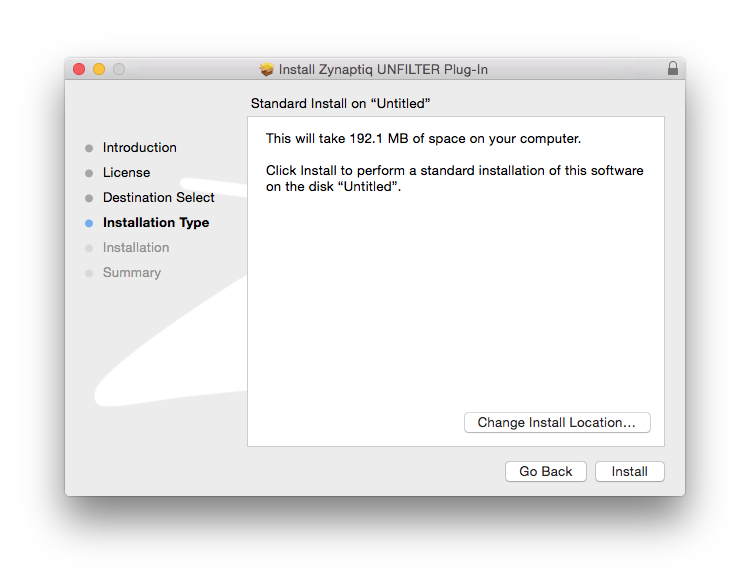
11. Click 'Install.'

Authorization 

12. To be able to use your new software, it needs to be activated. During installation of UNFILTER, the UnfilterAuthorizer app, will automatically be launched. 

13. Enter your serial number received in your email inbox and click “Activate”. If your machine has access to the internet, you’ll be shown a confirmation of the successful authorization and you’re good to go. If the machine byou’re activating on has no internet connection, you will be guided through the process. 

14. Generally, our copy protection mechanism will allow you to have two machines authorized at the same time. It is essentially a challenge-response type system that takes specifics of your computer into account anonymously. However, unlike most other challenge-response systems, the Zynaptiq copy protection allows the user to de-activate a system at any time, and reactivate it later - without contacting us. So essentially, you can pretty much move your authorizations around as needed. The only limitation is that in order to de-activate a machine, it needs to be connected to the internet.

15. Your software is now ready for use in your DAW!

De-Activating a Machine

To free up an activation, you can de-activate a machine. To do this, please launch the UnfilterAuthorizer app, and click “Deactivate Product”. You will be presented with a confirmation message and you’re done. Please note that the machine to be de-activated needs to be connected to the internet!

Plugin Boutique Rewards

Discover the most rewarding loyalty programme among all plugin retailers.

  • Free Loopmasters Samplepacks
  • Discounts on products and courses
  • Extra Virtual Cash claimed immediately at checkout
Find out more

Follow us:

X (Twitter) Facebook YouTube Instagram
Logo Logo

Plugin Boutique Limited, Part of the Beatport Group LLC.

Copyright © 2011-2025 Plugin Boutique. All rights reserved