


Buy B360 Ambisonics Encoder, get a free gift with purchase:
B360 Ambisonics Encoder
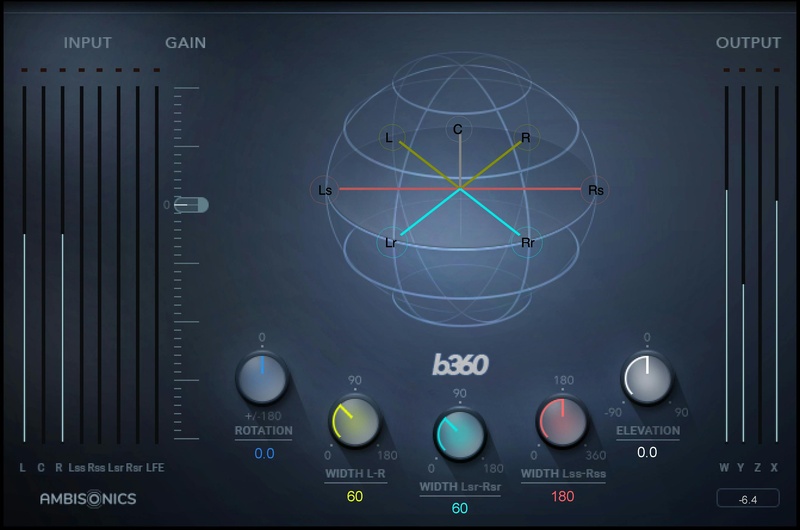
Finally—User-Friendly Ambisonics Conversion Workflow
B360 meets the ever-increasing demand from YouTube, Facebook, gaming, VR, sound effects libraries, and others for 360⸰ mixes using the industry-standard Ambisonics B-format.
Unlike standard mono, stereo or surround tracks, which route to individual speakers, B-format has four channels that together represent the entire spherical soundfield. When you want to include mono, stereo or surround tracks in an Ambisonics mix, you first need to convert them to the 4-channel B-format. B360 is the fastest, most intuitive way to do that.
Whether inserted in your final mix to encode Ambisonics mixes, or inserted in individual channels for precise positioning in the spherical sound field, B360 is your answer to simplified workflow.
Features
- Designed for the industry-standard Ambisonics B-format
- Deliver audio for VR and 360° videos
- Converts mono, stereo & surround to Ambisonics 4-channel format
- Width, rotation and elevation controls for precise positioning
- Accurate panning, in up to seven image sources
- File format follows the common AmbiX convention
- Includes AmbiX-to-FuMa and FuMa to AmbiX utilities
- Familiar interface meshes easily with traditional mixing methods
System Requirements
Mac
- macOS Monterey 12, Ventura 13, Sonoma 14, Sequoia 15
- VST / AU / AAX
PC
- Windows 10+
- VST / AAX
1. Head to https://www.waves.com/create-account

2. Enter your email and choose a password to create an account (if you already have a Waves account, choose Log in, enter your details and head to Step 5) > click 'Submit'

3. Open your email inbox > click the activation link in the email from Waves

4. Click 'Log in here' > Log in to your Waves account

5. Click 'Register New Products'

6. Enter the Serial Number found in your Plugin Boutique user account > click 'Submit'

7. Click download in your Plugin Boutique user account or head to https://www.waves.com/downloads/central > download the Waves Central app for your operating system

8. Install Waves Central > Open Waves Central

9. Click 'Log in' > enter your log in details

10. Click the 'Install Products' tab

11. Tick the blue dot on all products you wish to install or click the top dot to install all products > click 'Install & Activate'

12. Click 'OK'
13. Open your DAW > open the Waves plugin
Your Waves plugins are installed and ready to use, enjoy!



