


Buy PSP Poly Modular Collection, get a free gift with purchase:
Important Note: Cherry Audio Voltage Modular is required in order to use this software.
PSP PolyPack is a set of PSP modules for Voltage Modular designed to assist you to help you build polyphonic instrument racks. The wide set of features included in these modules combine flexibility and creativity within simple to use modules.
Modules Included:
- PSP PolyADSR - Bundle
- PSP PolyAmp - Utility
- PSP PolyBoing - Controller
- PSP PolyEnveloper - Controller
- PSP PolyFilter - Processor
- PSP PolyFolder - Processor
- PSP PolyPatch - Utility
- PSP PolyWobbler - Source
- PSP eFeMerizer Module
System Requirements
- Cherry Audio Voltage Modular is required in order to use this software.
Mac
Registration
Note: Voltage Modular Core 2 + Electro Drums have been used as an example.
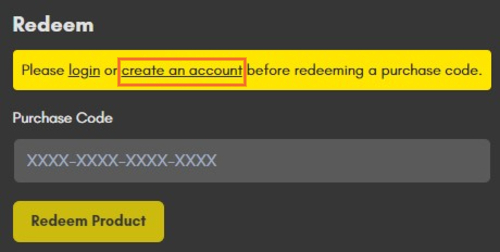
1. Visit https://store.cherryaudio.com/redeem?ref=PluginBoutique > click ‘create an account’ to register your product. (If you already have a Cherry Audio account, simply click ‘login’).
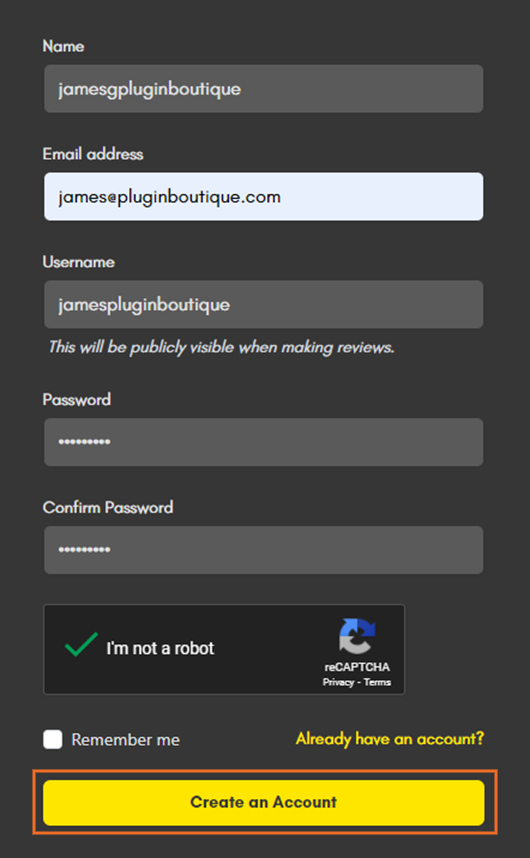
2. Enter your details and click the 'I'm not a robot’ reCAPTCHA > click 'Create an Account'.
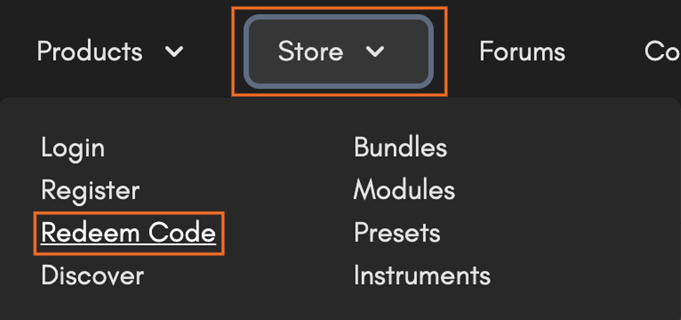
3. Once logged in click ‘Store’ on the top toolbar and then ‘Redeem Code’.
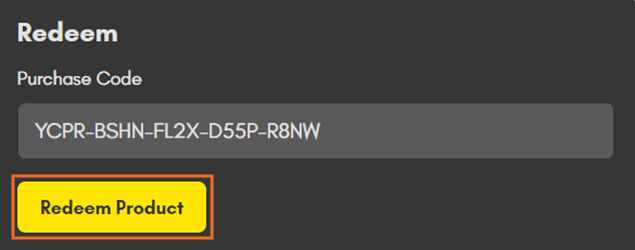
4. Enter the serial number from your Plugin Boutique account > click 'Redeem Product'.
Installation
1. Choose the correct Mac format for your systen (Intel or M1) > click 'Download'.

2. Open the downloaded .pkg installer > Click 'Continue'.

3. Read through the Software License Agreements > Click 'Continue'.

4. Click 'Agree'.

5. Select your installation destination > Click 'Continue'.

6. Choose the plugin formats you want to install > click 'Continue'.

6. Click 'Install'.

7. Click 'Close' to complete the installation process.

Activation
1. Open your installed product and enter your Cherry Audio registered Email and Password > Click 'Login'.
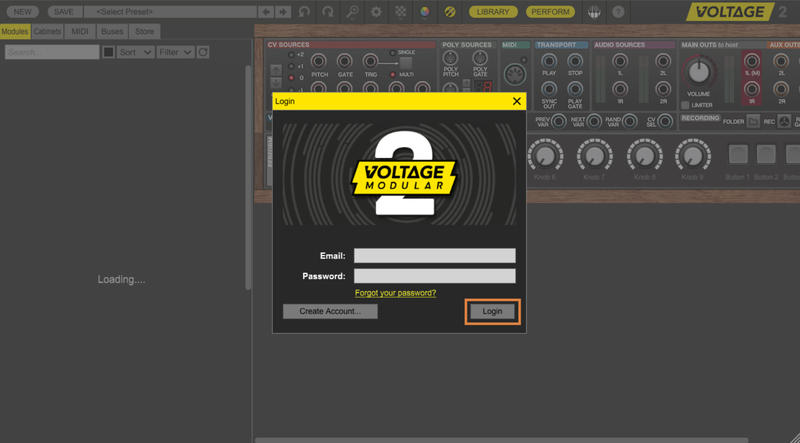
Your software is now activated and ready to use!

Windows
Registration
Note: Voltage Modular Core 2 + Electro Drums have been used as the example.
1. Visit https://store.cherryaudio.com/redeem?ref=PluginBoutique > click ‘create an account’ to register your product. (If you already have a Cherry Audio account, simply click ‘login’).
2. Enter your details and click the 'I'm not a robot’ reCAPTCHA > click 'Create an Account'.
3. Once logged in click ‘Store’ on the top toolbar and then ‘Redeem Code’.
4. Enter the serial number from your Plugin Boutique account > click 'Redeem Product'.
Installation
1. Choose the Windows format > click 'Download'.

2. Open the downloaded .exe installer > Click 'Next'.

3. Select 'I Agree to the Terms of this License Agreement' > Click 'Next'.

4. Choose the plugin formats you want to install > click 'Next'.

5. Click 'Next'.

6. Click 'Finish' to complete the installation process.

Activation
1. Open your installed product and enter your Cherry Audio registered Email and Password > Click 'Login'.
Your software is now activated and ready to use!


