


 Log In

Free gifts available with your purchase
Nail Spectral Balance As Well As Loudness And Dynamics
The Metering Bundle contains the plug-ins true:balance and true:level. While true:balance precisely monitors the spectral balance of your track, true:level enables you to keep an eye on the interplay of loudness and dynamics.
- Real-time metering with insightful visualization
- A vast range of reference options
- Guiding Balance and Level Checks

The Tool For Analyzing and Metering Spectral Distribution
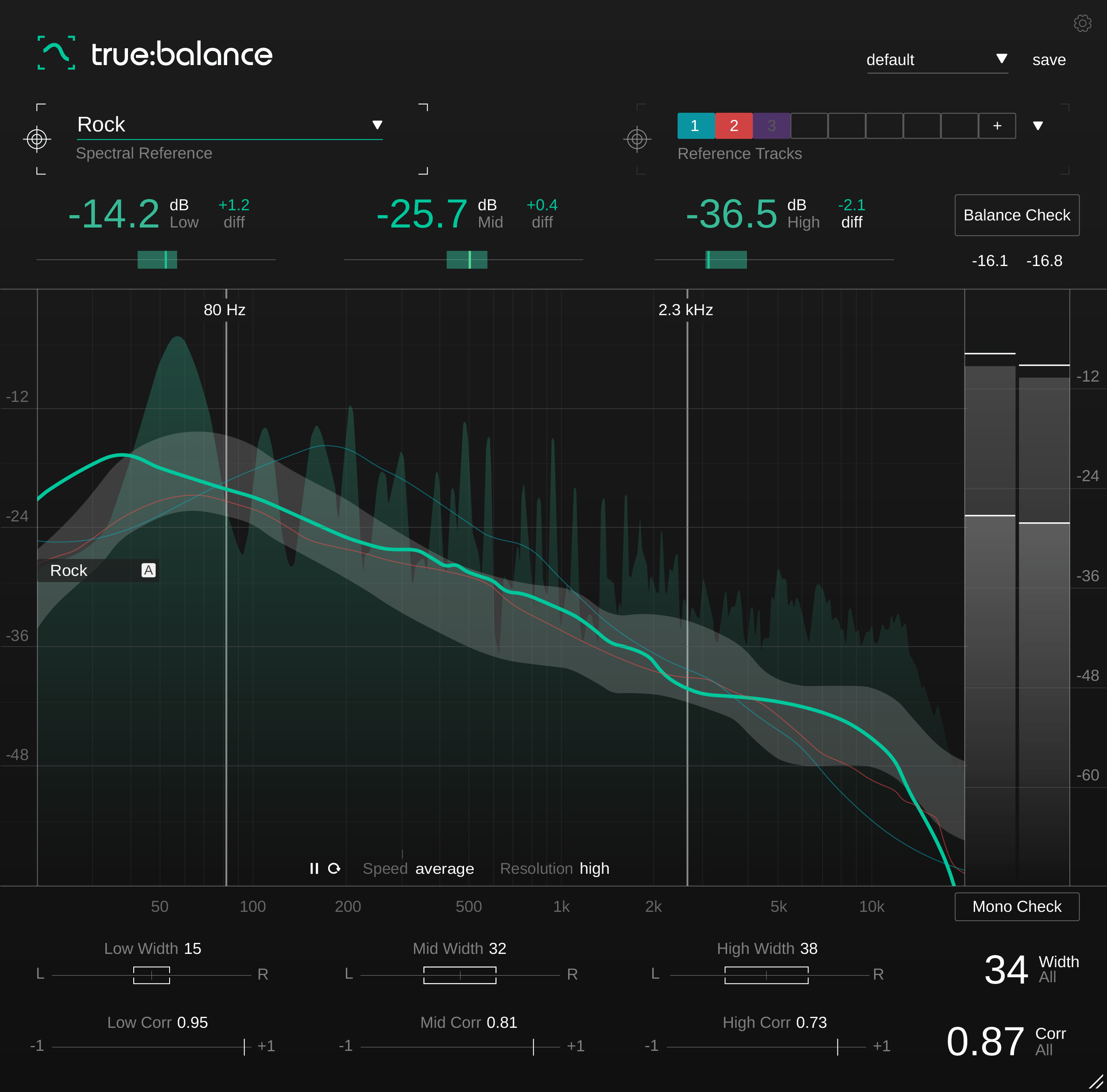
true:balance is a metering plug-in that offers you all the necessary info and guidance for taking the right steps towards optimizing the spectral balance and mono compatibility of your mix.
- Real-time spectrum analyzer and the average spectrum
- Genre-based references and custom reference option
- Info on stereo width and stereo correlation values
With true:balance, users have access to all the information and guidance they need for a well-balanced mix. An adjustable spectrum analyzer displays both the real-time spectrum of the input signal and the average spectrum over time. To meet listening expectations, true:balance allows to compare the spectral distribution of a mix in reference to either different genres or custom reference tracks.
The plug-in’s ability to display level-values—in the lows, mids, and highs—relative to the chosen reference, lets the user focus on the overall balance of their mix and avoids the distraction of too many details. At a quick glance, target indicators show whether input signal levels are close to the suggested values of the reference. For those who appreciate additional guidance, a Balance Check suggests what actions to take in order to achieve a distribution similar to the chosen reference. For precise insight into the proportion of the left and right channels and consequently the mono compatibility of a mix, true:balance also sports a channel data section with all the essential info concerning stereo width and correlation values.
true:balance provides all the information and guidance you need for a well-balanced mix. An adjustable spectrum analyzer displays both the real-time spectrum of the input signal and the average spectrum over time. To meet listening expectations, true:balance also allows to compare the spectral distribution of a mix in reference to either different genres or custom reference tracks. Additionally, the plug-in provides you with information on the width and correlation of your track to avoid issues with mono compatibility or a blurry low end.
Features
Advanced Spectral Balance Metering
true:balance is a metering plug-in that will make sure you've got all the info you need on the spectral distribution of your mix. All the displayed readouts as well as their visualizations are designed to ensure that you won’t have to second-guess what you are seeing. true:balance’s key readouts are supported by target indicators, allowing you to see whether your track is close to the values of your chosen reference. The channel data section displays all you need to know about the stereo width and correlation of your mix and, hence, the mono compatibility of your mix.
Reach Your Goal With The Help Of References
Since the “right” spectral distribution has a lot to do with listening expectations, genre-based references are great to compare your mix with. true:balance's included references draw from a vast amount of audio data and hands on mixing experience. When you want consistency across an entire project – go for the option of loading up to 8 reference tracks.
Guidance Just A Click Away
true:balance is designed for professionals as well as ambitious bedroom producers. The latter will appreciate the hints on which modifications their mix requires to approach the reference values. true:balance has got you covered: There is a Balance Check that analyzes the current spectral distribution of your signal then compares it with your reference and gives you text-based suggestions. Mono Check points out any potential problems concerning the mono compatibility of your mix.
Learn more about true:balance.

The Metering Tool For Loudness And Dynamics
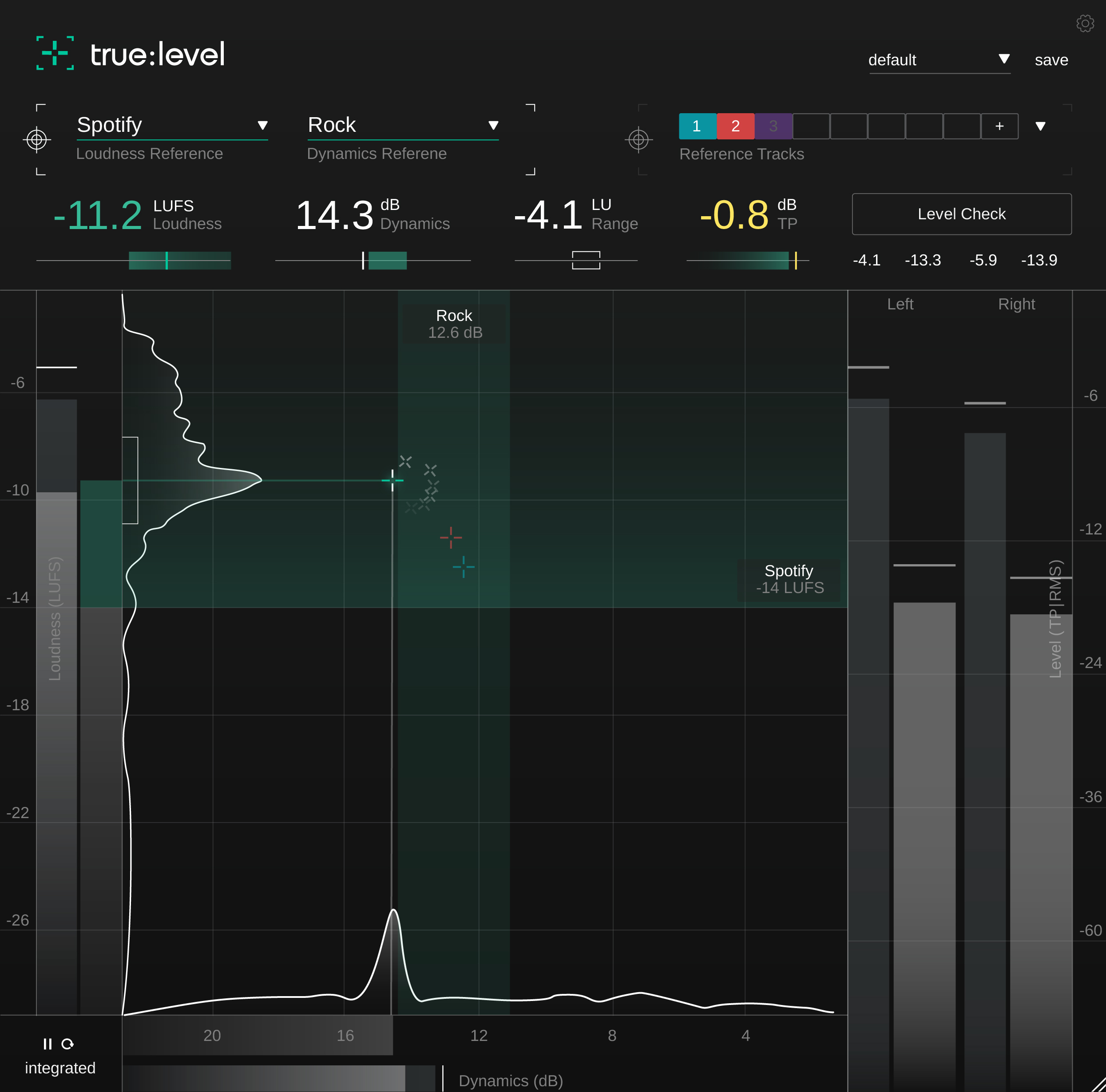
true:level is a metering plug-in that visualizes the interplay between loudness and dynamics in a meaningful way, making it immediately apparent if a mix is ready to publish.
- Real-time metering of true peak, loudness and dynamics
- Predefined references and custom reference options
- Level check with text-based suggestions
By popular demand, sonible has developed true:level as a stand-alone metering plug-in based on smart:limit’s extensive loudness and dynamics monitoring section. Its unique visualization of the interplay between loudness and dynamics makes true:level a revolutionary metering tool for finding just the right trade-off between these qualities in a track.
When finalizing a track for publication, users can draw from a range of common references, including the loudness values required for different streaming platforms and the dynamics appropriate for various genres—or they can upload custom reference tracks. With a final Level Check, the plug-in then suggests any necessary actions to achieve the specifications of the reference. Additional features, such as loudness and dynamics histograms, give users a detailed but coherent overview of the audio material’s overall quality.
true:level is a versatile and precise loudness, dynamics and true peak metering plug-in. Its unique visualization of the interplay between loudness and dynamics makes true:level a great metering tool for finding just the right trade-off between these qualities in a track. When finalizing a track for publishing, users can draw from a range of common references, including the loudness values required for different streaming platforms and the dynamics appropriate for various genres - or they can upload custom reference tracks to easily compare them to the mix.
Features
Gain Productive Insights With The Help Of References
true:level comes with a range of predefined references – including the loudness standards of publishing platforms and dynamic references for different genres. Aiming for these reference values avoids unpleasant surprises when you publish your a mix. To ensure consistency across an entire project, you can load up to 8 reference tracks to compare your mix with.
Easily Find And Make The Right Trade-Offs
true:level makes the link between loudness and dynamics of a mix immediately apparent and provides you with a holistic overview of both values. The calculated reference zone is specified either by your chosen loudness and dynamics reference or the custom reference tracks that you’ve uploaded. In case you need a little guidance regarding how to modify your track to bring it within the reference zone, just hit the Level Check. That will provide you with hints as to what actions are needed.
Focus On Readouts That Really Matter
All displayed readouts as well as their visualizations are designed so that you don’t have to second-guess what you are seeing – or become distracted by too many details. true:level’s key readouts are supported by target indicators, allowing you see if your track is close to the values of your chosen reference.
Monitor all relevant key readout at a glance:
- Loudness [LUFS] – integrated, short-term, momentary
- Loudness Range [LU] – integrated, short-term, momentary
- Dynamics [dB] – based on Peak to Loudness Ratio
- True Peak [dBTP] – using high-resolution oversampling
Learn more about true:level.
System Requirements
Mac
- macOS 10.12+ (M1 Apple Silicon supported) (64-bit only)
- RAM - at least 4 GB (recommended)
- CPU - at least Intel DualCore i5 (recommended)
- Plugin Formats - AU, VST2, VST3, AAX, MultiRack Native
- Supported Sample Rates - 44.1 kHz to 192 kHz
PC
- Windows 10+ (64-bit only)
- RAM - at least 4 GB (recommended)
- CPU - at least Intel DualCore i5 (recommended)
- Plugin Formats - VST2, VST3, AAX, MultiRack Native
- Supported Sample Rates - 44.1 kHz to 192 kHz
Compatible DAW's:
- Logic Pro
- Ableton Live
- Pro Tools 11+
- Reaper
- Cubase
- Nuendo
- FL Studio
- Studio One
Awards


