/ Enhancer / Infected Mushroom Pusher
Waves

Infected Mushroom Pusher

4.3 (4 Reviews)
$29.99 $79.00

62% off until Dec 07

Waves Infected Mushroom Pusher
Waves Infected Mushroom Pusher gallery thumbnail
Buy Now
Product information

Infected Mushroom Pusher
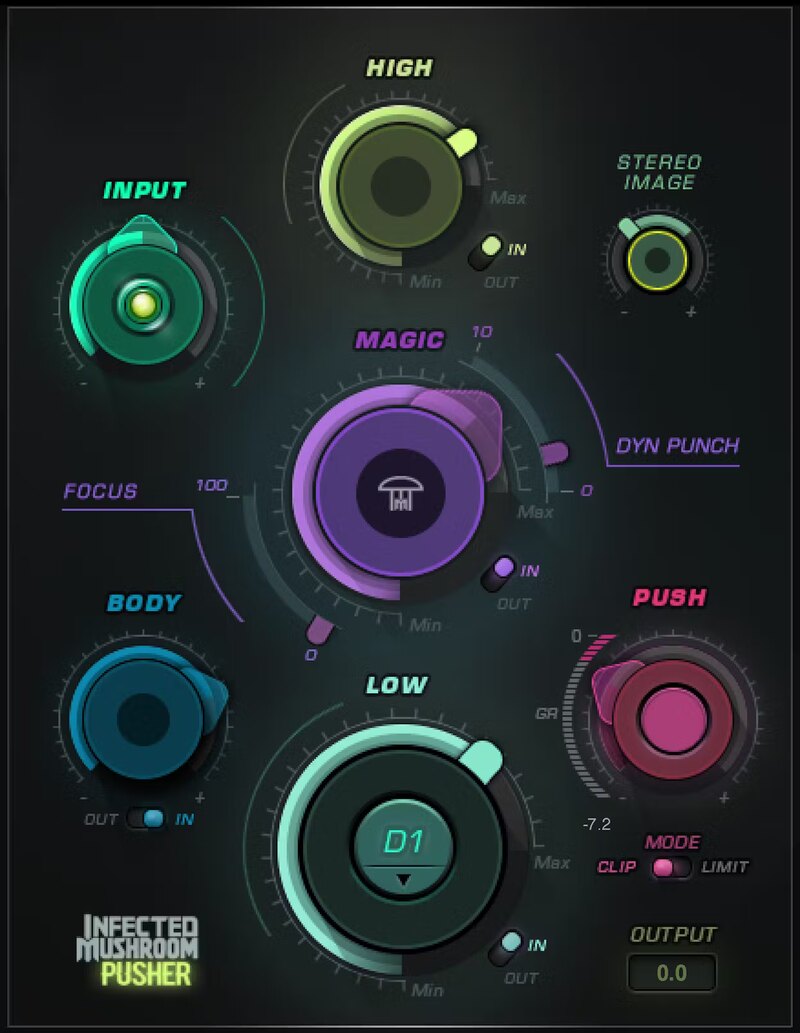
Enhance Your Masters and Mixes Fast

Sometimes the only thing separating a mix from a master is more. Maybe you need more width, more bass, more definition, more volume, more fatness… or all of them. Pusher incorporates electronic duo’s Infected Mushroom’s decades of experience in making final mixes come alive.

Pusher has the crucial processors that bring out the best in hip hop, dance, but also pop and rock tracks. With a brilliant interface and cleverly chosen functionality, Pusher elevates and excites your music.

Features

  • Add punch, power, sizzle, depth, fullness to masters & mixes
  • Combines 7 essential processors to bring your tracks to life
  • LOW gets your kicks and bass to drive through the mix
  • BODY gives fullness to instruments in mid and high frequencies
  • MAGIC excites all frequencies: perfect for drum groups
  • PUSH pushes your mix to the max with final limiting or clipping
  • Widen the stereo image of narrow mixes with a natural-sounding way
  • Get incredible results fast, thanks to the crystal-clear interface

System Requirements

Mac

  • macOS Monterey 12, Ventura 13, Sonoma 14, Sequoia 15
  • VST / AU / AAX

PC

  • Windows 10+
  • VST / AAX
Installation Instructions

1. Head to https://www.waves.com/create-account

2. Enter your email and choose a password to create an account (if you already have a Waves account, choose Log in, enter your details and head to Step 5) > click 'Submit'

3. Open your email inbox > click the activation link in the email from Waves

4. Click 'Log in here' > Log in to your Waves account

5. Click 'Register New Products'

6. Enter the Serial Number found in your Plugin Boutique user account > click 'Submit'

7. Click download in your Plugin Boutique user account or head to https://www.waves.com/downloads/central > download the Waves Central app for your operating system

8. Install Waves Central > Open Waves Central

9. Click 'Log in' > enter your log in details

10. Click the 'Install Products' tab

11. Tick the blue dot on all products you wish to install or click the top dot to install all products > click 'Install & Activate'

12. Click 'OK'

13. Open your DAW > open the Waves plugin

Your Waves plugins are installed and ready to use, enjoy!

Plugin Boutique Rewards

Discover the most rewarding loyalty programme among all plugin retailers.

  • Free Loopmasters Samplepacks
  • Discounts on products and courses
  • Extra Virtual Cash claimed immediately at checkout
Find out more

Follow us:

X (Twitter) Facebook YouTube Instagram
Logo Logo

Plugin Boutique Limited, Part of the Beatport Group LLC.

Copyright © 2011-2025 Plugin Boutique. All rights reserved










