/ Enhancer / MaxxBass
Waves

MaxxBass

5.0 (2 Reviews)
$29.99 $99.00

69% off until Dec 07

Waves MaxxBass
Waves MaxxBass
Waves MaxxBass
Waves MaxxBass gallery thumbnail
Buy Now
Product information

MaxxBass

Pump Up Your Lows on Any Sound System

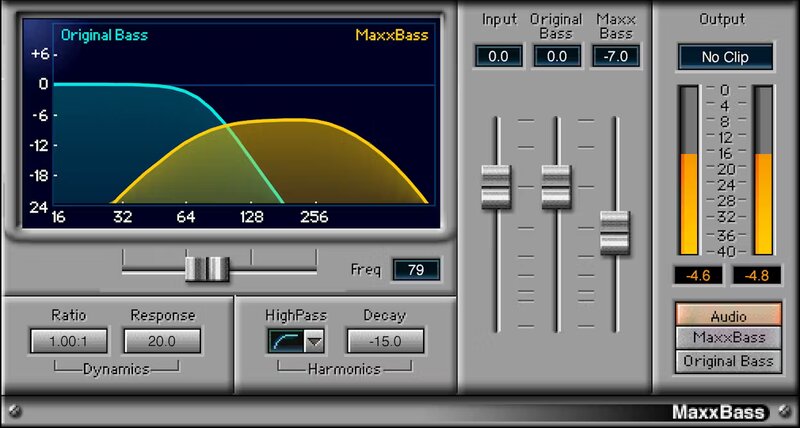
MaxxBass® does the seemingly impossible: it gives a strong sensation of bass, even on the smallest speakers. Based on psychoacoustic research about how the ear perceives bass, MaxxBass generates harmonics that convince the ear it’s hearing deeper bass than what actually exists.

Add depth to music mixes, videos and film, or any other content. Give masters more low-end power without losing clarity. Overcome the limitations of small speakers in laptops, mobile phones, and small systems—or simply boost the low end for any system. MaxxBass is the proven solution.

Features

  • Improve hip hop and dance mixes by enhancing perceived bass
  • Creates a greater sense of bass on existing speakers
  • Choose the ratio of the original and enhanced bass elements
  • Preserves the clarity, character, and dynamics of the original bass
  • Informative graphic display simplifies editing
  • Upward expansion can emphasize the bass harmonics’ dynamics

System Requirements

Mac

  • macOS Monterey 12, Ventura 13, Sonoma 14, Sequoia 15
  • VST / AU / AAX

PC

  • Windows 10+
  • VST / AAX
Installation Instructions

1. Head to https://www.waves.com/create-account

2. Enter your email and choose a password to create an account (if you already have a Waves account, choose Log in, enter your details and head to Step 5) > click 'Submit'

3. Open your email inbox > click the activation link in the email from Waves

4. Click 'Log in here' > Log in to your Waves account

5. Click 'Register New Products'

6. Enter the Serial Number found in your Plugin Boutique user account > click 'Submit'

7. Click download in your Plugin Boutique user account or head to https://www.waves.com/downloads/central > download the Waves Central app for your operating system

8. Install Waves Central > Open Waves Central

9. Click 'Log in' > enter your log in details

10. Click the 'Install Products' tab

11. Tick the blue dot on all products you wish to install or click the top dot to install all products > click 'Install & Activate'

12. Click 'OK'

13. Open your DAW > open the Waves plugin

Your Waves plugins are installed and ready to use, enjoy!

Plugin Boutique Rewards

Discover the most rewarding loyalty programme among all plugin retailers.

  • Free Loopmasters Samplepacks
  • Discounts on products and courses
  • Extra Virtual Cash claimed immediately at checkout
Find out more

Follow us:

X (Twitter) Facebook YouTube Instagram
Logo Logo

Plugin Boutique Limited, Part of the Beatport Group LLC.

Copyright © 2011-2025 Plugin Boutique. All rights reserved