/ Enhancer / Maserati B72
Waves

Maserati B72

$24.99 $99.00

74% off until Dec 07

Waves Maserati B72
Waves Maserati B72
Waves Maserati B72
Waves Maserati B72 gallery thumbnail
Buy Now
Product information

Maserati B72

Give Your Bass Fat Tones That Sit in the Mix

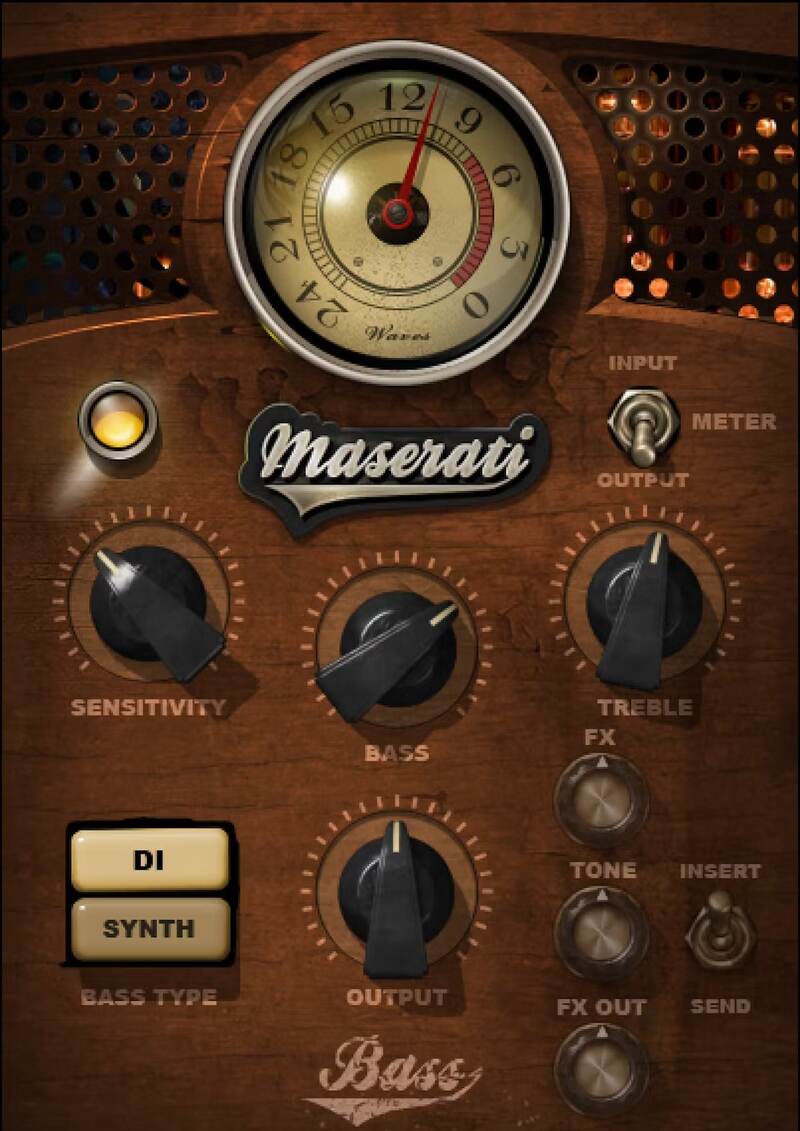
Designed for both and synth bass, Maserati B72 is the ideal touch-up tool for tone. DI mode, optimized for electric or acoustic bass, shapes the sound with high and low EQ. Synth mode adds width, buzz, and color to synths, but also gives novel flavors to any kind of bass.

Created in close collaboration with Grammy®-winning mixer Tony Maserati (Beyoncé, Jason Mraz, Alicia Keys), B72 makes it easy to get fullness and character, from hip hop to pop and rock.

“Try the ‘DI’ setting on your electric or acoustic bass, and you’ll see how you can enhance the roundness, while keeping it lively throughout the song. The ‘Synth’ setting opens up a different door, with thickness, stereo spread, and harmonic flavor. It’ll fill the speakers like an old Prophet.”—Tony Maserati

Features

  • DI mode injects fullness and clarity into electric or acoustic bass
  • Synth mode adds imaging, buzz, and width
  • Modernize and enrich traditional mono bass synth sounds
  • Synth mode includes toggle for insert or send
  • Expand sparse bass sounds for more impact in hip hop mixes
  • Add synth-like character to electric or acoustic bass tones
  • 12 DI mode presets and 16 synth mode presets
  • Separate modes for use as an insert or send effect

System Requirements

Mac

  • macOS Monterey 12, Ventura 13, Sonoma 14, Sequoia 15
  • VST / AU / AAX

PC

  • Windows 10+
  • VST / AAX
Installation Instructions

1. Head to https://www.waves.com/create-account

2. Enter your email and choose a password to create an account (if you already have a Waves account, choose Log in, enter your details and head to Step 5) > click 'Submit'

3. Open your email inbox > click the activation link in the email from Waves

4. Click 'Log in here' > Log in to your Waves account

5. Click 'Register New Products'

6. Enter the Serial Number found in your Plugin Boutique user account > click 'Submit'

7. Click download in your Plugin Boutique user account or head to https://www.waves.com/downloads/central > download the Waves Central app for your operating system

8. Install Waves Central > Open Waves Central

9. Click 'Log in' > enter your log in details

10. Click the 'Install Products' tab

11. Tick the blue dot on all products you wish to install or click the top dot to install all products > click 'Install & Activate'

12. Click 'OK'

13. Open your DAW > open the Waves plugin

Your Waves plugins are installed and ready to use, enjoy!

Plugin Boutique Rewards

Discover the most rewarding loyalty programme among all plugin retailers.

  • Free Loopmasters Samplepacks
  • Discounts on products and courses
  • Extra Virtual Cash claimed immediately at checkout
Find out more

Follow us:

X (Twitter) Facebook YouTube Instagram
Logo Logo

Plugin Boutique Limited, Part of the Beatport Group LLC.

Copyright © 2011-2025 Plugin Boutique. All rights reserved