


 Log In

Free gifts available with your purchase
Quickly Add Character and Analog Warmth to any Track or Mix
RC-20 Retro Color is a creative effect plugin that easily recreates the warm feeling of vintage recording equipment. It adds life and texture to any recording and also works perfectly in any modern production setting.
RC-20 Retro Color's 6 Effect Modules work great on their own or together:
Noise Generator
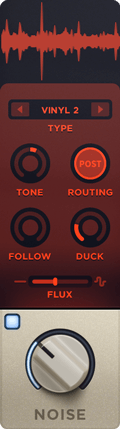
Add life and texture with one of RC-20's many noise types, from subtle vinyl crackle and tape hiss to ambient studio noise, electric circuit hum and stompbox static noise.
Wobble & Flutter

Wobble adds pitch inconsistencies associated with unstable playback on analog gear, like vinyl record players and tape machines.
Saturation & Distortion

Add everything from mild saturation to raging fuzz with one of RC-20's many distortion types.
Degrader & Bitcrusher

Recreate the sound of vintage digital gear like old-school samplers, and the unmistakable way limited sample rates and bit rate reduction color sound.
Reverb

Add depth and width to your tracks with RC-20's tailored reverb module.
Volume Drops
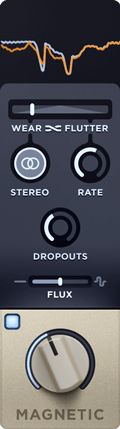
Reproduce the wear, tear and volume loss associated with recording and playback on tape and tape recorders.
Easily Scale All of RC-20's Effect Modules and Controls with a Single Slider
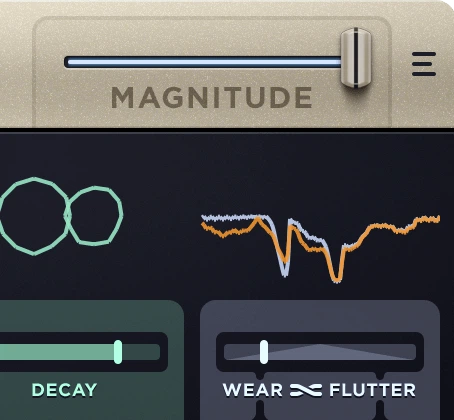
Dial in the perfect amount of your effects, or quickly create intros, outros, drops and transitions to take your mix to the next level.
Presets for any Track or Mix
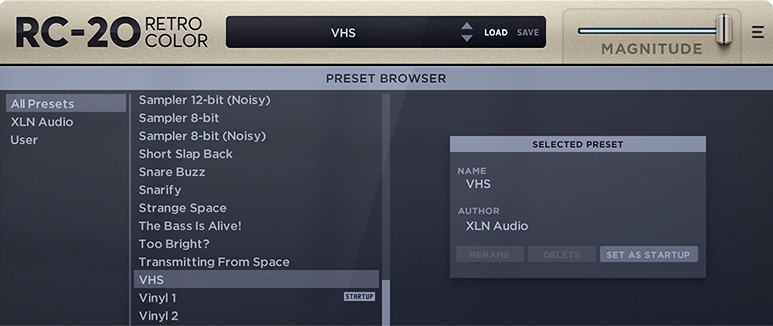
RC-20's tailor-made presets for drums, keys, guitars, bass, full mixes and post-production let you get to work right away.
Awards


Sound on Sound
The world's biggest and best audio recording & production magazine.
"XLN RC-20 Retro Color aims to bring life and texture to your audio".
Diplo
Artist, DJ, Songwriter & Producer
"RC-20 Retro Color is perfect for me to bring all my new sounds into a vintage feel"
Michael Tuller
Film / TV Composer, Synth Programmer and Multi-Instrumentalist
"This is amazing. It's what I've been looking for to add character to tracks."
Our Verdict Not only one of the best retro-ising plugins around, but also a powerful sound-design tool in a general sense, RC-20 is a wobbly, wonky, fizzy, soul-warming slice of awesome. Pros Makes anything sound old. Simple, stunningly effective processors. Cons Space mo...
Read MoreMac
- macOS 10.13 or later (Apple Silicon Native supported) (64-bit only)
- 2 GB RAM (4 GB recommended)
- Internet connection (during installation only)
- VST, AU, AAX
Windows
- Windows 7 - 11 (64-bit only)
- 2 GB RAM (4 GB recommended)
- Internet connection (during installation only)
- VST, AAX
Please Note: This software is 64-bit only and will not function on 32-bit systems.
Hosts:
This product should run on any host supporting 64-bit VST, AU, or AAX plugins. XLN Audio actively tests on the host applications listed below:
- Ableton Live 9 or later
- Apple Logic Pro 9 & 10
- Avid Pro Tools 11 or later (Pro Tools First is not supported)
- Cakewalk by Bandlab
- FL Studio 20
- Propellerhead Reason 9.5 or later
- Reaper 5 or later
- Steinberg Cubase 8 or later
Reviews Summary
While it aims to provide a helpful overview, it may not capture every perspective or detail. We encourage you to read individual reviews to make an informed decision.
RC-20 Retro Color by XLN Audio is widely regarded as an essential, industry-standard plugin for adding vintage warmth, analog character, and lo-fi textures to drums, vocals, synths, and full mixes. Reviewers consistently praise its intuitive user interface, versatile six-module FX setup (notably the wobble, saturation, and dropout features), and the convenient global magnitude control for fast adjustments. While overwhelmingly positive, minor criticisms mention that the noise module can be overpowering, the reverb is basic compared to dedicated tools, and the plugin is best purchased on sale.


