/ Saturation / Phat Booster
Singomakers

Phat Booster

4.5 (289 Reviews)
$19.60 $49.00

60% off until Dec 31

Singomakers Phat Booster - User Interface
Phat Booster - UI
Singomakers Phat Booster - "Phat Booster" plugin by IQ Samples gallery thumbnail
Buy Now
Product information

IQ Samples are very proud to present a new plugin, Phat Booster. Simple in use, Phat Booster has a modern scalable design with a PHAT sound. Phat Booster is a one-knob plugin with 4 different algorithms to add fatness and power to your sound.

Expect to find 4 different Algorithms (modes), Tone Fader, Phase Reverse Button and Pre-Fader Filters (Off / 45 Hz cut / 60 Hz cut).

Phat Booster is a powerful tool to add some fatness to basses, synths, drums and even powerful low-end to vocals.

Features

  • 4 Modes / Algorithms 
  • scalable design
  • Input Volume +6 -12 db
  • Output Volume +6 - 12 
  • Tone Fader
  • Phase Reverse Button
  • Pre-Fader Filters (Off / 45 Hz cut / 60 Hz cut)

System Requirements

Mac

  • macOS 10.11 or higher (Intel only)
  • Formats: VST, AU
  • Apple Silicon Macs supported natively

Windows

  • Windows 7 or higher
  • Formats: VST 2, VST 3
Testimonials

Shapov

"Phat Booster is a nice way to glue your kick and bassline."
813

"A great tool for quick help at different stages of production and getting more phatness easily!"

Relanium

"Adds cool low-mid harmonics making the sound more assertive and interesting... Works great on the drum bus, leads, and main bass sounds."

Installation Instructions

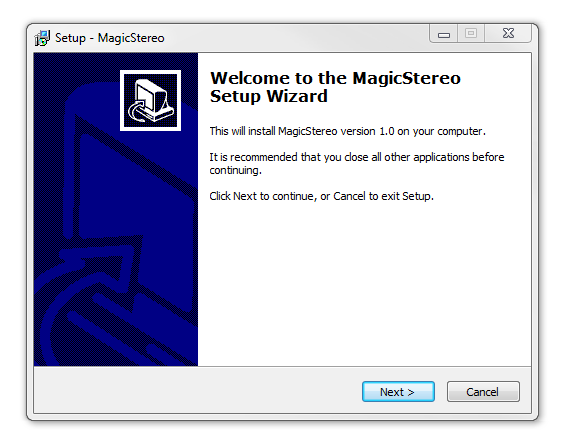
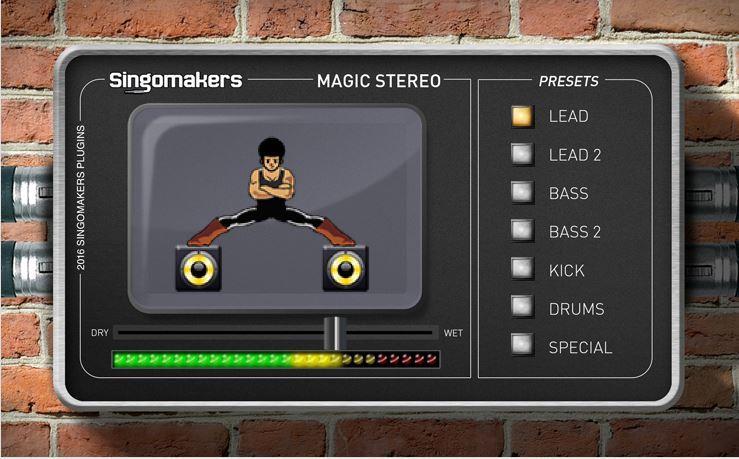
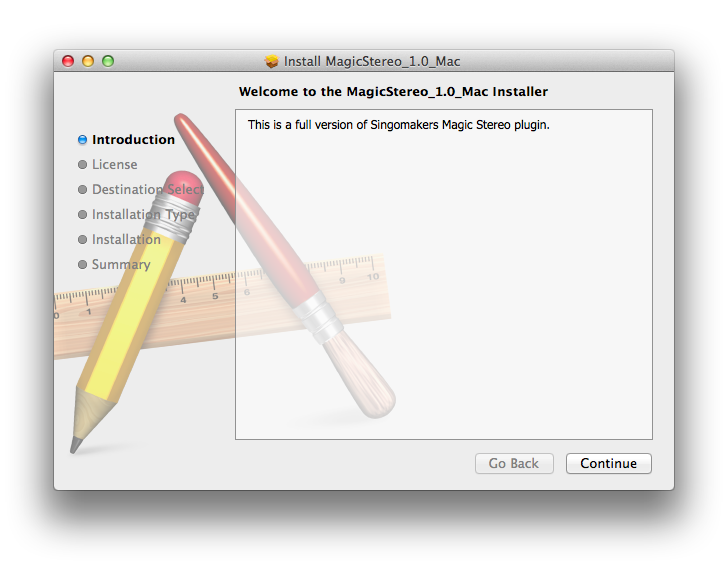
Note: Magic Stereo is used as the example.

Mac

1. Download the .zip folder from your User Account and double-click it to open and reveal the installer file.

2. Double-click the extracted software file to begin the installation process > click ‘Continue’.

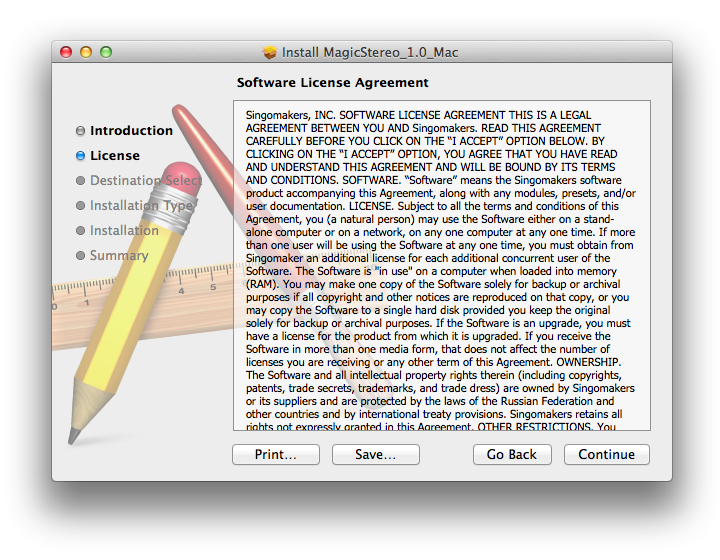
3. Read the Software License Agreement > click ‘Continue’.

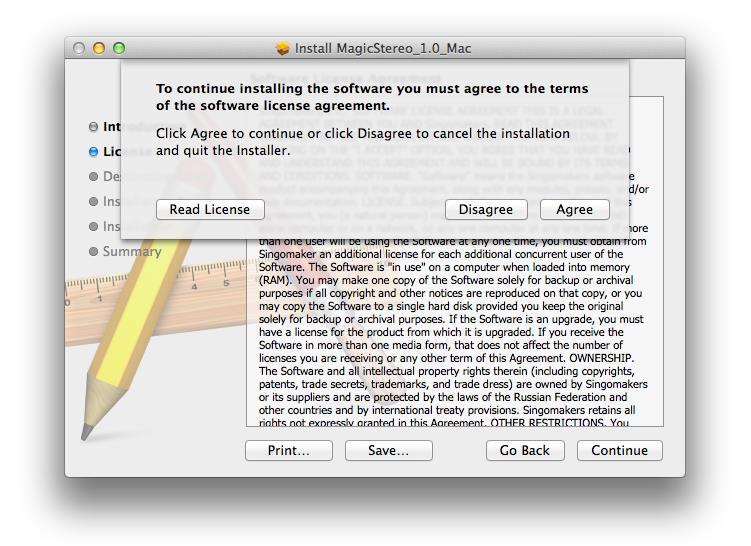
4. Click ‘Agree’.

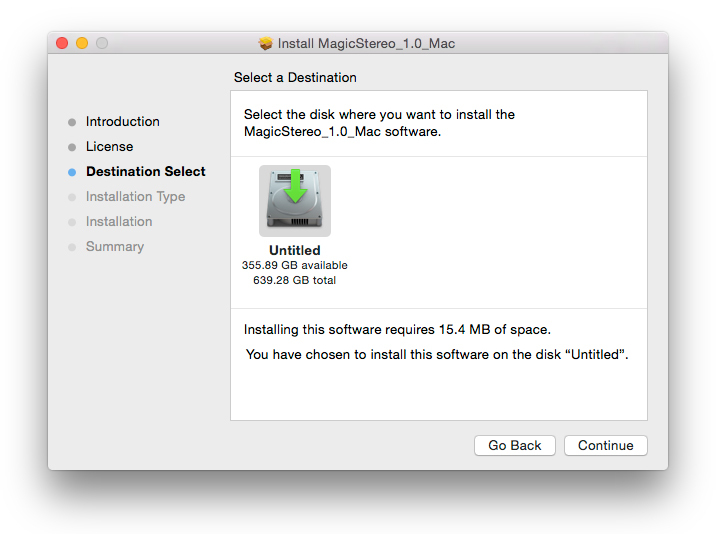
5. Review the installation and click ‘Install’.

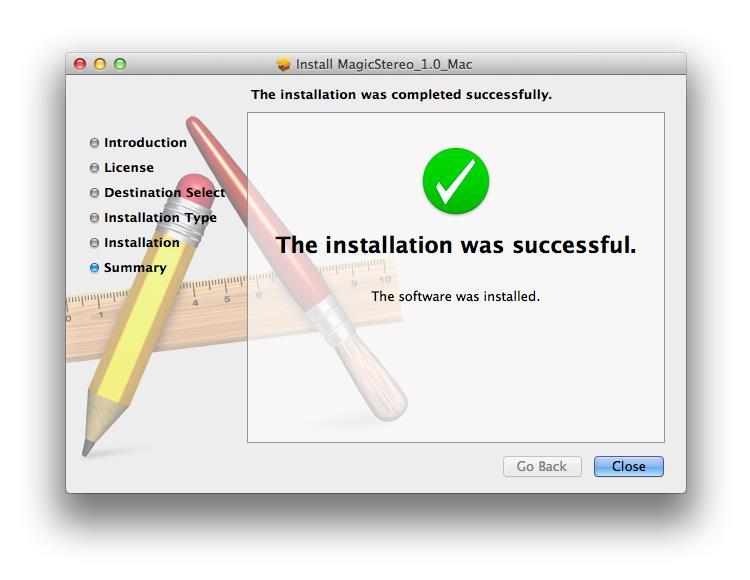
6. The installation of your software has successfully completed > click ‘Close’.

7. Locate and open the software within your DAW.

Note: Restart your DAW, and rescan the plug-in selection to show the new installation (in the event it fails to appear).

The Software is now Ready for Use Within Your DAW!

Windows

1. Download the .zip folder from your User Account and double-click it to open and reveal the installer files.

2. Double-click the relevant extracted .exe (32 or 64-bit) file to begin the installation process > click ‘Next’.

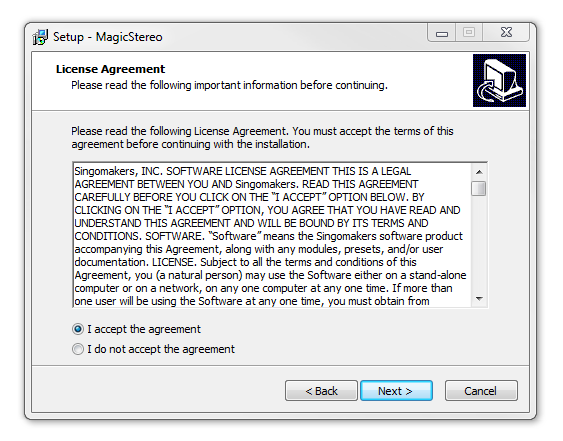
3. Read through the license agreement and click ‘I accept the agreement’ > click ‘Next’. 

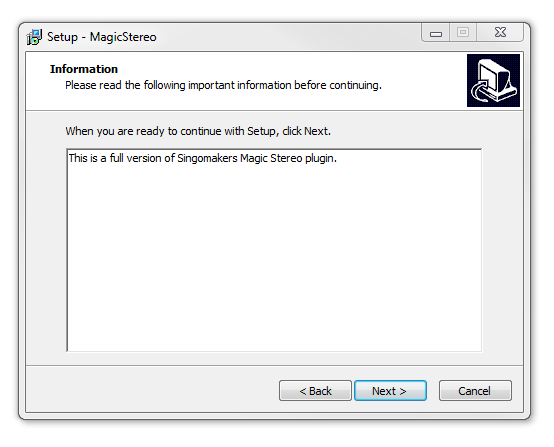
4. Read through the information > click ‘Next’.

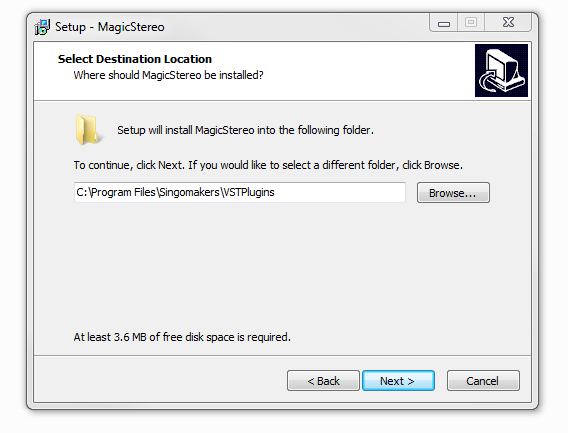
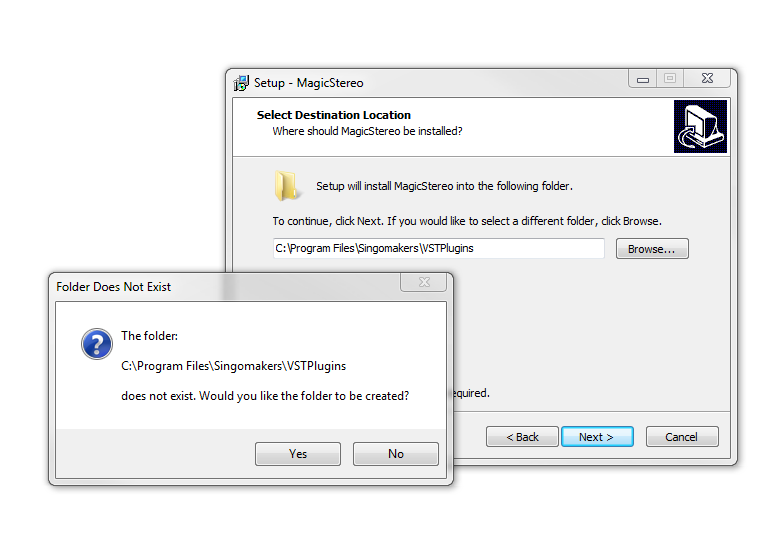
64-Bit Installation:

  • Choose and confirm the plug-in (64-Bit VST) directory in which to save your software to > click ‘Next’.

  • Select ‘Yes’ if prompted with the window below.

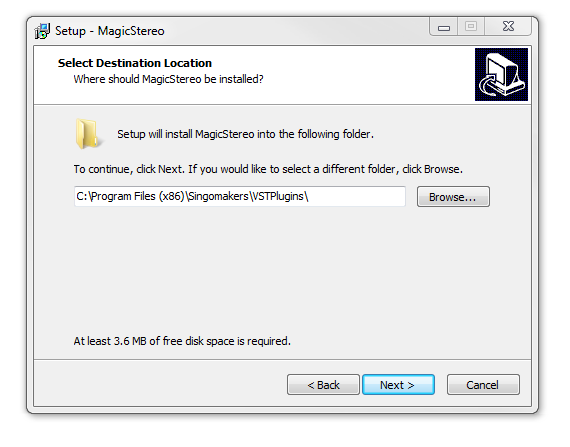
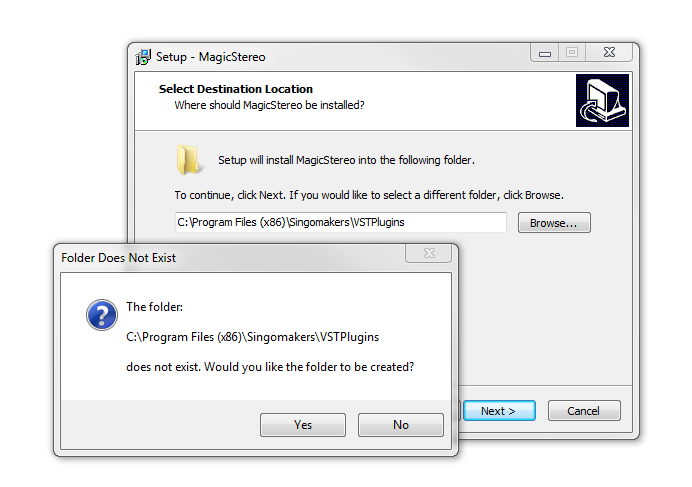
32-Bit Installation:

  • Choose and confirm the plug-in (32-Bit VST) directory in which to save your software to > click ‘Next’.

  • Select ‘Yes’ if prompted with the window below.

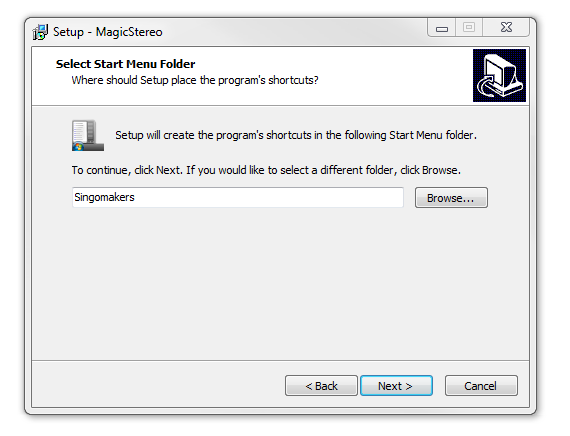
5. Create/select a folder in which to setup a shortcut path for your new installation.

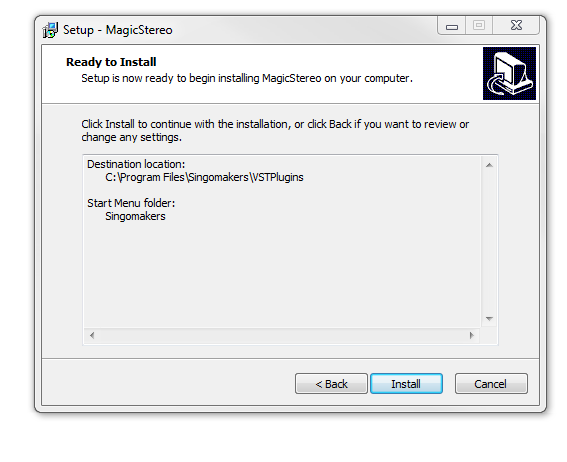
6. Review the installation and click ‘Install’.

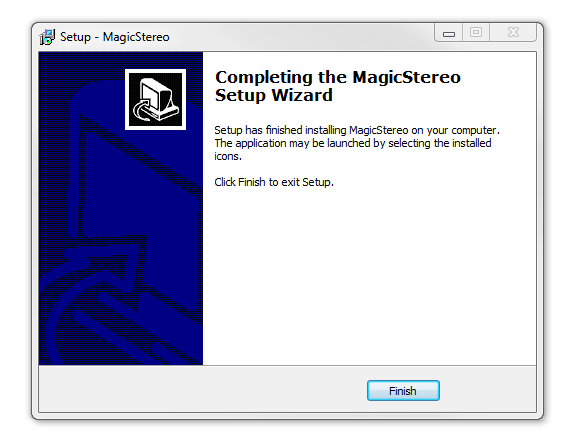
7. The installation of the software has successfully completed > click ‘Finish’.

8. Locate and open the software within your DAW.

Note: Restart your DAW, and rescan the plug-in selection to show the new installation (in the event it fails to appear).

The Software is now Ready for Use Within Your DAW!

Bundle & Save

Singomakers Plugin Bundle
$51.60
$129.00 (60% off)

Plugin Boutique Rewards

Discover the most rewarding loyalty programme among all plugin retailers.

  • Free Loopmasters Samplepacks
  • Discounts on products and courses
  • Extra Virtual Cash claimed immediately at checkout
Find out more

Follow us:

X (Twitter) Facebook YouTube Instagram
Logo Logo

Plugin Boutique Limited, Part of the Beatport Group LLC.

Copyright © 2011-2025 Plugin Boutique. All rights reserved