


 Log In

Free gifts available with your purchase

Distortion is Beautiful
Distortion is beautiful. It can give sounds life, character, grit, warmth, body, and more. However, different distortions can have wildly different qualities, so it is vital to have various options at your disposal to design your perfect sounds. That's where Satyrus by W. A. Production comes in!
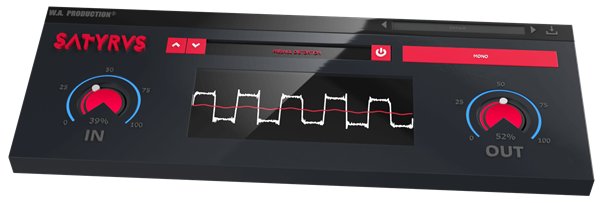
Satyrus is a unique saturation and distortion effect plugin built to provide you with an incredible sounding shine that you won't get anywhere else. Satyrus includes 8 wonderfully different distortion and saturation modules with an endless range of potential uses:
- Power Distortion: The KING of distortions, with a drastic effect on levels.
- Fresnel Distortion: A unique sounding distortion that can be used on pretty much any sound.
- Hyperbolic Overdrive: Ideal for editing strong and popping attack-heavy sound FX like shots, explosions, thunder, etc.
- Logarithmic Colouration: A hybrid of distortion and saturation, great for making vocals shine.
- Circular Projection: One of the most energy-rich and downright BRUTAL distortions, particularly useful for low and deep Sustain and Release sounds, like pads or synth bass.
- Cosine Modulation: Similar to Circular Projection but a bit more subtle.
- Satyric Crunch: A peculiar blend of Fresnel Saturation with the typical "crunch" of a distortion.
No matter what kind of music/audio you create, Satyrus is sure to become a much-used favourite when you need to give a sound life and character. The wide variety of distortion/saturation types gives you unparalleled flexibility and control when designing your sounds, and W.A Production know that you'll love how simple it is to use! Get your hands on Satyrus today and start creating your most unique sounds ever!
Features
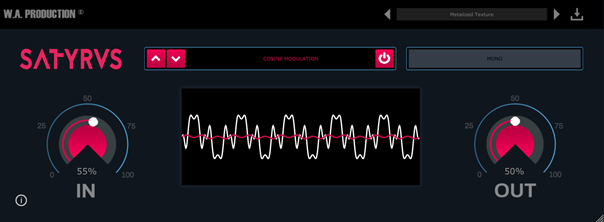
- 8 unique distortion/saturation modules
- The input level controls the intensity of the distortion.
- Realtime curve and amplitude visual feedback
- Mono and stereo modes
- Simple and intuitive GUI
- Responsive & CPU friendly
- Saves user-created presets
- Full PDF Manual & Tutorial video
System Requirements
- Windows 8 or later (32/64 bit)
- macOS 10.13 and later
Important Notes:
- AAX format requires ProTools 11 or higher.
- An internet connection is required to authorise and use this software.
Important Note for Mac Apple Silicon users: Before purchasing, please review the current compatibility status of this plugin on your system here.
Manene
DJ / Producer
"Satyrus is unlike any other saturation or distortion plugin I've used before. It's a super simple effect to use but comes with a ton of power!
Sulvida
DJ / Producer
I'm always looking for new ways to spice up my sounds, and Satyrus lives up to the hype! It's definitely something I'm excited to have in my toolkit!


