/ Granular FX / Ribs
Hvoya Audio

Ribs

4.2 (664 Reviews)
FREE
Ribs - GUI
Ribs - GUI
Ribs 1.0 Tutorial gallery thumbnail
New features in Ribs 1.2 gallery thumbnail
Product information

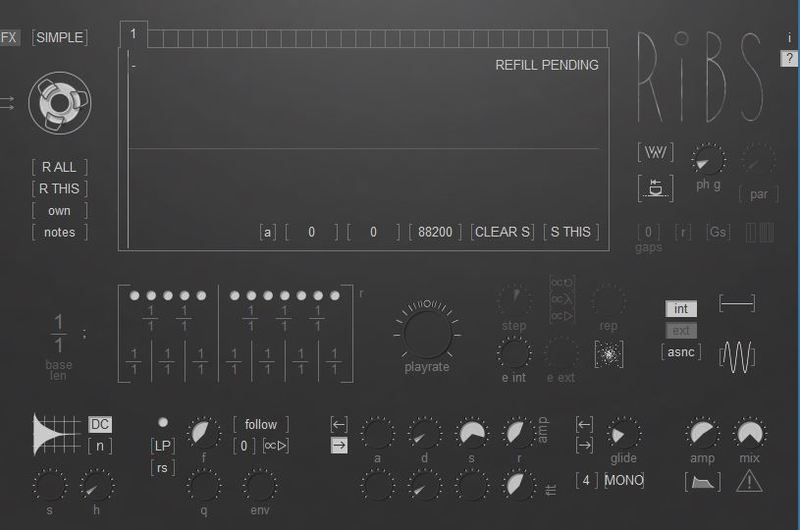
Ribs is a granular instrument/fx that combines many different features. 

Features

  • Play it as a poly/mono synth (NOTES mode)
  • Scratch audio like a vinyl record with precise playhead control (SIMPLE mode)
  • Generate complex polyrhythmic beats with custom grain sizes (BEAT mode)
  • Morph between rhythmic and harmonic structures
  • Use it as a granular FX with polyphonic capabilities (FX button on the top-left)
  • Create vocoder-like sounds (check out the formant filter too)
  • All controls are MIDI-automatable.

Important Notes

Currently Ribs does not support saving and loading of captured audio. If you do complex processing with it, it's generally advised to record your live performance.

By default you have to send MIDI notes to Ribs for it to fill the buffers. If your host does not support routing audio and MIDI to the same track use FX button on the top-left. You can then choose what buffers to fill by clicking on the buffer tabs.

Press the question mark button to see short parameter descriptions. PDF manual is included in the download.

System Requirements

  • Windows / Mac
  • 32-bit & 64-bit
  • VST / AU / Standalone
Installation Instructions
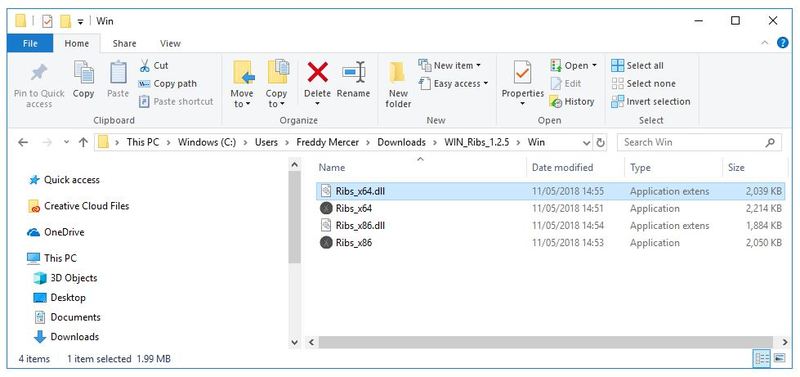
Windows

Installation

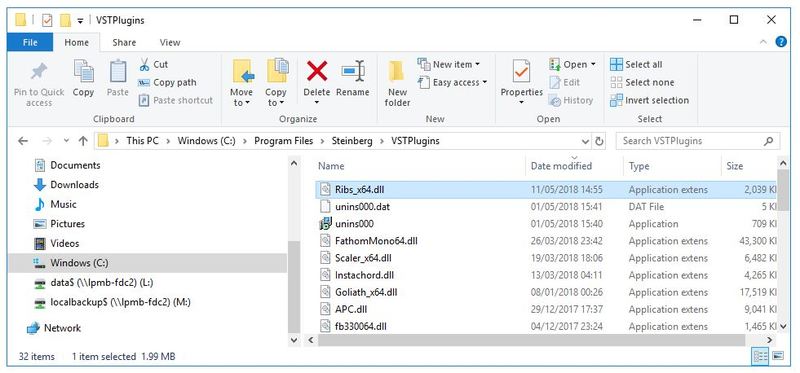
1. Download the .zip file from within your Plugin Boutique User Account > Double-click it to extract the contents.

2. Navigate to the folder with .dll files > copy the file titled 'Ribs_x64.dll'.

3. Navigate to the file path C:\Program Files\Steinberg\VSTPlugins > Paste the .dll file in this folder.

Your software is now ready to use within your DAW.

Mac

Installation

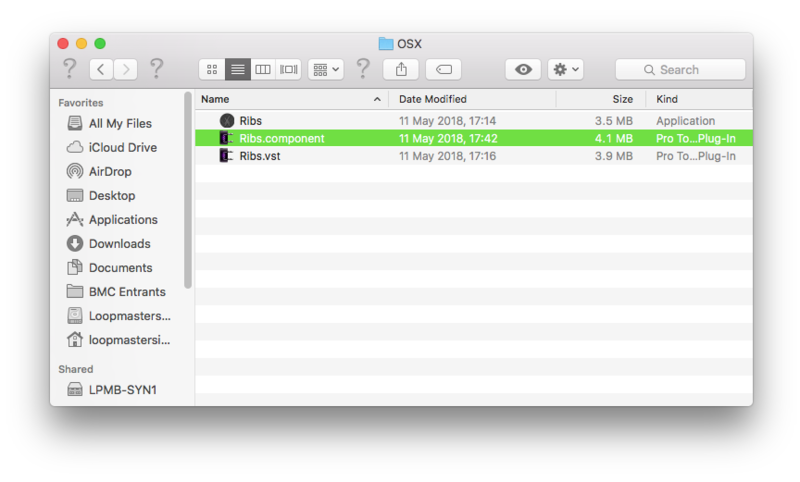
1. Download the .zip file from within your Plugin Boutique User Account > Double-click it to extract the contents.

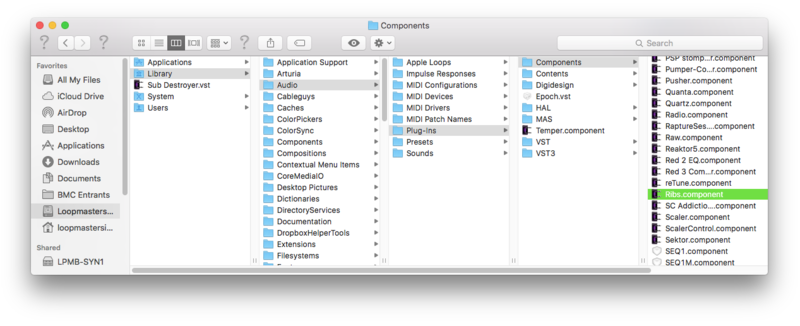
2. Navigate to the folder that contains the AU and VST components > copy the necessary component.

3. Navigate to the file path Macintosh HD:/Library/Audio/Plug-Ins/Components/ > Paste the component in this folder.

Your software is now ready to use within your DAW.

Plugin Boutique Rewards

Discover the most rewarding loyalty programme among all plugin retailers.

  • Free Loopmasters Samplepacks
  • Discounts on products and courses
  • Extra Virtual Cash claimed immediately at checkout
Find out more

Follow us:

X (Twitter) Facebook YouTube Instagram
Logo Logo

Plugin Boutique Limited, Part of the Beatport Group LLC.

Copyright © 2011-2025 Plugin Boutique. All rights reserved