


 Log In

Free gifts available with your purchase

Spectral Shifting
When reverb and delay just aren’t enough, reach for Venom. This powerful spectral processing plug-in twists raw audio into many types of sounds from subtle granular movements to unrecognisable soundscapes. This makes Venom an incredibly versatile tool for sound designers, musicians, EDM producers and anyone who needs other-worldly transformations.
Explore the myriad of possibilities by using the included presets, then dive deeper with the hot-swappable effects chain, granular sizes and advanced tone shaping. Every experiment with Venom will yield sonic surprises; creating expansive reverbs, harmonic excitement, frozen spectral tones and completely unique ambiences.
Two-Stage Processing
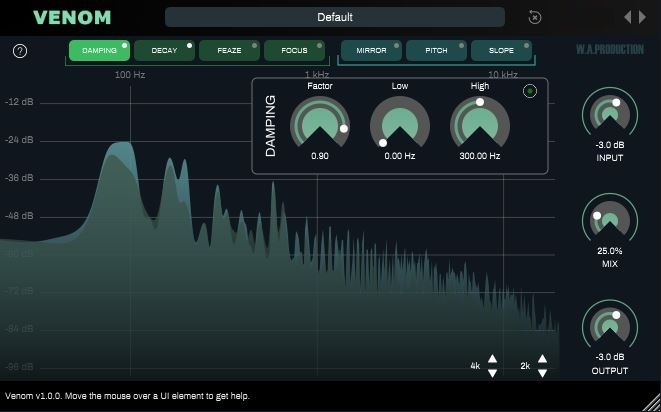
Venom processes audio in two stages: Firstly a ‘freeze’ stage captures and accumulates a snapshot of the incoming sound, applying the audio effects to the continuously and creating feedback. This causes the output signal to change over time (like the reverb tail of an echo). The subsequent direct output stage applies a user-defined spectral operation to the signal.
Seven Transformations
The 7 creative audio effects shape all sorts of spectral processing: Focus, Feaze, Decay & Damping for the creation of unusual, beautiful sounding ambiences. Mirror, Pitch & Slope to generate experimental spectral transformations. Any combination of these is possible for other unique soundscapes.
Hot-Swappable FX
The user interface of Venom is completely modular: Drag an individual effect into the desired position in the processing chain to define the order of effects processing.
Live or studio
Live or Studio
Venom comes with user-controllable parameters for various aspects of spectral resolution that allow you to find the best settings for any environment; in the studio, on the road, or in a live setting.
Power
The Venom logo acts as a bypass control for the whole plugin and is smoothed to be click and pop free for unhindered A/B testing. Use it to swap between your original audio and the Venom transformations.
Presets
A range of factory presets are designed to get you up and running quickly, with tailored settings for many types of special FX and spectral shaping. These are all easily accessible from the menu and of course, you can save your own settings as user presets too.
Let Venom inspire you to create unique sounds that you never thought possible - all with just a few clicks. W. A. Production are real-life producers making creative plugins to help you achieve studio quality processing quickly and easily. Enjoy!
Features
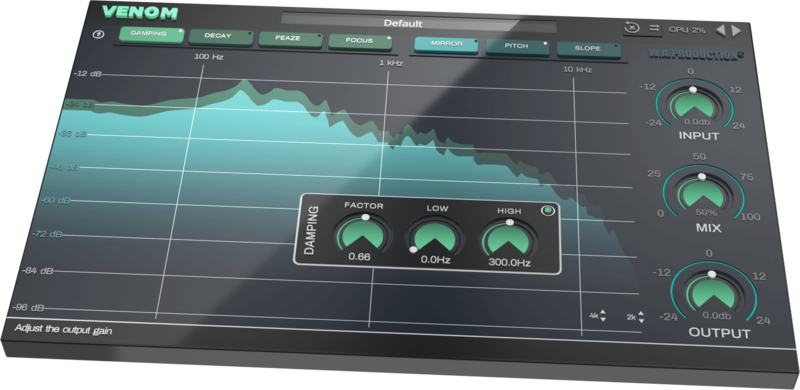
- Spectral freeze and processing
- Real-time frequency display
- 7 individual FX: Focus, Feaze, Decay, Damping, Mirror, Pitch & Slope
- Hot-swappable FX chain
- Creative Presets for special FX and spectral shaping
- Click-free bypass control
- Input, Output level and Mix controls
- Full PDF manual and tutorial video
System Requirements
Mac
- macOS 10.13 and later (64-bit only)
Available Formats:
- VST
- VST3
- AU
- AAX
Important Note for Mac Apple Silicon users: Before purchasing, please review the current compatibility status of this plugin on your system here.
PC
- Windows 8 and later (64-bit only)
(The plug-in might run on older versions too, but it's not guaranteed)
Available Formats:
- VST
- VST3
- AAX
Compatibility (Tested OK On):
- Ableton Live 10 (and later)
- Bitwig Studio 2
- Cubase 10
- FL Studio 20 (VST, not VST3)
- Logic Pro X (Mac only)
- Studio One 3
- Maschine 2 (and later)
- Reason
- Reaper
- Pro Tools 11 (and later)
- Max/MSP

The Samplecast
The show for sample library geeks, plug-in fans and people who love toys that make noise.
"Having been confused by spectral FX processing in the past, I found that Venom made the concept easy to understand, with modular FX and options. Weird soundscapes have never been so simple to create."


