


 Log In

Free gifts available with your purchase

Real-Time Granular FX
Graindad is a granular effect for high-quality real-time audio manipulation. Freeze, texturize or reorganize & slice your audio, triggered by transients, clocks or MIDI notes. A complex modulation system with intelligent randomizers provides astonishing results. Filters, reverbs, delays and the all-at-once manipulating Harvester complete the package.
What Graindad Can Do
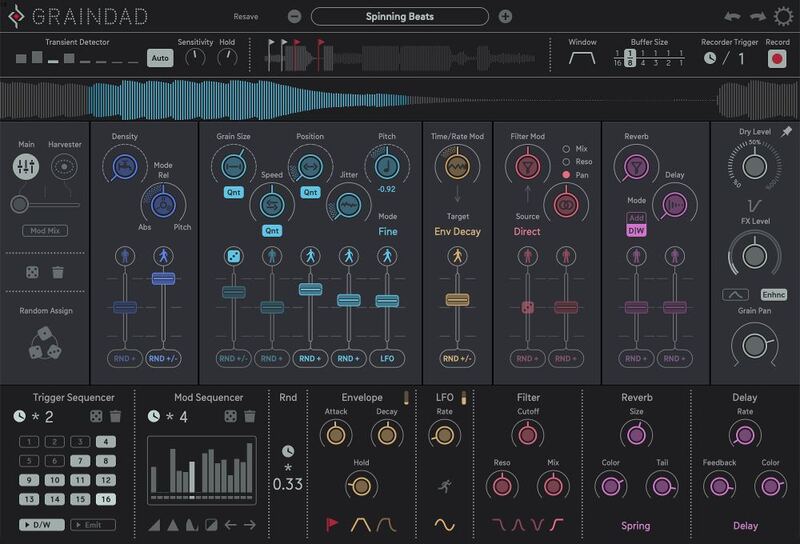
With up to 64 grains Graindad offers extensive possibilities to define your sound in real-time. With 12 main parameters, quick and powerful access to granular synthesis is provided.
There are basically 2 modulation systems: a classical system with modulators like step sequencers, LFO, & envelope, for familiar access. And a modulation system called Harvester, which provides an easy and playful way to control multiple parameters at once in a visual manner. These two modulation systems can then be mixed for uniquely complex results.
Randomization is a big part of Graindad - varying amounts of randomization can be applied to nearly every parameter. Furthermore, there are dedicated functions to define when randomization should be generated, for example, a transient in your audio signal can trigger a randomizer.
Grain Engine
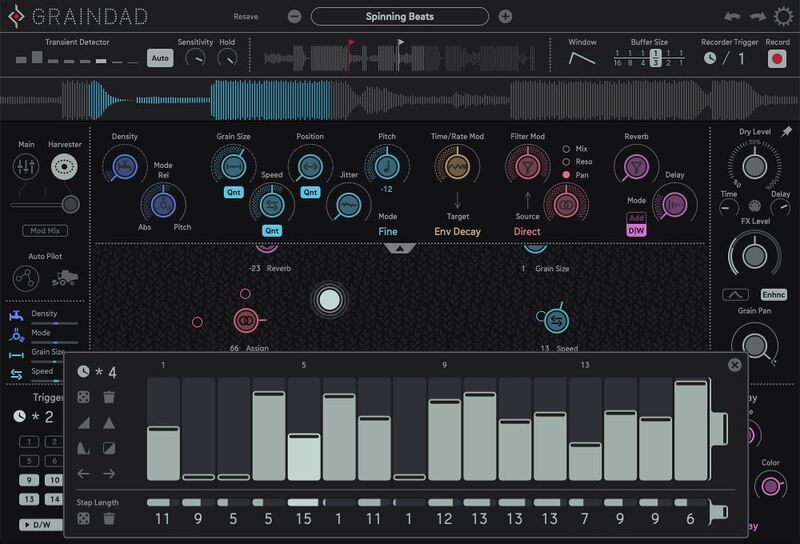
The heart of Graindad is the Grain Engine. While audio is being recorded, it can simultaneously be played back up to 64 times via so-called grains. Organising and defining these grains is the core task of the engine.
The 12 main parameters provide the power to achieve various effects like looping, stuttering, time stretching, pitch shifting, reversing, or harmonizing.
As important as the playback is, recording also plays a huge role in defining the overall result. Graindad can record in sync to your host clock or be triggered directly via MIDI. It can even dynamically start recording depending on transients in your audio material.
Modulation Engine
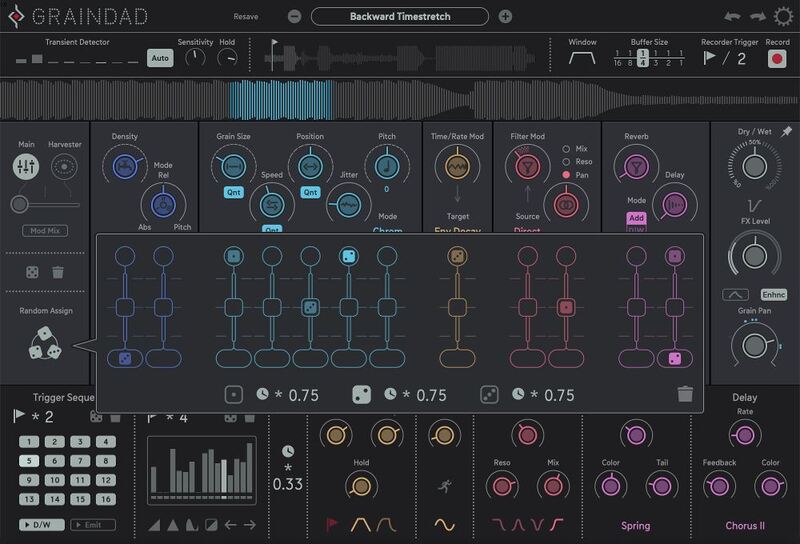
In addition to an envelope, LFO and a classic step sequencer with step repeat, the Harvester, various randomizers and MIDI notes can be used as modulation sources.
Even the intensity and source of modulation can be controlled by randomizers, and can do so in different modes.
Not to forget the Modmix Control, which crossfades between the Harvester and Main Page modulation for surprising results.
Effects
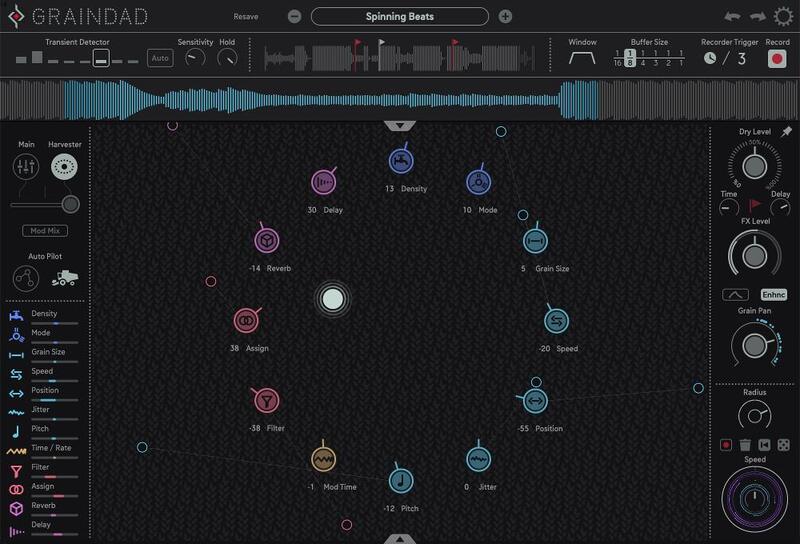
Whether it's classic effects like filters, reverbs, and delays, Graindad's effects section has everything you need in order to add a new dimension to your sound. Filter types include lowpass, bandpass, band reject and highpass. Choose between three reverb effects: HQ reverb, spring reverb and shimmer. The delay section offers not only different delay types but also flanger and chorus modes.
Dry/Wet controls make it easy to blend filter sweeps into the image or use the bandpass as a peaking EQ to emphasise certain frequencies.
The Harvester
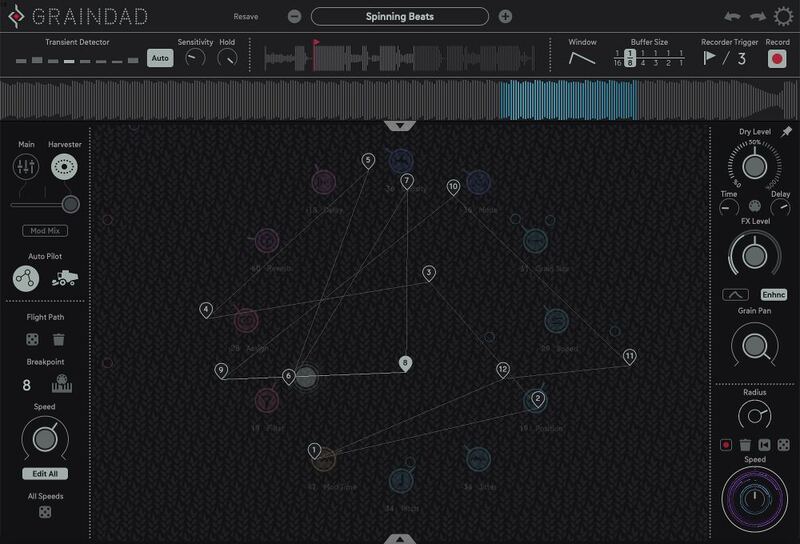
The Harvester modulates all 12 main controls at once. The distance between the Harvester and parameter objects defines the modulation depth. The parameter objects have "moons" that can be recorded as automation or randomized for additional layers of motion. On the Auto-Pilot Page, the Harvester can move between 12 breakpoints, which can also be triggered by MIDI notes for performative control.
The power of the Harvester is hard to put into words. Hours of fun and surprises, and endless sonic possibilities await. Of course, there are many more features that are explained in detail in the manual.
Features
- Grain Engine with up to 64 grains
- 12 main controller for easy handling
- Harvester: Innovative modulation system
- Freeze, Stutter, Glitch, Texturize
- Multiband transient detector
- Host sync and transient clock
- 16-step trigger sequencer
- LP, BP, HP, Band Reject filters
- HQ reverb, spring reverb, shimmer, delay, flanger, chorus
- Complex dry/wet envelope
- Modulation system with countless random functions
- Morph between Harvester and modulation
System Requirements
Mac
- macOS 10.12 Sierra or higher (Intel / M1 Apple Silicon supported) (64-bit only)
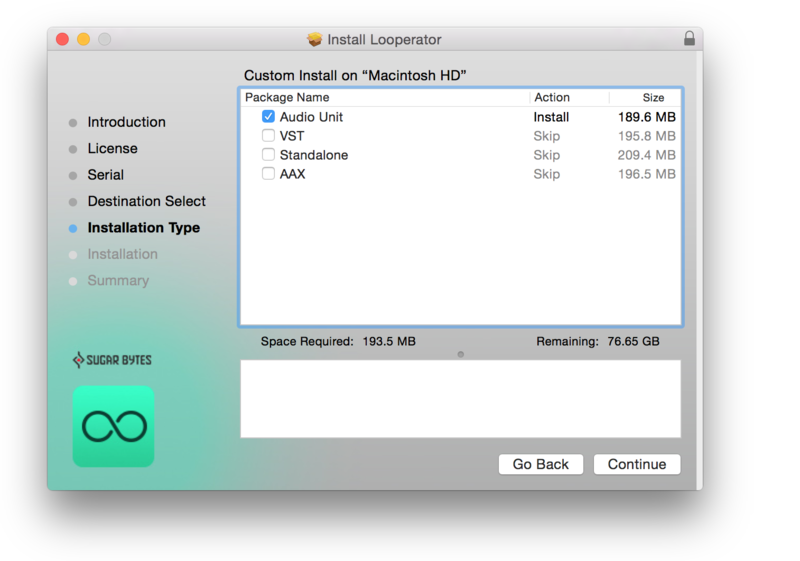
- Audio Unit, VST2, VST3, AAX, Standalone
Windows
- Windows 7 or higher (64-bit only)
- VST2, VST3, AAX, Standalone
Reviews Summary
While it aims to provide a helpful overview, it may not capture every perspective or detail. We encourage you to read individual reviews to make an informed decision.
Users highly praise Graindad as an incredibly powerful, versatile, and fun granular effect plugin that excels at adding rich textures, movement, and LoFi effects to synths and beats. While many appreciate its deep modulation options, automated chaos, and pleasing sounds, some users find its immense depth and complexity challenging to master, noting a steep learning curve and occasional difficulty in triggering presets. Overall, it is considered a rewarding tool for deep-dive sound design.


