


 Log In

Free gifts available with your purchase

Echo Chamber
Let’s face it, you already own a delay plugin... probably more than one. That’s awesome, but you haven’t heard anything like Multibender.
With delicious multi-band processing and 4 (count ‘em) simultaneous delay modules, Multibender is your tempo-synced solution to creative delay processing. Conjure intricate percussion patterns, wild ping-pong synths and grooving leads with just a few clicks, or less if you use one of the inspirational presets. Each individual delay band has bespoke effects to transform boring keys into wobbly vintage progressions or tighten up your flabby bass parts with distortion and saturation for dance-floor domination.
For truly epic delays, here are the facts behind this groove-tastic effect:
Multiband Madness
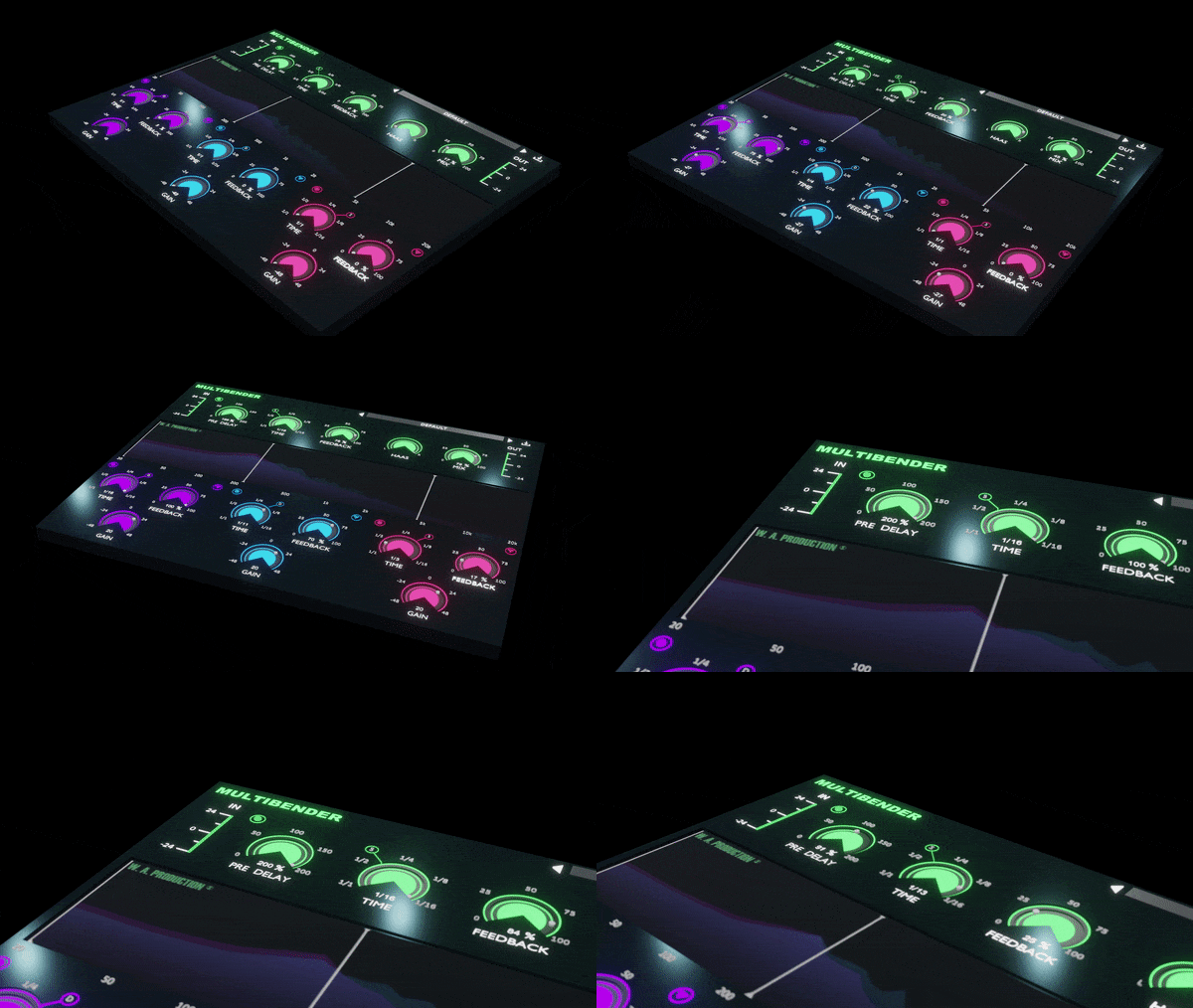
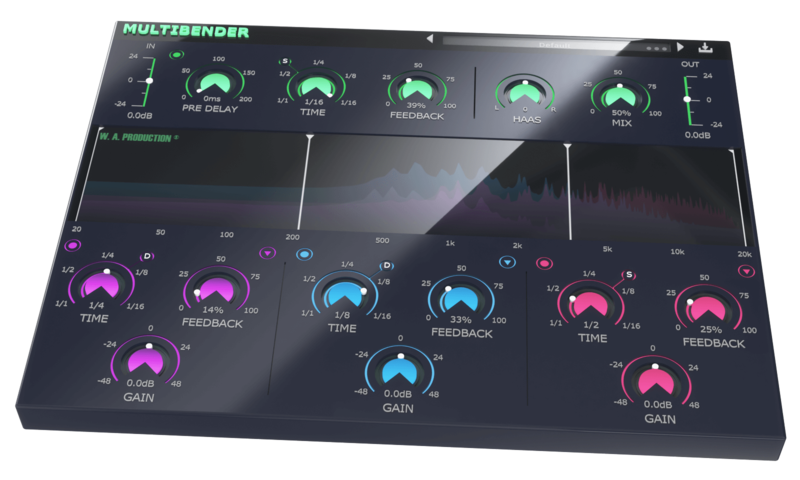
The delay processing is split into 3 separate modules, linked to the standard delay controls at the top of the interface, although they can all be adjusted independently. Drag the crossover points in the waveform display to quickly set up the frequency ranges of the 3 bands. Then choose a delay time (including dotted and triplet feel), feedback level and gain adjustment for each. This means that you can have a short delay for your low end and longer ones for mids and highs to send them bouncing around the room. On and off buttons for each band allow you to disable any unwanted processing, just in case you want to keep your bass line tight or mid-range clean.
Saturate, Crush & Detune
Standard delays for each of the 3 bands sound complex and expansive, but you can push the effect to the limit with 3 effects for each band. These run completely independently of one another and include saturation, bit crush and detuning. Apply as much or as little of each process as you like to create different kinds of audio effect. Try introducing sparkling highs with saturated harmonics in the upper-frequency range. Detune the midrange delay for a wavering analogue feel in the body of the sound. Make your bass line scream with crushed low end.
No HAASsle
The built-in HAAS control of the main delay unit can create a subtle stereo effect by shifting the timing offset of the left or right channel - a tried and trusted technique for adding space and width to your delay adventures.
Looks are everything
The central window shows exactly what’s happening to each of the 3 bands as the audio passes through the plugin, useful visual feedback to keep tabs on your signal transformations. The 3 coloured waveforms clearly display the effect of each module’s processing allowing for accurate monitoring and surgical shaping at every stage of the chain.
Presets
With many included presets, it’s easy to find the perfect shuffle for your instruments and vocals. These factory options can be used on guitars, bass, drums, synths and more. The presets include everything from subtle ping-pong bounces to massive big-room delays that last for days.
W. A. Production are real-life producers making creative plugins to help you achieve studio quality processing quickly and easily. Enjoy!
Features
- A 4-stage delay like you’ve never heard before.
- Independent multi-band processing for high, mid & low-frequency ranges.
- Saturate, Crush & Detune for each band.
- Straight, Dotted & Triplet time.
- HAAS control for stereo width.
- Click & pop-free bypass.
- Waveform graph for accurate visual feedback.
- Factory presets.
- Full PDF Manual & Tutorial video.
System Requirements
- Windows 8 and later (32 / 64-bit)
- macOS 10.13 and later (64-bit only)
Please Note: AAX format requires ProTools 11 or higher.
Important Note for Mac Apple Silicon users: Before purchasing, please review the current compatibility status of this plugin on your system here.
Manene
DJ / Producer
"Wow, what an innovative idea! MultiBender lets you create completely unique delay FX by splitting the effect into different bands. I've never seen anything like it, and now I'm hooked! Great job W.A."
The Samplecast
A weekly podcast and YouTube show for sample library geeks, plugin fans and musicians.
"Don’t delay. Well, actually do... and do it better than ever with MultiBender."
22Bullets
DJ / Producer
"I've been loving playing with MultiBender. The ability to add different delays to different bands gives me tons of new capabilities that other delays don't. I for sure will be using this in my tracks!"


