


 Log In

Free gifts available with your purchase

The Shortest Way from Mix to Master
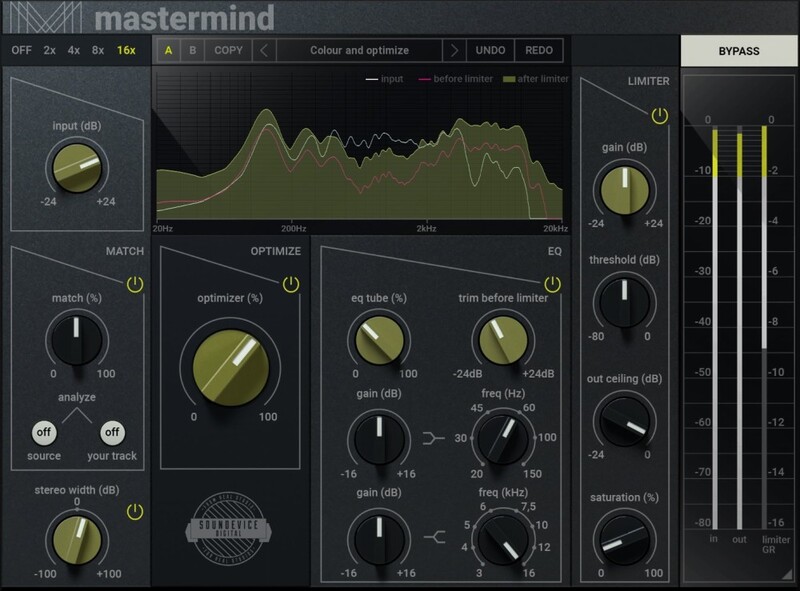
Mastering is the last step of the tone-shaping process. The very last step before you serve your track to the audience. It is not only to make your signal louder but also better and simply to sound right. To make this sensitive job easy for you, United Plugins have created MasterMind, which can do most of the tasks for you automatically.
Key Features
Optimise in a Second
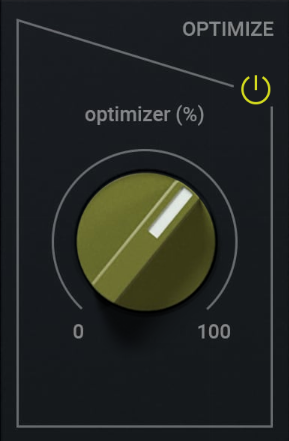
The heart of the plugin is the Optimizer. After a long development and research of a lot of mastered material, United Plugins have developed a special algorithm which makes your signal richer, bigger and psychoacoustically better. It simply makes it sound right.
Match EQ Easily
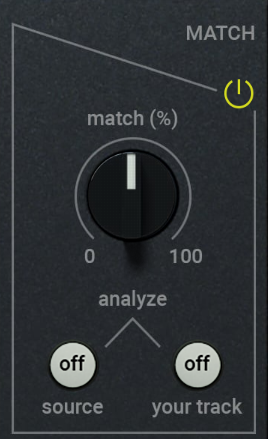
MasterMind's EQ Matching is a shortcut to a perfect-sounding result. You may use it to match the feel of your favourite tracks but also unite the tracks on your album within a few clicks. Simply load a reference material to your track and loop-play to analyze. Then analyze your material and let MasterMind do the magic. Try not to overdo it; because of the difference, the best will be 20-30% of the matching.
Maximise the Sound
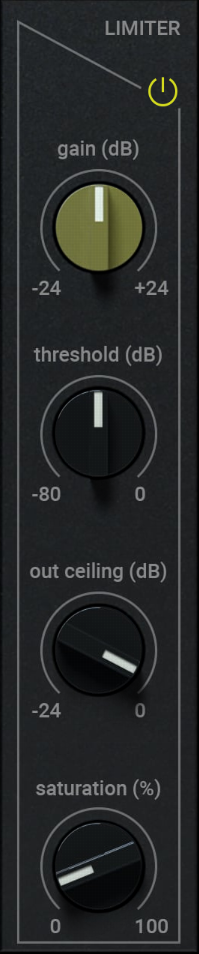
The louder, the better. MasterMind's limiter will make the mixes sound strong and proud. They will stand out and beat your competition. On top, the limiter section offers a pleasant saturation module to glue everything together.
Make It Wider
The stereo feel and the space perception are integral elements of a perfectly mastered sound. MasterMind will help you to achieve outstanding results using just one knob.
EQ Final Touch
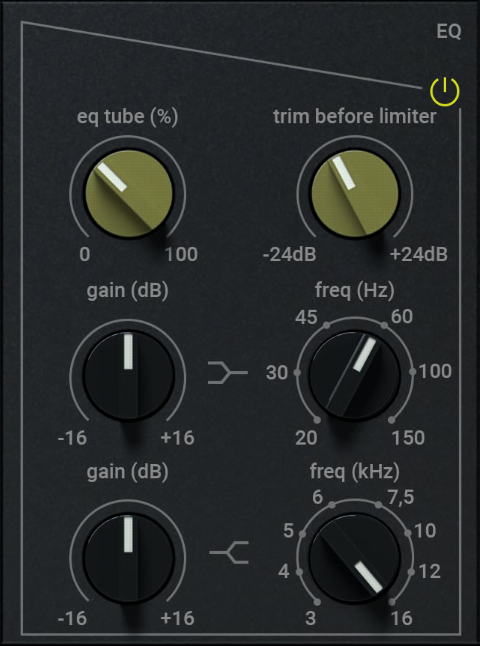
MasterMind's EQ section is here to fine-tune both the high-end and low-end EQ curves of your track. It is based on a famous American analogue equalizer mode and gives you a chance to apply nice tube saturation, too.
Analyse Visually
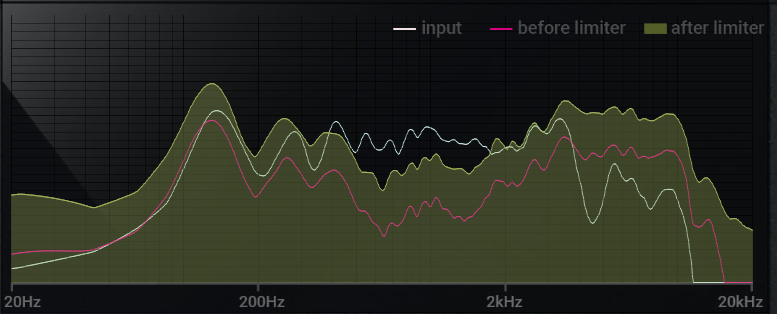
What you get is what you see. MasterMind's analysis section gives you a perfect overview of the three stages of your signal. You can easily monitor input and output but also the signal stage between EQ and limiter. This helps you add even more precision to your work.
Maximum Precision
Mastering requires maximum precision. The high-quality audio engine uses up to 16x oversampling to give you warm analogue style saturation without digital artefacts.
Hassle-Free Software Protection
No iLok, no dongle nor internet access is required for activation. MasterMind uses licence files to activate your software. You can freely use the purchased software on all your computers as long as you are the user.
Realistic 3D Yet Flexible GUI
The photorealistic graphic user interface of the plugin gives you the feeling you are touching the real hardware. But it easily adapts to your needs. You can always drag the arrow in the bottom right corner to change its size - make it smaller to save valuable screen space, or enlarge it to make it easier to use.
15-Days Unlimited Trial Version for FREE
All the descriptions are nothing compared to putting your hands on the plugin. No saving limits. No noises. No boundaries. Engage the plugin in your project for real and fully exploit its powers for two weeks.
64-Bit Audio Quality at ANY Sampling Rate
The plugin provides the maximum audio quality you can get. It uses internal 64-bit audio processing and can handle any sampling rate. 192 kHz or even higher.
Smart Bypass
The intelligent way United Plugins' plugins manage bypassing ensures that you don't get any clicks or harmful noises when automating the parameter. It also compensates for latency ensuring that the bypass states are perfectly in sync with each other.

Intelligent Sleep On Silence
This plugin intelligently detects whether it makes sense to perform processing at all. And if not, it temporarily turns on sleep mode. In such a state, it requires virtually no CPU at all to save the computing sources for other processes.
System Requirements
Mac
- macOS (10.10 and newer, 64-bit)
- Intel/AMD/Silicon processor with SSE2 support
- Available in VST/VST3/AU/AAX formats
Windows
- Windows 8/10/11 (64-bit)
- Intel/AMD processor with SSE2 support
- Available in VST/VST3/AAX formats
Scott Yahney
New York-based producer, writer and keyboard player
"Mastermind is a masterpiece, a game-changer!"


