


 Log In

Free gifts available with your purchase

The Instant Ambient Plugin
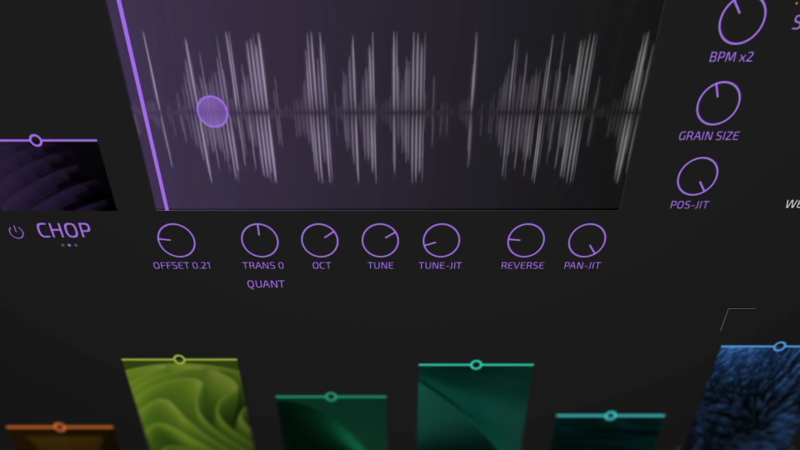
When you combine a velvety SHIMMER effect with a simple to use GRANULAR engine and top it off with an epic spacey REVERB it becomes apparent... LOVE is all you need.
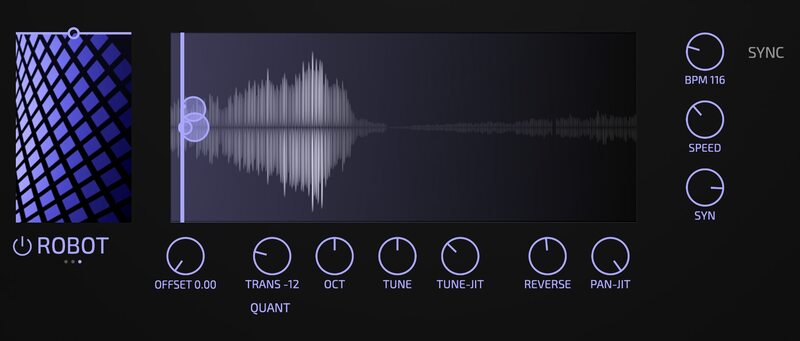
Shimmer & Grains
Captivate your listeners with an unparalleled audio experience transcending the boundaries of space and time. Presenting LOVE, an audio plugin meticulously crafted to elevate your ambient music to new celestial heights. With a powerful combination of a SHIMMER effect, a cutting-edge GRANULAR engine, and an epic spacey REVERB - LOVE will transport your music to ethereal, unexplored sonic planes.
Unleash Shimmering Splendor
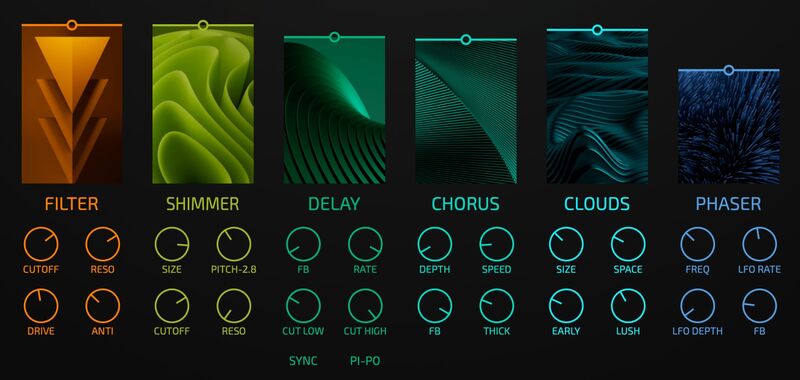
Harness the power of the shimmer effect and sprinkle your compositions with otherworldly brilliance. Elevate your soundscapes with delicate, cascading harmonic layers that glisten and sparkle, adding a celestial sheen to your ambient arrangements. Listen as your music soars to new dimensions, immersing your listeners in a shimmering sea of transcendence.
Lovely Textures
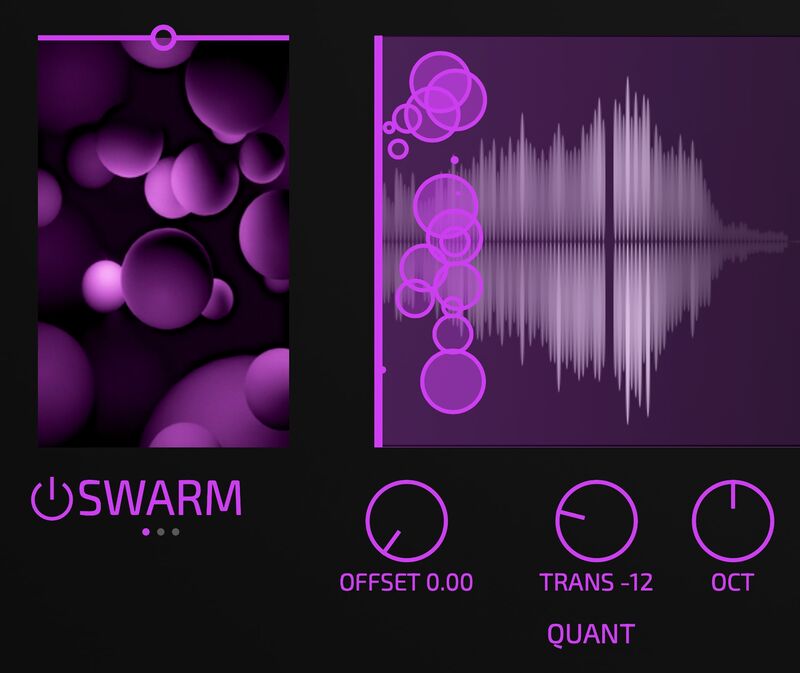
Delve into the realm of sonic manipulation like never before with LOVE's unique granular engine. The ability to slice, dice, and rearrange audio into microscopic grains, enables you to sculpt intricate textures and atmospheric layers. Unleash your creativity as you explore the limitless possibilities of time-stretching, pitch-shifting, and granular synthesis. Transform mundane sounds into captivating soundscapes that will ignite the imagination of your audience.
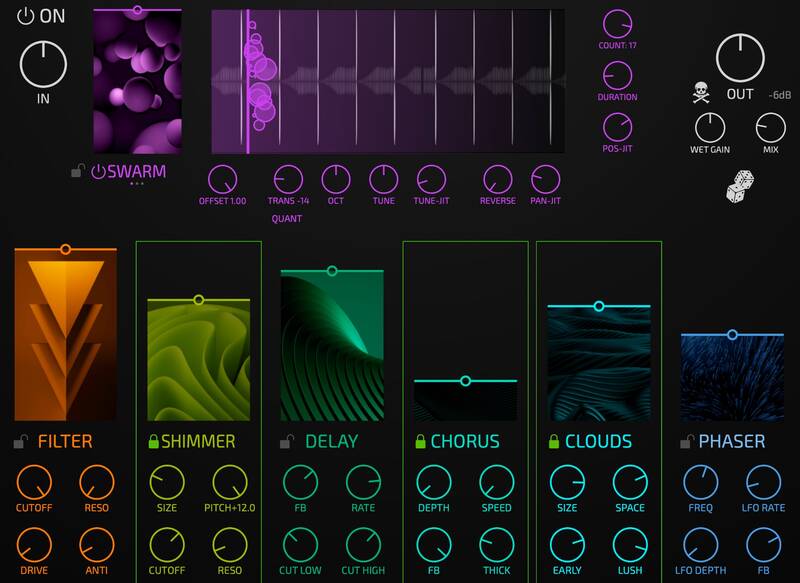
Creative Liberation
With its intuitive, single-page user interface and lightning-fast workflow, LOVE is the perfect companion for both seasoned professionals and aspiring beginners. Explore its streamlined controls, smart randomization function, and experience a new level of creativity that will inspire your musical journey. Take control of the randomization process by locking specific parts of the plugin, ensuring that selected parameters remain unaffected. This unique feature enables you to strike the perfect balance between order and chaos.
Features
- Combines GRANULAR effects with a classical SHIMMER.
- CLOUDS - epic reverb.
- Delay, Filter, Chorus, Phaser.
- Ultra-fast, simple workflow.
- Smart Randomisation function.
- Any parameter can be automated in your DAW.
System Requirements
Mac
- macOS 10.13 or Later
- 64-bit Intel or Apple Silicon
- AAX / AU / VST3
Windows
- Windows 10, 11
- 64-bit
- AAX / VST3
Saf Ro
'Peter from Dawesome has done it again - you have to have LOVE!'
Martin Gustaffson/Hangover Boy
'From granular stutters to lush ambient drones - this is my new go to plugin!'
HydraTek
'LOVE offers captivating real-time inspiration, effortlessly unlocking endless creative possibilities...'
Note: BioTek2 is used as an example.
Windows
1. Visit https://marketplace.tracktion.com/activate > Enter your Activation Code found in your My Account > Enter your contact information and either register or log in to Tracktion > Click "Submit".

2. Click "My Downloads".

3. Download the Tracktion Download Manager by selecting your operating system and clicking "Download".

4. Double-click the downloaded .exe installer > Select "I accept the agreement" and click "Next >".

5. Decide whether or not you would like a desktop shortcut > Click "Next >".

6. Select your destination > Click "Next >".

7. Click "Install".

8. Click "Finish".

9. Open the Tracktion Download Manager > Click "Install" on both BioTek 2 and BioTek 2 content.

10. Once your files have been downloaded and installed, you can close the download manager. > Then open your DAW.

Your software is now installed and ready for use!

Mac
1. Visit https://marketplace.tracktion.com/activate > Enter your Activation Code found in your My Account > Enter your contact information and either register or log in to Tracktion > Click "Submit".
2. Click "My Downloads".
3. Download the Tracktion Download Manager by selecting your operating system and clicking "Download".
4. Open the.dmg file > Click "Continue".

5. Read the Software License Agreement > Click "Continue".

6. Click "Agree".

7. Click "Install".

8. Click "Close".

9. Open the Tracktion Download Manager > Click "Install" on both BioTek 2 and BioTek 2 content.

10. Once your files have been downloaded and installed, you can close the download manager. > Then open your DAW.
Your software is now installed and ready for use!



