


 Log In

Free gifts available with your purchase
The Sound of 30 Years of Retro Sampling for Your DAW
What’s Your Flavor?
Introducing Flavor Pro, AIR's brand-new flagship lo-fi multi-effects plugin, designed to manipulate samples, melodies, loops, and instruments to the extreme for today’s modern lo-fi sound. Flavor Pro transforms your effects experience into a whole new future/retro landscape.
- Fast and Powerful Control Layout for Each Individual Module
- 100 Inspiring Presets Taking You Back to the Classic Sound of Vintage Lo-Fi Sampling Magic
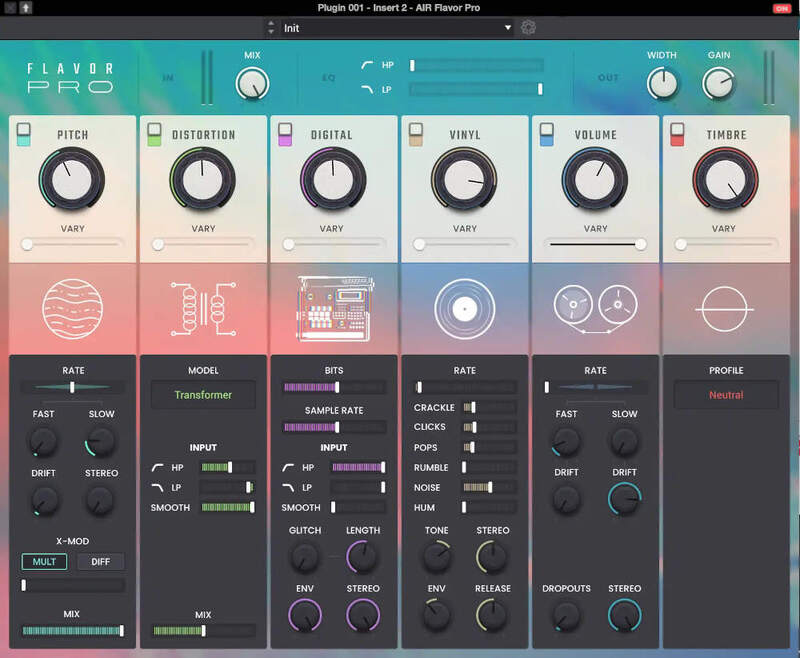
Six Fast and Creative Controls for Adding Instant Flavor
At the heart of Flavor Pro ingredients are 6 powerful effects modules providing immersive Lo-Fi control with unlimited possibilities. Add instant effects such as Pitch Flutter, Tape Saturation, Tape Dropouts, Distortion, Drift to 12/8 Bit sampling, Vinyl rumble, hum, pops & crackle emulations. Whatever your music style, Flavor Pro’s powerful multi-effects layout allows instant vintage magic and manipulation on your production in a fast creative way.
Wobble & Flutter
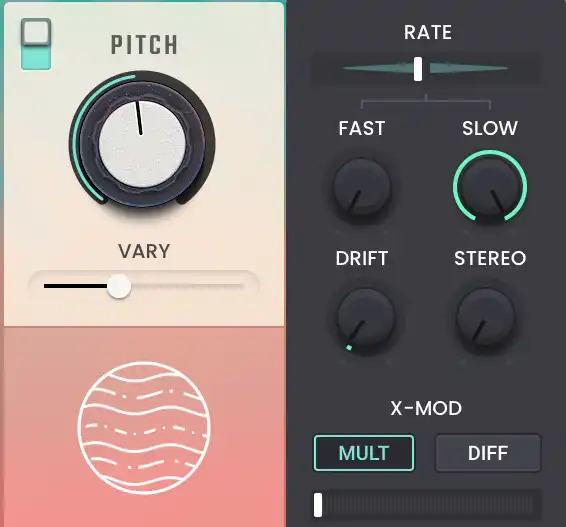
Add “Wobble and Flutter” to your tracks, emulating the classic effect of vintage analog equipment like degraded tape machines and vinyl record players. With dedicated controls for Rate amount, Fast/Slow Speed, Drift, Stereo Width, X Modulation, Mix, and Vary Control.
Saturation & Distortion
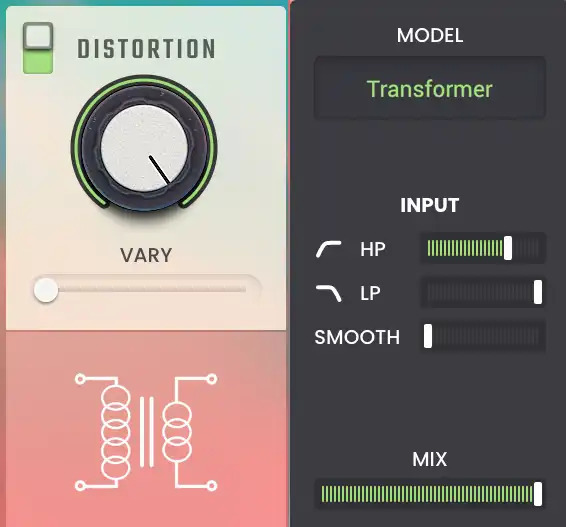
Add the vintage magical sound of analog saturation warmth, noise, and distortion. With nine models including Tube, Speaker, Vinyl, and Synth emulations, plus HP/LP Filter, Mix, and Vary Controls.
Sample Rate & Bit Rate Reduction
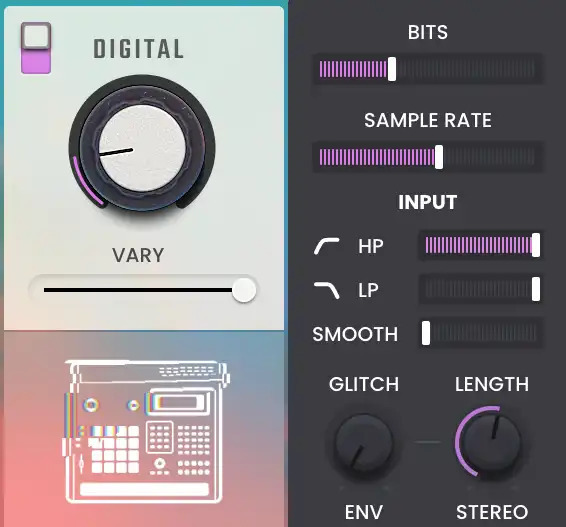
Recreate the iconic lo-fi sound of vintage and classic old-school Akai MPC and S Series Samplers to VHS and cassette tapes. With dedicated bit crushing and sample rate reduction controls to color your sound. Also includes HP/LP Filter, Smooth, Glitch, Length, Envelope, Stereo and Vary Controls. The Flavor never stops!
True Vinyl Noise Emulation
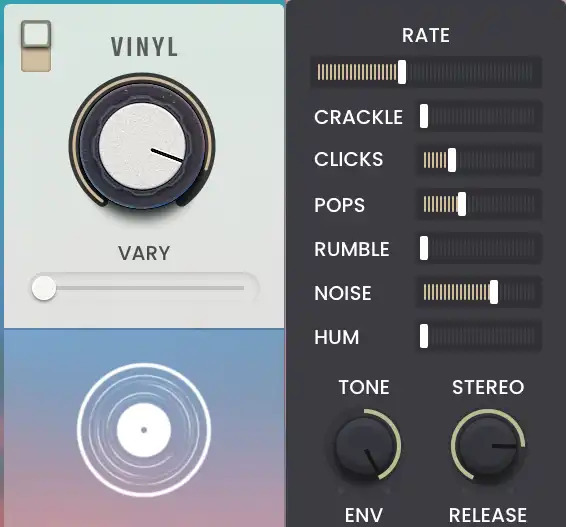
Control the “true sound” and behavior of vinyl with accurate Crackle, Clicks, Pops, Hum, Rumble, and Noise emulations.
Volume - Tape Machine Drifts & Dropouts
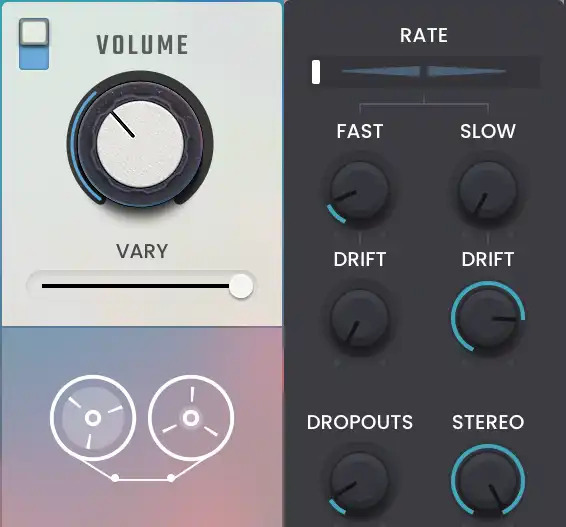
Emulate the behavior of Reel 2 Reel Tape adding dropouts and drift. With dedicated controls for Rate amount, Fast/Slow Speed, Drift, Dropouts, Stereo width, Mix, and Vary Control.
Timbre - Lo-Fi EQ Sound Profiles
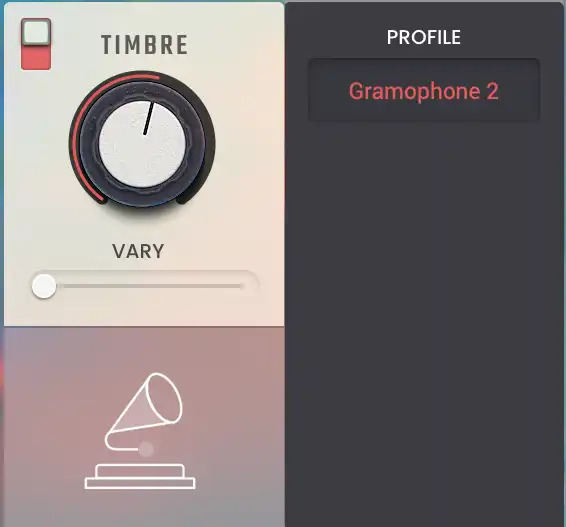
Add EQ color enhancements with 32 creative EQ profiles to shape your sound even further. From Lo-Fi Radio Resistors to 1930’s Gramophone and classic Boomboxes.
Intensity, Main Output Hi/LP EQ, Width & Main Output Gain Control



Control the overall amount of Flavor Pro’s effect across your sample groups and the main output channel. Enhance and create even more possibilities with the dedicated main output Hi-Pass and Low-Pass EQ Filters. Add stereo dimension, space, separation, and width to your productions along with main output gain control.
Unlock and explore “30 years” of lo-fi sampling history in a single powerful plugin.
Taste the Flavor yourself and add new ingredients to spice up your beats and instrument plugins.
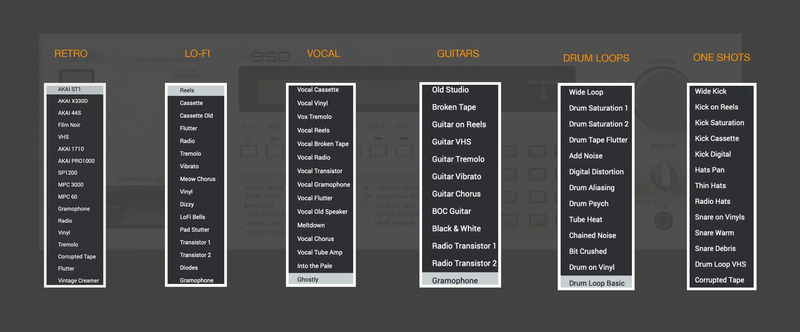
Unlock these sounds in Akai MPC/FORCE for FREE
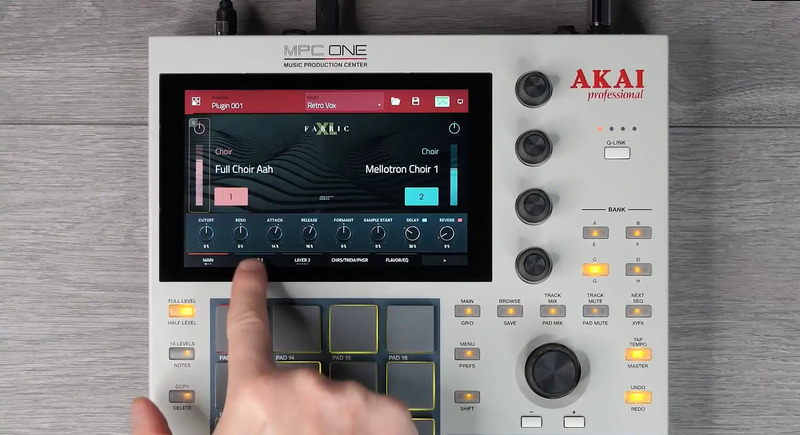
Purchase this plugin and you’ll get the ability to unlock it within your Akai Professional MPC / FORCE Standalone hardware as well as using within your favorite DAW. Seamlessly move productions from standalone hardware to your DAW with the same great sounds.
Download the Demo of Flavor Pro
This instrument is available in VST, AU, and AAX format as well as offering full support for MPC standalone and desktop systems running version 2.11 (or later). FORCE users will need version 3.2 or later.
Features
- Classic Vintage Sampling Emulations
- Sample & Bit Rate Reduction
- Distortion & Analog Saturation
- Vinyl Noise, Clicks, Pops, Rumble, Hum
- Tape Drift, Dropouts, Age
- Vintage Tape Flutter, Wobble Movement
- EQ Profiles
- Tube Distortion, Resistors
- HP/LP Filters
- Variant Controls
- Stereo Width Enhancements
- Purchase unlocks Plugin on three devices - including PC, Mac (VST, AU, AAX) and Standalone (MPC & FORCE)
1.2.0 Update
- Installers and plugin components now run natively on apple silicon (ARM) Macs
- Compatibility with latest versions of DAWs improved
- Many bug fixes for individual plugins
- UI and activation improvements
- Reliability of loading the correct preset name with a project improved
- Deactivate option added to menu
- Effects now have a Mono → Mono version
- Preset field now indicates when a parameter value has been changed
System Requirements
Flavor Pro is designed to support VST 2 and VST3 Plugin hosts as well as full support for AU, AAX, and MPC/FORCE Standalone systems. This software requires an internet connection to authorize. You will need to install Akai’s MPC desktop software version 2.11 or higher to use desktop versions of the plugins.
Windows
- Windows 10 (21H2) - Windows 11 (21H2)
- 2GB free disk space (20GB for all content recommended)
- 4GB RAM (8GB recommended)
- Dual-core 2.5GHz CPU
- VST 2/3 / AAX compatible host
Mac
- macOS 10.15.7 Catalina - macOS 12.4 Monterey (Apple Silicon native compatible)
- 2GB free disk space (20GB for all content recommended)
- 4GB RAM (8GB recommended)
- Dual-core 2.5GHz CPU
- VST 2/3 / AAX / AU compatible host
MPC/FORCE Standalone Compatibility
Flavor Pro is designed to run on standalone MPC systems running 2.11 or later, and FORCE systems running 3.2 or later, including:
- MPC One
- MPC Live
- MPC Live II
- MPC X
- MPC Key 61
- FORCE

















Reviews Summary
While it aims to provide a helpful overview, it may not capture every perspective or detail. We encourage you to read individual reviews to make an informed decision.
Users highly praise the plugin for its authentic retro and lofi textures, quality presets, and effective hardware modeling on drums, synths, audio, and MIDI. Many appreciate its ease of use, great value compared to competitors like RC-20, and compatibility with Akai hardware like the MPC One, with the only noted drawback being the lack of a dedicated global master dry/wet control.


