


 Log In

Free gifts available with your purchase
Named after the echo-rich Matra Mountains in North Hungary, Matra lets you create captivating audio experiences through the art of delay! Explore the possibilities, from crafting ethereal vocal textures to infusing nostalgia with tape delay effects, all while achieving precise tonal control and instant inspiration with the Smart Random button.
Mountain of Sonic Power
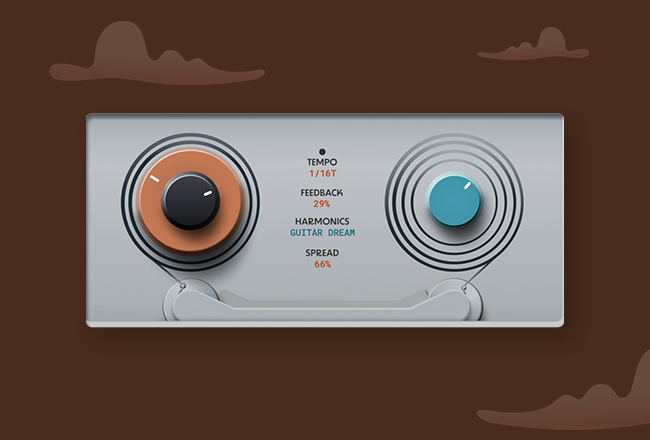
At the heart of Matra lies its Dual Delay Engine, a studio-grade DSP designed to lift your music to new heights. With precision and finesse, this engine lets you craft mesmerizing echoes that breathe life into your sound. But that’s not all – we’ve taken this further with the revolutionary Spread feature: A delay-on-delay concept with a dedicated Wash control, allowing you to seamlessly blend reverb and grains into your delays for unique and immersive sonic textures.
At The Peak Of Sound Design
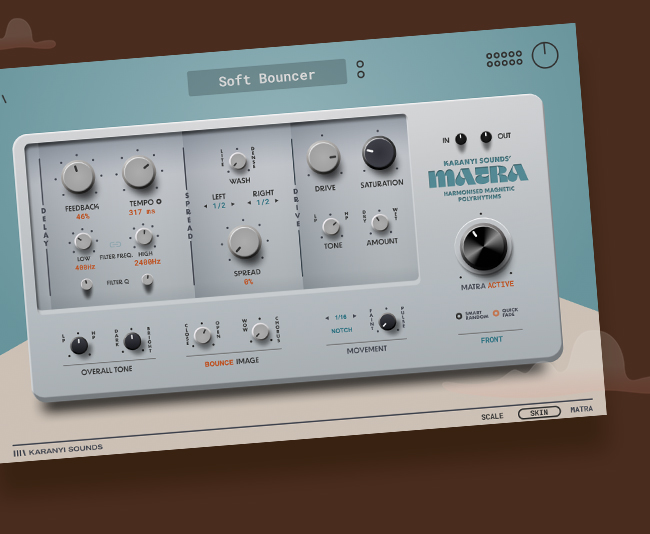
Matra goes beyond the ordinary, offering a treasure trove of sound design tools. Explore dynamic harmonic shifts with dual resonant filters and a filter LFO. Add character with dual distortion units for both heavy distortion and rich saturation. Invoke nostalgia with the Wow/Chorus effect, while achieving spatial perfection with Stereo Imaging. Fine-tune your sound palette using tone EQ and a versatile multimode filter. And for those flashes of inspiration, Matra’s Smart Random button is your creative spark.
Use Cases
Below you can find some of Karanyi Sounds' favorite sound design tricks that you can do with Matra.
- Vocal Glitching: Apply the “Pulse” filter LFO setting with high resonance to create glitchy vocal effects.
- Spacey Delays: Use the “Wash” control to add a touch of reverb and grain delay to create spacious, ambient delays for instrumentals.
- Dual Filter Sweeps: Experiment with dual filter settings to create evolving soundscapes with separate low and high cut frequencies. Also try to automate the cut frequencies. An lfo can be a good way to achieve rhythmic textures.
- Saturation Harmony: Apply saturation as a “glue” effect to add warmth and cohesion to your mix.
- Parallel Distortion: Achieve parallel distortion effects by adjusting the dry/wet ratio of Drive to blend distorted and clean signals.
- Tape-Style Drift: Add tape-like instability to Delay Engine #2 for vintage tape delay character.
- Dynamic Feedback Swells: Automate feedback controls to create feedback swells that evolve over time.
- Filtered Drive: Place the input filter before the signal hits the Drive to control the frequency content affected by distortion, perfect for dirty basslines.
Features
- Studio-grade dual delay engine with additional Wash control
- Additional sound design modules:
- Dual resonant filter and filter LFO
- 2 distortion units (heavy and saturation) with 8x oversampling
- Wow/chorus
- Overall tone shaping options:
- Tone EQ
- Multimode filter
- Stereo Imaging
- Other intuitive functions:
- Smart Random
- Quick Fade
- Bypass
- In/Out Gain
- Comes with 40 artist presets
- GUI features:
- Easy-to-use front view
- In-depth “Tweak’ view
- GUI rescale (100% to 125%)
- MIDI-learnable set of controls
System Requirements
- Mac OS X 10.11 or higher is recommended
- Windows 8 or higher 4 GB of RAM, 8 GB is recommended
- AAX, AU, VST3
- 100 MB free disk space

Reviews Summary
While it aims to provide a helpful overview, it may not capture every perspective or detail. We encourage you to read individual reviews to make an informed decision.
Overall, customers view Karanyi Sounds' Matra as a creative, user-friendly multi-effects and tape delay plugin that excels at sound design, adding warmth, vintage lo-fi character, and atmospheric width to tracks. Reviewers frequently praise its inspiring presets, intuitive interface, and low CPU usage. While the majority of feedback is positive, some users find it basic or redundant compared to existing tools in their collection, noting occasional harshness in the high frequencies, limited deep-editing controls, or registration hurdles. Despite these minor criticisms, it is widely appreciated as a solid, character-rich tool for sound enrichment.


