


 Log In

Free gifts available with your purchase
Product information
Kaleidoscopes
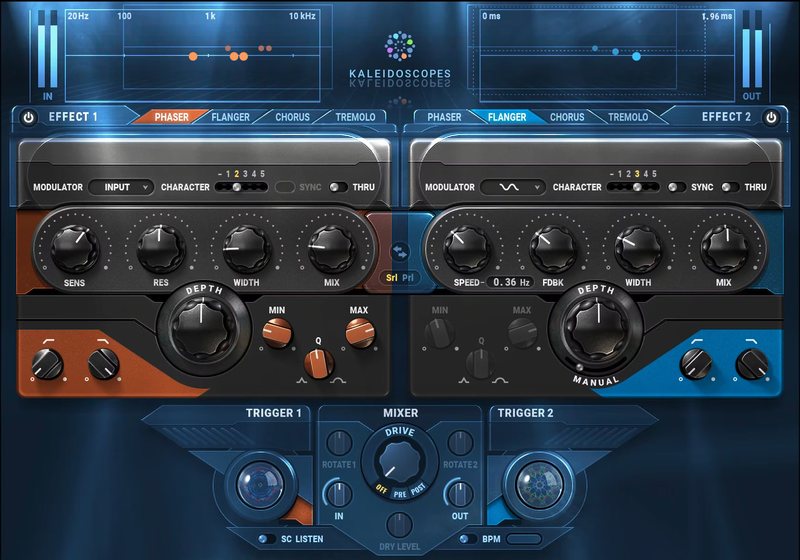
Give Your Tracks Color and Movement with Creative Modulation Effects
Kaleidoscopes combines classic modulation pedals—phaser, flanger, tremolo, and chorus—into a multi-FX playground. Create new production effects by combining the plugin’s two modulation engines. Use dynamic triggering to have the effects react to your live playing in real time.
Chop synth rhythms with tremolos. Change mod rates with guitar strums. Trigger sweeps from drums. Creatively combine effects in series or parallel—and add Kaleidoscopes’ ever-changing shapes and colors to your tracks.
Features
- 2 independent modulation engines, series or parallel
- Flanger, phaser, chorus, and tremolo effects per mod engine
- Smart triggering reacts to your playing in real time
- Select modulation source: input, sidechain, diverse waveshapes
- Extend the effects with 5 analog tonal characters
- Speed, Resonance, Width, Depth, Mix per modulation engine
System Requirements
Mac
- macOS Monterey 12, Ventura 13, Sonoma 14, Sequoia 15
- VST / AU / AAX
PC
- Windows 10+
- VST / AAX
Installation Instructions














