


 Log In

Free gifts available with your purchase
Greg Wells PianoCentric
The Key to Mixing Piano and Keyboards
The piano is a hard instrument to record—and even harder to mix properly, especially in a busy mix. Piano and other keyboard instruments cover a wide range of frequencies and dynamics—so finding their sweet spot in a mix can be daunting.
Grammy®-winning producer/mixer Greg Wells (Adele, Dua Lipa, Taylor Swift, John Legend)—a professional pianist himself—has put into PianoCentric every studio technique he’s learned over the years to make a piano sound great in a mix.
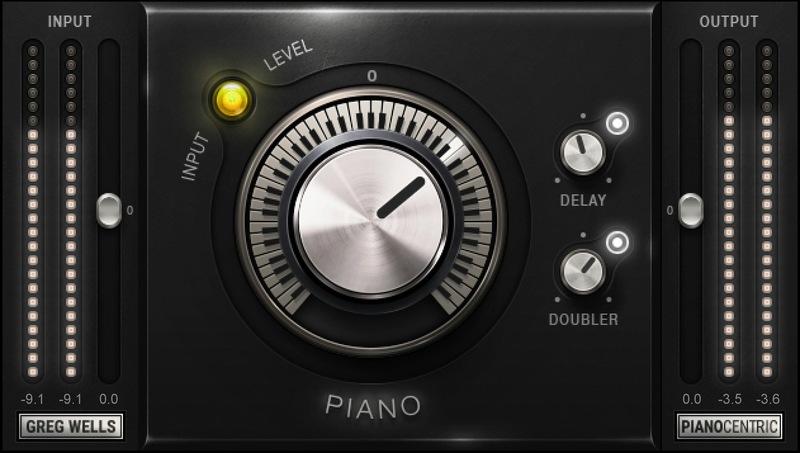
The main control covers a continuum of sounds, from dark and lo-fi, to neutral, to bright and punchy. Whether your keyboards need to lay back or push forward, PianoCentric delivers.
"PianoCentric is something I wish every studio I’ve ever worked in had. Under the hood, you get every technique I know for how to make piano sound amazing. Turn the knob to the right for gorgeous, punchy piano that will cut through any busy mix. Or turn to the left to make it sound like an old bullet microphone is sitting inside the piano—lo-fi and a little crunchy. Enjoy!"—Greg Wells
Features
- Make piano and all keyboard instruments sit perfectly in the mix
- Created with Grammy®-winning producer/mixer Greg Wells
- Turn main knob clockwise for a brighter, punchier sound that lifts the piano in the mix
- Turn counter-clockwise for darker sounds that embed the piano further in the mix
- Add tempo-synced Delay for animation and motion
- Add Doubler for a gorgeous, richer and diffuse piano sound
- Use with automation to change colors during a mix
- Can also do wonders when mixing full-bodied acoustic guitars
System Requirements
Mac
- macOS Monterey 12, Ventura 13, Sonoma 14, Sequoia 15
- VST / AU / AAX
PC
- Windows 10+
- VST / AAX














