


 Log In

Free gifts available with your purchase
Product information
Retro Fi
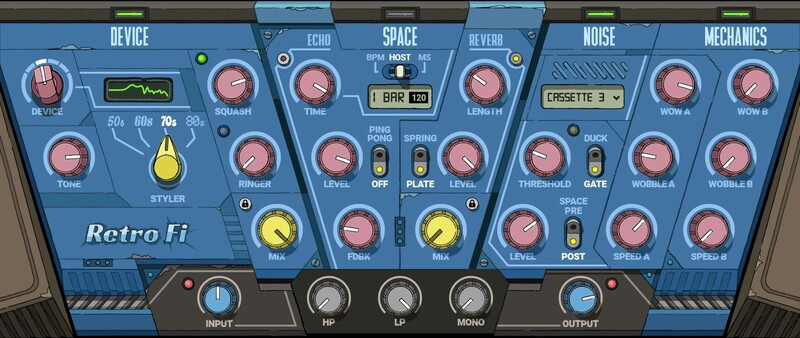
The Ultimate Lofi FX Chain
Travel back in time, then bring the sound and vibe back with you. Or, discover past treasures, with the degraded sound from decades of neglect. Retro-Fi remembers when hiss, surface noise, hum, color, wobble, and noise were part of audio—and by embracing the past, animates the present.
Spark real life in your track: Whether you want to add vintage charms to modern music, or push lo-fi sounds to the furthest edge of experimental hardcore—meet Retro Fi.
Features
- Original effects—not just the usual distortion or bitcrushing
- Massive library of lofi noises and textures, controls by dynamics
- Diverse retro cassette and vinyl sounds
- Add funky reverbs and delays from the early days of digital
- Create lofi percussive effects with ducking and gating
- Squash control for upwards and downwards colorful compression
- Two independent Wow & Wobble engines
- Carefully matched FX chain for organically “glued” analog character
- Smart noise generator for ever-changing textures that never sound like a pre-recorded loop
System Requirements
Mac
- macOS Monterey 12, Ventura 13, Sonoma 14, Sequoia 15
- VST / AU / AAX
PC
- Windows 10+
- VST / AAX
Installation Instructions












Customer Reviews
(1)


