


 Log In

Free gifts available with your purchase

Slice & Dice
ChopBeast by WA Production isn't just another loop slicer… it's your gateway to a world of beautiful accidents, creating order from chaos. From the classic vocal chops that defined 90s house via Nightcrawlers and Todd Edwards, to the super-sliced modern productions of Disclosure and Porter Robinson, chopped audio has been a driving force behind decades of dancefloor hits. Unleash the power of ChopBeast on percussion loops to create intricate rhythmic patterns, stuttered vocal earworms, complex bass line riffs, or even apply it to entire mixes for those iconic Daft Punk-style chops.
Slices of Inspiration
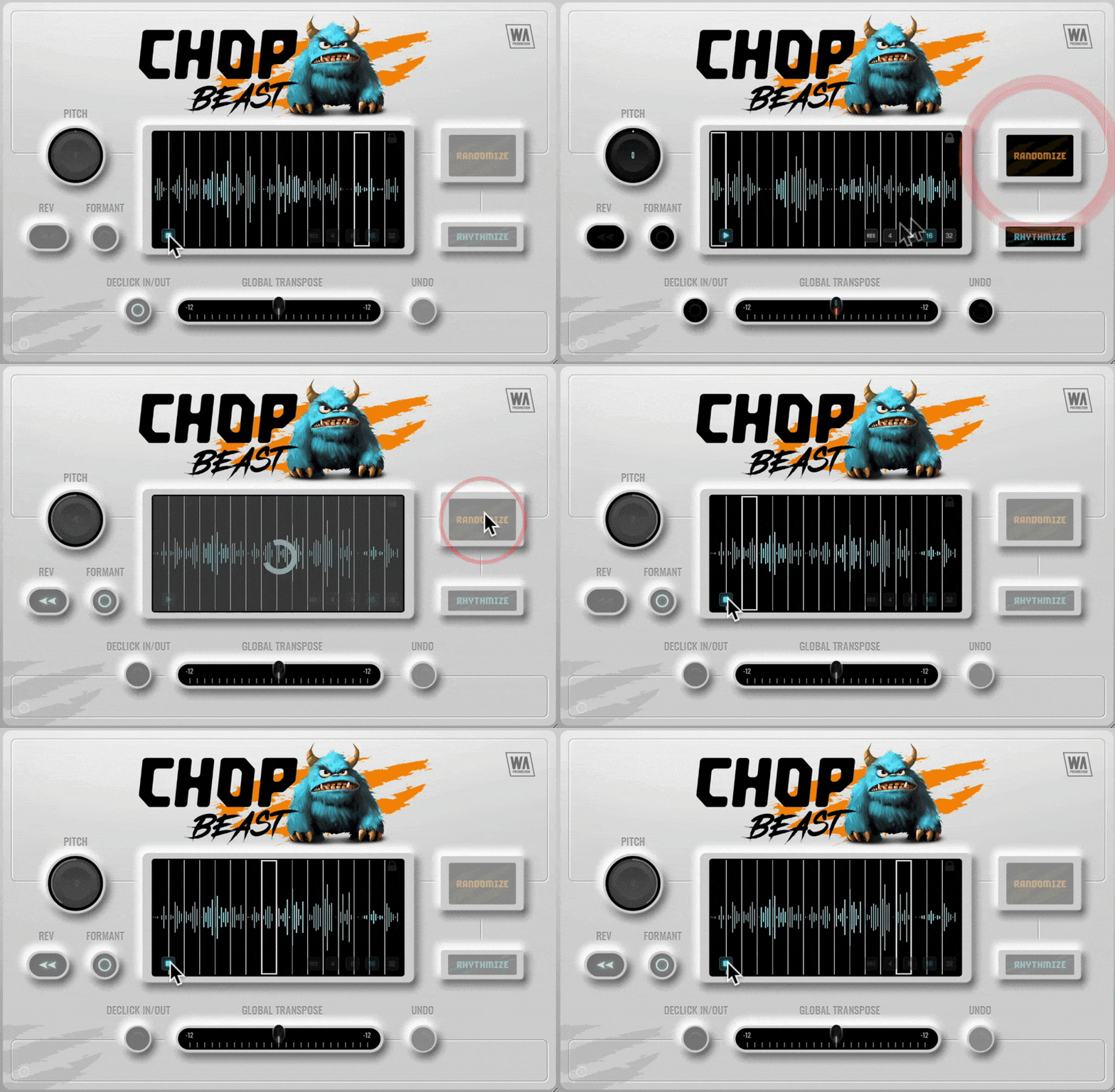
This plugin not only auto-generates unique audio loop iterations, but also cuts and combines with an uncanny sonic knowhow, taking your source material and transforming it into endless rhythmic and melodic possibilities. Drag in an audio file and ChopBeast will instantly chop and rearrange any audio phrase or loop, with the ability to select up to 32 chops. Audition or trigger your creations via MIDI, for endless experimentation. Features such as undo, global transposition, and multiple randomization modes push the musicality even further. The plugin window is also resizable for optimal workflow.
Per-chop Perfection
Dive deep into the granular controls of ChopBeast with per-slice pitch manipulation, formant shifting, declicking and the ability to reverse individual slices. Embrace the chaos with multiple randomization options, ensuring that every riff is your own unique creation. Lock in your most-loved creations and export them seamlessly into your DAW, ready for further sound mangling and manipulation.
Rhythmic Rebirth
ChopBeast has been rewritten from the ground up, based on a popular concept of the now defunct plugin “ChopMonster”. Brand new to this version…
- Declick slices: Achieve seamless transitions between chops, eliminating unwanted clicks and pops for a polished and professional sound.
- Independent chop preview: Audition each slice individually, giving you precise control over your rhythms.
- Full sequence preview: Preview the entire chopped sequence within the plugin, allowing you to fine-tune your arrangement before exporting.
- Sample rate matching: Change your DAW's sample rate without affecting the playback within ChopBeast.
- Preserved sample integrity: Load a sample and retain its original playback speed and sample rate.
W. A. Production are real-life producers making creative plugins to help you achieve studio quality processing quickly and easily. Enjoy!
Features
- Audio chop & remix plugin with advanced options
- Up to 32 chops per instance
- Per-chop Reverse & Pitch
- Creative Formant shifting
- Multiple Randomization modes
- MIDI audition and DAW export
- Global transpose
- Declick for smooth chops
- Resizable interface
- Responsive & CPU friendly
- Full PDF Manual & Tutorial video
System Requirements
- Windows 8 or higher (64 bit)
- macOS 10.10 or higher (64 bit)
- AAX - ProTools 11 or higher
Important Note for Mac Apple Silicon users: Before purchasing, please review the current compatibility status of this plugin on your system here.


