/ Multi-Effect / BRUITAGE
MNTRA Instruments

BRUITAGE

4.5 (11 Reviews)
$29.00 $49.00

40% off until Dec 09

Main Image
Main Image
BRUITAGE | Selected Presets gallery thumbnail
UI 2
UI 3
UI EQ
UI Limiter
Purchase option
One-time purchase
Rent to Own
Buy Now
Product information

Reactive. Playable. Alive.

Introducing BRUITAGE, a new take on distortion: reactive, playable, alive. Instead of simply adding drive, BRUITAGE listens and responds—turning your performance into a dialogue between signal and living grit.

At its core are six hand‑tuned algorithms, each exploring a different facet of distortion, chaos,and sonic imperfection. Dual parallel cores let character stack without blurring the hit, whileexpressive control and a transient-aware, reactive wet/dry blend keep the edge intact—or letharmonics take over—by choice.

From parallel overdrives with punch, to wavefolded walls, shoegaze-style haze, glitching bitcrushes, and tape-worn wobble, BRUITAGE celebrates noise as music. An intuitive interface and mastering-grade dynamics (compression and dual-mode limiting from the BOREALIS FX engine) keep extremes musical—making distortion playable, immediate, and inspiring.

Features

  • Touch to tone: Performance drives amount, texture, and motion—instant expression.
  • Musical headroom: Integrated compression and limiting keep levels controlled.
  • Parallel Cores with Reactive Wet/Dry: The engine and envelope follower can ride wet/dry so the effect “breathes” around transients or overtakes them on demand.
  • Performance Surface (X/Y/Z)
  • Six Hand-Tuned Algorithms: crafted over weeks to feel immediate, musical, and mix-ready. Fewer choices, faster emotion. Each mode comes alive with the reactive engine, parallel blend, and envelope-driven dynamics.
  • Mastering-Grade Dynamics (Borealis Lineage): Transparent compressor and dual-mode limiter (Modern and Vintage) tame volatility without dulling impact.
  • Noise Effect Playground: BRUITAGE reframes distortion as a performance tool—reactive, playable, expressive. It
    delivers expansive sound design, advanced control when needed, and touch-driven grit when it
    matters most: while creating.
System Requirements
  • 64‑bit VST3/AU/AAX for Windows (10+) and macOS (10.11+), Intel + Apple silicon
  • Compatible with all major VST/AU/AAX DAWs
  • Simple copy protection: install and play; license is system-locked
  • Disk space: 250 MB minimum
  • RAM/CPU: 8 GB RAM minimum (16 GB recommended), i5 or better CPU
  • Internet connection required for download and activation

Installation Instructions

Mac

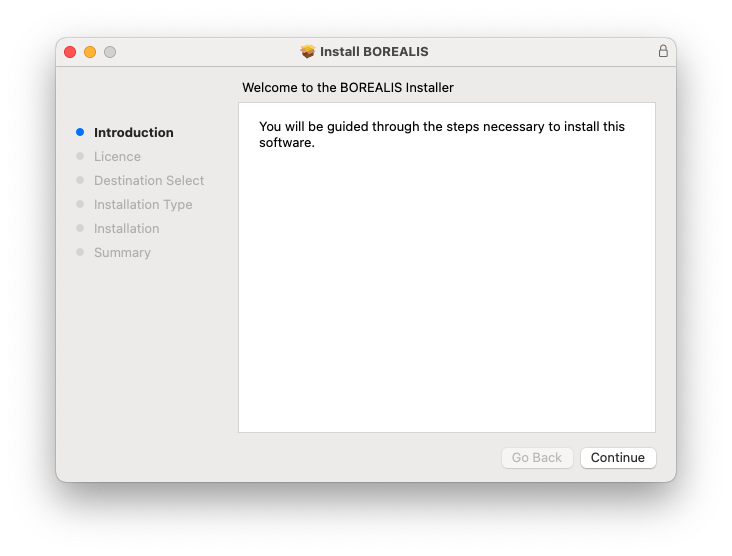
1. Download the installer from your Plugin Boutique User Account > Extract the .zip archive > Launch the .pkg installer.

2. Click 'Continue'.

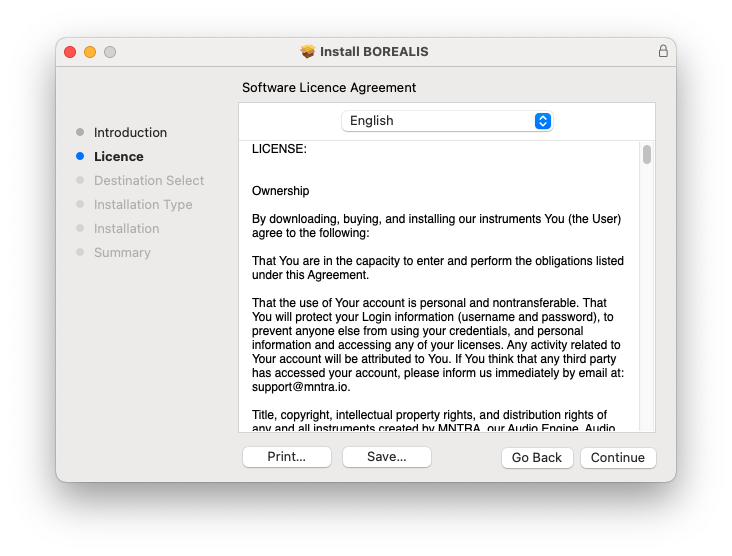
3. Click 'Continue'.

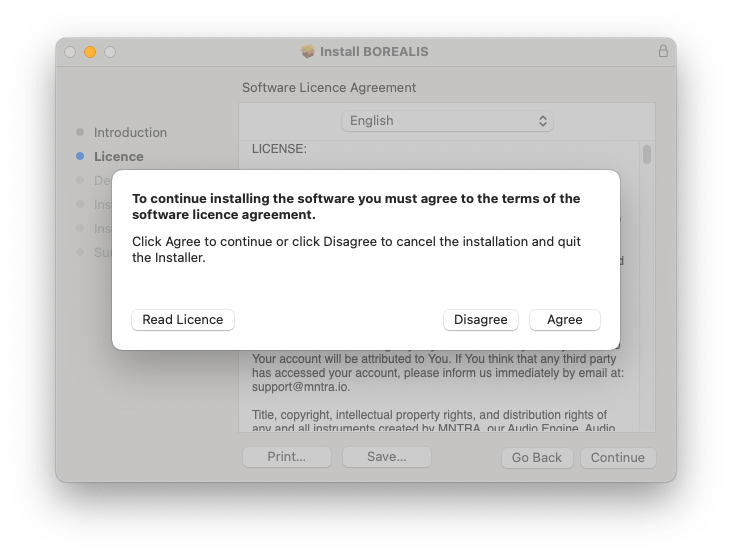
4. Click 'Agree'.

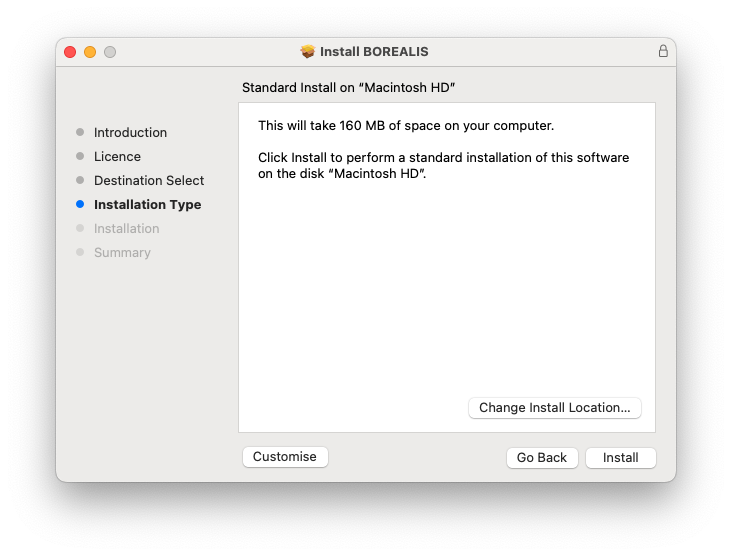
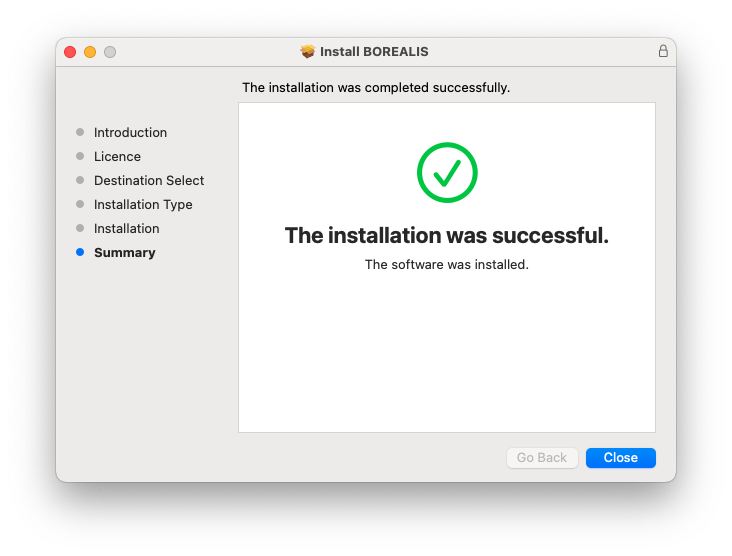
5. Click 'Install'.

6. Click 'Close'.

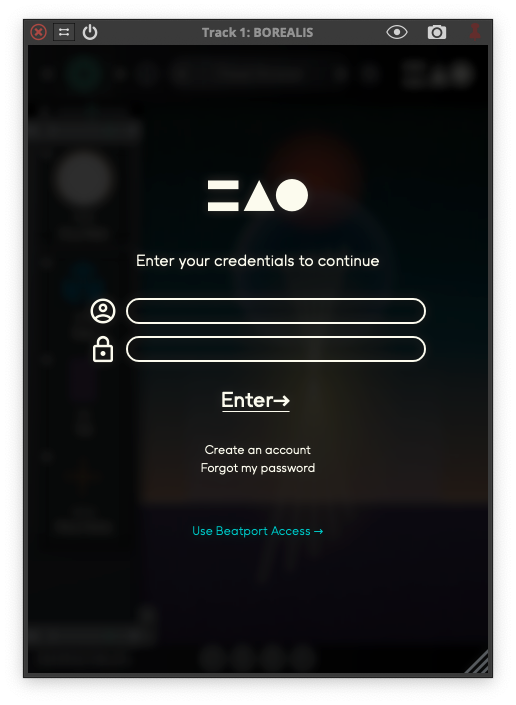
7. Launch your DAW > Open Borealis > Click 'Create an Account' (If you have an existing MNTRA Instruments log in and skip to step 15).

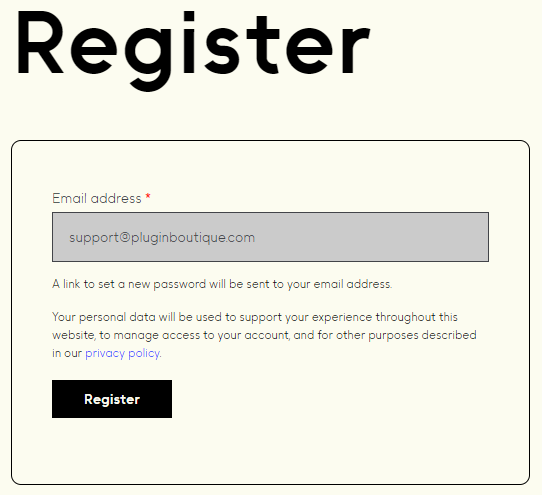
8. Enter your email address and click 'Register'.

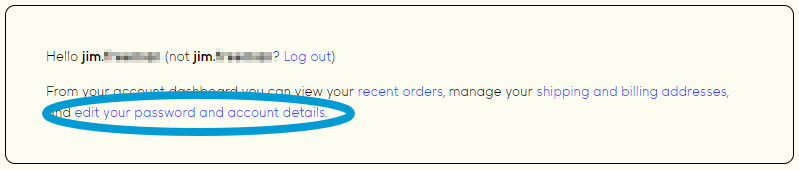
9. A MNTRA account has now been created > Click 'edit your password and account details' to create a password for your MNTRA account.

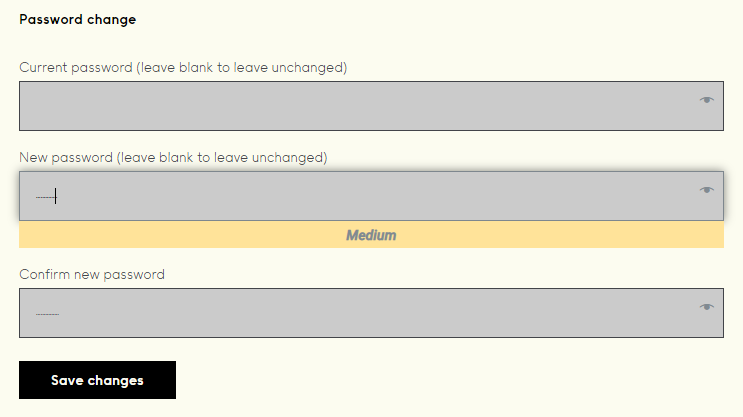
10. Enter your chosen password into the 'New password' box > Enter your password again into the 'Confirm new password' box > Click 'Save changes'.

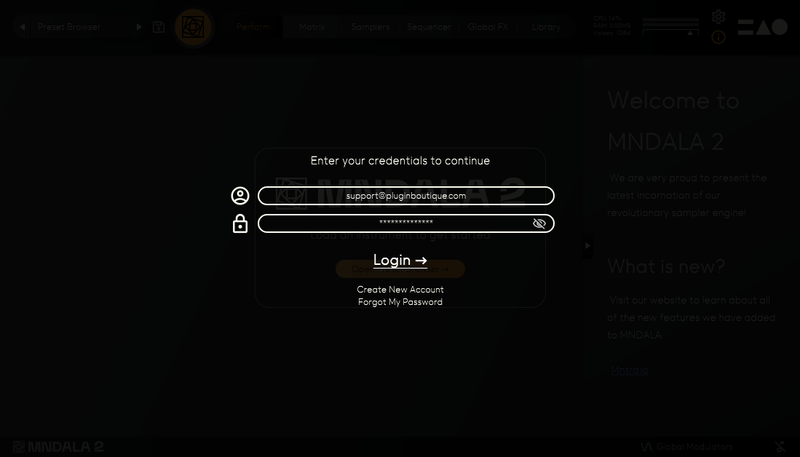
11. Enter your MNTRA account details > Click 'Login'.

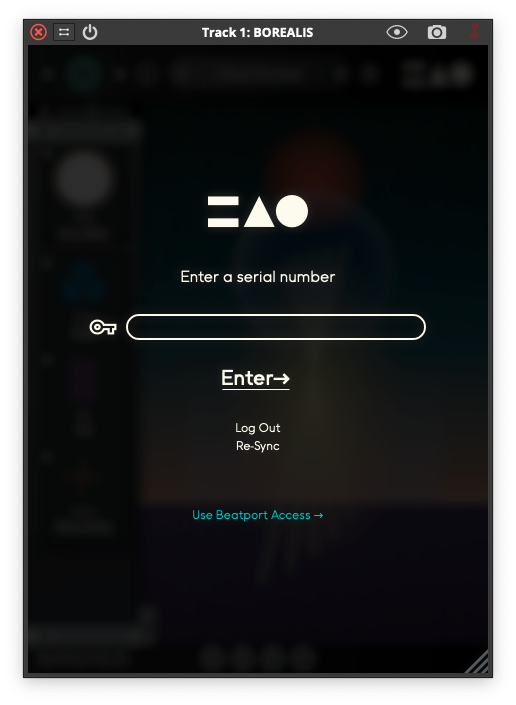
12. Enter the serial number found in your Plugin Boutique User Account > Click 'Enter'.

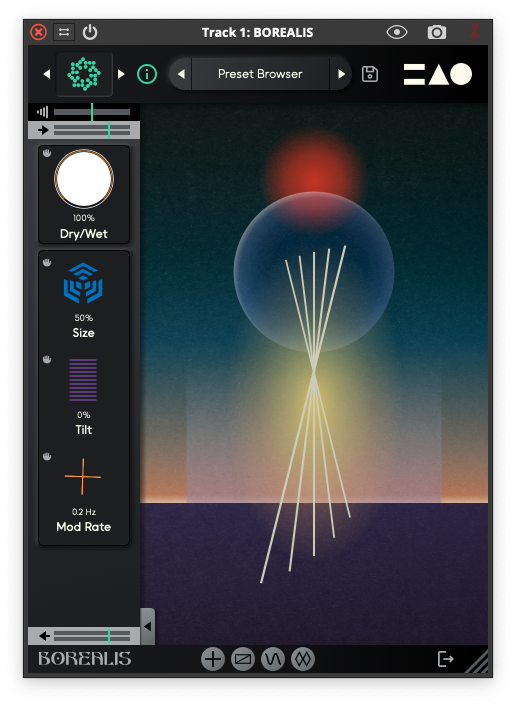
Borealis is now installed, activated, and ready to use.

Windows

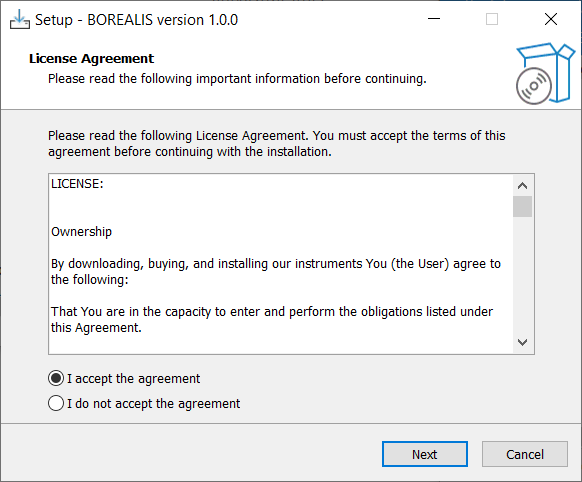
1. Download the Borealis installer from your Plugin Boutique User Account > Extract the .zip archive > Launch the .exe installer.

2. Accept the license agreement > Click 'Next'.

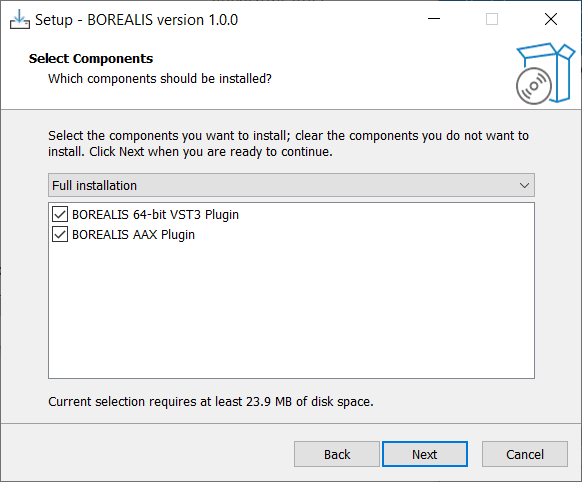
3. Click 'Next'.

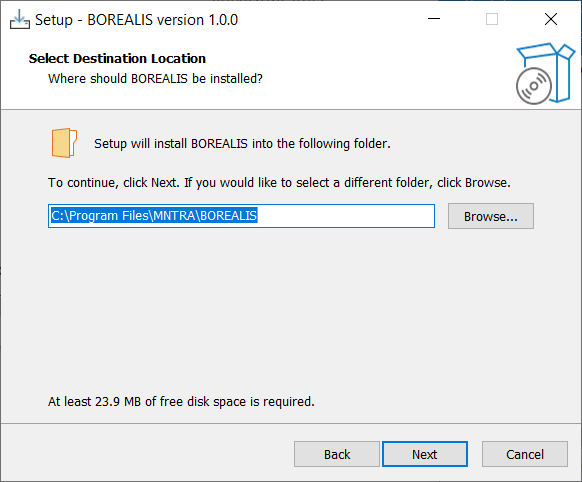
4. Click 'Next'.

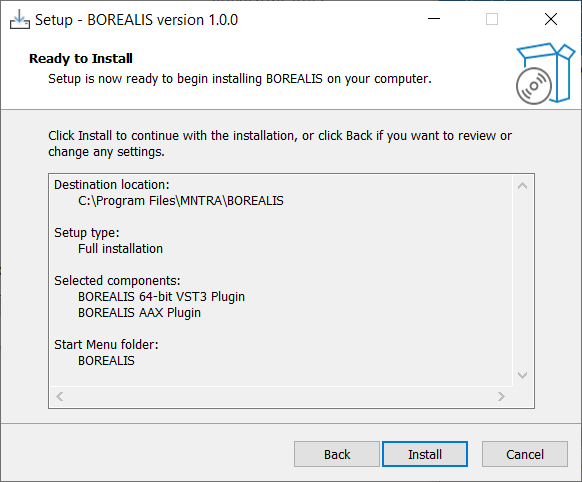
5. Click 'Install'.

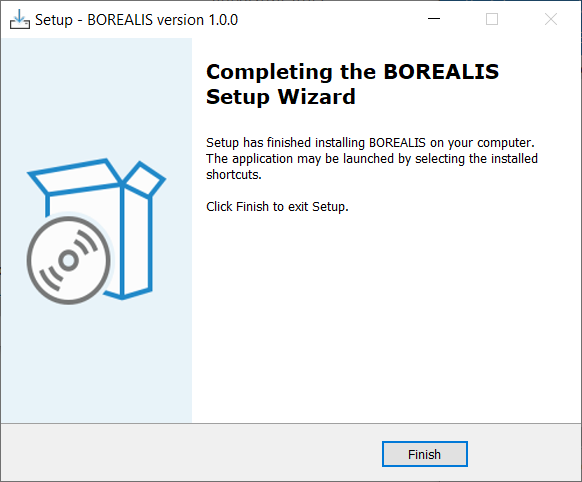
6. Click 'Finish'.

7. Launch your DAW > Open Borealis > Click 'Create an Account' (If you have an existing MNTRA Instruments log in and skip to step 15).

8. Enter your email address and click 'Register'.

9. A MNTRA account has now been created > Click 'edit your password and account details' to create a password for your MNTRA account.

10. Enter your chosen password into the 'New password' box > Enter your password again into the 'Confirm new password' box > Click 'Save changes'.

11. Enter your MNTRA account details > Click 'Login'.

12. Enter the serial number found in your Plugin Boutique User Account > Click 'Enter'.

Borealis is now installed, activated, and ready to use.

Plugin Boutique Rewards

Discover the most rewarding loyalty programme among all plugin retailers.

  • Free Loopmasters Samplepacks
  • Discounts on products and courses
  • Extra Virtual Cash claimed immediately at checkout
Find out more

Follow us:

X (Twitter) Facebook YouTube Instagram
Logo Logo

Plugin Boutique Limited, Part of the Beatport Group LLC.

Copyright © 2011-2025 Plugin Boutique. All rights reserved