


 Log In

Free gifts available with your purchase
ANIMATE helps you inject life into your mixes in a precise, versatile and colourful way. With four different movement modes, each with individual frequency assignments and mid/side functionality, you’ll get your music jumping out of the speakers precisely how you want.
Each individual module of the ANIMATE multi-effect plugin is also available as a separate product.
Expand
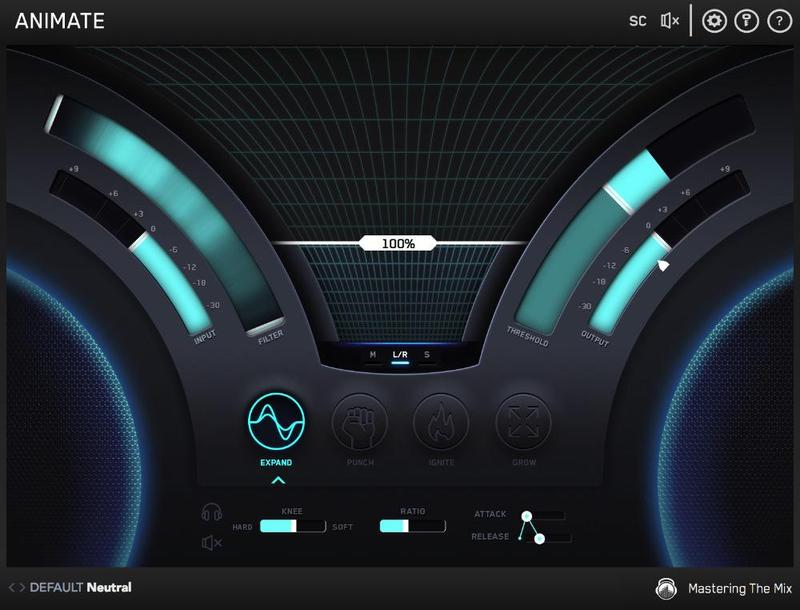
Expand mode allows you to dial in a pristinely clean sounding upward expansion. This increases the volume of signals over the threshold, giving your audio more dynamic range in a transparent way.
Punch
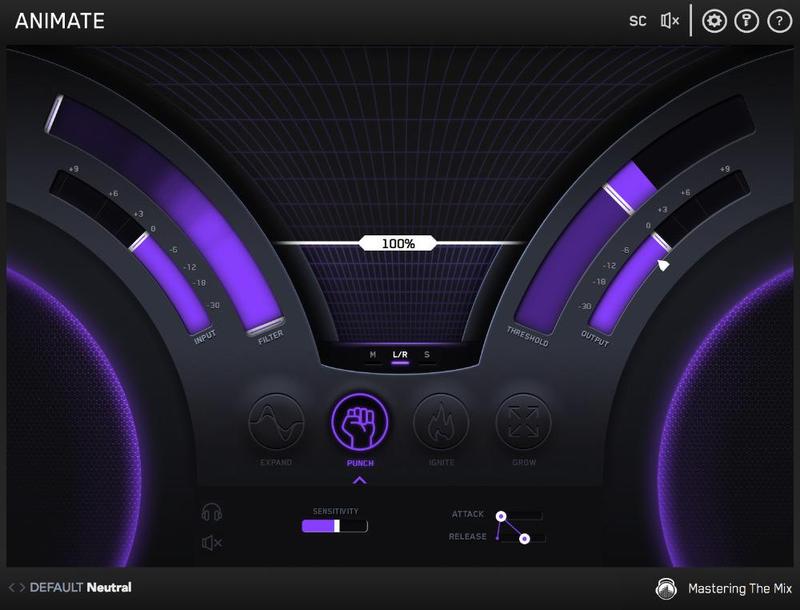
Punch mode enhances the transients of your audio to help them bite through the mix. Whether you want to subtly accentuate the high-frequency transients in the mid-channel of your master or bring out serious smack on an individual channel, Punch can handle the task.
Ignite
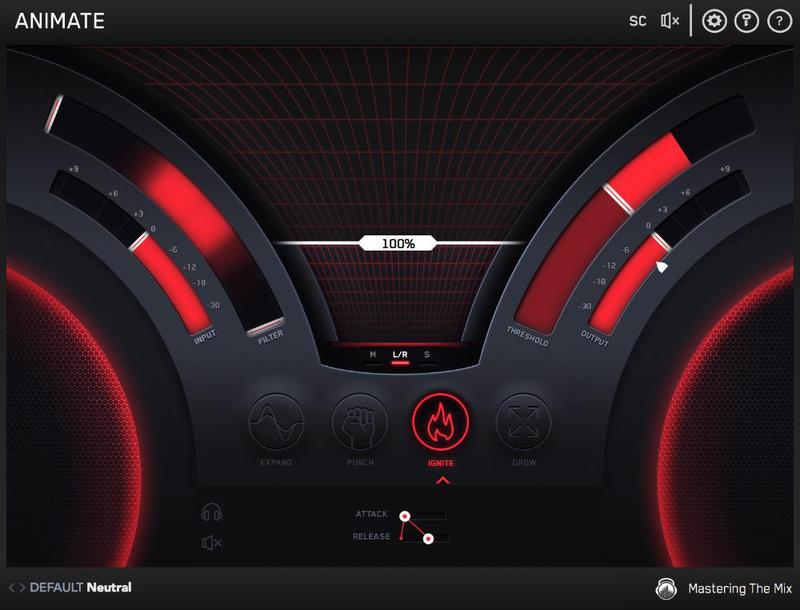
Ignite mode allows you to dial in rich harmonic distortion in a dynamic way based on the input signal. Ignite can increase the perceived loudness, power and presence of a channel without the pumping effects of a compressor.
Grow
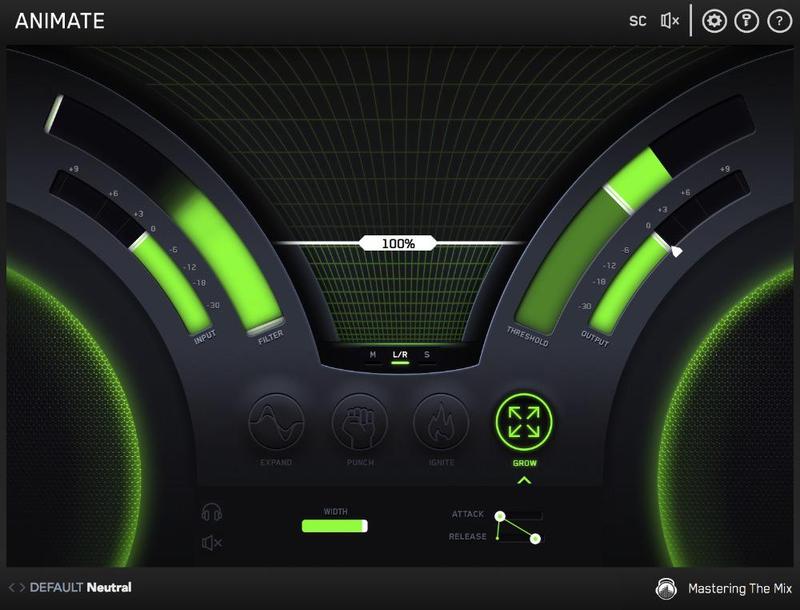
Grow mode lets you increase the width of the selected frequencies using a psychoacoustic precedence effect. Grow can be applied in a dynamic way meaning only the signal surpassing the threshold is widened. This along with the frequency selection gives you a new realm of movement to inject into your music.
Audio Plugin Guy
Passionate about Plugins.
"ANIMATE can make delicate instruments more expressive and it can turn drum elements into savage pumping machines. A sound designer will love ANIMATE, and it belongs in many mixing engineer’s arsenal. Simply put, this kicks ass."
James Reynolds
Mix engineer/producer/songwriter whose credits include Calvin Harris, Due Lipa, Ellie Goulding, Sean Paul, Snoop Dogg, BTS & many more.
"Love it! It’s like the Swiss Army Knife of plugins!"
Pro Tools Expert
Home of the Expert blogs. Pro Tools Expert, Logic Pro Expert and Studio One Expert. The best tips, tricks, tutorials and news on the web.
"ANIMATE adds colour and depth to tracks in really expressive and musical ways whereas other plug-ins of this type can often touch the sound too much. ANIMATE, if used sparingly, lifts and energise tracks in a mix in ways that I have not experienced before."
Four Modules Once again a plugin creator takes it on themselves to rename common things. Expand is, I guess, expand, exaggerating the differences in volume that go beyond the set threshold in a sort of upward compression. Punch is transient enhancement. Ignite is saturation. Grow is stereo spr...
Read MoreMac:
- OS X 10.15 or higher.
- 64-bit AU, VST3 or AAX host. Apple Silicon Native (64-bit only)
Windows:
- Windows 10 or higher
- 64-bit VST3 or 64-bit AAX host (64-bit only)
Please note: AAX compatible with Pro Tools 11 and later only.
Important note: When accessing this software via a Rent to Own plan or the Beatport Studio membership, it's installed and run through the Beatport Access portal. An internet connection is required every 30 days to validate your license.
Reviews Summary
While it aims to provide a helpful overview, it may not capture every perspective or detail. We encourage you to read individual reviews to make an informed decision.
Reviewers highly recommend this audio plugin for its clean, intuitive interface and versatile sound-shaping capabilities. Users appreciate its ability to add life, punch, color, and character to individual instruments, drums, and mastering chains, considering it an essential and affordable tool for elevating their mixes.


