Log In

Free gifts available with your purchase
Subharmonics Plugin
A Unique Multi-Band Subharmonics Generator and Shaper that Gives Punch to Your Low-End
Tightest Low-End
RootOne lets you add and shape 3 bands of subharmonic content for the perfect tonal balance. Whether you need to make one part of your mix meet the others, or if you need more low-end overall, you can take the second-guessing out of your workflow when bass matters most. This unique plugin completes your low-end with clean, phase-aligned subharmonics, and you’ll never have to worry about frequency interference or detachment.
The analysis-synthesis algorithm is effective across a far wider range of sources than traditional solutions, which means more applications, more trust, and more bass. The perfect kick, bass guitar, or bass synth pluck is only a few clicks away.
- Unique Clean Algorithm - Add artefact-free, phase-aligned bass subharmonics thanks to intelligent analysis.
- Multi-Band Sub-Generation - Trust the unique clean algorithm to give you full control of the low-end.
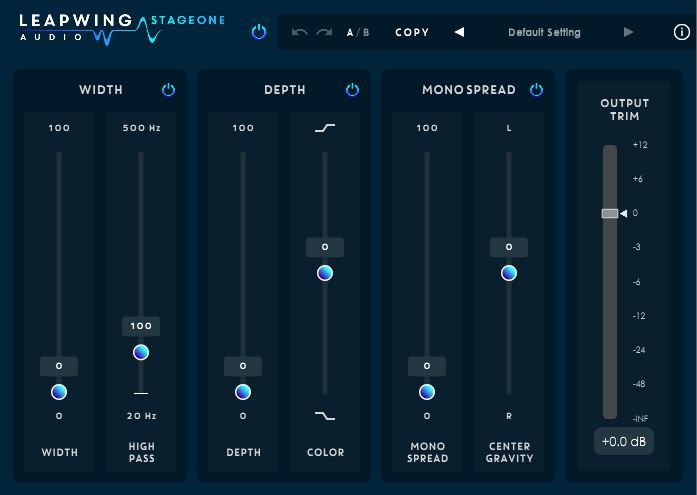
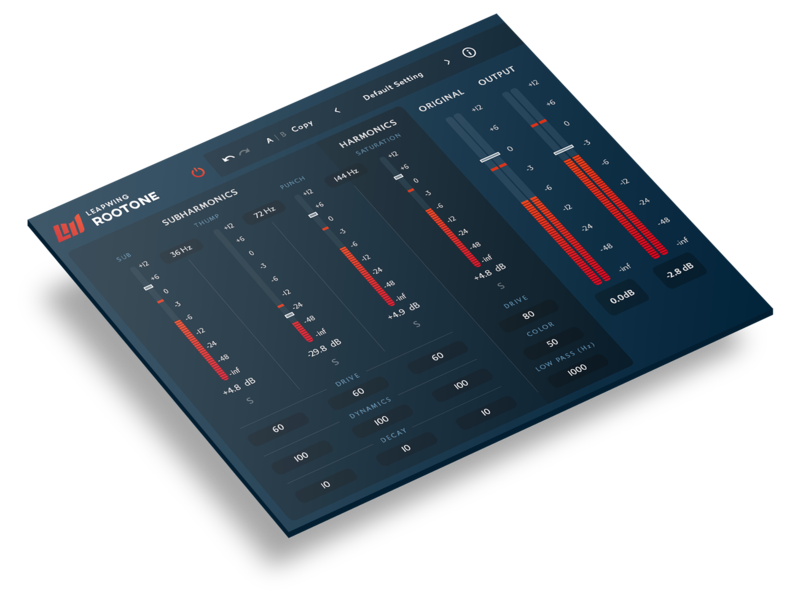
- Beautiful Design with Optimal Workflow - A beautiful Retina design with the most common controls on one screen and a complete range of fine adjustments only a click away.
Features
Phase-Aligned Subharmonics Generator
- Relying on pitch-detection rather than pitch-shifting means our plugin has wider applications, a better sound, and can be trusted over traditional solutions.
- The analysis-synthesis algorithm generates clean, phase-aligned subharmonics for a subtle and musical addition to your bass that fits your original sound.
Full Control Over Your Tone
- Each subharmonic band offers control over dynamics, release, and drive.
- Add lower midrange harmonics for the control you need and get the perfect fit for your new bass frequencies.
- Overall, this means you’ll never have to worry about the character or fit of your additional subharmonics.
Quick and Intuitive Interface
- It looks good and it sounds good because Leapwing were thinking of the user when they designed it.
- RootOne's algorithm makes it easy to get a good sound and the simple interface lets you visualise the adjustments you make as you hear them.
System Requirements
Mac
- macOS 10.13 High Sierra and later (Intel / M1 Apple Silicon supported) (64-bit only)
- VST2, VST3, AU, AAX (Native)
Windows
- Windows 8 - Windows 10 (64-bit only)
- VST2, VST3, AAX (Native)
Awards

MusicTech
Magazine and website full of features for musicians, producers and sound engineers.
"RootOne can perform top-notch low-end miracles. This is a superb transparent plug-in for adding serious heft to your tracks."