/ Multi-Effect / BLEASS Slow Machine
BLEASS

BLEASS Slow Machine

4.6 (843 Reviews)
$19.00
BLEASS Slow Machine
BLEASS Slow Machine
BLEASS Slow Machine gallery thumbnail
BLEASS Slow Machine - Plugin Demo Video gallery thumbnail
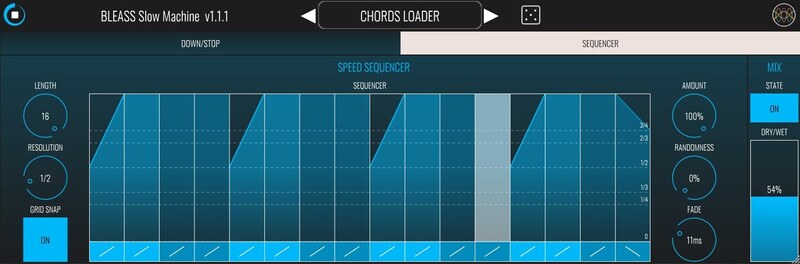
BLEASS Slow Machine - Sequencer View
BLEASS Slow Machine - Preset Manager View
BLEASS Slow Machine - Creative Sonic Candy for Desktop! gallery thumbnail
BLEASS Slow Machine - Slow Down and Tape Stop effect gallery thumbnail
BLEASS Slow Machine is THE BEST Halftime | GrossBeat type plug-in for IOS Production!!!! gallery thumbnail
Buy Now
Product information

BLEASS Slow Machine

Tape Stop and Slow-Down Effect

Slow Machine mutates any beat or melody from predictable to innovative. Revamp leads into deep basses, thicken percussion, and add live & sequenced tape stop effects!

Thanks to 3 different yet complementary ways of manipulating time with creativity, BLEASS Slow Machine can deepen any beat by completely or partially slowing down the audio signal, transform epic leads into heavy basses, and add some “tape stop” effect with precision either by touching the X/Y Stop trigger or by dialling in precise sequence automation.

Slow Down Stage:

A creative and straightforward slowdown effect that modulates both rhythm and pitch.

You can modulate:

  • Loop Size
  • Play Speed
  • Quantization
  • Filter (frequency band)
  • Crossfade between Loops

Time StopStage

Specially made for performance, TIME STOP gives an intuitive and visual way to instantly create a classic tape stop effect.

  • Trigger - The “Stop” button triggers the time stop effect within a given duration.
  • Mode - Choose between 4 modes: ‘Step’, ‘Ramp Up & Down, ‘Ramp Down’ and ‘Ramp Up’.
  • Hold - When Hold is ON, the trigger is not released until Hold is turned OFF.
  • Speed - Control precisely the play speed.

Sequencer Stage:

The speed sequencer stage offers a unique way to program speed variations in your music.

  • Length - Sets the number of steps.
  • Resolution - Sets the duration of a step.
  • Grid Snap - When ON, steps snap to the grid.
  • Sequencer - Sets a playing speed per step. Each step has 4 different curve modes.
  • Amount - Controls the amount of sequencer speed modulation.
  • Randomness - Sets the amount of randomness of the sequencer.
  • Fade - Controls the crossfade duration between each step.
System Requirements

PC

  • Windows 8 and later (64-bit)
  • VST3

Mac

  • macOS 10.9 and later (64-bit only, including macOS 11 Big Sur and M1 processors)
  • VST3 / Audio Unit

Format:

  • BLEASS Slow Machine is not a standalone product, it requires host software.
  • BLEASS Slow Machine is compatible with nearly all VST3 / Audio Unit compatible DAWs.
Installation Instructions

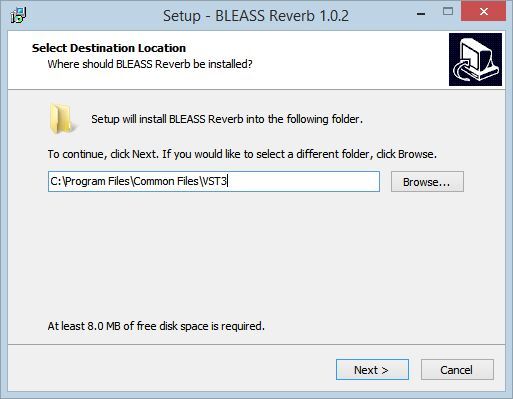
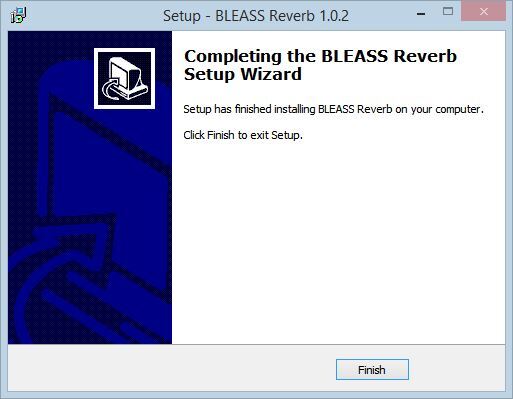
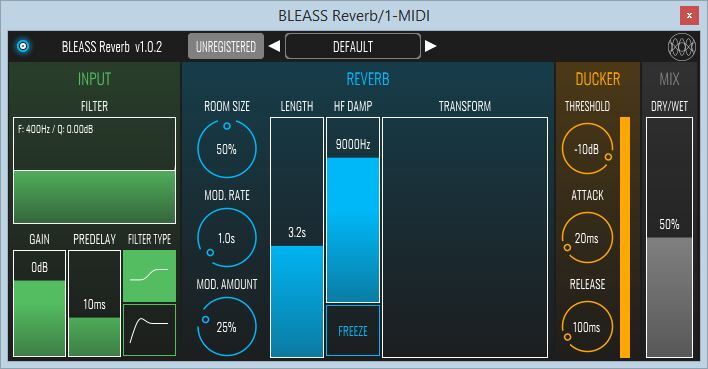
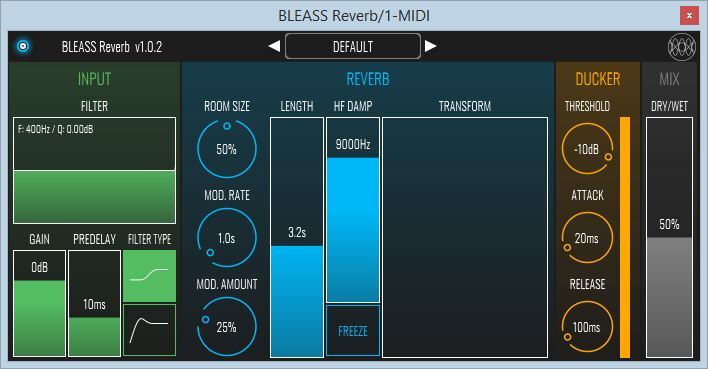
Please note: BLEASS Reverb is used as an example.

Registration

1. Go to https://www.bleass.com/redeem, enter your registration code located within your Plugin Boutique account and click SUBMIT.

2. Enter your email address and click SUBMIT. You will now be sent your serial number and installers for your software.

Your BLEASS software is now registered!

Mac Installation

1. Go to your email account and locate the 'BLEASS Product License' email. 

2. Copy and paste the Mac installer URL into your browser and click enter to download the installer.

3. Open the Installer file and click ‘Continue’.

4. Click ‘Continue’.

5. Click 'Install'.

6. Enter your login details and click 'Install Software'.

7. Your software is now installed - click 'Close'.

8. Open your newly installed BLEASS software inside your DAW and click ‘UNREGISTERED’.

9. Enter your email address and the serial number you were given in your BLEASS Product Licence email > Click ‘OK’.

Your software is now activated and ready to use in your DAW!

Windows Installation

1. Go to your email account and locate the 'BLEASS Product License' email. 

2. Copy and paste the Windows installer URL into your browser and click enter to download the installer.

3. Open the installer and click 'Yes'.

4. Click 'Next >'.

5. Click 'Install'.

6. Click 'Finish'.

7. Open your newly installed BLEASS software inside your DAW and click ‘UNREGISTERED’.

8. Enter your email address and the serial number you were given in your BLEASS Product Licence email > Click ‘OK’.

Your software is now activated and ready to use in your DAW!

Bundle & Save

BLEASS Ultimate Bundle
$375.00
BLEASS Innovation Bundle
$99.00

Plugin Boutique Rewards

Discover the most rewarding loyalty programme among all plugin retailers.

  • Free Loopmasters Samplepacks
  • Discounts on products and courses
  • Extra Virtual Cash claimed immediately at checkout
Find out more

Follow us:

X (Twitter) Facebook YouTube Instagram
Logo Logo

Plugin Boutique Limited, Part of the Beatport Group LLC.

Copyright © 2011-2025 Plugin Boutique. All rights reserved