


 Log In

Free gifts available with your purchase

Breathe Life into Audio
Upgrade Note: This is an upgrade for owners of Lifeline Expanse Lite. The full version of Lifeline Expanse is also available.
The Lifeline series begins with Lifeline Expanse – an extensive and intuitive multi-effect that breathes life into any sound by adding character, space and width.
Why Upgrade?
Expanded Preset Library
Unlock 250 additional presets, offering a broader range of sounds and textures to enhance your Lifeline Expanse experience.
Multiband Functionality
Experience greater control with multiband processing, allowing you to fine-tune your audio across different frequency ranges for precise sound shaping.
Advanced Page Functionality
Dive deeper into sound design with the Advanced Page, featuring:
- Re-Amp: This section includes four additional speaker types for diverse tonal options. You can also adjust close and room mic placement to capture different spatial characteristics, and use the drive and bass thru controls for added punch and clarity.
- Dirt: Adjust the texture and intensity of distortion with the smooth and dynamic controls to fine-tune your sound.
- Format: Refine the audio signal with smooth and noise controls to add subtle textures and nuances to your sound.
- Width: Perfect your stereo imaging with bass mono and balance controls, along with a phase meter to ensure accurate and balanced sound distribution.
- Space: Create immersive spatial effects with size, pre-delay, width, and duck controls, allowing you to shape the reverb and spatial characteristics of your audio.
These modules are also included as individual plugins as part of Lifeline Expanse, providing additional flexibility and focused functionality for any audio project.
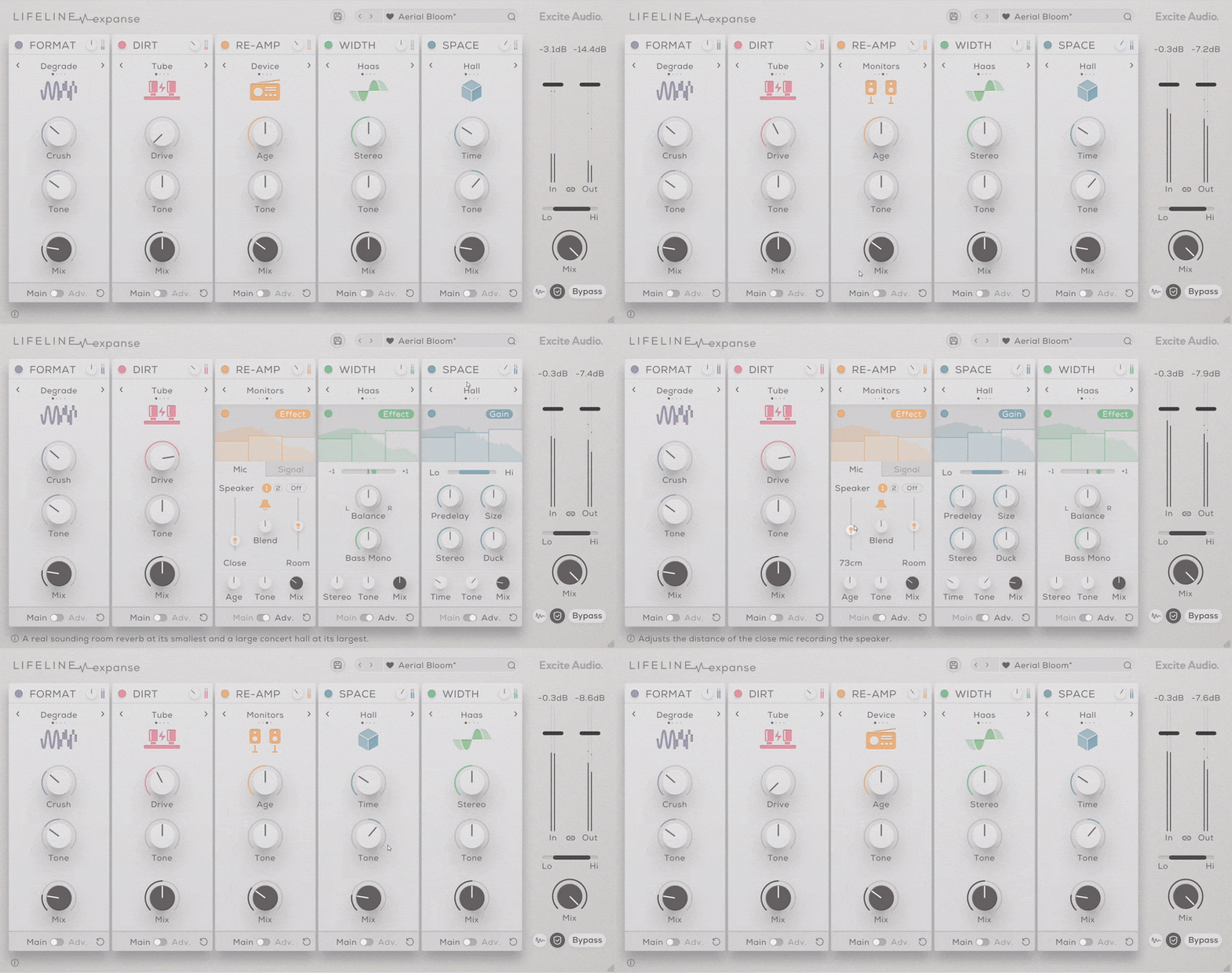
Lifeline Expanse creates authenticity and realism by using intricate re-amping techniques. Re-amping is the process of taking an audio signal and playing it out in an environment. The signal is sent through amps, mics and effects to add colour, texture and depth, then re-recorded.
Lifeline Expanse distils this complex technique into a modern, sleek workflow that offers producers instant flexibility and control over every element. Rearrange the signal chain and delicately blend effects using each module's main controls or the more focused under-the-hood functions.
Overview
- 5 Effects Modules
- 20 Unique Algorithms
- Multiband functionality
- Rearrangeable Modular workflow
- Resizeable UI
- Zero Latency
Replicate Realism
Re-amping helps to shape sounds and draw out their unique character. Where producers and engineers once needed hours to set up studios to create ambience and realistic room tones, Expanse can instantly move microphones, switch amps and add effects to create a realistic ‘live’ environment in a few clicks.
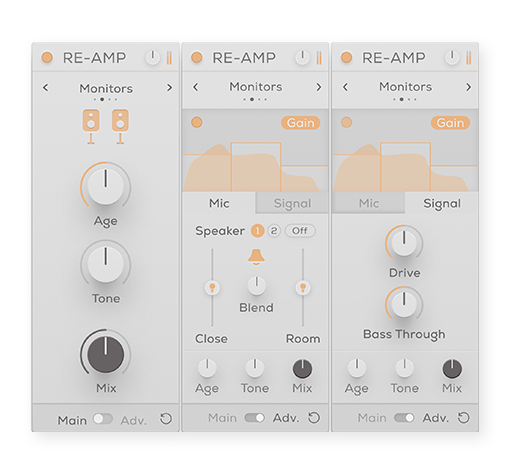
Expanse has a versatile range of speaker emulations to experiment with, ranging from classic recording equipment to modern-day devices. From a Gameboy and vintage 8-track recorder to high definition monitors and an electric guitar cabinet, decades of audio authenticity is ready and waiting. You can easily manipulate the age, drive, tone and mix of each element to emphasise each device’s individual qualities.

- Device: Emulations of small consumer electronics such as phone and laptop speakers.
- Cabinet: Emulations of medium-sized guitar cabinets.
- Monitors: Emulations of larger studio monitors with a rich frequency response.
- Vintage: Uses the impulse responses from vintage recording equipment including a classic 8-track cassette recorder and a ribbon microphone.
Enhance Harmonics
Dirt uses classic saturation to swerve between subtle warmth and thickness through to hard-hitting distortion and fuzz. Whether you need delicate textures or aggressive overdrive, Dirt takes on the challenge, effortlessly. Warm your mixes with gentle tape or tube saturation, or add a gritty edge to vocals, guitars, basses, synths and drums with Rectify and Fuzz.
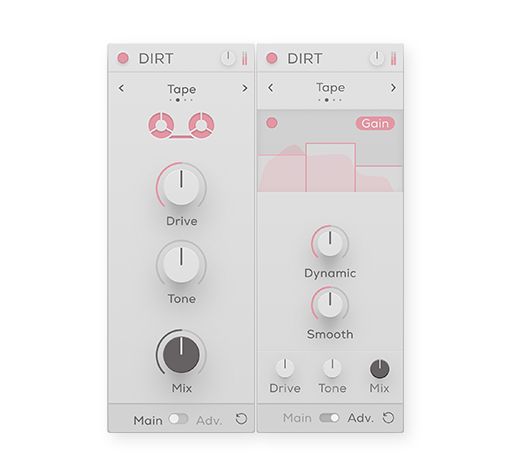
The Tube, Tape, Rectify and Fuzz algorithms instantly add distortion, saturation, aggressive harmonics and noise to any sound you want. Using the Drive, Smooth and Tone controls, the intensity or smoothness of each effect can be easily dialled in to suit any context.
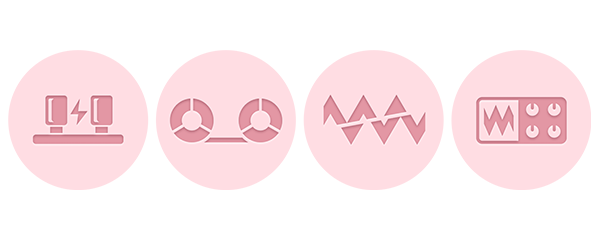
- Tube: Smooth saturation for all-around analogue warmth. Increasing the drive provides heavier distortion.
- Tape: Adds subtle warmth, glue and fullness. Increase the drive for extra punch.
- Rectify: Introduces extra harmonics and fuzz an octave above the incoming signal.
- Fuzz: A heavy guitar fuzz for extreme harmonic overtones.
Digital Damage
Reducing audio resolution to boost your sonic creativity. This is where Format shines – restricting digital audio data to produce warm, grainy layers, or much harsher digital deconstructions, depending on how far you want to take it.

Every element of Format brings a distinct flavour. Degrade and Resample reduce the bit-depth and sample rate to collide two contrasting directions of digital distortion. Flatten combines these effects with a gate to toy with the resolution of the signal’s volume peaks, whilst Washed floods the audio to twist the sound wave into a bubbling, corrupted MP3.
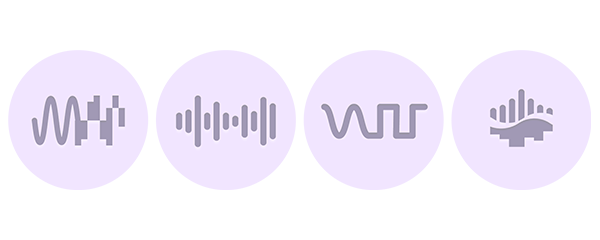
- Degrade: Reduces bit depth of incoming audio and causes digital distortion.
- Resample: Reduces the sample rate of the audio and causes digital distortion.
- Washed: An ‘underwater’ distortion that sounds like a corrupted low-quality MP3.
- Flatten: A combination of a gate and bitcrusher that reduces the resolution of the audio during transients.
Dream in Stereo
Give your audio movement, energy and tension by making the most of the stereo field. Manipulating stereo width is a vital processing technique in modern music production and allows producers to explore the full reaches of the sonic landscape. Expanse’s unique width controls can help you create vast soundscapes, captivating leads and intimate vocal takes.

Whether it’s through panning, pitching, signal boosting or detuning, Expanse offers balanced and detailed control over your mix. Access the full spectrum of your audio’s potential by utilising effective, streamlined parameters to produce any kind of stereo width processing.
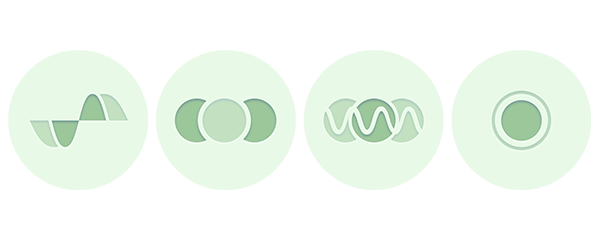
- Haas: Creates stereo width by duplicating the audio signal.
- Mid / Side: Alters the balance between the mid and side signal.
- Detune: Adds pitch variation for a wide, chorusing effect.
- Mono: Reduces the width of the audio
A New Dimension
Reverb gives sound its organic and vibrant feel. The sonic reflections echo and decay, building natural room and depth in the mix. Use Expanse’s ultra-flexible Space module early in the signal chain as a reverb effect pedal or place it at the end to create a limitless environment for your instruments to explore.
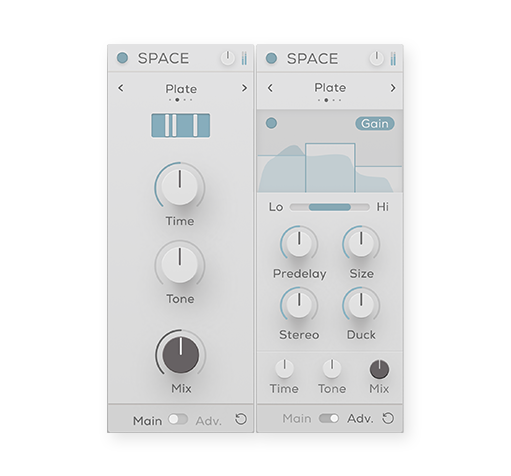
Taking inspiration from classic reverb functions, Expanse focuses on four different algorithms that each offer a wide spectrum of space and time manipulation – the resulting reflections can be realistic and organic or synthetically stretched out. With reverb, time and space are key, and Expanse gives you the parameters and tools to precisely apply as much as you need.
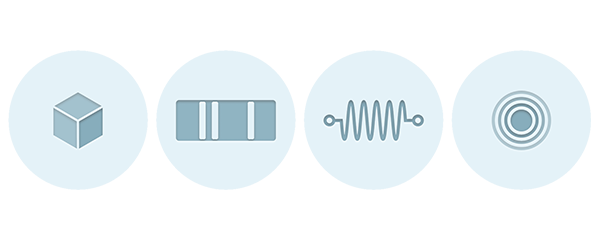
- Plate: A classic, fast sounding plate reverb producing the sound of vibrations through metal.
- Hall: A real-sounding room reverb at its smallest and a large concert hall at its largest.
- Spring: An emulation of the metallic and vintage-sounding spring reverb from a guitar amp.
- Slap: Slapback delay that can either add a single realistic, early reflection or create metallic feedback mayhem.

Lifeline Modules
Each module within Lifeline Expanse is also included as an individual plugin, providing flexibility and focused functionality for any audio project.
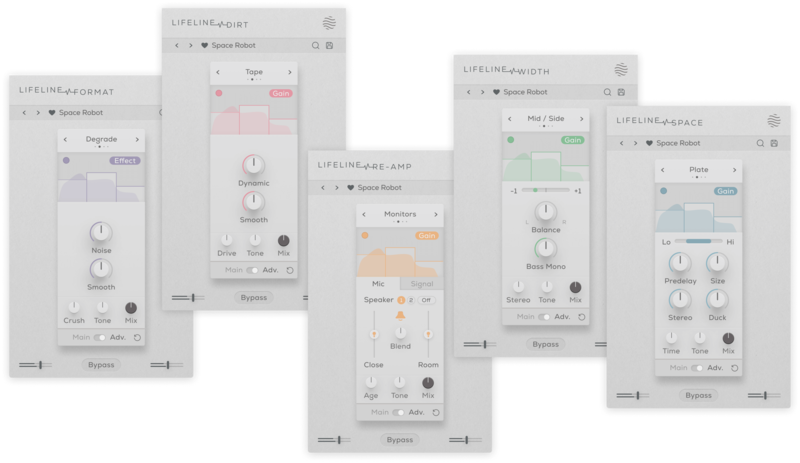
Features
- 5 Effects Modules (Re-amp, Dirt, Format, Width & Space)
- Each Effects Module is also included as an individual plugin
- 20 Unique Algorithms (1024 different combinations)
- Multiband functionality per module (For Gain and Effect processing)
- Drag & Drop Modular workflow
- Resizeable UI
- 350 Presets + 250 Module Presets
- Zero Latency
Global
- Linkable Input/Output Gain Controls
- Frequency Smoothing & Gain Safety control
- Global Bypass
- Low-Cut/Hi-Cut Filter
- Dry/Wet Mix Control
Re-amp
- 8 Speaker Emulations
- Speaker Age control (With Adv. Multiband processing)
- Speaker Size & Drive controls
- Bass Separation control
- Close Mic / Room Mic Distance & Blend controls
- Output Gain, Tone, Dry/Wet Mix controls
Dirt
- 4 Saturation/Distortion algorithms
- Drive control (With Adv. Multiband processing)
- Frequency Smoothing & Dynamics Preservation control
- Dry/Wet Mix, Output Gain & Tone controls
Format
- 4 audio resolution reduction algorithms
- Crush control (With Adv. Multiband processing)
- Frequency Smoothing & Noise generation controls
- Dry/Wet Mix, Output Gain & Tone controls
Width
- 4 Stereo Width algorithms
- Stereo control (With Adv. Multiband processing)
- L/R Balance & Bass Mono controls
- Phase correlation meter
- Dry/Wet Mix, Output Gain & Tone controls
Space
- 4 Reverb algorithms
- Reverb Time control (With Adv. Multiband processing)
- Room Size, Predelay, Stereo width controls
- Internal Sidechain ducking
- Dry/Wet Mix, Output Gain & Tone controls
New in Version 1.1.4
- 25 new presets across all categories
- Visual optimisation for enhanced GUI performance
- Native Apple M1 compatibility
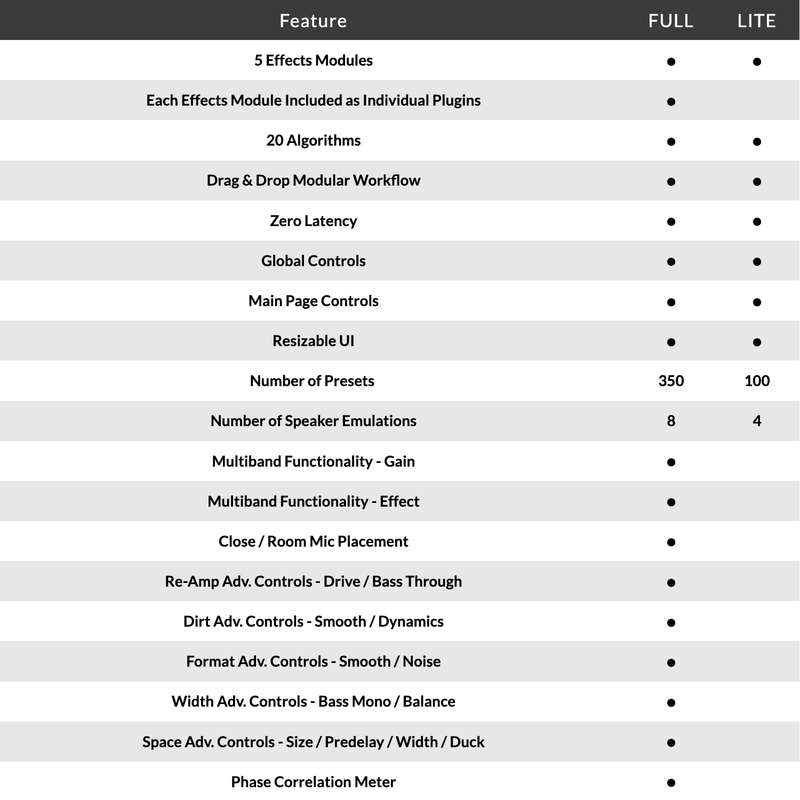
Version Comparison
System Requirements
macOS
- macOS 10.15 or higher (Intel / Native Apple Silicon supported).
- Plugin Formats: VST3, AU, AAX, Standalone
- DAW's Supported: Ableton Live, Pro Tools, Logic Pro, FL Studio, Cubase, Nuendo, Reaper, Reason + more.
- Compatibility: 64-bit compatible only.
Windows
- Windows 7 or higher
- Plugin formats: VST3, AAX, Standalone
- DAWs supported: Ableton Live, Pro Tools, FL Studio, Cubase, Nuendo, Reaper, Reason + more.
- Compatibility: 64-bit compatible only.
Please Note: An internet connection is required to authorise this software.
Awards

L.Dre
Lo-fi Beatmaker & Hip-Hop Producer.
"This may be the only multi-effect plugin you need - it has all you need for drums, bass, melody and anything else."
Noize
London based producer, mixing and mastering engineer Fabio Lendrum.
"It's everywhere on all my projects now - it can take fairly boring synths to a completely new level and the presets are amazing!"

Beat Magazine
Skills & software for producers & DJs
"This plugin really shines as a versatile tool for breathing more life into static sounds, creating lo-fi sounds or giving sounds more character and three-dimensionality."
Reviews Summary
While it aims to provide a helpful overview, it may not capture every perspective or detail. We encourage you to read individual reviews to make an informed decision.
Users highly praise the Lifeline plugin as an efficient, easy-to-use, and capable tool that is well worth the investment. They enjoy its fun presets and note that while it may seem ordinary at first, it excels at quickly adding beautiful analogue warmth, grit, and character to audio signals, especially when utilizing its Advanced mode.


