Log In

Free gifts available with your purchase

Creative Effects Sound Design
BLEASS Motion FX offers a new and creative workflow to effects sound design. Choose between 11 different effects and dynamically modulate it thanks to a highly versatile motion sequencer. Thanks to its very low CPU usage, load as many instances of Motion FX as you want and unveil new sonic territories!
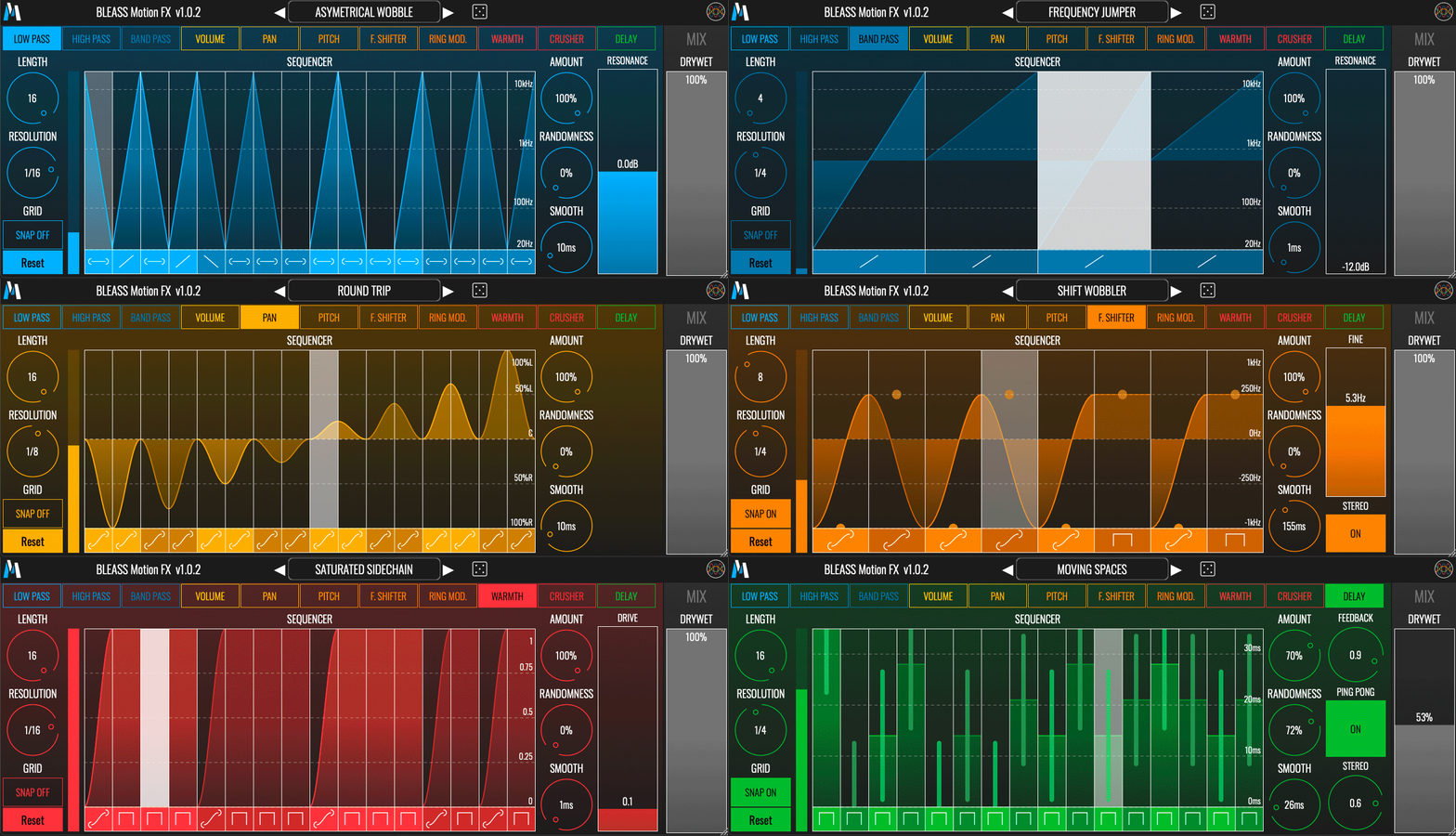
BLEASS Motion FX contains 11 different effects which you can modulate precisely thanks to an intuitive and comprehensive sequencer.
The 11 effects included are:
- Low Pass Filter
- High Pass Filter
- Band Pass Filter
- Volume
- Pan
- Pitch Shifter
- Frequency Shifter
- Ring Modulator
- Warmth
- Bit Crusher
- Delay
Each effect has a parameter automated by the sequencer and can have one or more secondary parameters. Pick an effect and then modulate it dynamically.
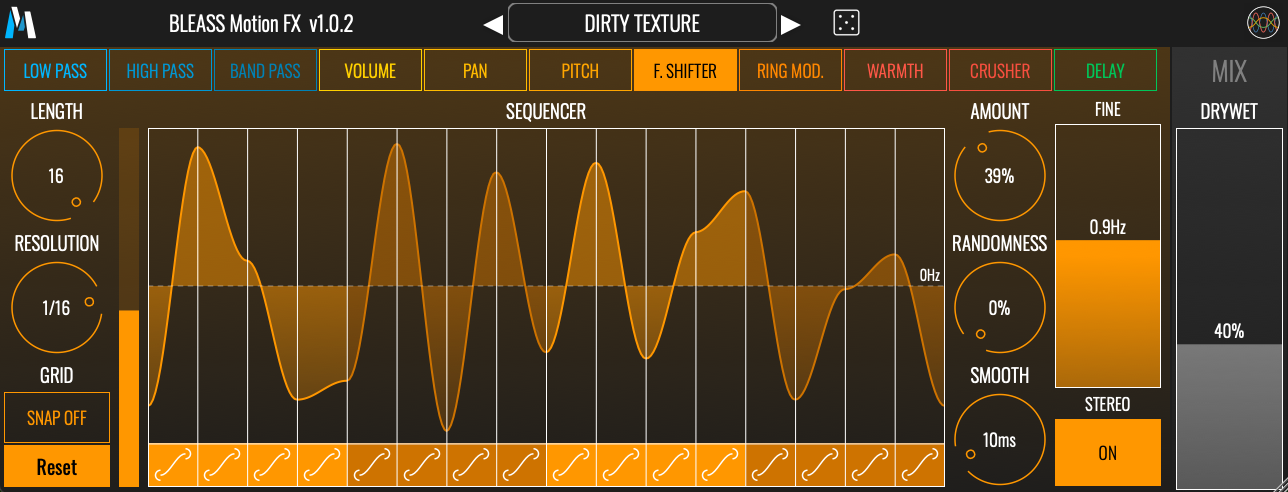
Sequencer
The sequencer offers 4 to 16 steps, each step has a value and a curve. You can set the value by touching and/or dragging the step and set the curve by tapping the curve icon at the bottom of each step. Curves choices are: Step, Ramp Up, Ramp Down, Ramp and Smooth Ramp.
- Length controls the number of steps (4 to 16).
- Resolution controls the duration (in bars) of each step. (from 1/32 bar up to 4 bars)
- Grid snap: when set to ON, steps values snap to the displayed grid when you change their values.
- Reset: resets all steps to their default values (default value depends on the currently selected effect).
- Randomness sets the range in which step values are randomly chosen.
- Smooth sets the interpolation time between steps.
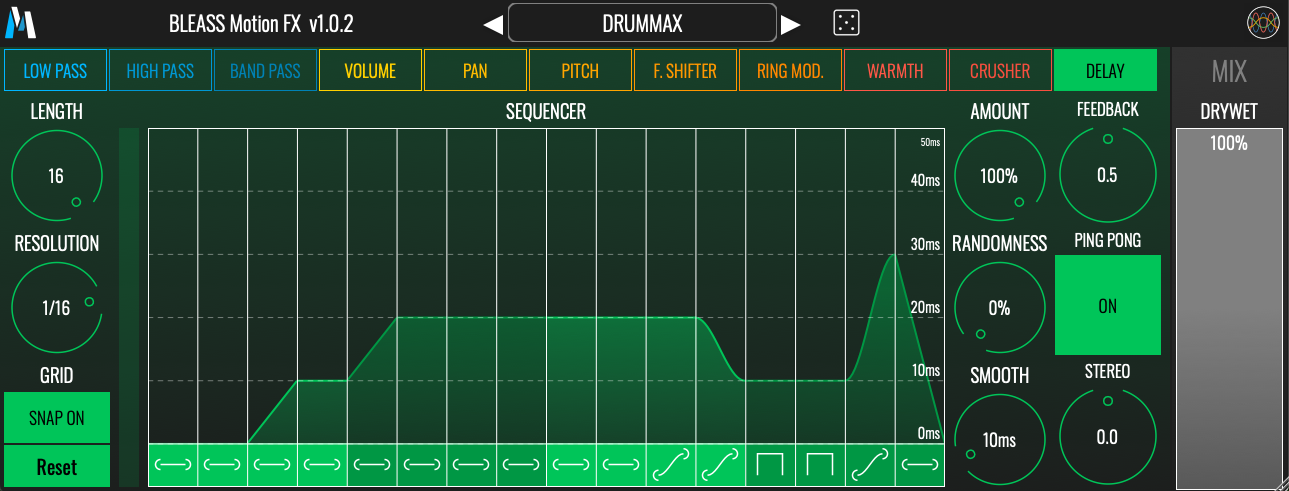
Effects
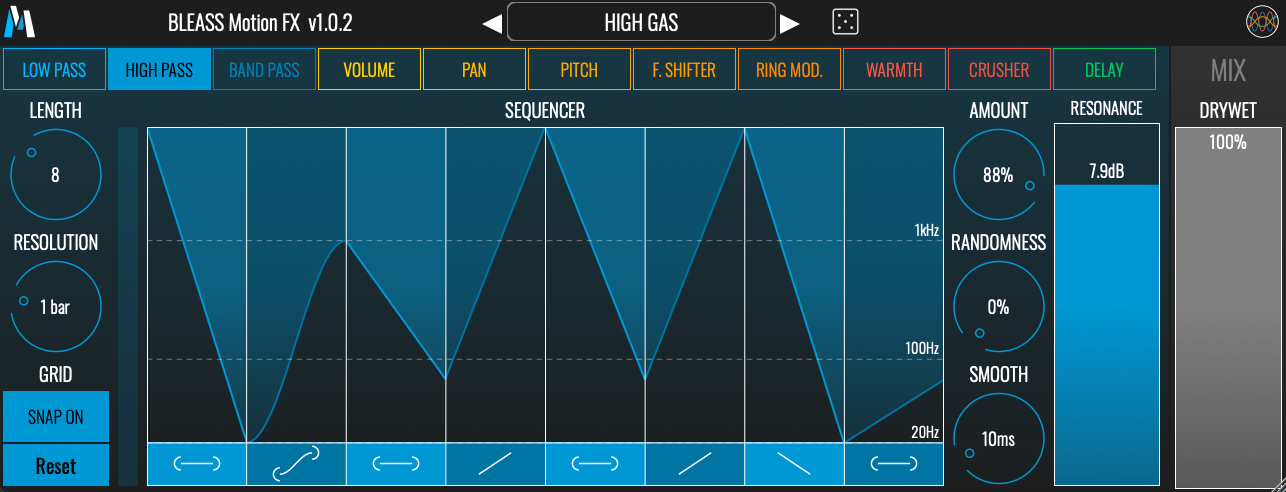
Low pass filter, high pass filter and bandpass filter
- The sequencer modulates the frequency value of the filter.
- A slider controls the resonance of the filter.
Volume
- The sequencer modulates the gain.
Pan
- The sequencer modulates the pan.
Pitch shifter
- The sequencer modulates the pitch. The pitch range is +/- 12 semitones.
- Grain Size sets the density of the granular pitch shifter.
- Grid sets the sequencer grid to Chromatic, Major or Minor. Set Grid Snap to ON to quantize the pitch to the selected scale.
Frequency shifter
- The sequencer modulates the frequency. The frequency range is +/- 1kHz.
- Fine adds an offset to the frequency set by the sequencer.
- If Stereo is On, Fine value for the right channel is the opposite to the left channel.
Ring modulator
- The sequencer modulates the frequency. The frequency range is 1Hz to 10kHz
- Fine adds an offset to the frequency set by the sequencer.
- If Stereo is On, Fine value for the right channel is the opposite to the left channel.
Warmth
- Warmth is a waveshaper. The sequencer modulates the strength of the waveshaper.
- Drive adds a gain before the waveshaper.
Bit crusher
- The sequencer modulates the rate of the bit crusher.
- Depth controls the depth of the bit crusher.
Delay
- The signal is delayed by a time set by the sequencer. The time range is 0 to 50ms.
- Feedback sets the amount of delay feedback.
- When Ping Pong is On, the delayed signal bounces back and forth between the left and right channels.
- Stereo sets the difference between left and right delays.
- A Dry/Wet control lets you set the balance between the dry and wet signals.
The random preset generator (dice button next to the presets manager) only affects the parameters of the current selected FX.
System Requirements
PC
- Windows 8 and later (64-bit only)
- VST3
Mac
- macOS 10.9 and later (64-bit only) (including macOS 11 Big Sur and M1 processors)
- VST3 / Audio Unit
Format
- BLEASS Motion FX is not a standalone product, it requires host software.
- BLEASS Motion FX is compatible with all VST3 / Audio Unit compatible DAWs.