


 Log In

Free gifts available with your purchase

One Panel Perfection
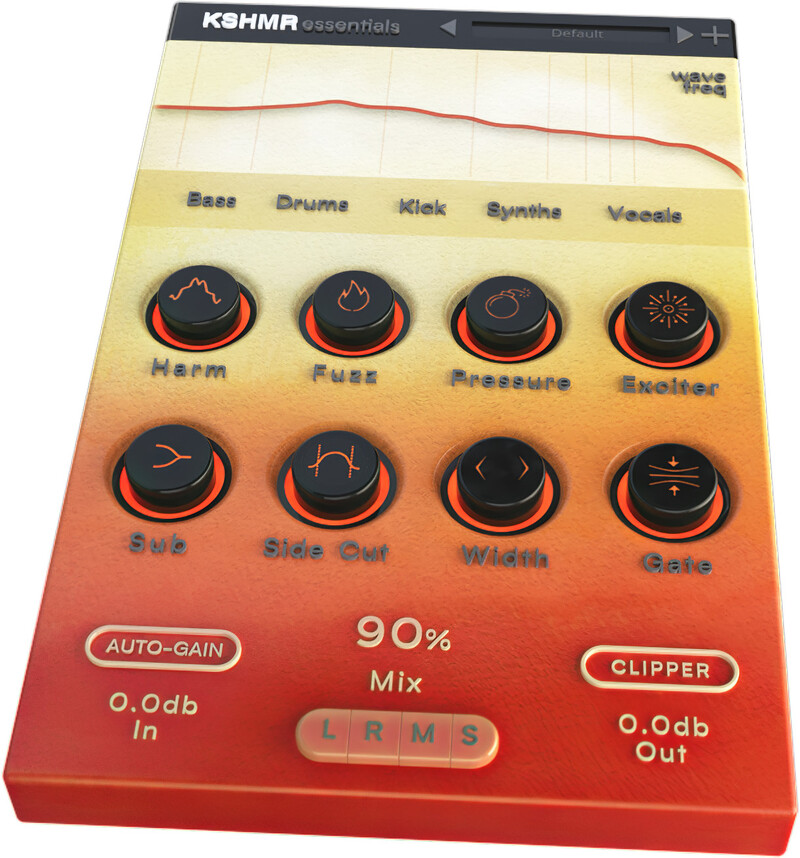
We all have a favourite plugin chain that gets used before trying anything else... those essential tools that provide the special sauce for each track. KSHMR Essentials is now your first choice in processing. Whether you’re tweaking bass, drums, kick, synths or vocals this plugin has a bespoke signal chain for each with 8 specially selected modules for these different uses.
Constructed by world famous DJ, musician and record producer KSHMR, this specially designed artist plugin puts an award-winning professional’s favourite signal chains at your fingertips. Ease-of-use is the priority with each module featuring just a single dial and all of the complex processing and settings kept behind the scenes. KSHMR knows what sounds great and keeps things simple with an essential plugin that can push out professional-grade audio with just a few clicks. Achieving a stadium-ready sound has never been so easy!
Presets
With many included presets, it’s simple to find the perfect start for your own sound shaping. KSHMR has personally curated these jumping-off points so it’s easy to click through and audition his personal favourites. There are specifically designed presets dedicated to bass, drums, kick, keys, synths and vocals
Bass
The main focus of most tracks, you need a bassline that fills dancefloors and this plugin does exactly that. 8 modules for Harmonics, Fuzz, Pressure, Excite, Sub, Side Cut, Width and Compression combine to give your low end all the punch and power that’s needed to stand out from the crowd. The first step in the chain adds upper Harmonics to define the bass, especially useful for translation on smaller sound systems. Next up, Fuzz introduces a layer of shaped distortion. Multiband compression is handled by the Pressure module and then fed into the Exciter for top-end fizz and saturation. Set the Sub dial to the root key of your track to generate a subtle sub-bass layer. The Side Cut control brings tight definition to the centre channel, or push it wider with the Width module before feeding it into a final Compressor to glue everything together.
Drums
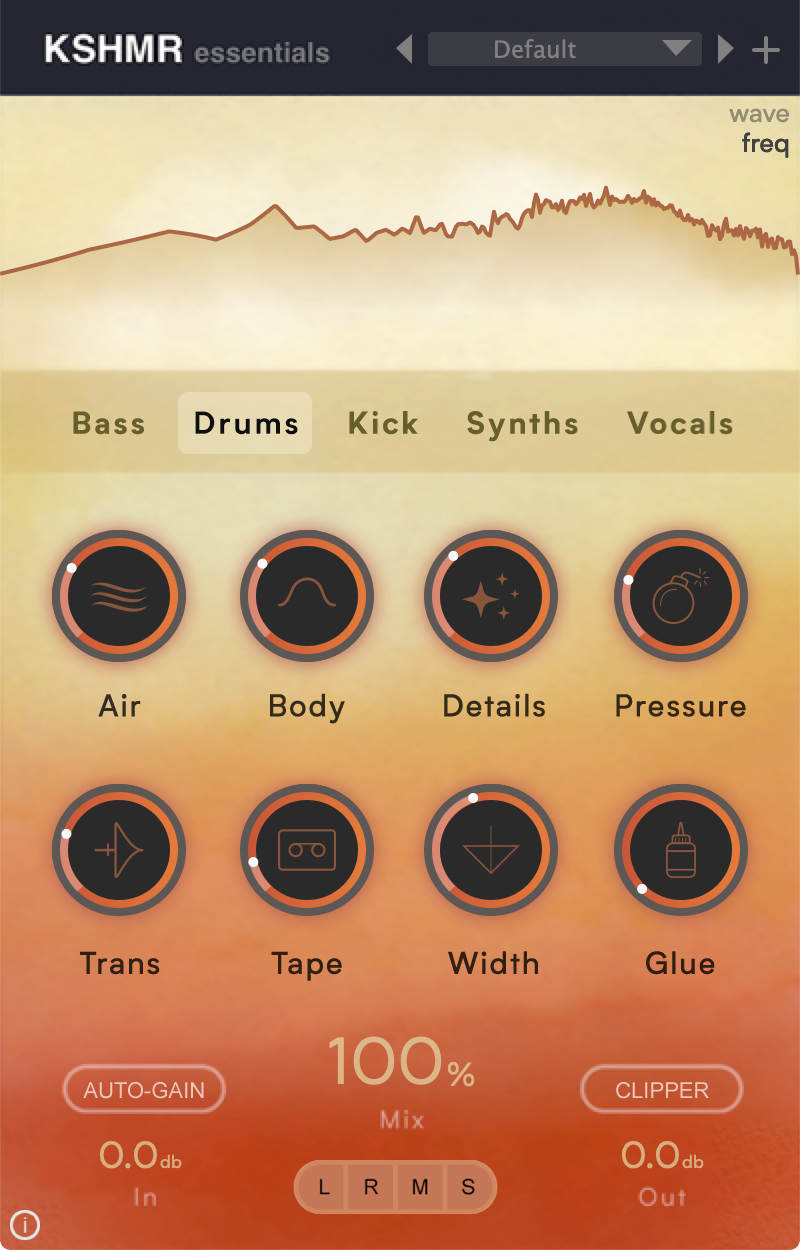
With 8 flexible modules, suitable for all types of drums, you can quickly shape percussion so that it leaps from the speakers. Air, Body, Details, Pressure, Transients, Tape saturation, Width and Glue combine to bring rhythm sections to life. The first two modules, Air and Body give sheen and weight to the sound. Raise the volume of quieter percussion elements with the Detail control and add designed multiband compression with the Pressure dial. Make your hits smack harder by increasing the Transient level before pushing up the analogue warmth with Tape saturation. The Width module defines the stereo field before feeding into a Glue compressor.
Kick
Dedicating an entire bank of modules just to kick processing, shows how much effort goes into KSHMR’s individual drum tracks. With 8 controls for Sub bass, Mid, Air, Transients, Tape saturation, Pressure, Compression and Width, you can say goodbye to flabby kicks and easily dial in a tight and defined sound. The initial sub frequency generator adds more low end, once you’ve set up the key of the kick drum. Concentrate the Mid signal with the next control before adding sheen to the upper frequencies with the Air dial. Next up, Transient shaping boosts the initial hit of the kick whilst the Tape module can be set from subtle saturation to full on distortion. The Pressure module handles the specially tailored multiband compression before feeding the signal to a regular Compressor for smooth processing. Lastly, use the Width control to bring your kick to the centre or push it out wide.
Synths
To get hands in the air you need a sick synth line and this plugin knows how to push people’s buttons. The 8 modules here are designed for sparkling stereo processing with Body, Presence, Air, Exciter, Details, Pressure, Expand and Glue. The top line of controls define the frequencies and harmonics of the synths, with Body pumping the low and mid-range, Presence applying a magic EQ curve to minimise muddiness, Air adding top-end sparkle and the Exciter for saturated upper harmonics. Next up, Details emphasises the subtlety of your synth line which is then fed into the multiband compression of the Pressure module. Generous use of the Expand dial will push your audio around the stereo field and finally the Glue compressor gives everything a cohesive feel.
Vocals
Processing vocals can be one of the most time consuming parts of music production. KSHMR Essentials makes this tricky task much faster with 8 modules to dial in Gate, Body, Clarity, Air, Compression, Pressure, Spread and Glue. However great your vocalist, you’ll need to eliminate rogue breaths and room noises so use the initial noise Gate dial for this. Then shape the tone of your singer’s performance with Body for weight, Clarity for definition and Air for sparkle. Next, squash the dynamics so that your vocal cuts through the mix with the Comp control. Multiband compression is handled by the Pressure module before creating a wide stereo soundscape with Spread and adding subtle saturation and drive with the Glue control.
Visual Feedback
The processed audio can be selected as a waveform or frequency display at the top of the interface. This real-time feedback makes it easy to see exactly what’s happening to your audio with left, right, mid and side monitoring or playback modes.
Auto-Gain and Clip
These two controls mean that however hard you drive the plugin, all of your changes can be automatically volume matched. Auto-gain can be set from -12 to +12 db and will maintain a constant output volume so you can accurately compare before and after processing. Use the Clipper controls to drive the signal into a soft clipper with variable parameters, maintaining the dynamics of the outgoing signal.
W. A. Production are real-life producers making creative plugins to help you achieve studio quality processing quickly and easily. Enjoy!
Features
- KSHMR designed plugin
- Artist-designed module routing
- Processing chains for Bass, Drums, Kick, Synths, Vocals and more
- Focus on easy opertaion
- Auto-gain and Clipping controls
- Flexible visual feedback with L/R M/S auditioning
- Responsive & CPU friendly
- Factory presets
- Full PDF Manual & Tutorial video
System Requirements
Mac
- macOS 10.13 and later (32/64-bit)
- VST, AU, AAX
Windows
- Windows 8 or later (32 / 64-bit)
- VST, AAX
Please Note: The AAX format of this plugin requires Pro Tools 11 or higher.
Important Note for Mac Apple Silicon users: Before purchasing, please review the current compatibility status of this plugin on your system here.


