


 Log In

Free gifts available with your purchase

Multiband Stutter, Half-Time, Reverse, Scratch, Tape-Stop, Glitch, and Beyond
What is TimeShaper?
Just like a DJ working vinyl, TimeShaper 3 lets you freely manipulate the flow of time, slowing down or accelerating your music. Simply draw the exact LFO shapes you need – the unique curve-editing tools make it fast and easy. Warp pitch and time to create everything from essential everyday FX to extreme multiband transformations.
Running inside Cableguys' ShaperBox 3 effects plugin, use TimeShaper on its own or with other Shapers — they all work in exactly the same way, stacking up to create elaborate, multilayered effects that'll make your productions stand out.
Do All This With TimeShaper
- Rearrange the beat
- Scratch like a DJ
- Drop in a tape-stop
- Scratch on time
- Add retro vinyl 'wow'
- Get the half-time effect
- Reverse in real time
- Get crazy with combos
- Go multiband!
- Custom chorus/flange FX
Incredible Time-Twisting Effects
With TimeShaper, you'll manipulate the position of a virtual playhead within your audio to create chops, stutters, slow-downs, speed-ups, reverses, glitches, scratches, tape-stops… and more!
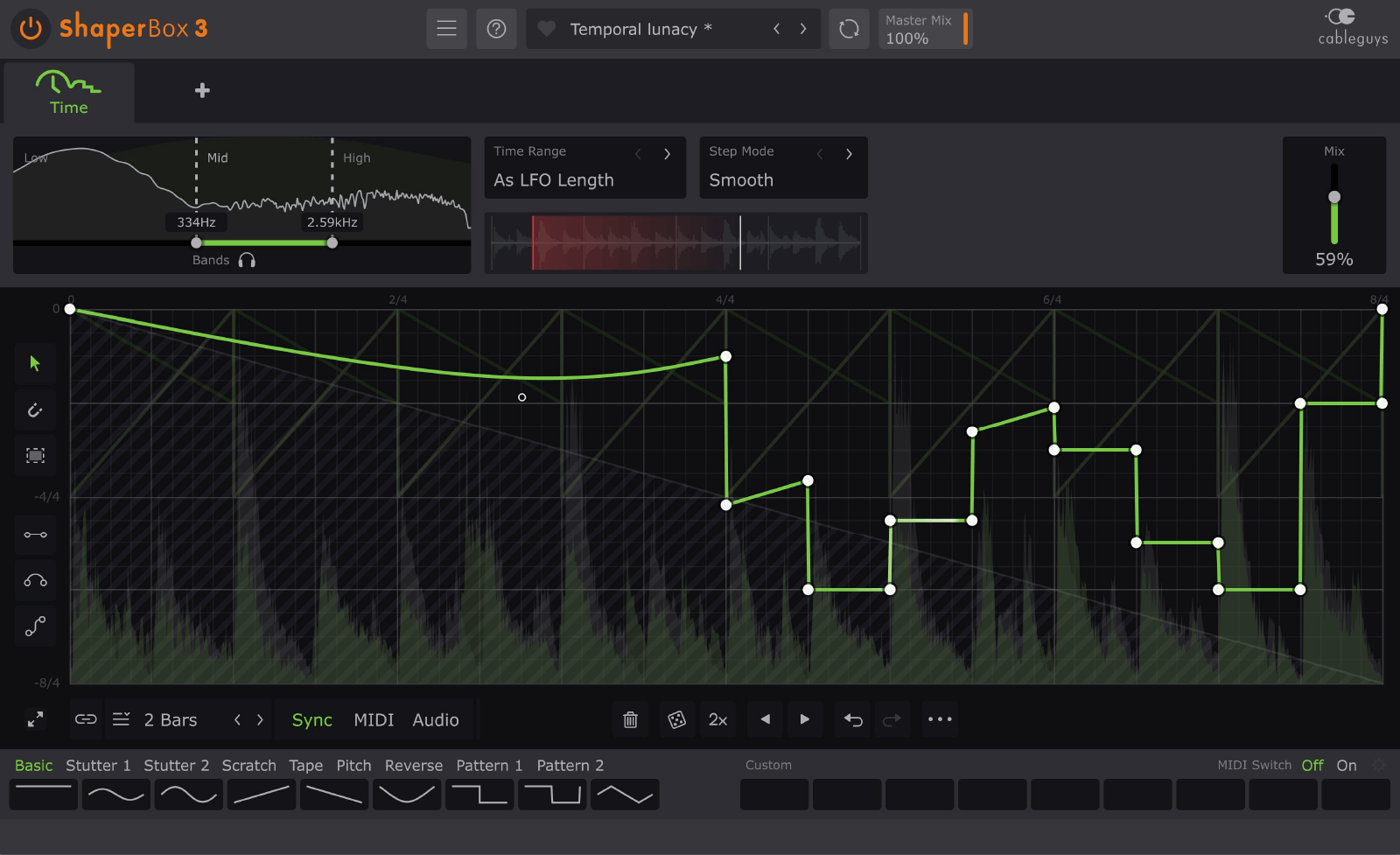
Waveforms That You Design
Cableguys' easiest ever waveform‑editing tools make it simple to draw the exact time‑bending patterns you want to hear.
Go from rhythmic repeats to wild pitch‑warping transformations in just a few clicks.
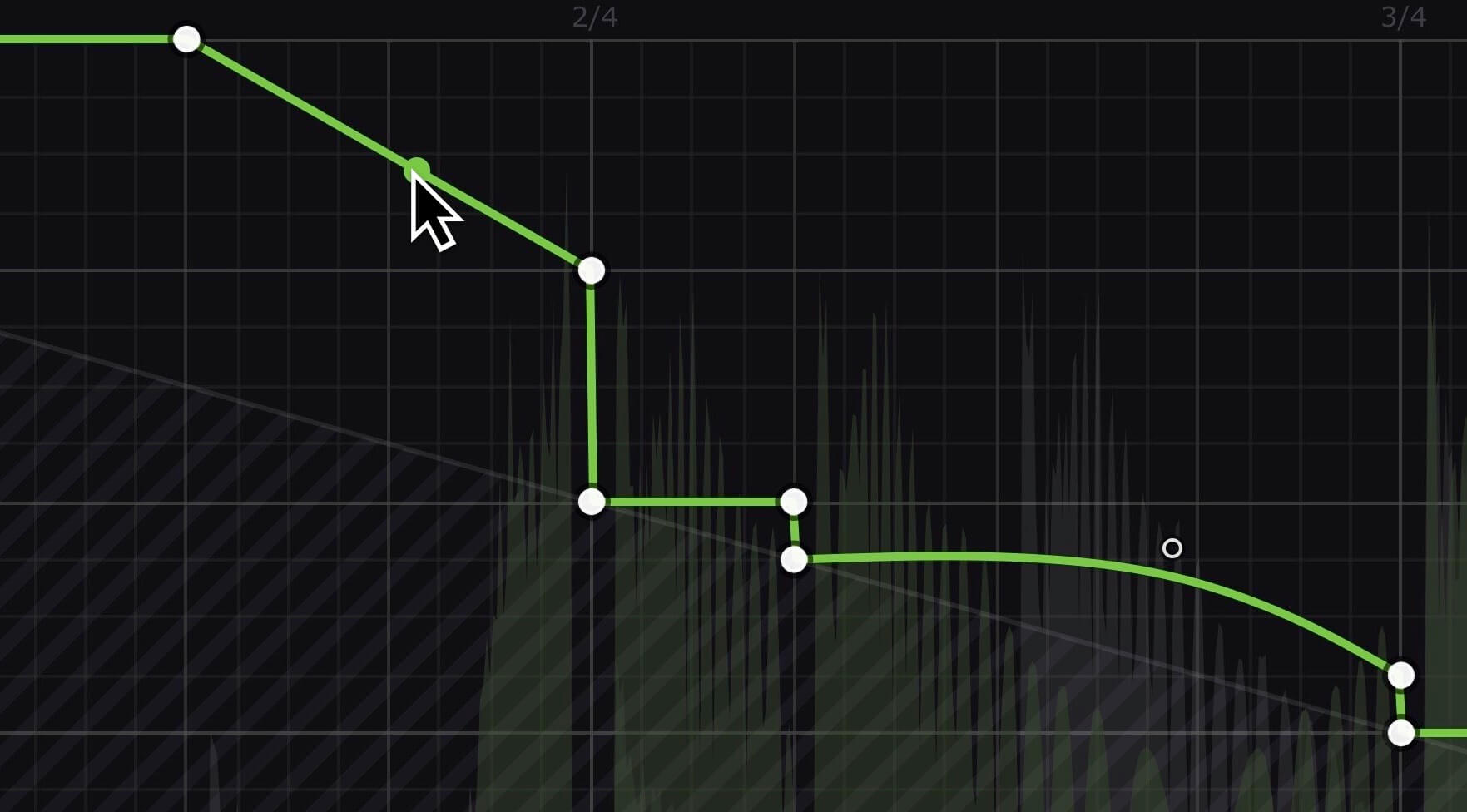
Locks To The Beat
Sync your patterns to beats and bars so they're always locked to your track. From half-bar reverses to intricate 8-bar stutter grooves and beyond, all with sample accuracy.
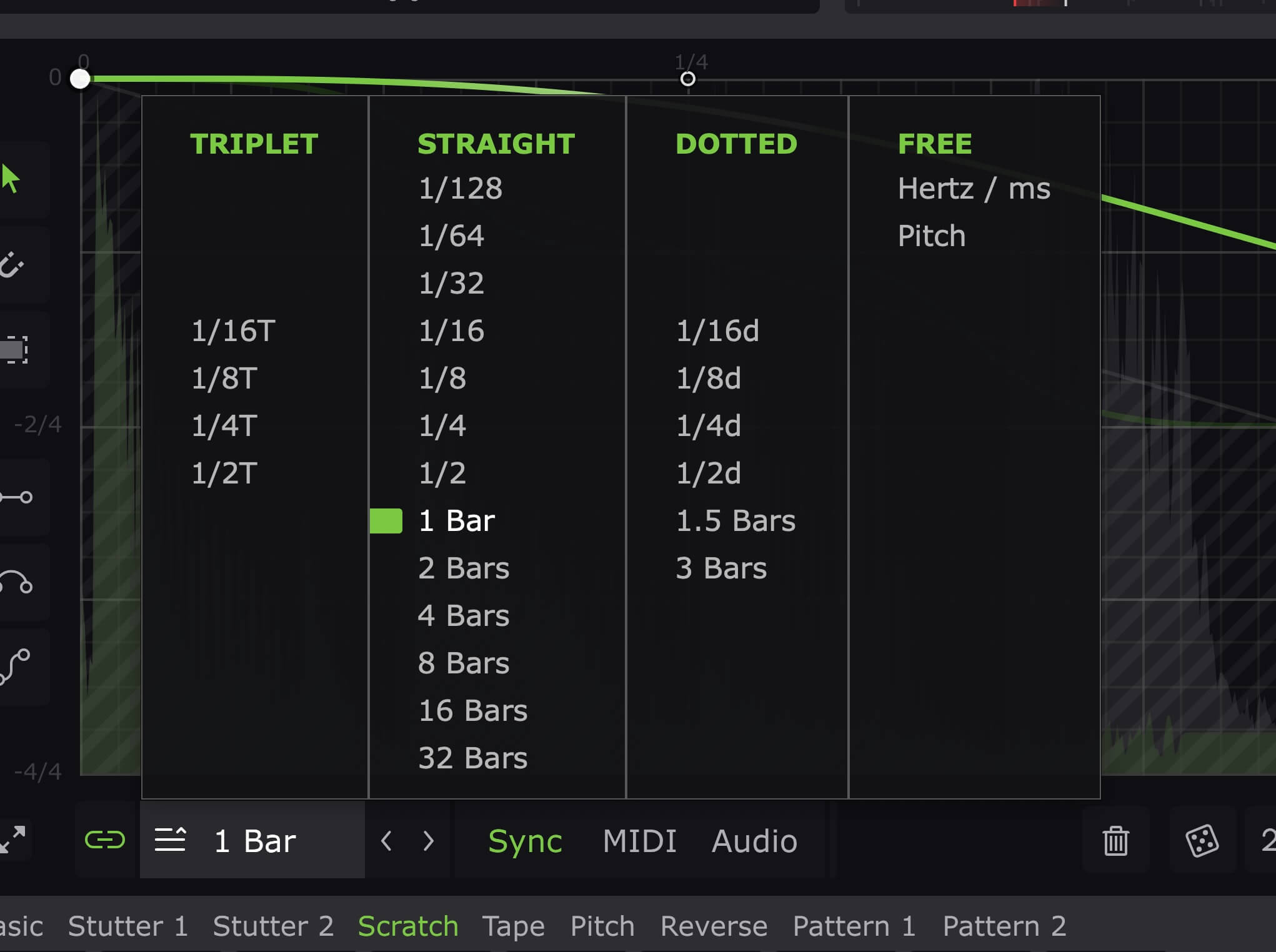
Follows Any Rhythm
Trigger your patterns in any rhythm at all using MIDI. Or use powerful new audio triggering that tightly tracks the rhythm of drums, loops, instruments – even full mixes.
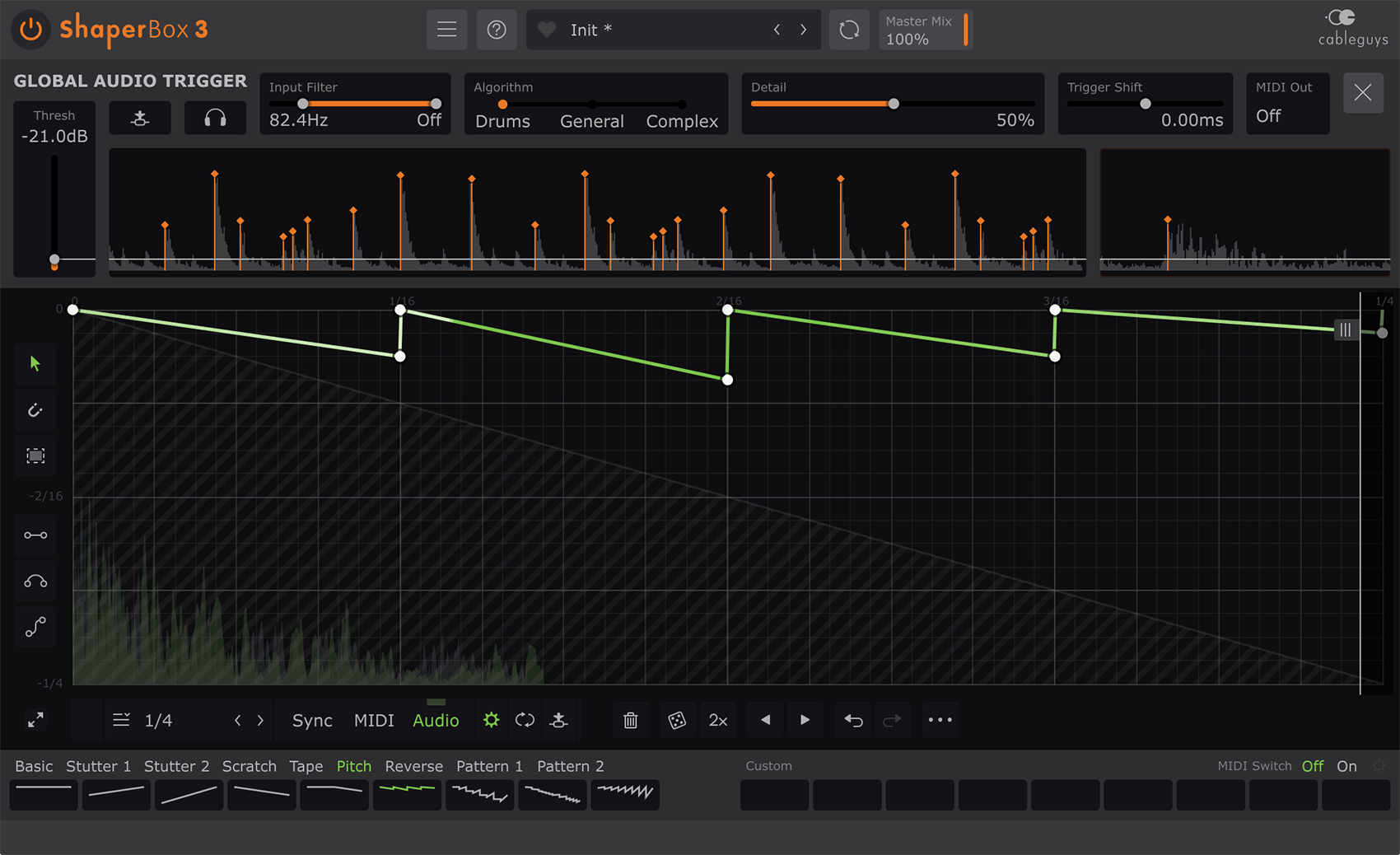
Multiband Made Easy
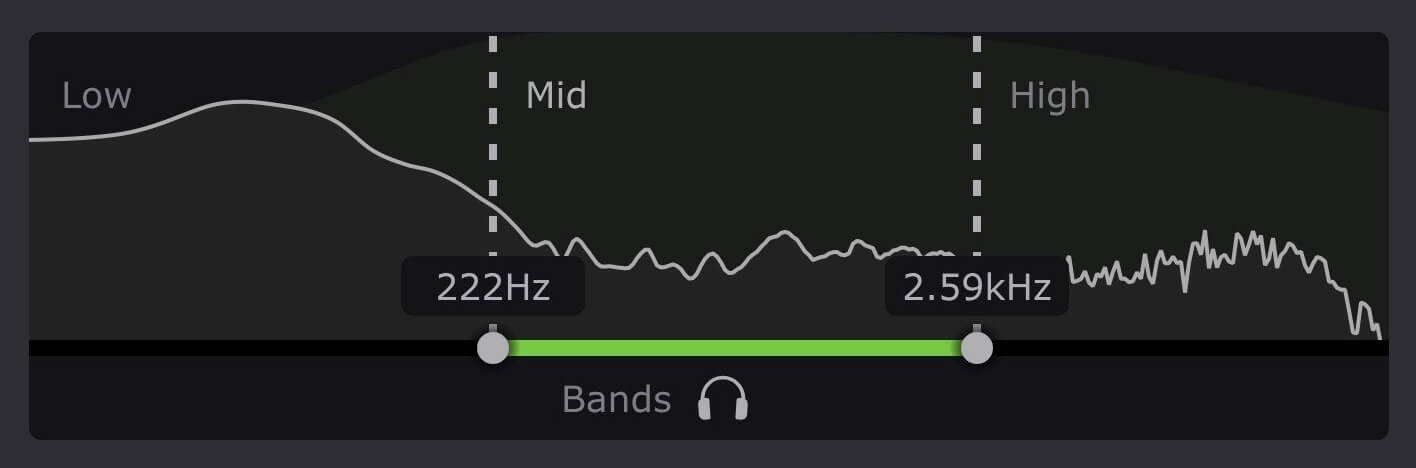
TimeShaper gives you a separate LFO for lows, mids and highs. Reverse the bass. Half-time the mids. Glitch the tops. Go nuts!
Amazing Visual Feedback
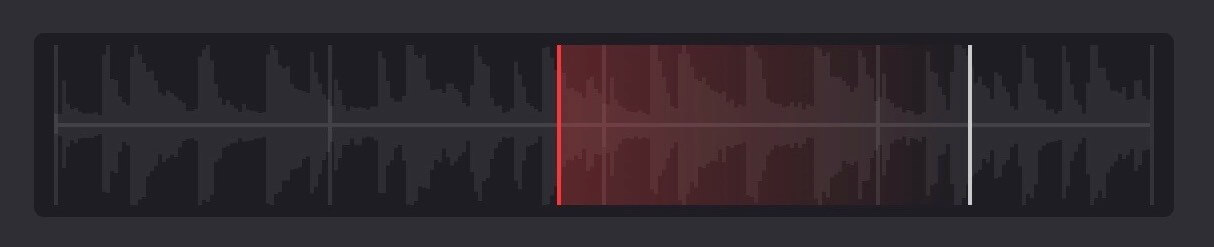
A unique time offset display shows precisely how TimeShaper's virtual playhead is moving inside your audio, helping you to design the perfect scratch, slow-down or stutter.
Top-Quality Algorithms
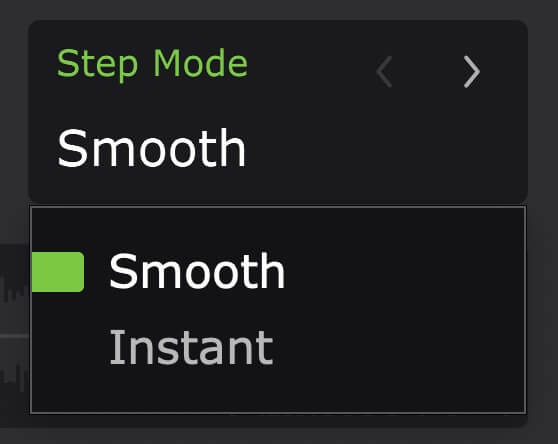
Best-in-class resampling interpolation means you can modulate audio speed to extremes with minimal aliasing and artifacts. And the Smooth Step Mode minimises the clicks and crackles that can affect other time-jumping plugins.
Features
- New! Redesigned interface with larger editing areas
- Interface resizable from 75% to 200%
- Retina/HiDPI support for crisp, clear graphics
- Built-in help — hover over any control for description
- Wave Presets covering all common uses
- 9 slots to store Custom Waves, saved with the patch
- Switch User Waves via MIDI
- Dry/wet mix for each band
- New! Master Mix with improved algorithm, for artifact-free creative blends
- New! Smoothed Bypass for click-free switching to the dry signal
- Solo bands for easy setup
- Smooth, accurate spectrum view
- Trigger Smoothing to reduce clicks when switching/triggering Waves
- Large, precise oscilloscope view with Magnitude mode and Freeze option
- Expandable LFO for detailed editing
- Set LFO loop length in beats and bars, or Hertz/ms
- LFO loop length from 1/128 to 32 bars, with sample-accurate sync
- Audio-rate modulation up to 5.24kHz for extreme sound design
- 2x/3x button — double or triple patterns with a click
- Flip/resize/move/randomize wave or selection
- Copy/paste waves between any Shapers
- Unlimited undo/redo for LFO wave edits
- Selection skewing, for easily increasing intensity over time
Mac
- Mac OS X 10.13 or later
- Intel or Apple Silicon processor
- VST 2, VST 3, AU or AAX host DAW
Windows
- Windows 7, 8, 10 or 11 (64-bit only)
- VST 2, VST 3 or AAX host DAW
Reviews Summary
While it aims to provide a helpful overview, it may not capture every perspective or detail. We encourage you to read individual reviews to make an informed decision.
The product is highly praised by music producers for its versatility, unique capabilities, and usefulness in daily production sessions and DJ-style effects. While most reviewers find it amazing and highly creative, a few note that it has a steep learning curve, can cause option paralysis, and that simpler alternatives or more functional presets would be beneficial.


