/ Multi-Effect / Doppler
Sound Particles

Doppler

4.6 (10 Reviews)
$34.00 $99.00

65% off until Dec 10

Main Image
Main Image
Sound Particles Doppler - UI 2
Sound Particles Doppler - UI 1
Buy Now
Product information

Doppler simulates the behavior of objects moving through air, providing audio with highly accurate characteristics of sounds passing-by. With control of all parameters that physically affect pitch, level and EQ in a real world situation, Doppler gives you the most natural sounding emulation for your work.

Highly Accurate Doppler
Highly Accurate Doppler

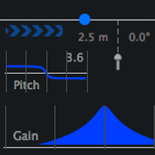
Accurate means Natural - because the brain knows what is natural and what is fake, you need the most accurate tools. Doppler plugin uses the same engine of Sound Particles, used in many Hollywood studios for creating the most natural sounding Doppler effects, but now available as a plugin.

Support for Immersive Audio
Support for Immersive Audio

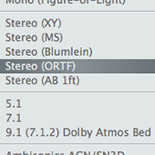
Simply select between different microphones, ranging from mono (omni, cardioid, figure-of-eight), stereo (MS, XY, ORTF, Blumlein, AB), 5.1, 7.1, 9.1 Dolby Atmos bed, or Ambisonics (up to 3rd order). The best Doppler for the best audio formats.

Perfect Image Sync
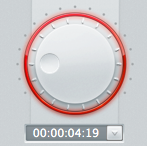
Perfect Image Sync

Specify the time where you want the peak of the Doppler, and all other parameters will adjust to get the perfect sync with the image.

Including Distance EQ
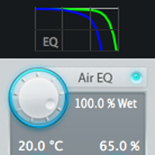
Including Distance EQ

Besides volume and pitch, Doppler plugin also applies the perfect frequency response you would get from air dampening thru distance.

World Units
World Units

Do you prefer “meters” or “feet”? “Mph" or "km/h"? Full integration with Imperial and Metric units, for an easy and more welcoming workflow for everyone.

Control Surfaces
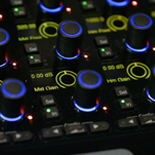
Control Surfaces

Use control surfaces (such as AVID S6) to edit the plug-ins' parameters.

System Requirements

Mac

  • Mac OSX 10.9 or higher
  • AAX Native, AU, VST and VST3
  • 2-core CPU or higher (4-core recommended)
  • 4GB of RAM and 600MB of disk space required (8GB RAM and 600MB of disk space recommended)

Windows

  • Windows 7 SP1 or higher
  • AAX Native, VST and VST3
  • 2-core CPU or higher (4-core recommended)
  • 4GB of RAM and 600MB of disk space required (8GB RAM and 600MB of disk space recommended)

Note: Pro Tools 64-bit compatible (PT11 and above) required for AAX

Installation Instructions

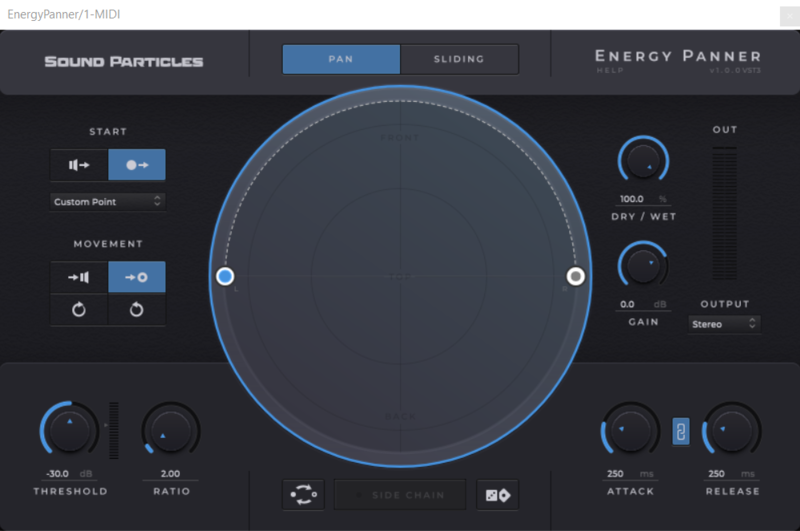
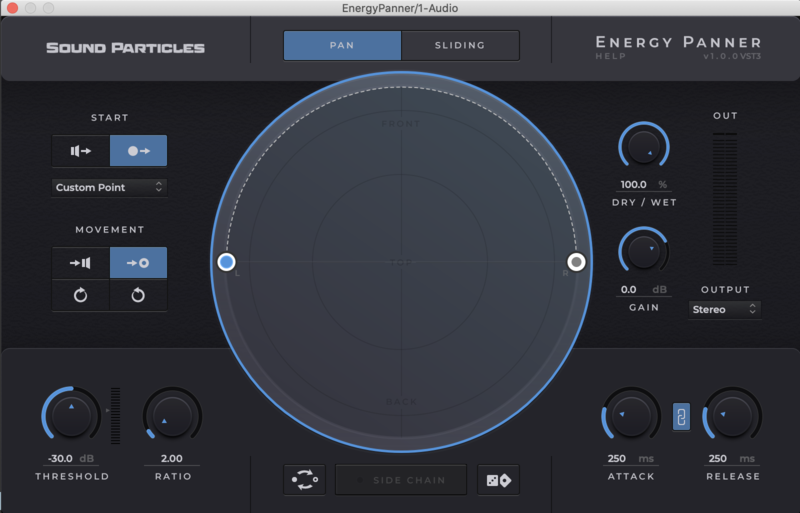
Please Note: Energy Panner is used as an example.

Windows

Registration

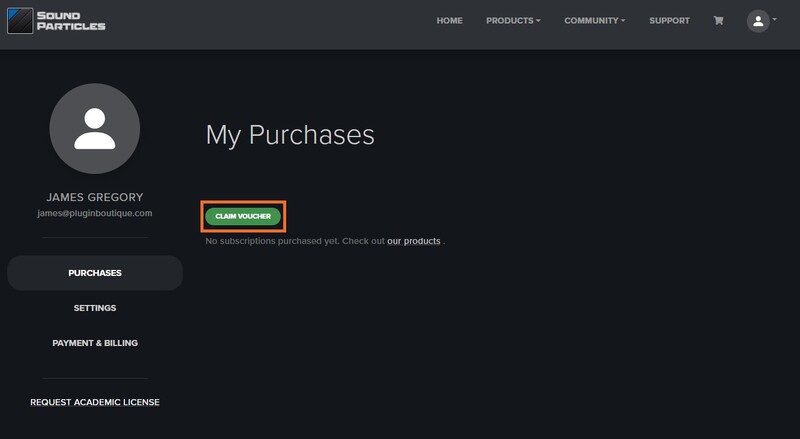
1. Go to https://soundparticles.com/register > Enter your Name, Email Address, Password and Country > click 'REGISTER'.

2. Click 'CLAIM VOUCHER'.

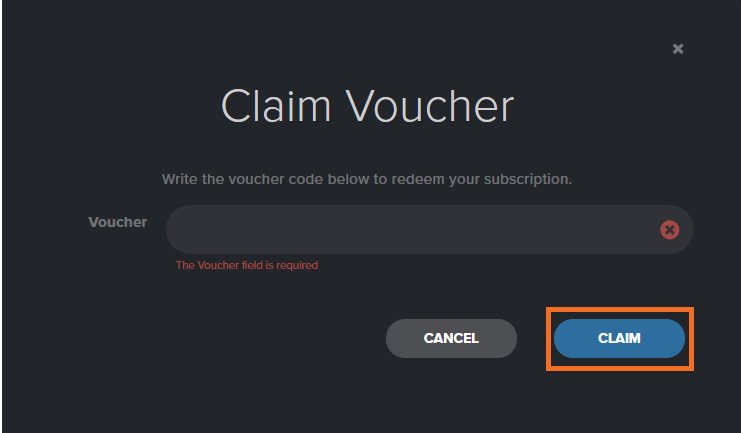
3. Enter your voucher code, found in the serial number section of your Plugin Boutique Account > click 'CLAIM'.

Installation

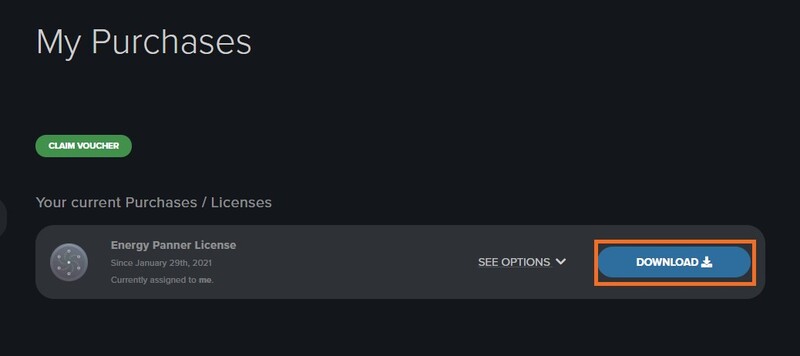
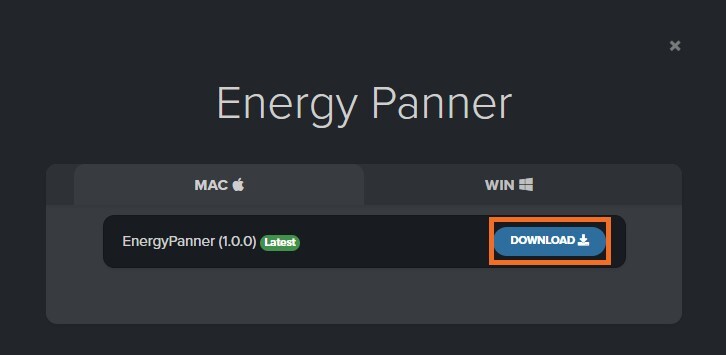
1. Click 'DOWNLOAD'.

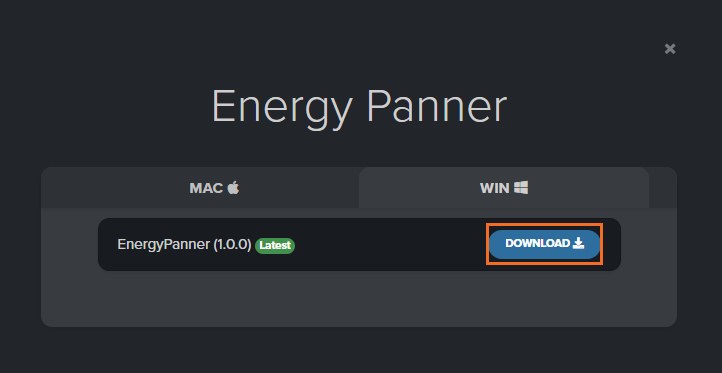
2. Select the version of the product you wish to install > click 'DOWNLOAD'.

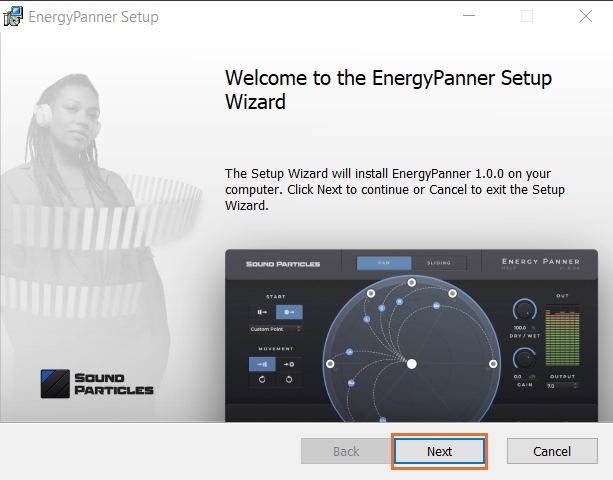
3. Open the downloaded .zip folder and click > the .msi file. To begin the installation process > Click 'Next'.

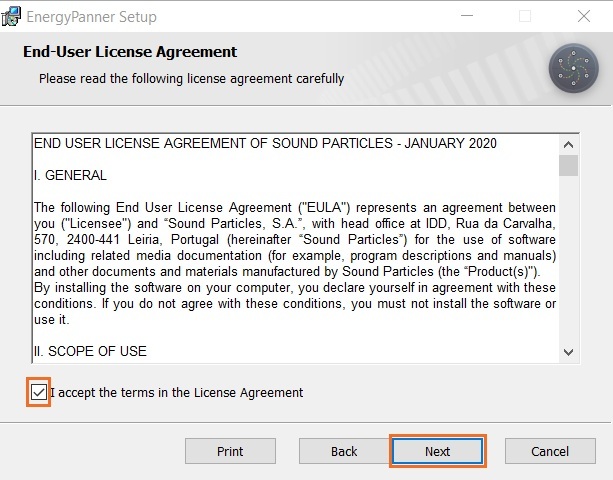
4. Select 'I accept the terms in the License Agreement' > Click 'Next'.

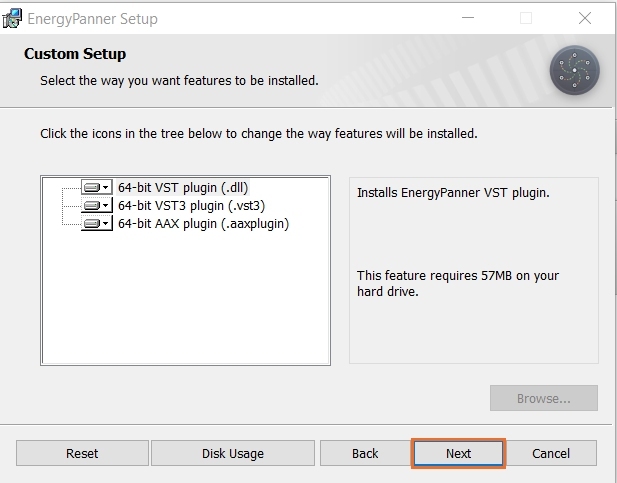
5. Choose the plugin formats you would like to be installed > Click 'Next'.

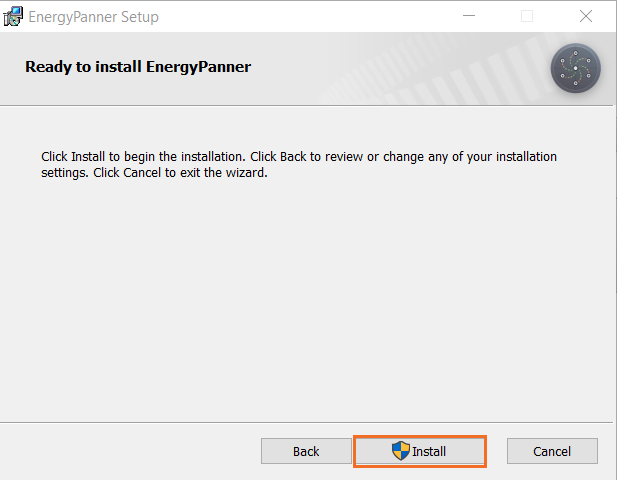
6. Click 'Install' > click 'Allow' to begin the installation process.

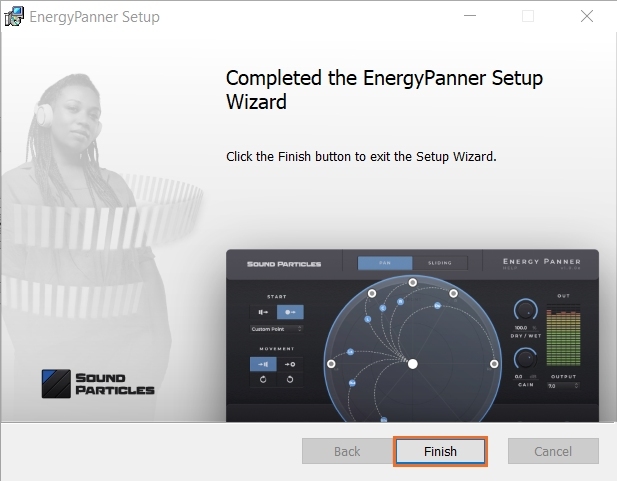
7. Click 'Finish'.

Your software is now activated and ready to use.

Mac

Registration

1. Go to https://soundparticles.com/register > Enter your Name, Email Address, Password and Country > click 'REGISTER'.

2. Click 'CLAIM VOUCHER'.

3. Enter your voucher code, found in the serial number section of your Plugin Boutique Account > click 'CLAIM'.

Installation

1. Click 'DOWNLOAD'.

2. Select the version of the product you wish to install > click 'DOWNLOAD'.

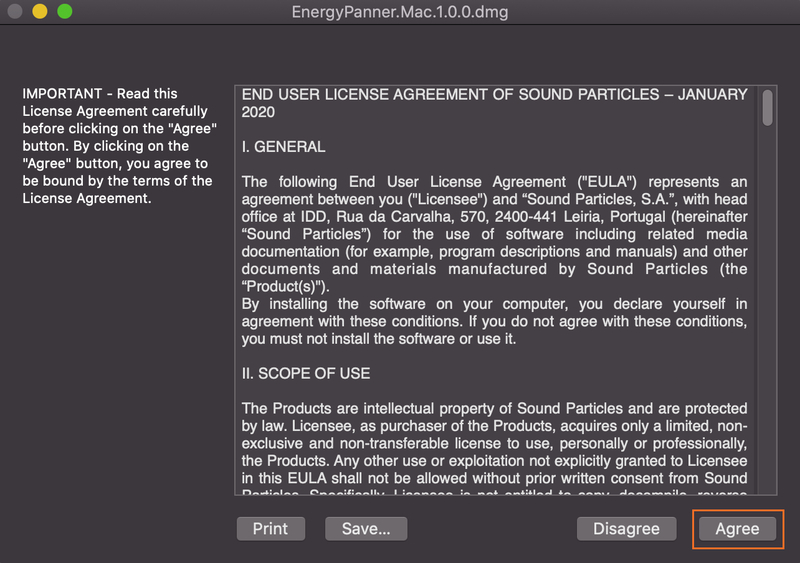
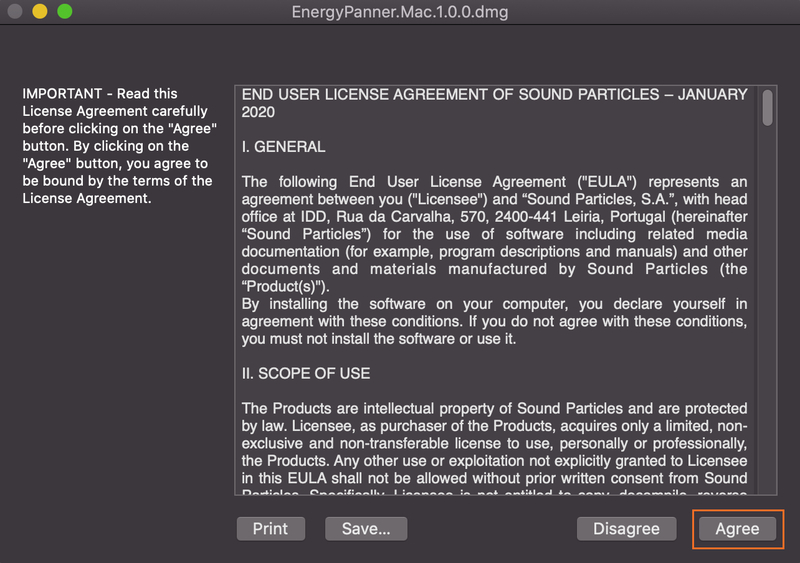
3. Open the downloaded .dmg file > click 'Agree' on the User Agreement to begin the installation process.

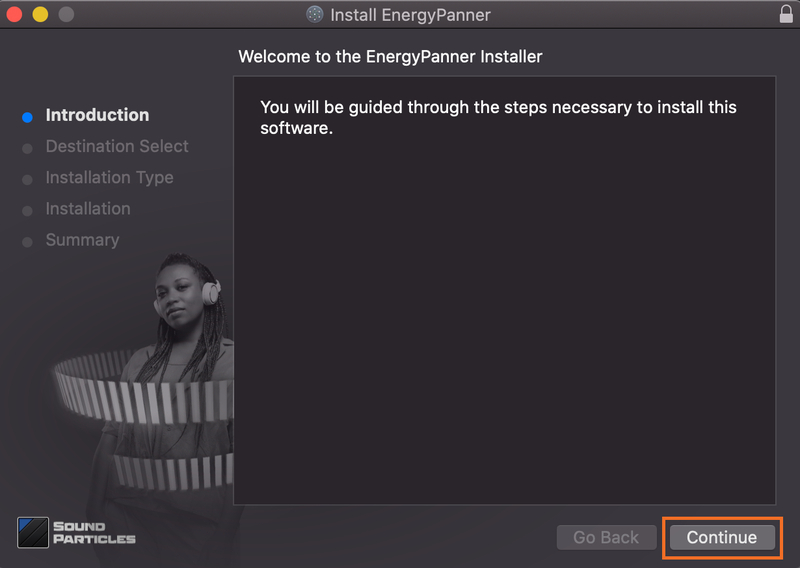
4. Select 'Install'.

5. Click 'Continue'.

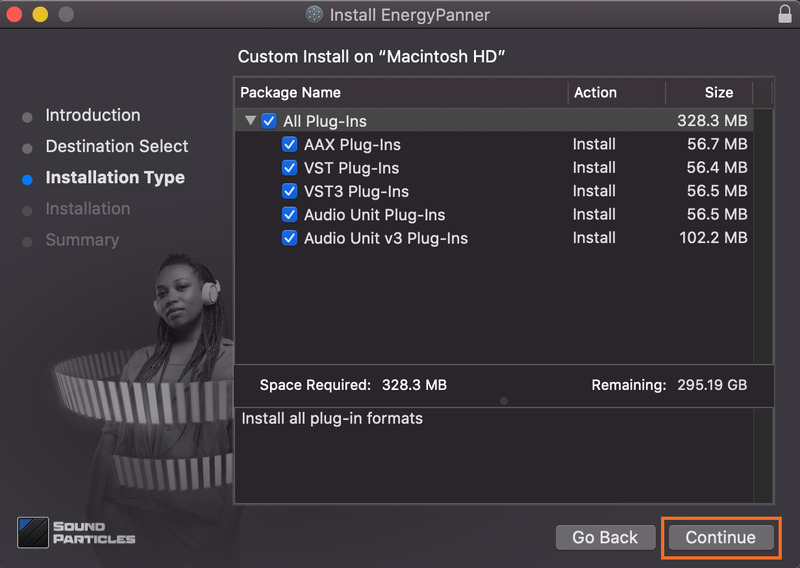
6. Choose the plugin formats you would like to be installed > click 'Continue'.

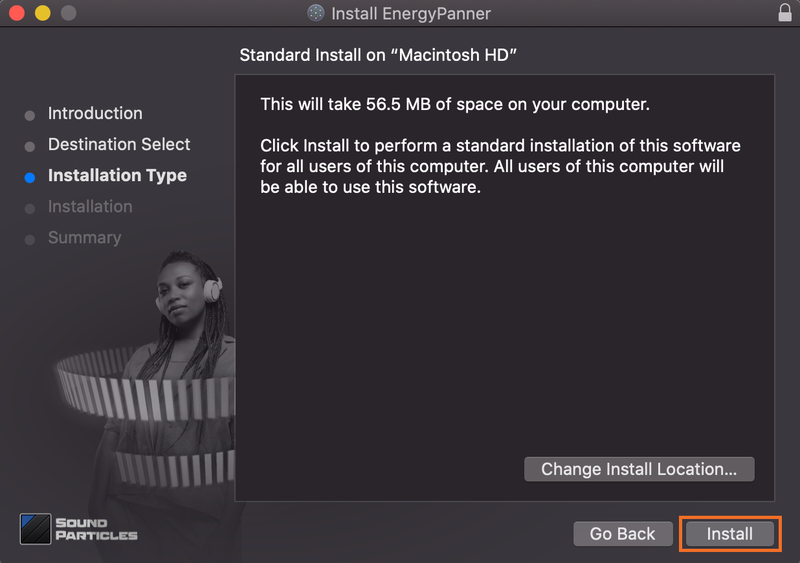
7. Choose your preferred 'Install Location' > click 'Install'

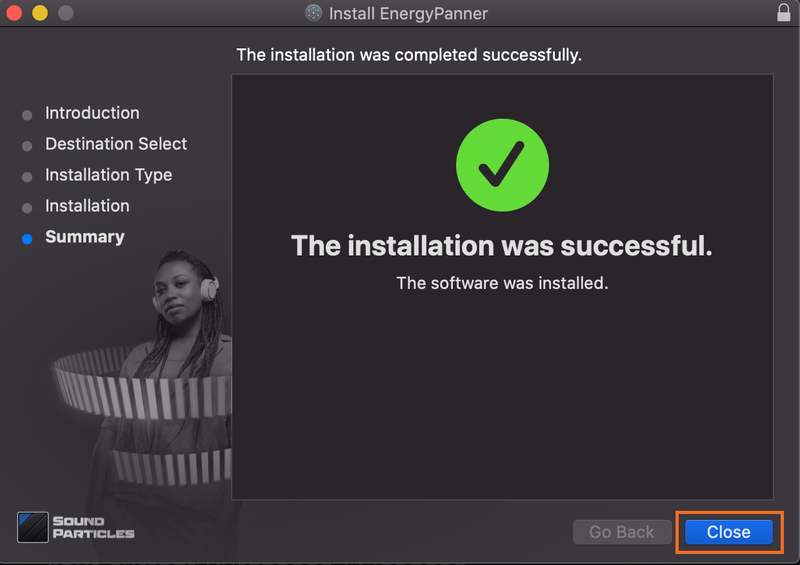
8. Once the software is installed > click 'Close'.

Your software is now activated and ready to use.

Plugin Boutique Rewards

Discover the most rewarding loyalty programme among all plugin retailers.

  • Free Loopmasters Samplepacks
  • Discounts on products and courses
  • Extra Virtual Cash claimed immediately at checkout
Find out more

Follow us:

X (Twitter) Facebook YouTube Instagram
Logo Logo

Plugin Boutique Limited, Part of the Beatport Group LLC.

Copyright © 2011-2025 Plugin Boutique. All rights reserved