


 Log In

Free gifts available with your purchase
Please Note: This is a crossgrade for existing owners of VocAlign or RePitcht. The standard purchase path is also available here.
The Ultimate Vocal Production Studio
Revoice Pro 5 is your comprehensive solution for vocal editing. It streamlines your workflow, allowing more time to focus on creative aspects. Match vocal characteristics effortlessly and fine-tune your vocals with surgical precision.
What's New in Revoice Pro 5?
Jam-Packed With The Latest Pitch Editing Technology
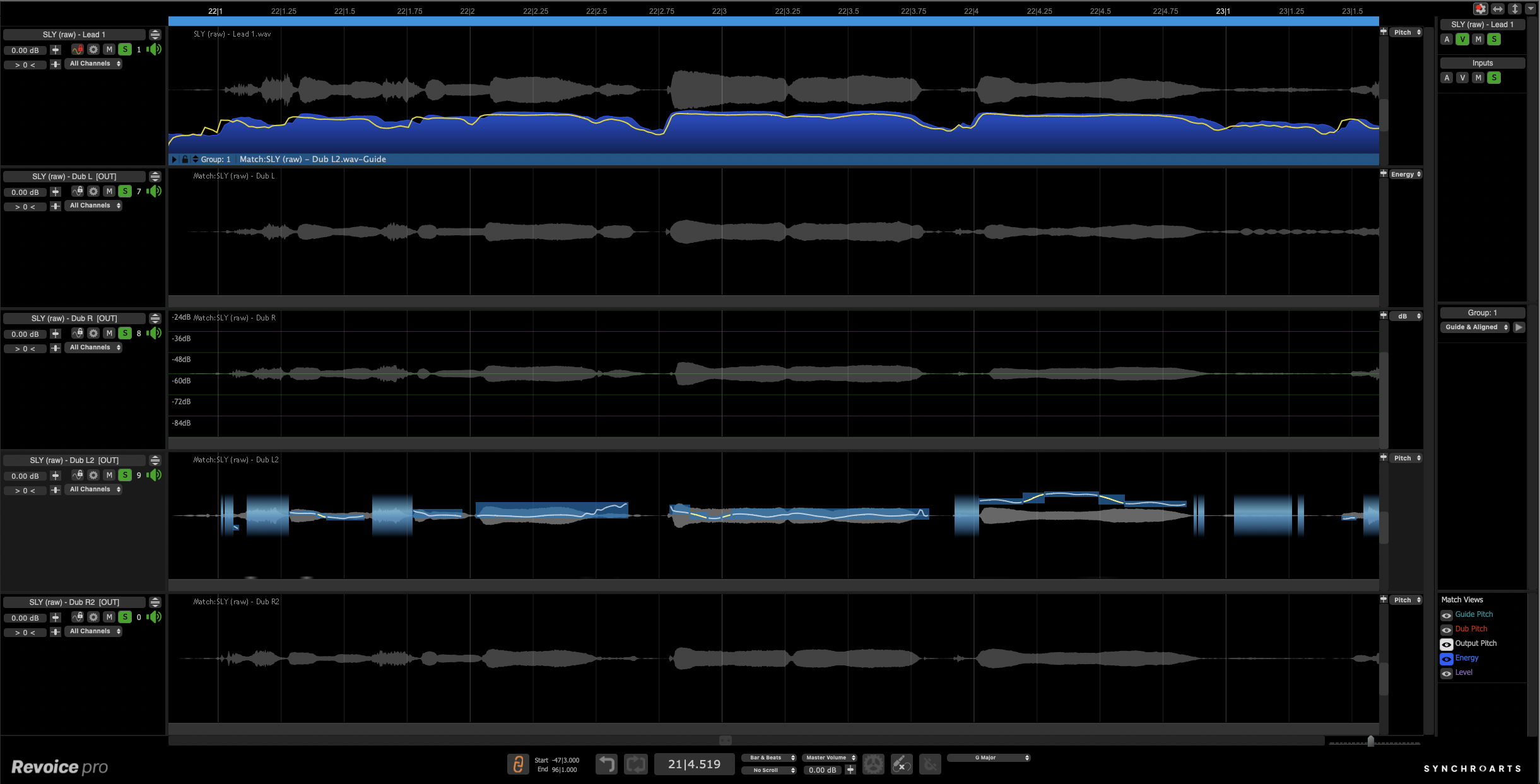
Advanced pitch correction tools – including the Shaper Tool (with Smart Shape Points) and Control Points – enable you to have precise, professionally-tuned vocals fast.
Time-Saving Feature Smartpitch
SmartPitch intelligently understands when to match your doubles and harmonies, and crucially when to maintain them. A game-changing feature if you work with lots of doubles and harmonies!
Lightning-Fast Integration With Your DAW
Improved connection to your DAW makes Revoice Pro 5 a breeze to process your vocals – with the ability to utilize the processing power of Revoice without leaving your DAW.
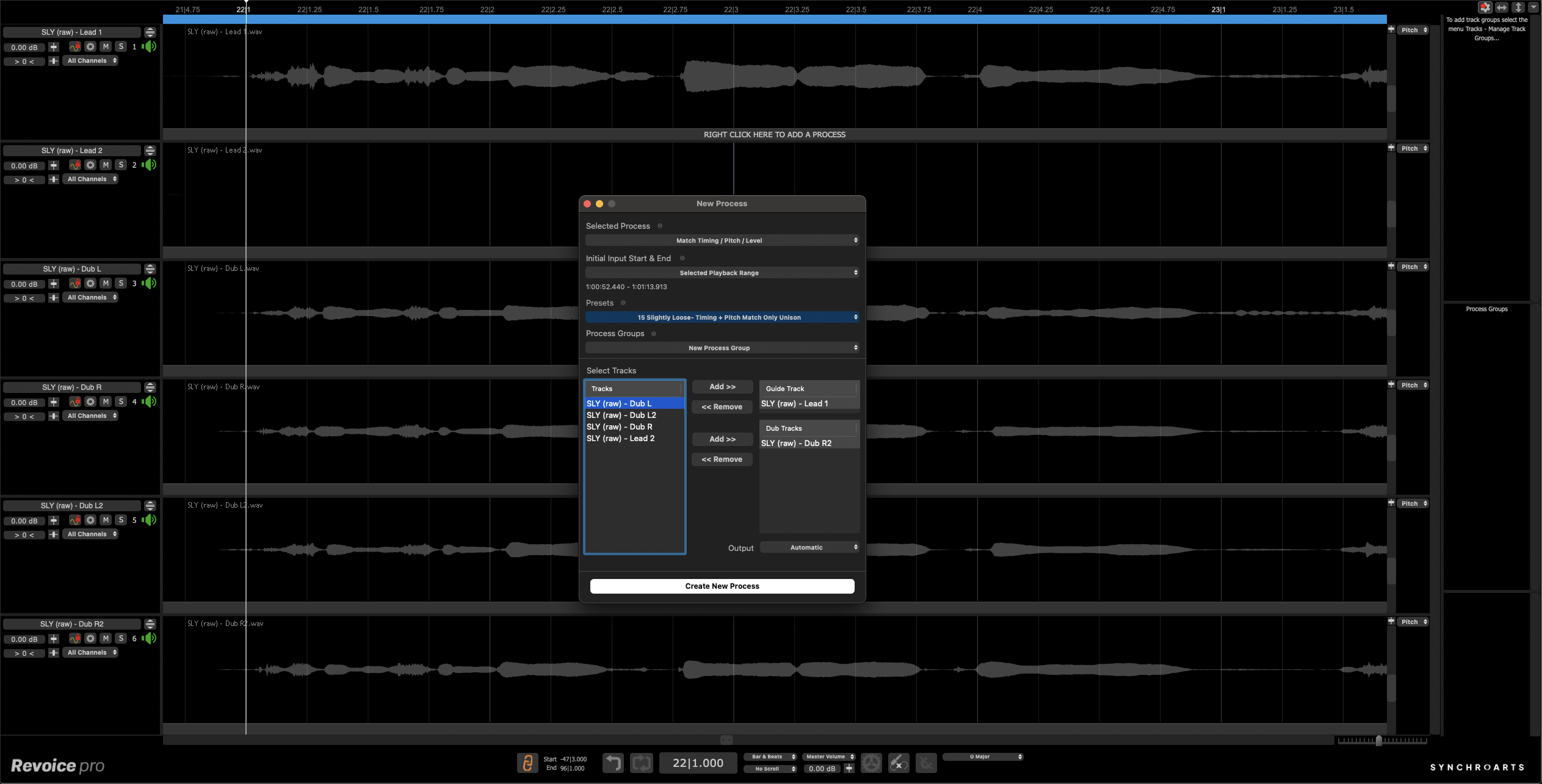
Tighten Vocal Stacks With Time Alignment
Streamline your workflow with Revoice's advanced vocal alignment technology, SmartAlign. SmartAlign saves hours in the studio with its powerful alignment processing technology that produces tight, professional-sounding vocal stacks. With Revoice Pro, you get complete control over the alignment strength with custom parameters to suit every vocal production need.
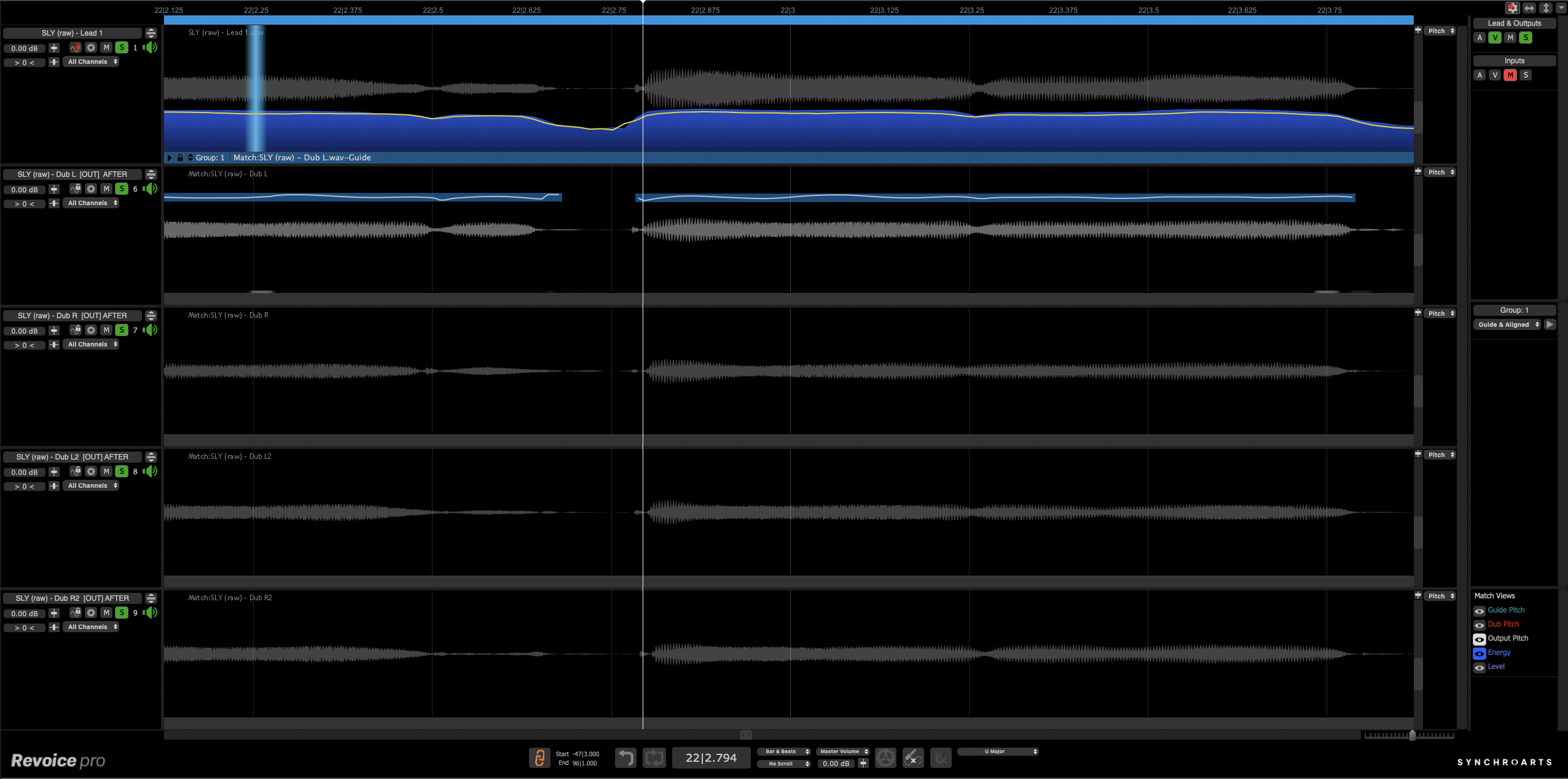
Pitch Correction And Vocal Tuning Like No Other
The most transparent, advanced pitch correction software out there. Our cutting-edge Shaper Tool allows for meticulous vocal tuning, while the innovative SmartPitch feature automatically matches your doubles and harmonies, and intuitively knows when to adjust or maintain your vocals.
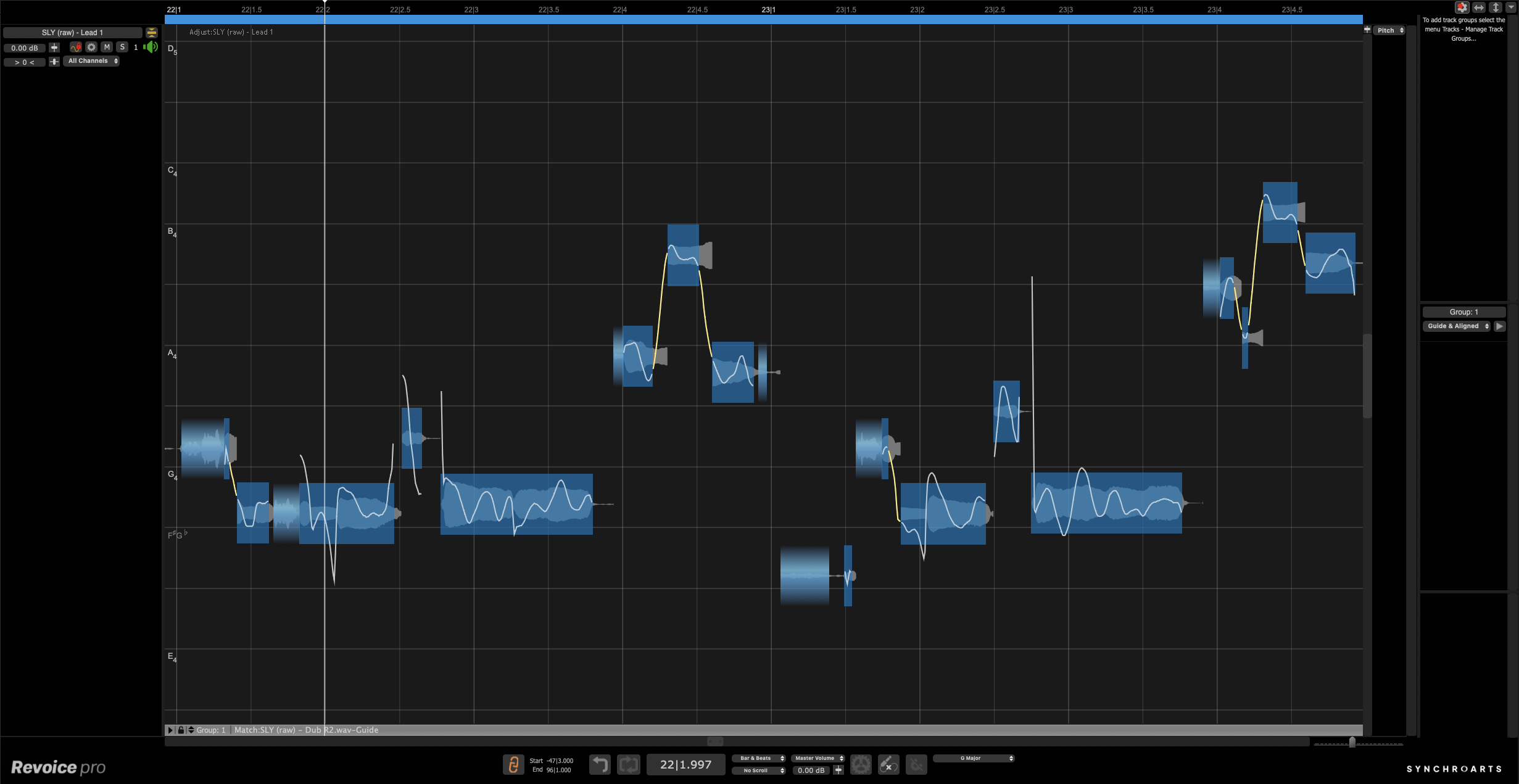
Vocal Doubler For Huge Vocals
Easily create authentic vocal doubles with our state-of-the-art feature. Missed capturing a vocal double in the studio? No problem. Revoice’s vocal doubler tool instantly generates natural-sounding natural-sounding doubles, giving you full control to craft the perfect, thick vocal stack.
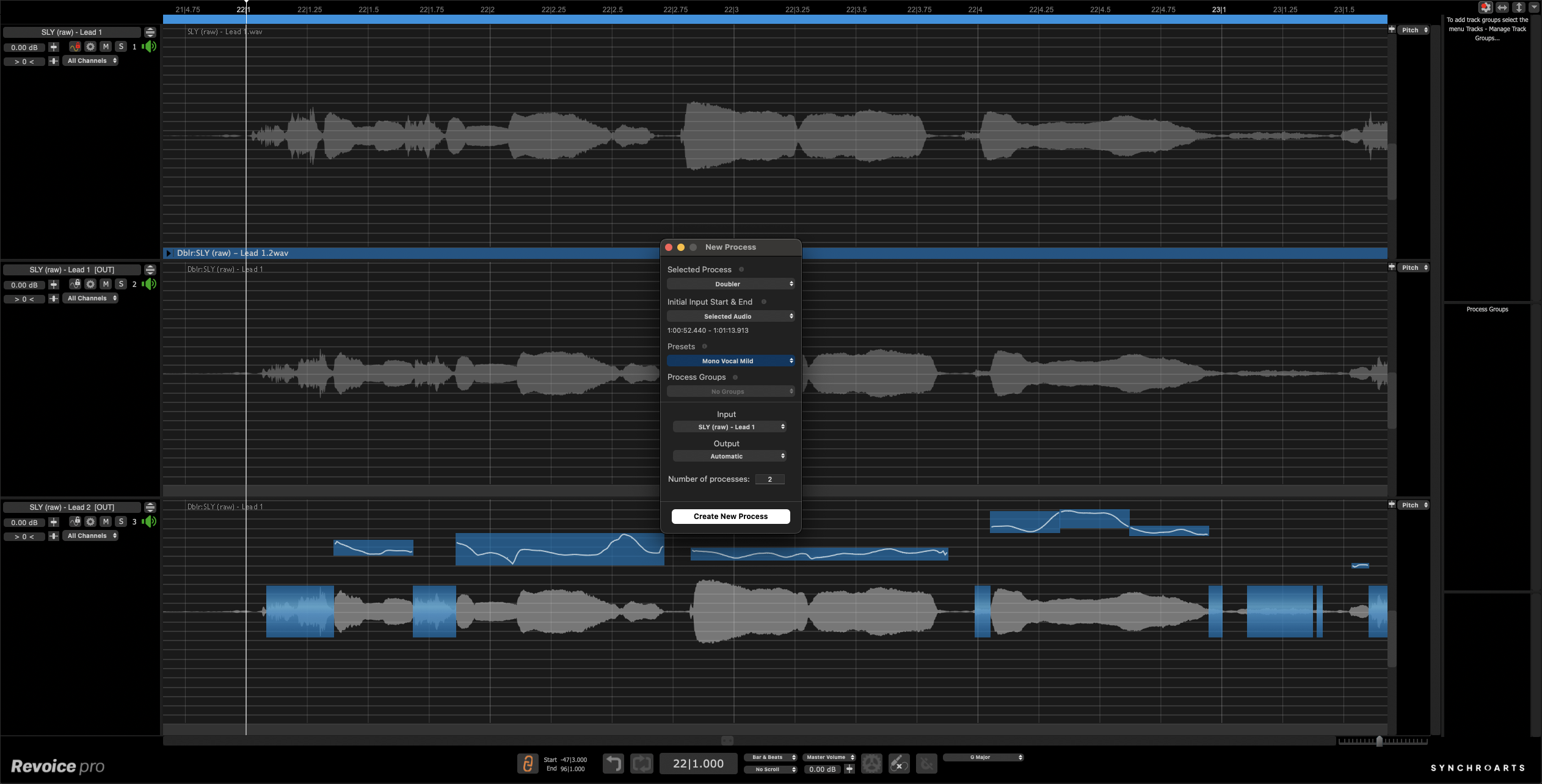
Link Plugins
For both ARA and non-ARA compatible DAWs, you can use Revoice’s Link Plugins to initiate the capture of audio in your DAW and transfer automatically to Revoice, and back to your DAW again!
Quick Plugins
Pro Tools-only feature! Quick Match and Quick Doubler plugins with processing presets allows you to get the power of Revoice’s match processing and natural-sounding doubler without leaving your DAW.
ARA2-compatible
DAWs that are ARA-enabled allow for instant transfer of audio between the main Revoice Pro application and your DAW, supercharging your workflow.
Features
- NEW! Enhanced Pitch / Time / Level Editing: Advanced pitch correction tools for precise, professionally-tuned vocals fast
- NEW! Shaper Tool: Shape Points on your pitch or level curve to get ultimate control over your pitch correction – and now are automatically added!
- NEW! SmartPitch: SmartPitch intelligently understands when to match the pitch of your vocal performances, and crucially when not to
- SmartAlign: SmartAlign decides which section of the guide track your dubs should be aligned with – no pre-editing needed!
- Automatic Matching: Automatically transfer pitch, timing, vibrato and volume inflections from one audio track to another
- Vibrato Editing: Augment or diminish the length and speed of the vibrato naturally without affecting other vocals
- Process Groups: Allow multiple processes to be grouped together so all parameters can be adjusted via a single panel
- De-Esser: Level display for pitched and unpitched notes that allows you to control sibilance for a clean vocal mix
- Formant Shifting: Shift the formants of your performance to change its timbre without affecting the pitch
System Requirements
Mac
- Intel Processor
- macOS 10.14 or higher
- Audio File Format: As supported by host editor
- Works with all Pro Tools hardware
Supported DAWs include
(higher versions are often compatible, though they may not be officially vetted)
- Pro Tools 2023.9 to 2024.6
- ARA support for Pro Tools requires at least version 2024.6.
- AudioSuite Rendering is affected by a bug present in Pro Tools 2024.10.x
- Pro Tools versions up to 2024.6, or the newer 2025.6+ should be used for AudioSuite workflows.
- Logic Pro X 10.7.3+
- ARA support for Logic Pro requires an Intel mac, or Logic running in the Rosetta Intel Compatibility layer on an M-series mac.
- Logic 11.0 does not run correctly in Rosetta - 11.0.1+ resolves the issue.
- Studio One Professional 5.5.2.86528 +
- Cubase Pro 13.0.20 +
- Reaper 7.08 +
- Nuendo 13.0.20 +
- Digital Performer 11.3 +
Windows
- Windows 10+
- Audio File Format: As supported by host editor
- Works with all Pro Tools hardware
Supported DAWs include
(higher versions are often compatible, though they may not be officially vetted)
- Pro Tools 2023.6 to 2024.6
- ARA support for Pro Tools requires at least version 2024.6.
- AudioSuite Rendering is affected by a bug present in Pro Tools 2024.10.x
- Pro Tools versions up to 2024.6, or the newer 2025.6+ should be used for AudioSuite workflows.
- Ableton Live 11.1.6 +
- Studio One Professional 6.2.1.94935 +
- Cubase Pro 13.0.21 +
- Reaper 6.81 +


