


 Log In

Free gifts available with your purchase
Abbey Road Reel ADT
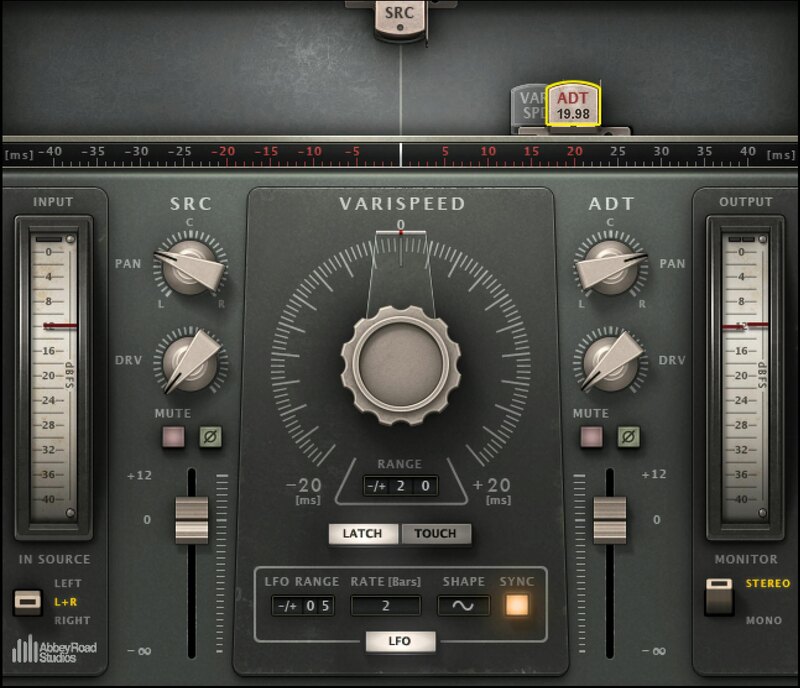
Double-Track Your Vocals Automatically—The Abbey Road Way
Reel ADT is the only plugin that delivers the authentic tape delay-based Artifical Double Tracking effect, created by Abbey Road Studios’ legendary technician Ken Townsend to meet the recording needs of John Lennon and the Beatles.
Many modern doublers simply delay the audio compared to the original track, in order to thicken the source. But with ADT, sometimes the doubled sound was ahead of the reference track, and sometimes it lagged behind, with constant fluctuation keeping the doubling effect richer and more interesting rhythmically.
Reel ADT delivers the depth of this original effect. With two modeled tape machines (source and double)—each delivering separate saturation, wow & flutter, pitch fluctuations, and more—Reel ADT creates the impression of two truly distinct vocal tracks, out of one vocal take.
Features
- Delivers Abbey Road’s complete vocal double-tracking process
- Designed in close collaboration with Abbey Road Studios
- Tape speed control can be manual, LFO, synched to host, or random
- Models the iconic tape recorders still being used at Abbey Road
- Variable delay range to spread doubled parts wider or narrower
- Varispeed fluctuates the delay speed of the doubled parts
- 2 independent tape decks with separate pan, saturation, phase
- Your choice of manual and automated Varispeed control
- Low-latency version for live performance with delay-only ADT
- MIDI-assignable manual control for maximum authenticity
System Requirements
Mac
- macOS Monterey 12, Ventura 13, Sonoma 14, Sequoia 15
- VST / AU / AAX
PC
- Windows 10+
- VST / AAX














