


 Log In

Free gifts available with your purchase
Product information
Waves Tune
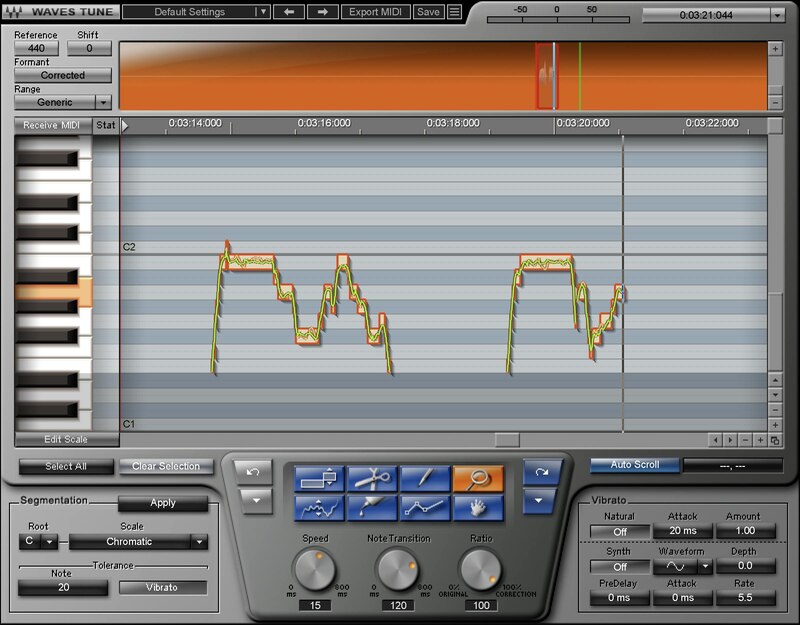
If You Didn’t Have Perfect Pitch… You Do Now
Pitch correction isn’t only about fixing mistakes, but giving you freedom. Go ahead: stretch your voice, try out different techniques, and push your performance. If you sing an unexpectedly great vocal but there are a couple of wrong notes, just fix them—and preserve that special magic.
Waves Tune is as precise or as broad as you want. Or, get creative: Waves Tune can add amazing pitch effects to any instrument whose single-note lines fall within a vocal’s pitch range.
Features
- Precision control over all pitch parameters, including slides
- Correct pitch with transparency and natural results
- Conform notes to 43 scales, or a custom scale
- Create hip hop and EDM “hard” correction effects easily
- Choose correction speed, transition time, and amount
- Retain natural vibrato and enhance it, or synthesize new vibrato
- ReWire support for additional flexibility
- Works for guitar and monophonic instruments in a vocal’s range
System Requirements
Mac
- macOS Monterey 12, Ventura 13, Sonoma 14, Sequoia 15
- VST / AU / AAX
PC
- Windows 10+
- VST / AAX
Installation Instructions














