


 Log In

Free gifts available with your purchase
Waves Tune Real-Time
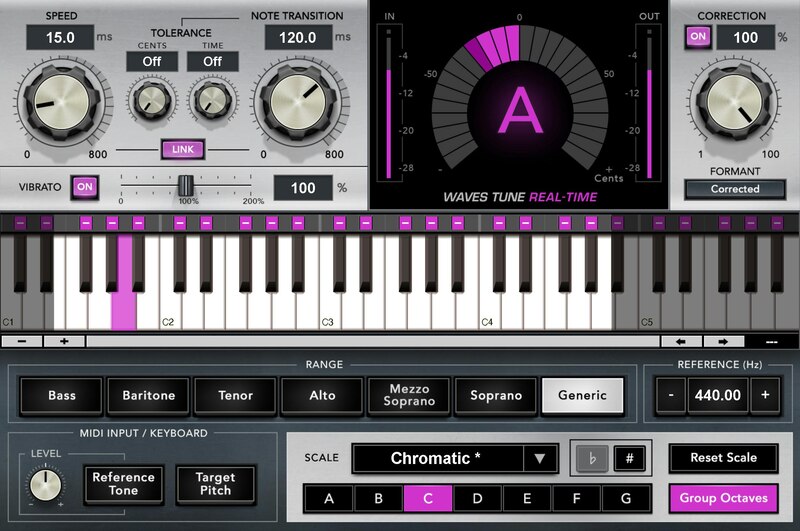
Automatic Vocal Tuning and Creative Effects—in Real Time
Waves Tune Real-Time eliminates the creative disconnect that happens when you track a vocal, but can’t hear the pitch effects until mixdown. With Waves Tune Real-Time, what you hear is what you track. Good-bye, guesswork—you’ll know what your vocal will sound like when it’s time to mix.
You can set Waves Tune Real-Time to be anywhere from natural and transparent, to creative and extreme. Best of all, you can concentrate on your vocal’s feel, while Waves Tune Real-Time takes care of the pitch—whether in the studio or live on stage.
Features
- Automatically tunes vocals in real time
- Perform vocals with confidence, in the studio or live
- Apply transparent pitch fixes, or quantize for creative “T-Pain” FX
- Ultra-low latency for instant response
- Advanced formant correction to retain natural vocal sound
- Super-fast, easy interface that keeps you in the creative flow
- Corrects vibrato while preserving its natural feel when needed
- Program or play the pitch correction via MIDI
- Optimized for both studio and live performance
- SoundGrid-compatible for all Waves live sound applications
System Requirements
Mac
- macOS Monterey 12, Ventura 13, Sonoma 14, Sequoia 15
- VST / AU / AAX
PC
- Windows 10+
- VST / AAX












Reviews Summary
While it aims to provide a helpful overview, it may not capture every perspective or detail. We encourage you to read individual reviews to make an informed decision.
Customers widely praise this plugin as a high-quality, affordable alternative to Antares Auto-Tune, noting its clean, transparent, and natural-sounding pitch correction. Reviewers frequently highlight its exceptionally low latency, making it ideal for tracking and live performances, along with its overall ease of use. While a few mention limited presets and note it is better suited for subtle, natural correction rather than dramatic hard-tuning effects, users agree it offers exceptional value for money.


