


 Log In

Free gifts available with your purchase

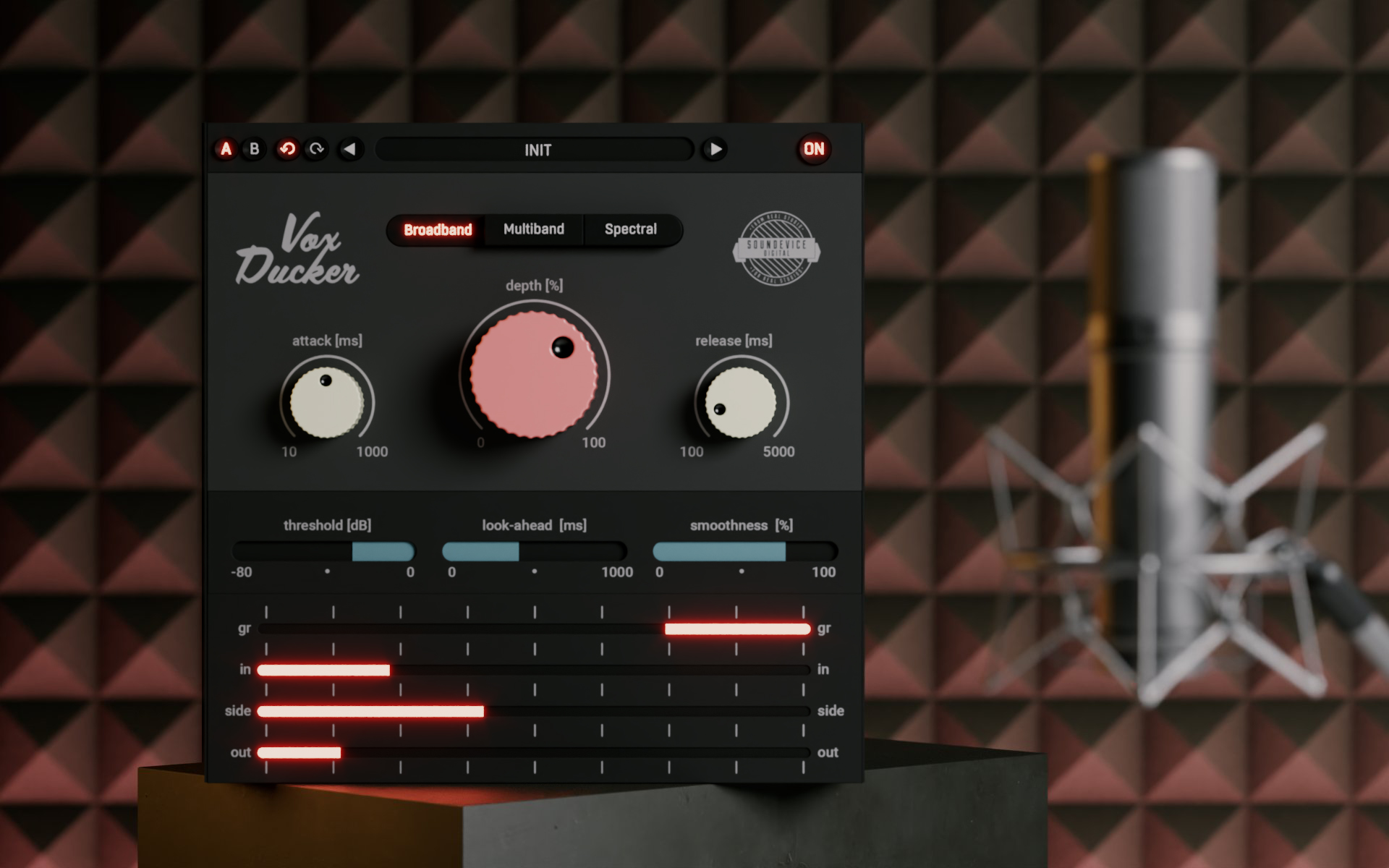
Mix voiceovers instantly
If you are a video-maker, podcaster, or broadcaster or create audiobooks, you simply need to mix human voice with background music. That can be a time-consuming pain. Unless you use VoxDucker, which can automatically suppress the backing track in three different ways to get the most natural feeling in a blink of an eye. And it's not just voice-overs you may need a mighty ducker for. Think about drums and bass. And more. Just value your time and mix with VoxDucker.
Features
Fast and flexible
VoxDucker has been extensively tested in multiple scenarios and pre-set so that in most cases, you only need to use the depth control to set the amount of ducking for perfect results. However, if you want to dig deeper, the plugin offers a huge amount of control for you to fine-tune the ducking.
How it works
Place VoxDucker on the track you wish to duck, this will typically be the backing music and route the voice into the plugin's sidechain input (see your DAW docs for routing). VoxDucker will now listen to the voice tack and duck the music out of the way, keeping the main focus on the voice.
Multi-mode
Place VoxDucker on the track you wish to duck, this will typically be the backing music and route the voice into the plugin's sidechain input (see your DAW docs for routing). VoxDucker will now listen to the voice tack and duck the music out of the way, keeping the main focus on the voice.
Visual feedback
The plugin's GUI is minimal yet informative, allowing you to focus on the most important controls. The extensive metering section gives you visual feedback on the amount of ducking and levels of the Input, Output and Sidechain signals.
Not only voice
While VoxDucker is primarily designed to work excellently on voice-over and vocals, it can actually be used on any audio type. You can use it to duck bass when the kick sounds or duck rhythm guitar when the lead sounds, all using the selectable modes.
Hassle-free Software Protection
No iLok, no dongle or internet access is required for activation. This software uses licence files to activate your software. You can freely use the purchased software on all your computers as long as you are the user.
Realistic 3D yet Flexible GUI
The photorealistic graphic user interface of the plugin gives you the feeling you are touching the real hardware. But it easily adapts to your needs. You can always drag the arrow in the bottom right corner to change its size - make it smaller to save valuable screen space, or enlarge it to make it easier to use.
15-Days Unlimited Trial Version for FREE
All the descriptions are nothing compared to putting your hands on the plugin yourself. No saving limits. No noises. No boundaries. Engage the plugin in your project for real and fully exploit its powers for two weeks.
64-bit Audio Quality at ANY Sampling Rate
The plugin provides the maximum audio quality you can get. It uses internal 64-bit audio processing and can handle any sampling rate. 192 kHz or even higher.
Smart Bypass
The intelligent way this plugin manages bypassing ensures that you don't get any clicks or harmful noises when automating the parameter. It also compensates for latency ensuring that the bypass states are perfectly in sync with each other.
Intelligent Sleep on Silence
This plugin intelligently detects whether it makes sense to perform processing at all. And if not, it temporarily turns on sleep mode. In such a state, it requires virtually no CPU at all to save the computing sources for other processes.
System Requirements
Mac
- macOS 10.10 and later (Apple Silicon and macOS 11 Big Sur supported) (64-bit only)
- Intel / AMD processor with SSE2 support
- VST2, VST3, AAX or AU compatible host
Windows
- Windows 8 - Windows 11 (32 / 64-bit)
- Intel / AMD processor with SSE2 support
- VST2, VST3 or AAX compatible host
Reviews Summary
While it aims to provide a helpful overview, it may not capture every perspective or detail. We encourage you to read individual reviews to make an informed decision.
Users widely praise this plugin as a fast, game-changing tool for automatic ducking, noting it effectively clears space for vocals and voiceovers over background music better than standard duckers. While generally considered easy and powerful to use, one reviewer cautioned that it may perform inconsistently across different speakers on the same track.


