/ De-Esser / Sibilance
Waves

Sibilance

5.0 (3 Reviews)
$27.99 $79.00

64% off until Dec 07

Waves Sibilance
Waves Sibilance
Waves Sibilance
Waves Sibilance gallery thumbnail
Buy Now
Product information

Sibilance

Breakthrough DeEsser Optimized for Vocal Brightness and Tone

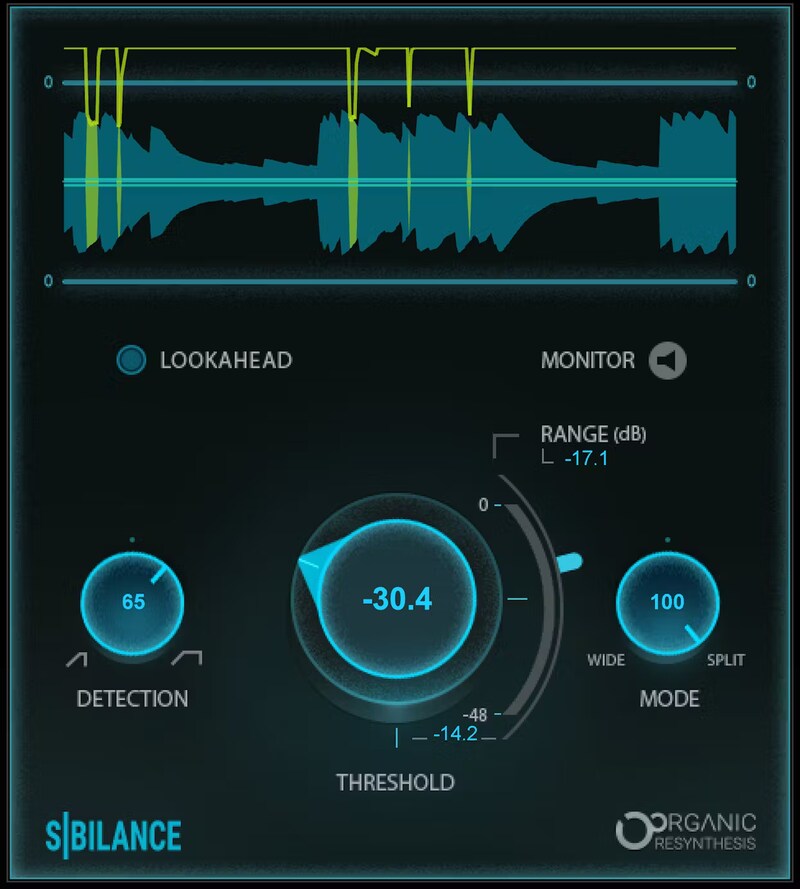
Sibilance breaks down sound into basic, individual components prior to processing. When Sibilance recognizes unwated “ess” and “shh” vocal sounds, it reduces only their levels without affecting other components—even ones with high frequencies. The result: ultra-precise de-essing.

For vocals, dialogue, voiceover, and podcasting, no other de-esser maintains the original timbre, duration, and resonance of the human voice as well—or as effectively—as Sibilance.

Features

  • Organic ReSynthesis keeps brightness and removes harshness
  • Retains the vocal’s original tone, even with heavy de-essing
  • Variable frequency range for de-essing, from wide to split-band
  • Informative graph shows de-essing occurrence and amount
  • Variable detection mode for transients or longer ess sounds
  • Includes zero-latency version for live performance

System Requirements

Mac

  • macOS Monterey 12, Ventura 13, Sonoma 14, Sequoia 15
  • VST / AU / AAX

PC

  • Windows 10+
  • VST / AAX
Installation Instructions

1. Head to https://www.waves.com/create-account

2. Enter your email and choose a password to create an account (if you already have a Waves account, choose Log in, enter your details and head to Step 5) > click 'Submit'

3. Open your email inbox > click the activation link in the email from Waves

4. Click 'Log in here' > Log in to your Waves account

5. Click 'Register New Products'

6. Enter the Serial Number found in your Plugin Boutique user account > click 'Submit'

7. Click download in your Plugin Boutique user account or head to https://www.waves.com/downloads/central > download the Waves Central app for your operating system

8. Install Waves Central > Open Waves Central

9. Click 'Log in' > enter your log in details

10. Click the 'Install Products' tab

11. Tick the blue dot on all products you wish to install or click the top dot to install all products > click 'Install & Activate'

12. Click 'OK'

13. Open your DAW > open the Waves plugin

Your Waves plugins are installed and ready to use, enjoy!

Plugin Boutique Rewards

Discover the most rewarding loyalty programme among all plugin retailers.

  • Free Loopmasters Samplepacks
  • Discounts on products and courses
  • Extra Virtual Cash claimed immediately at checkout
Find out more

Follow us:

X (Twitter) Facebook YouTube Instagram
Logo Logo

Plugin Boutique Limited, Part of the Beatport Group LLC.

Copyright © 2011-2025 Plugin Boutique. All rights reserved