


 Log In

Free gifts available with your purchase
EFEKTOR Gainia TD
Dual channel tube driven preamp with bias control
Kuassa Efektor Gainia-TD is a guitar pedal effect plugin developed after a renowned tube driver pedal from the 1980s. This plugin is able to recreate the warm and dynamic sound of the original unit, using advanced algorithms to model the behavior of a vacuum tube to capture the subtleties and nuances of the tube-driven overdrive sound
Upon loading the plugin, you will be presented with an intuitive interface that mimics the physical controls of the original pedal. The Drive knob allows for adjustment of the amount of gain and distortion, while the Low and High knobs adjust the overall EQ of the signal. The Bias control can be used to adjust the bias voltage of the virtual tube, affecting the overall tonal character.
Features
- NEW! Resizable window
- NEW! Updated interface for Efektor series
- Up to 8x oversampling
- Straightforward single screen interface. No hidden functionality.
- Available as an Amplifikation 360 module
+ FREE Pillar Power Amp
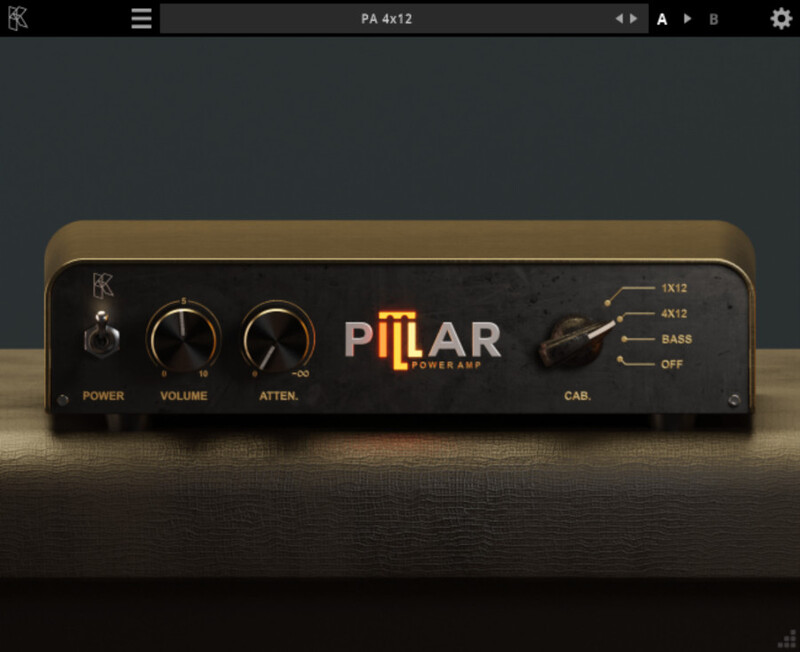
Simple power amp with cabinet simulators.
Kuassa Pillar is a power amplifier simulator that utilizes vacuum tube emulation engine to enhance and complement the Efektor Gainia series preamps. Its primary function is to amplify the volume of the guitar sound and add a desirable level of saturation before it is projected through the speaker cabinet. You can turn off the cabinet simulator and use any impulse response file of your choice.
Designed as a perfect complement to the Efektor Gainia series, Pillar Power Amp enhances the already impressive capabilities of the preamps, creating a seamless and immersive guitar tone solution. Not only that, but Pillar stands on its own as a versatile tool for multiple creative purposes and tube-stacking. Best of all, owners of the Efektor Gainia series are in for a treat, as the Pillar Power Amp is provided for free, automatically added to their licenses through the Kuassa Member Area.
Features
- Up to 8x oversampling
- Straightforward single screen interface. No hidden functionality.
- Available as an Amplifikation 360 module
System Requirements
Mac
- Mac OSX 10.11 or later (64 bit)
- Core2 Duo, or better (latest Intel i3 recommended)
- with 4GB minimum RAM
- Native Apple M1 Compatible
- VST, VST3, or Audio Units compatible host/DAW
- Pro Tools 11 or later for AAX format
Windows
- Windows 7 or Later (64 bit)
- Core2 Duo, or AMD Phenom ii X4 or better (latest Intel i3, AMD A4, or better is recommended) with 4GB minimum RAM/span>
- VST or VST3 compatible host/DAW
- Pro Tools 11 or later for AAX format

















