Buy Lifeline Pre, get a free gift with purchase:
Enhance Warmth
The crucial first stage in a recorded signal’s journey, a preamp adds gain but can also impart warmth, drive and excitation.


Lifeline Pre's pre-amp combines this classic preamp workflow with the customisability of the digital realm, letting you shape the frequency response curve of your circuit’s character to perfectly suit the instrument you’re working with.
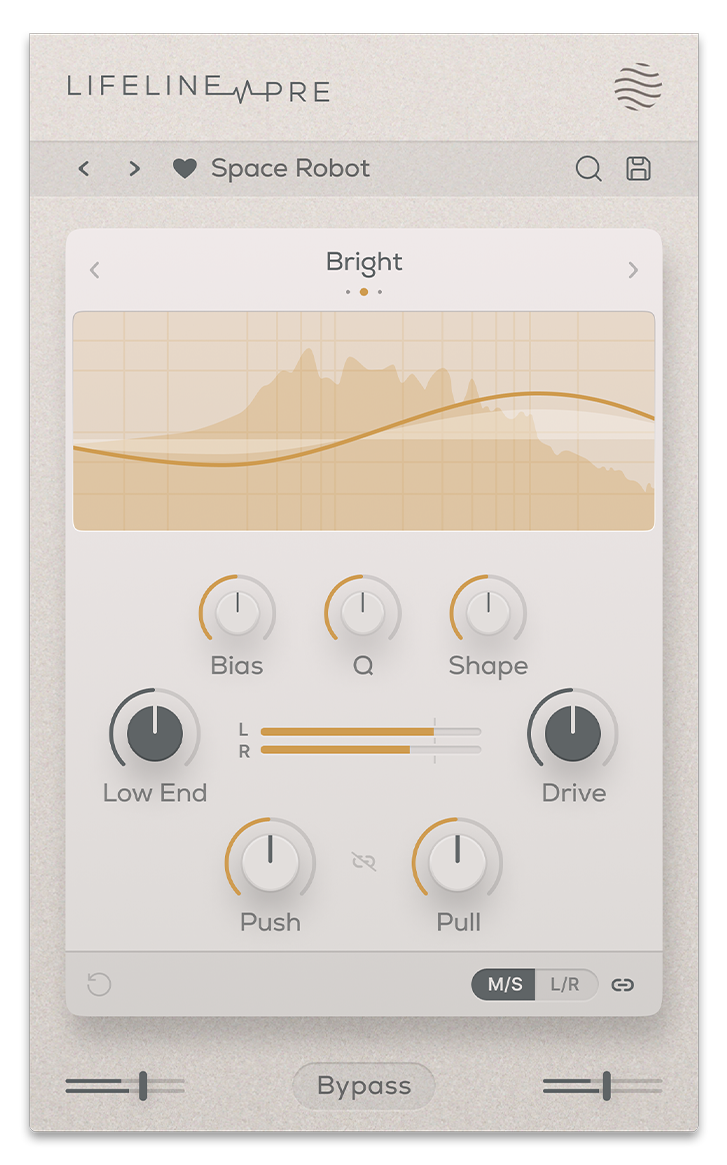
Three modes help you further refine the type of drive and enhancement needed. Bright offers a high-end presence and sheen that can bring an airy, sparkling quality. Warm adds body, smoothness and presence, particularly useful for midrange frequencies. Dark brings weight and punch to low frequencies.
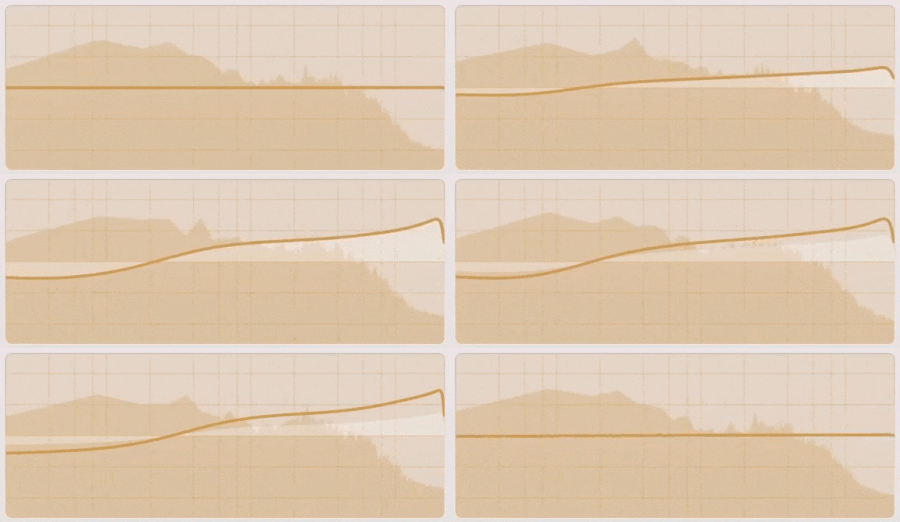
Push-Pull saturation warms the signal with a weighted frequency response and then brings the overall gain back down – leaving only the spectral character of the preamp. Dial-in the exact character of the response using Bias, Q and Shape controls.
Features
- 3 'Push-Pull' Saturation Curves
- Tone Bias, Q & Shape controls
- Lo-cut and Drive controls
- L/R VU Metre
- Input/Output Gain Controls
- Global Bypass
- Resizeable UI
- Zero Latency
- 50 Presets
System Requirements
macOS
- macOS 10.15 or higher (Intel / Native Apple Silicon supported).
- Plugin Formats: VST, VST3, AU, AAX, Standalone
- DAW's Supported: Ableton Live, Pro Tools, Logic Pro, FL Studio, Cubase, Nuendo, Reaper, Reason + more.
- Compatibility: 64-bit compatible only.
Windows
- Windows 7 or higher
- Plugin formats: VST, VST3, AAX, Standalone
- DAWs supported: Ableton Live, Pro Tools, FL Studio, Cubase, Nuendo, Reaper, Reason + more.
- Compatibility: 64-bit compatible only.
Please Note: Lifeline EQ is used as an example. You will recieve either Lifeline Console or Lifeline Expanse in your download depending on the plugin. The process is the same for both.
Mac
Installation
1. Download the .pkg file from your Plugin Boutique account > Open it to start the installation process (Note: This will install all available modules of Lifeline Console) > Click 'Continue'.

2. Read the Software License Agreement > Click 'Continue'.

3. Click 'Agree'.

4. Click 'Continue'.

5. If you wish to customise the installation to only install specific Lifeline modules or components, click 'Customise'. Otherwise, click 'Install'.

6. Lifeline Console is now installed on your Mac > Click 'Close'.

Activation
1. Copy the serial number found in your Plugin Boutique account.
2. Open Lifeline EQ in your DAW > Paste your serial number > Click 'Activate Plugin'.

3. Lifeline EQ is now activated > Please restart your project or DAW.
Lifeline EQ is now ready to use in your DAW!

Windows
Installation
1. Download the .zip folder from your Plugin Boutique account > Double-click it to extract the .exe installer file.
2. Double-click the installer file to start the installation process (Note: This will install all available modules of Lifeline Console) > Read the License Agreement > Select 'I accept the agreement' > Click 'Next'.
3. Select which plugin formats you would like to install > Click 'Next'. If you're unsure, please leave all boxes ticked, or check out our Help Centre article for more information - Plugin Formats Explained (VST, AU, AAX, etc)
4. Click 'Install'.
5. Click 'Finish'.
Activation
1. Copy the serial number found in your Plugin Boutique account.
2. Open Lifeline EQ in your DAW > Paste your serial number > Click 'Activate Plugin'.

3. Lifeline EQ is now activated > Please restart your project or DAW.
Lifeline EQ is now ready to use in your DAW!


