


 Log In

Free gifts available with your purchase


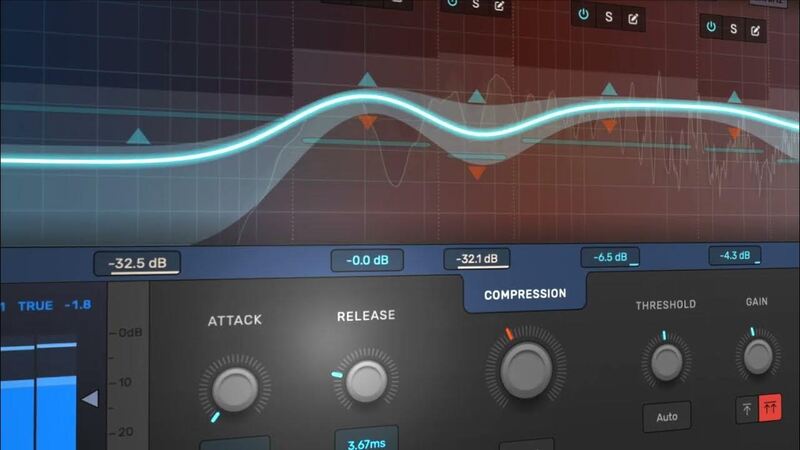
Modern Dynamics Plugin
Refine Your Sound With Confidence
Devious Machines, the acclaimed British team behind the award-winning, Infiltrator 2, announce the imminent release of Multiband X6 - a modern dynamics plug-in that redefines the multiband compressor experience.
Multiband compression is a hugely powerful effect for achieving professional and exciting mixes. However, many music producers are discouraged by its complexity. With Multiband X6, Devious Machines have created a plugin that makes multiband dynamics approachable and enjoyable, whilst providing the features and sound quality that serious professionals demand.
Modern and Musical
After an extensive development period and in collaboration with leading engineers, Devious Machines have crafted a compressor with its own unique modern sound.
It comes with three compression modes – Smooth, Crunch, and Punch – each with a distinct musical character. And while it certainly has the capacity to emulate the iconic sound of say an 1176 compressor, its sonic palette extends much further. There’s also an expansion mode which can be used to boost transients or reduce noise.
A Joy to Use
X6 introduces a streamlined workflow: compression can be quickly dialled in using macro controls, and then individual bands tweaked to taste. Innovative features including automatic threshold get you up and running quickly, while smart gain compensation and auto level matching keep the levels balanced, freeing you to focus on sculpting your sound.
Use it on Everything
Multiband X6 excels at a variety of tasks: radio-friendly vocals, huge drums, biting synth stabs, punchy masters and much more. It's also great with a single-band, for a classic compressed sound.
So whether you want big in-your-face transients, well-controlled dynamics with no surprises, or an immersive wall of sound, you'll get there easily with X6. And with its low latency, low-cpu engine, it may be hard to resist putting it on every channel.
Features
- One to six bands of compression
- Three styles of compressor, plus expansion
- Smart Gain compensation with two modes
- Auto-threshold recommends threshold levels for each band
- Spectrum analyser display
- In/Out level matching
- Minimum or linear phase crossover, with variable slope per-band
- Selectable lookahead
- Up to 4x oversampling
- External sidechain input
- Choice of multiband or wideband/filtered sidechain
- LUFS, RMS, peak, and true-peak metering
- Mid-side processing
System Requirements
- OSX 10.11 or later
- Windows 10 or later
- VST 2, VST 3, AU, Pro Tools 64-bit AAX including Native Apple Silicon support
.jpg?t=1790743131)
Dylan "3D" Dresdow
Beyoncé, Rihanna, Prince, Missy Elliott, Black Eyed Peas
"A fantastic, versatile multiband dynamics plug-in"
Dave Eringa
Music Producer/Mixer/Writer (Manic Street Preachers, Ocean Colour Scene, UNKLE, Kylie, Roger Daltrey)
"Wow - this plug-in is wild! What it does to drums is insane!"
Emre Ramazanoglu
Producer/Musician/Engineer/Composer/Drummer (High Flying Birds, Paloma Faith, Lily Allen, David Holmes, Brian Eno, Michael Jackson)
"X6 is an extremely powerful and versatile plug-in that immediately made its way into both my mix and mastering workflow. Highly recommended."
Reviews Summary
While it aims to provide a helpful overview, it may not capture every perspective or detail. We encourage you to read individual reviews to make an informed decision.
The X6 multiband compressor plugin is praised for its versatility, musicality, and flexibility. Users find it highly effective for synths, acoustic guitars, mixbuses, drum breaks, and vinyl chops, highlighting its ability to tame harsh frequencies and enhance sound quality without losing character.


