/ Compressor / Lifeline Comp
Excite Audio

Lifeline Comp

4.6 (22 Reviews)
$8.00 $19.00

57% off until Dec 07

Lifeline Comp - Main View
Lifeline Comp - Colourful Dynamic Control gallery thumbnail
Buy Now
Product information

Colourful Dynamic Control

Right from the early days of the studio, compressors and been essential to the sound of music. Today, compression is used more than ever before, and in many more applications. 

Lifeline Comp puts characterful dynamics control at the forefront and lets you choose between three compression types to suit a variety of sources and uses.

The Comp module provides three compression styles to deal with different production tasks. Analogue smooths out signals and imparts the character of revered compressor hardware. Transparent gives a clean, modern response that’s great for catching peaks while retaining a sound’s body. Variable provides an input-dependent response that’s great for smoothing vocals, glueing busses, and for mastering applications.
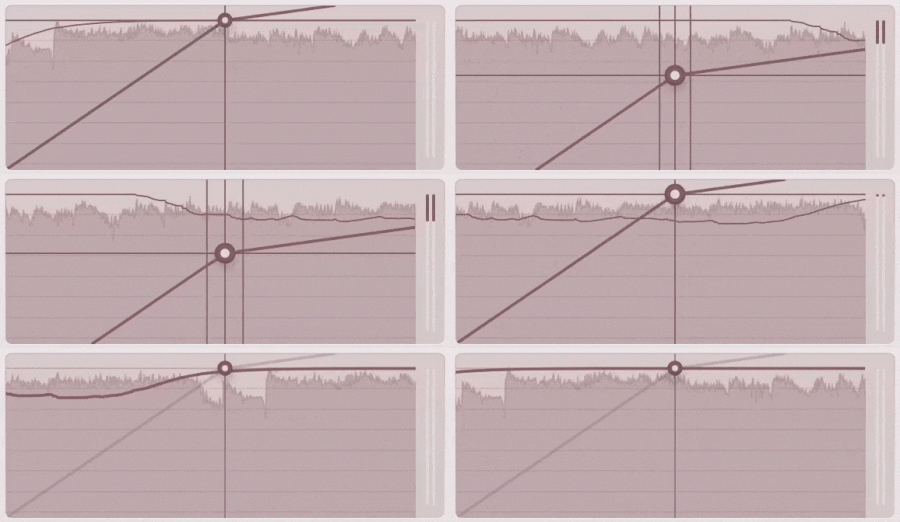
Controls on the Comp module include Threshold, Ratio, Attack and Release. Lifeline Console’s unique  Auto-Makeup control simplifies the make-up gain process, by listening to your audio, taking an average of your audio signal and applying the exact amount of gain required.

Further features include a Dry/Wet mix for parallel processing, a bandpass filter for frequency-specific compression and a gain reduction meter. As with all Lifeline Console modules, the compressor offers Mid/Side and Left/Right functionality for full control over the stereo field.

Features

  • 3 Compressor Algorithms
  • Threshold, Ratio, Attack & Release controls
  • Intelligent Make-up Gain
  • Stereo-Link and Dry/Wet controls
  • Input/Output Gain Controls
  • Global Bypass
  • Resizeable UI
  • Zero Latency
  • 50 Presets

System Requirements

macOS

  • macOS 10.15 or higher (Intel / Native Apple Silicon supported).
  • Plugin Formats: VST, VST3, AU, AAX, Standalone
  • DAW's Supported: Ableton Live, Pro Tools, Logic Pro, FL Studio, Cubase, Nuendo, Reaper, Reason + more.
  • Compatibility: 64-bit compatible only.

Windows

  • Windows 7 or higher
  • Plugin formats: VST, VST3, AAX, Standalone
  • DAWs supported: Ableton Live, Pro Tools, FL Studio, Cubase, Nuendo, Reaper, Reason + more.
  • Compatibility: 64-bit compatible only.
Installation Instructions

Please Note: Lifeline EQ is used as an example. You will recieve either Lifeline Console or Lifeline Expanse in your download depending on the plugin. The process is the same for both.

Mac 

Installation

1. Download the .pkg file from your Plugin Boutique account > Open it to start the installation process (Note: This will install all available modules of Lifeline Console) > Click 'Continue'.

2. Read the Software License Agreement > Click 'Continue'.

3. Click 'Agree'.

4. Click 'Continue'.

5. If you wish to customise the installation to only install specific Lifeline modules or components, click 'Customise'. Otherwise, click 'Install'.

6. Lifeline Console is now installed on your Mac > Click 'Close'.

Activation

1. Copy the serial number found in your Plugin Boutique account.

2. Open Lifeline EQ in your DAW > Paste your serial number > Click 'Activate Plugin'.

3. Lifeline EQ is now activated > Please restart your project or DAW.

Lifeline EQ is now ready to use in your DAW!

Windows

Installation

1. Download the .zip folder from your Plugin Boutique account > Double-click it to extract the .exe installer file.

2. Double-click the installer file to start the installation process (Note: This will install all available modules of Lifeline Console) > Read the License Agreement > Select 'I accept the agreement' > Click 'Next'.

3. Select which plugin formats you would like to install > Click 'Next'. If you're unsure, please leave all boxes ticked, or check out our Help Centre article for more information - Plugin Formats Explained (VST, AU, AAX, etc)

4. Click 'Install'. 

5. Click 'Finish'.

Activation

1. Copy the serial number found in your Plugin Boutique account.

2. Open Lifeline EQ in your DAW > Paste your serial number > Click 'Activate Plugin'.

3. Lifeline EQ is now activated > Please restart your project or DAW.

Lifeline EQ is now ready to use in your DAW!

Plugin Boutique Rewards

Discover the most rewarding loyalty programme among all plugin retailers.

  • Free Loopmasters Samplepacks
  • Discounts on products and courses
  • Extra Virtual Cash claimed immediately at checkout
Find out more

Follow us:

X (Twitter) Facebook YouTube Instagram
Logo Logo

Plugin Boutique Limited, Part of the Beatport Group LLC.

Copyright © 2011-2025 Plugin Boutique. All rights reserved
