


 Log In

Free gifts available with your purchase
Precision Comp/Limiter
Discrete Class-A Dynamics Processor
A legend turned plug-in
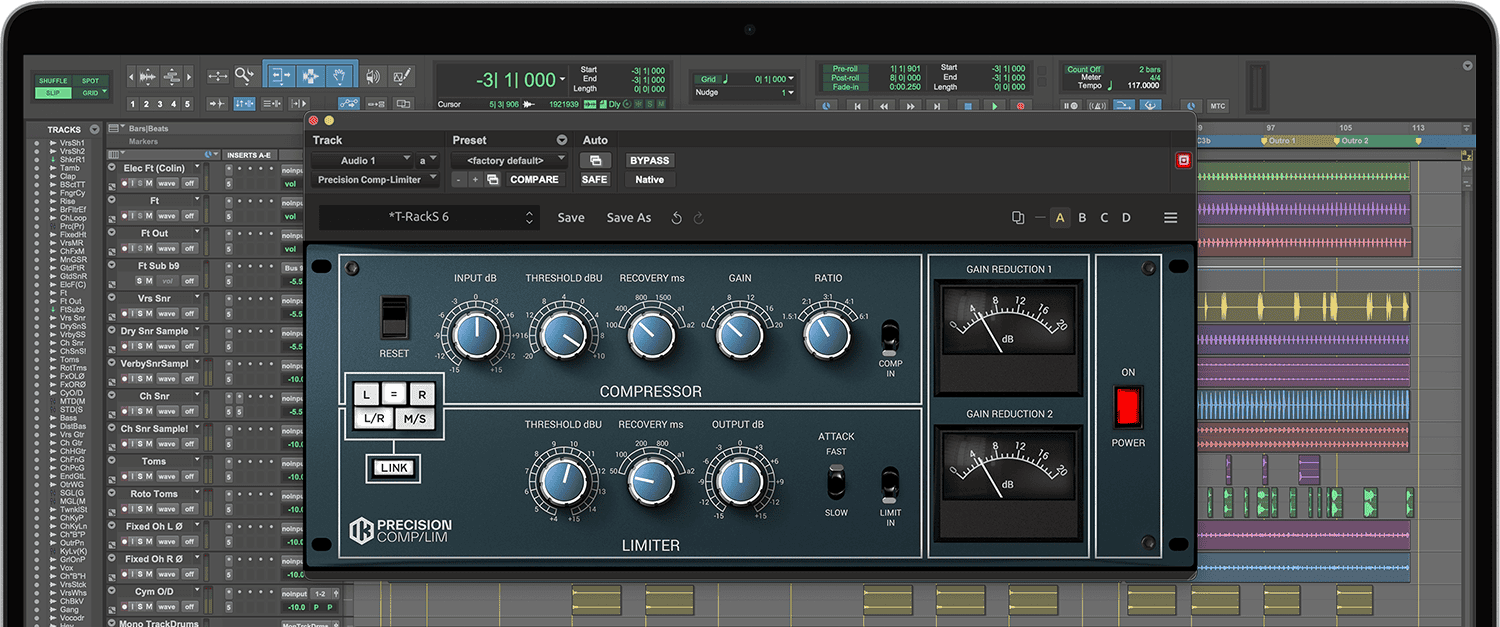
The Precision Comp Limiter is based on one of the legendary British compressors found in top-level studios worldwide. Originally produced in the ‘70's as an evolution of the previous 2254 model, it quickly became a much sought after unit for many audio applications, including music recording/mixing, mastering, post-production and broadcasting. Its sonic character is not as aggressive as that of many other popular units of the same era. Even when the unit is pushed to extreme settings, the compression is fairly gentle and retains a musical quality that doesn't "choke" or squash program material. Nevertheless, the compression effect is clearly distinguishable.
Technology behind the British Sound
The modeling starts at the core, with the diode network used for the compression and the set of custom transformers responsible for the unique, fat and bold character; input and output transformers were so closely replicated that all of the hardware’s inherent sonic signature is in there.
It just takes a listen to appreciate the fully modeled signal path, where compressor and limiter can be engaged or excluded separately, combining gain reductions and time constants for more complex and articulate results.
The interaction between the class-A circuitry and the custom transformers used in the signal path really do make a difference in how this units affects the audio quality of the tracks it's processing, even when no compression is applied.
The Mix Bus is where the magic happens
As its hardware counterpart, this module is equally at home in many applications; in mixing contexts it can easily be used to fatten up single tracks and have them in a precise space and dynamic range within the mix.
The series of controls so closely replicated has some added bonuses: the input control was not present on the hardware unit; in the T-RackS model this allows to feed more signal into the module thus producing a more pronounced compression effect. Additional flexibility is given by the standard stereo (L/R) or Mid/Side (M/S) operation.
The dual nature of the unit, featuring a separate compressor and a limiter allows for some very interesting results: the combination of the two independent sections can lead to some complex gain reductions as the compressor can impart a lighter and gentler compression, while the limiter can be set for a more audible effect.
Its sound quality is so euphonic and musical that even single tracks individually compressed, or simply passed through the Precision Comp/Limiter will gain presence and character.
Nevertheless it really shines as a stereo master bus compressor, turning an “OK” mix into a finished song, where the effect of compression is there, but its subtle and gentle character really works the magic on a track.
System Requirements
Mac® (64-bits)
- Minimal: Apple M1 or Intel® Core i5 Processor, 8 GB of RAM, macOS® 10.15 or newer. 9 GB of hard drive space.
- Requires an OpenGL 2 compatible graphics adapter.
- Supported Plug-in formats (64-bit): Audio Units, VST 2, VST 3, AAX.
Windows® (64-bits)
- Minimal: Intel® Core i5 Processor or equivalent, 8 GB of RAM, Windows 10 (64 bit) or newer. 9 GB of hard drive space.
- Requires an ASIO compatible sound card.
- Requires an OpenGL 2 compatible graphics adapter.
- Supported Plug-in formats (64-bit): VST 2, VST 3, AAX.
Important note: Internet connection is required as all of the Custom Shop operations are web based.


