


 Log In

Free gifts available with your purchase
Manny Marroquin Tone Shaper
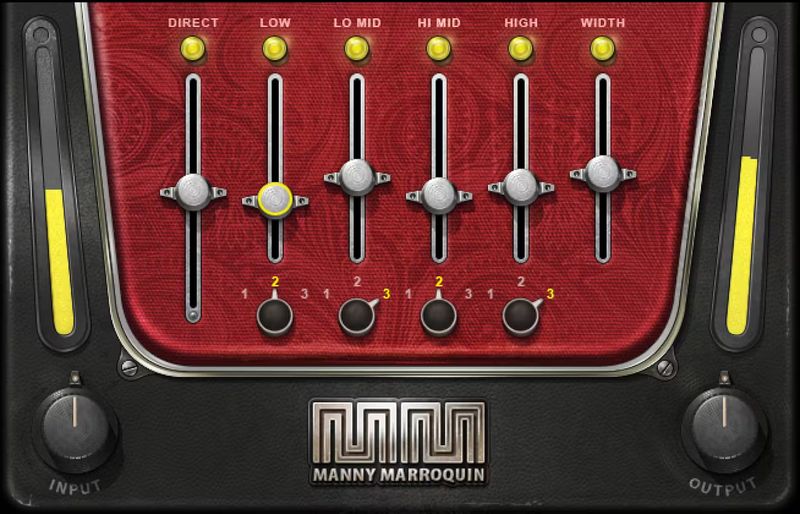
Multiband Compression Made Easy
Multiband compression can do wonders, but the sheer number of interacting parameters is daunting. Let 10x Grammy®-winning mix legend Manny Marroquin (Kendrick Lamar, Kanye West, Lizzo, Rihanna) do the prep work—so you can quickly shape resonant kicks, sizzling cymbals, fuller bass, and more.
The Manny Marroquin Tone Shaper works as a parallel compressor, which maintains a sound’s fundamental character alongside the added compression. The four bands layer enhancements to quickly bring out the best in your tracks.
“Parallel compression plays a huge part in my mixing. It adds richness and brings out the full character of almost any sound. The Tone Shaper has my ‘secret ingredients’ for changing tonality, to make sure every element sits in the mix in just the right way.” —Manny Marroquin
Features
- Created with mix engineer Manny Marroquin (Kendrick Lamar, Lizzo)
- Give fuller, punchier tone to individual tracks, buses, or masters
- Help elements stand out in the mix, without overcrowding the mix
- Fastest possible workflow for multiband compression
- Parallel compression split into 4 bands for quick tone control
- 3 frequency choices per band further extend the flexibility
- Width control enhances the stereo image
- Presets by Manny plus star mixers Tony Maserati and Michael Brauer
System Requirements
Mac
- macOS Monterey 12, Ventura 13, Sonoma 14, Sequoia 15
- VST / AU / AAX
PC
- Windows 10+
- VST / AAX














