


 Log In

Free gifts available with your purchase
Product information
Renaissance Vox
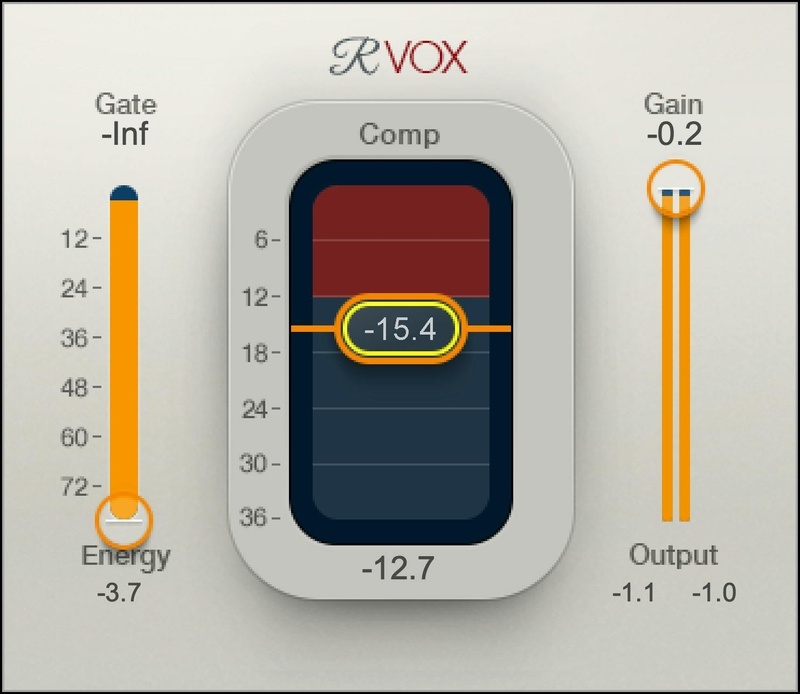
The Fast Track to Vocal Excellence
Hailed by Drake’s producer Noah “40” Shebib as “one of the most important vocal plugins ever made,” R-Vox has become the go-to vocal compressor for countless Grammy®-winning engineers, working with vocalists from Beyoncé to Billie Eilish. With 3 focused and efficient controls, R-Vox is the quickest route to a legendary vocal sound.
Most of the action happens “under the hood,” with parameter values calculated in real time for specific vocal styles. Tweak the Gate, Compression, and Output Gain—then become inspired.
Features
- Ideal for vocals, VO and podcasts: Compression optimized for voice
- Keep your creative momentum going with ultra-fast setup
- Gives power and body, so vocals stand out in the mix
- Smart metering makes it easy to see the compression’s sweet spot
- Simple yet highly effective interface: 3 controls do the job
- Presets from top-tier producers and engineers
- Choice of light, dark, or legacy skins
System Requirements
Mac
- macOS Monterey 12, Ventura 13, Sonoma 14, Sequoia 15
- VST / AU / AAX
PC
- Windows 10+
- VST / AAX
Installation Instructions












Customer Reviews
(4)


