/ Compressor / Renaissance Vox
Waves

Renaissance Vox

4.7 (14 Reviews)
$29.99 $129.00

76% off until Dec 07

Waves Renaissance Vox
Waves Renaissance Vox gallery thumbnail
Buy Now
Product information

Renaissance Vox

The Fast Track to Vocal Excellence

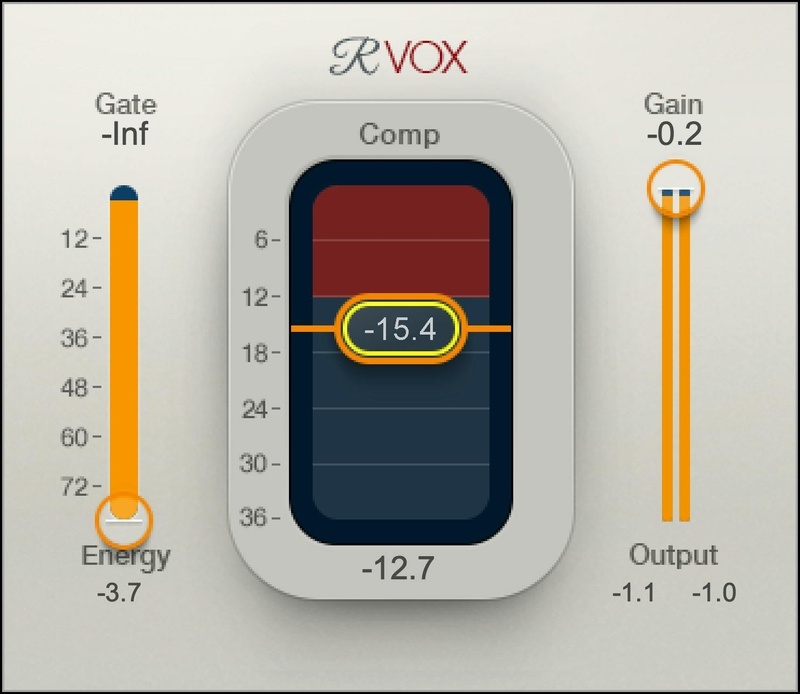
Hailed by Drake’s producer Noah “40” Shebib as “one of the most important vocal plugins ever made,” R-Vox has become the go-to vocal compressor for countless Grammy®-winning engineers, working with vocalists from Beyoncé to Billie Eilish. With 3 focused and efficient controls, R-Vox is the quickest route to a legendary vocal sound.

Most of the action happens “under the hood,” with parameter values calculated in real time for specific vocal styles. Tweak the Gate, Compression, and Output Gain—then become inspired.

Features

  • Ideal for vocals, VO and podcasts: Compression optimized for voice
  • Keep your creative momentum going with ultra-fast setup
  • Gives power and body, so vocals stand out in the mix
  • Smart metering makes it easy to see the compression’s sweet spot
  • Simple yet highly effective interface: 3 controls do the job
  • Presets from top-tier producers and engineers
  • Choice of light, dark, or legacy skins

System Requirements

Mac

  • macOS Monterey 12, Ventura 13, Sonoma 14, Sequoia 15
  • VST / AU / AAX

PC

  • Windows 10+
  • VST / AAX
Installation Instructions

1. Head to https://www.waves.com/create-account

2. Enter your email and choose a password to create an account (if you already have a Waves account, choose Log in, enter your details and head to Step 5) > click 'Submit'

3. Open your email inbox > click the activation link in the email from Waves

4. Click 'Log in here' > Log in to your Waves account

5. Click 'Register New Products'

6. Enter the Serial Number found in your Plugin Boutique user account > click 'Submit'

7. Click download in your Plugin Boutique user account or head to https://www.waves.com/downloads/central > download the Waves Central app for your operating system

8. Install Waves Central > Open Waves Central

9. Click 'Log in' > enter your log in details

10. Click the 'Install Products' tab

11. Tick the blue dot on all products you wish to install or click the top dot to install all products > click 'Install & Activate'

12. Click 'OK'

13. Open your DAW > open the Waves plugin

Your Waves plugins are installed and ready to use, enjoy!

Plugin Boutique Rewards

Discover the most rewarding loyalty programme among all plugin retailers.

  • Free Loopmasters Samplepacks
  • Discounts on products and courses
  • Extra Virtual Cash claimed immediately at checkout
Find out more

Follow us:

X (Twitter) Facebook YouTube Instagram
Logo Logo

Plugin Boutique Limited, Part of the Beatport Group LLC.

Copyright © 2011-2025 Plugin Boutique. All rights reserved